[Resolved] Mixed content after theme customizer update
This thread is resolved. Here is a description of the problem and solution.
Problem: The client is experiencing an issue where after updating the theme customizer, the content that should remain in English is instead showing in other languages. This problem is linked to the Query Monitor plugin blocking Ajax actions from WPML during the save process. Solution: We recommend disabling the Query Monitor plugin, especially when updating content or translations, as it is primarily a debugging tool and can impact performance on live sites. Disabling it should resolve the issue with saving content in the correct language. For more details on this conflict, you can visit the discussion on WordPress.org.
Please note that this solution might be outdated or not applicable to your specific case. We highly recommend checking related known issues at WPML Known Issues, verifying the version of the permanent fix, and confirming that you have installed the latest versions of themes and plugins. If the issue persists, please open a new support ticket at WPML Support Forum.
This is the technical support forum for WPML - the multilingual WordPress plugin.
Everyone can read, but only WPML clients can post here. WPML team is replying on the forum 6 days per week, 22 hours per day.
Background of the issue:
I am trying to save data in the original language (English) after a theme customizer update. The issue can be seen on this page: hidden link
Symptoms:
I expected to see full English content, but instead, I got theme strings in other languages.
Questions:
Why are theme strings appearing in other languages after a theme customizer update?
How can I ensure that the content remains in English?
Thanks for contacting WPML forums support. I'll be glad to help you today.
First of all, sorry for the late reply; it was due to a higher workload.
I would need to look closely at your site, so I would need to request temporary access (WP-Admin and FTP) Preferably to a test site where the problem has been replicated.
Your answer will be private, meaning only you and I can access it.
❌ Please back up your database and website ❌
✙ I need your permission to deactivate and reactivate the plugins and themes and change site configurations. This is also why the backup is critical.
✙ I also need your permission to take a local copy of your site to debug the issue without affecting your live site.
Please ask to you collegue to get in this ticket: https://wpml.org/forums/users/drazen-d/
We talked about this but I can't find back the ticket. He provided the solution already. I believe live chats aren't archived.
1) As I remember from our chat, the issue was that you had strings in another language in the frontend not translated, but in this case, I see you have it correct in the customizer but wrong on the frontend. Is that the case, please confirm?
2) If you do the save in theme customizer you need to go to WPML > String translation and confirm translation of strings, as they are in status "need update". Can you check this string and make sure it is translated and the pencil icon is showing?
Hi Dražen,
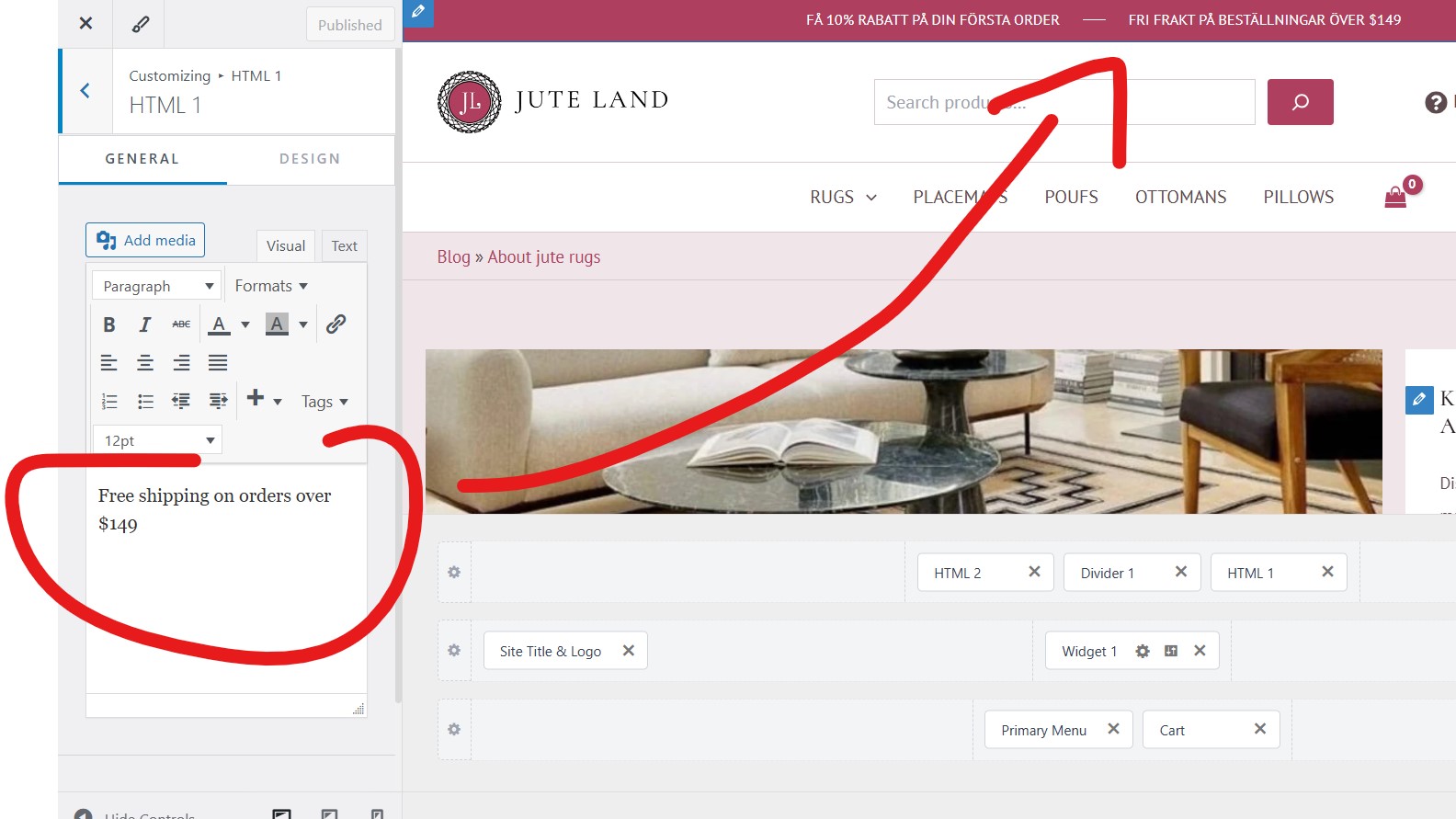
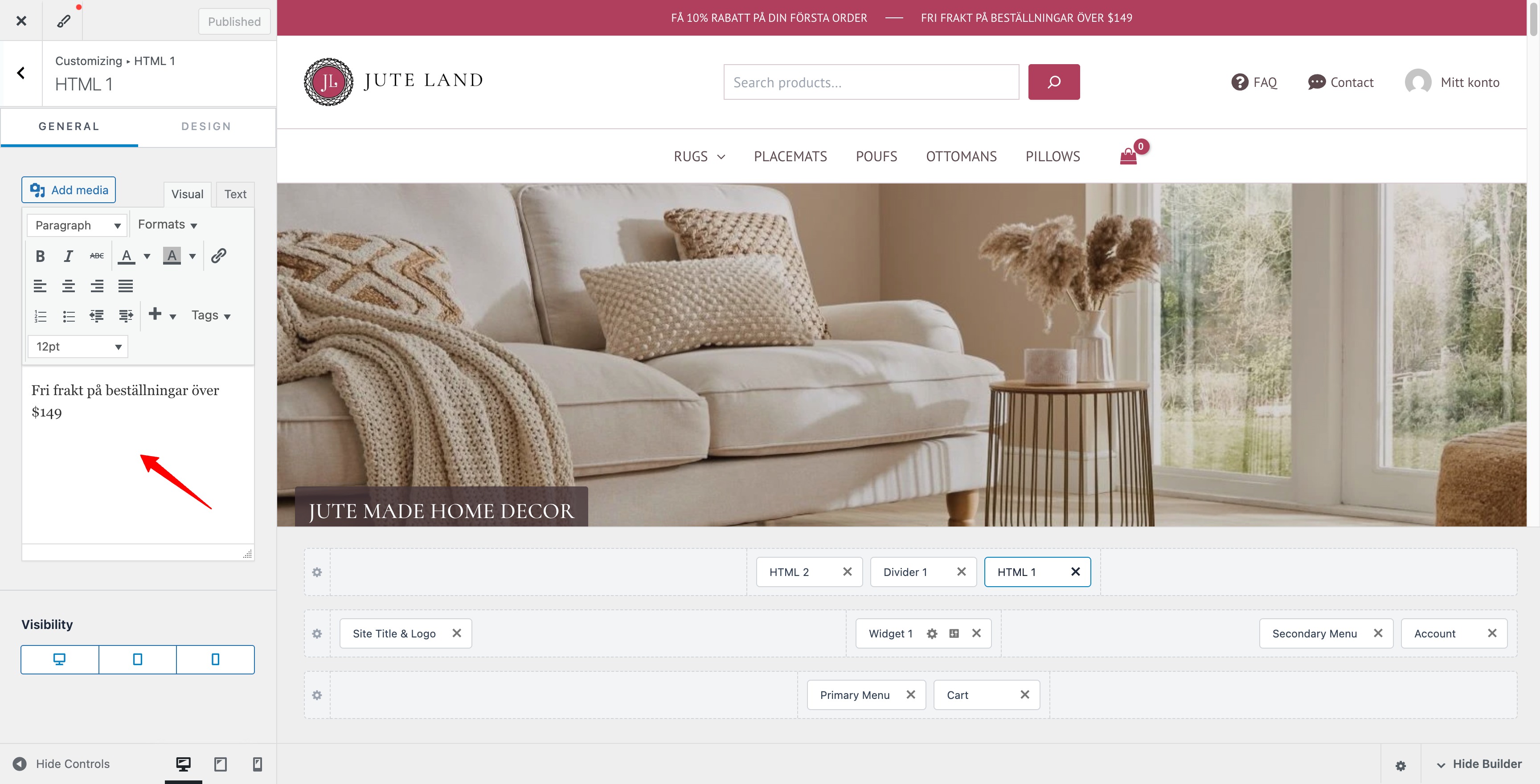
Issue is: translated content appears in the original language after I updated the theme customizer. Just check the marketing messages at the top of the website (free shipping + first order discount). It should be in english.
as I have said if you have saved theme customizer, and in there the strings are correct in default language, then you need to go to WPML > String translation and re-confirm translation of strings, as for WPML they have been updated, even if you have not changed anything, theme has resaved them in database.
You dont get it. We had this discussion before with you.
What I did:
1/ Update theme customizer > Found TRANSLATED CONTENT on the website MAIN LANGUAGE > Update one more time the theme customizer to replace translated content with ORIGINAL LANGUAGE (English) > Found out that a new translation took place instead of the original language (first it was polish then in became swedish) > Contact you about the issue
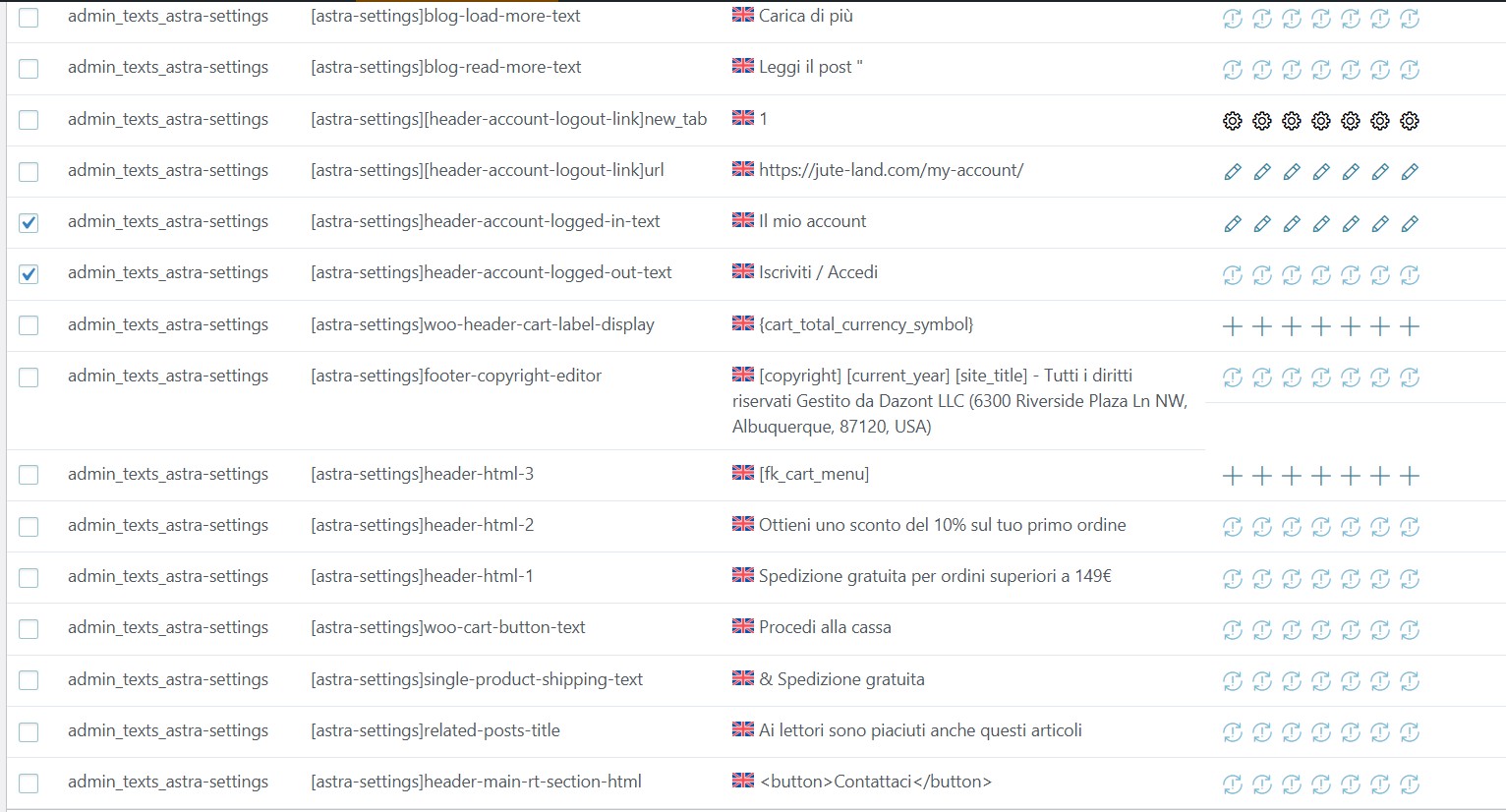
2/ Read your message > Check string translation page (the "read more" text from the blog)> Found this: english (original) is filled with dutch, and dutch (translation) is filled with english
I want to:
GET RID OF THE TRANSLATED CONTENT ON THE WEBSITE MAIN LANGUAGE.
Let me have a look to understand and try to solve the issue for you, please share admin access to the safe box below. Make sure to have a backup just in case.
I checked and I can se you have a wrong string in Customizer, so you will first need to add the correct default language string and then translate it via WPML > String translation.
On why, do you see translated string there instead of default language strings, that you added before there, it is probably the next issue so please follow the workaround from errata and apply it so you do not experience this issue anymore:
What I did: I added it in the wpml string plugin code > go to customizer and update with original language (english) the content > refresh website front end to check the content.
As a result: the content was replaced before with swedish language. Now it is replaced with Italian language.
Each time I edit the content in the customizer, it is replaced by previously translated strings with a new random language.
This is totally strange. I have done multiple tests with all possibilities.
1/ xml-prc avtivated + object cache disabled
2/ Code modified + xml-prc avtivated + object cache disabled
3/ Code modified + xml-prc activated
4/ Code modified in plugin
5/ None (with settings used when error occured)
It worked for each case after updating a last time the text in french (configuration No.1). It's as if the theme customizer has been updated so many times that it has cycled through all available languages and returned to the default language: English.
As I understand it works fine now? If yes, then it most likely was related to object cache, it can sometimes cause weird issue with saving of translations etc, it best to keep it disabled while you translate/add content and then enable it back once done.