
This is the technical support forum for WPML - the multilingual WordPress plugin.
Everyone can read, but only WPML clients can post here. WPML team is replying on the forum 6 days per week, 22 hours per day.
This topic contains 7 replies, has 2 voices.
Last updated by Mohamed Sayed 4 years ago.
Assisted by: Mohamed Sayed.
| Author | Posts |
|---|---|
| April 9, 2022 at 7:13 pm #10987149 | |
 kaan |
I am trying to:Translate multi step ninja form, installed the ninja translation plugin etc everthing is fine however next button label for multi step forms isnt listed on the wpml translation page. I found every other label but not the next step label. Link to a page where the issue can be seen: I expected to see: Instead, I got: |
| April 11, 2022 at 11:50 am #10994523 | |
 Mohamed Sayed |
Hi there, Could you go into WPML > String Translation and use the search field to look for the button label? Let me know please if that helps. Regards, |
| April 18, 2022 at 8:44 am #11037373 | |
|
kaan |
Hello, Unfortunatelly next button isnt listed in the string translations too. |
| April 18, 2022 at 12:30 pm #11038527 | |
|
Mohamed Sayed |
Hi, I've created a clean installation with WPML and Ninja forms only. Please login to the site and try to replicate the issue by creating a new form and trying to translate the label, you can use this link to login: hidden link Please don't import your existing form so we can check if it's a compatibility issue, then I can forward it to the compatibility team. Let me know how it goes. Regards, |
| April 18, 2022 at 2:30 pm #11039027 | |
|
kaan |
I couldn't send the form to translation to check. Added a screenshot for the error. I use ninjaforms pro with multistep plugin. this next button is inside the multistep forms maybe thats the problem? |
| April 18, 2022 at 7:27 pm #11040387 | |
|
Mohamed Sayed |
Hi, I checked the form and found that the issue was reported before, our developers have provided a workaround to translate the part titles from the "Multi-Part Forms" plugin. Please try the following steps: 1) Go to wp-content/plugins/wpml-ninja-forms/wpml-forms-config.xml 2) Find the following line: <property>fieldsMarkedRequired</property> 3) After that line add the following: <property type="ARRAY" properties="title">formContentData</property> 4) Edit the form in the default language and make a small change then publish it. 5) Send it again for translation. I've tested the above steps on the sandbox site and now the fields are available for translation, please check the attached image. Let me know please if that helps. Regards, 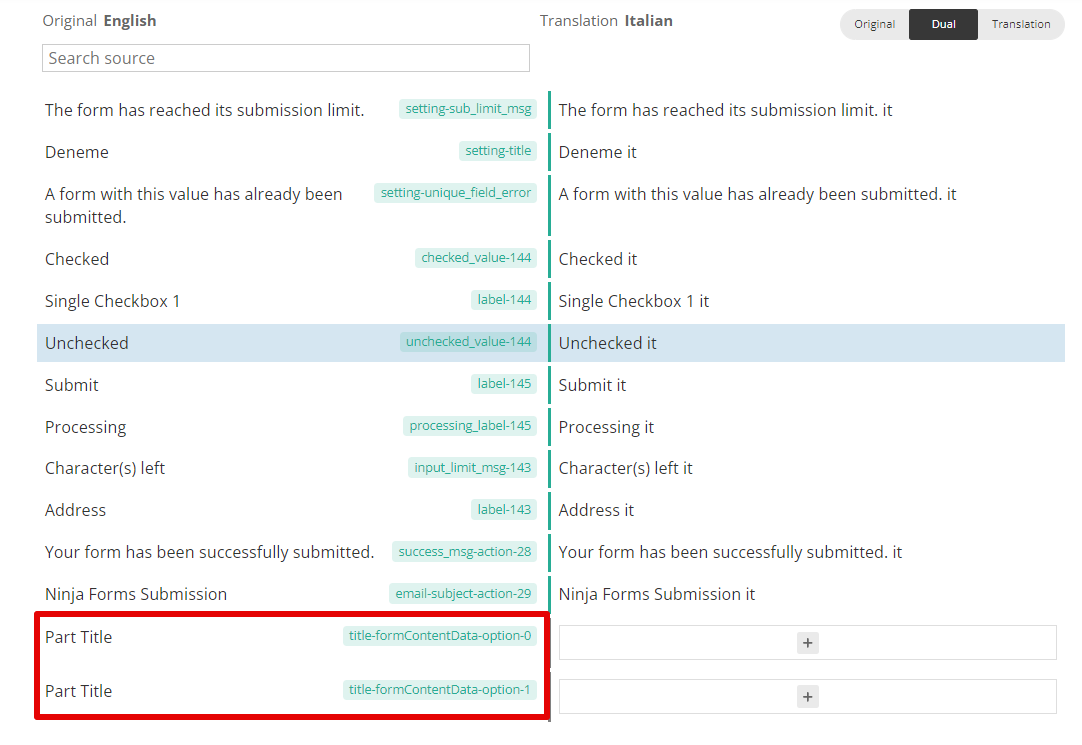 |
| April 19, 2022 at 1:13 pm #11046027 | |
|
kaan |
Hi, Part titles are now translatable but nex and previous button labels are still missing. 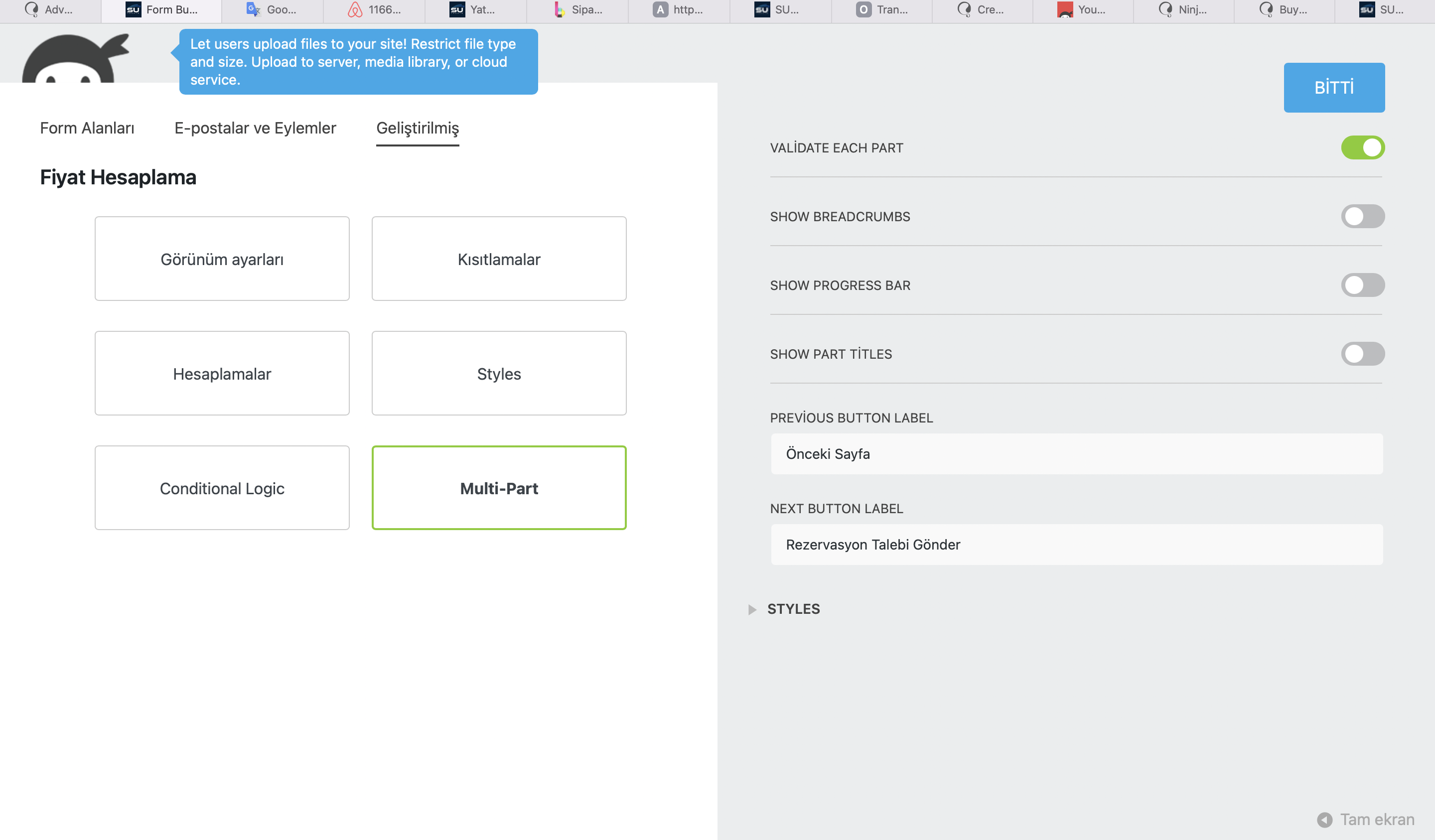 |
| April 19, 2022 at 7:54 pm #11049005 | |
|
Mohamed Sayed |
Hi, I made another test and found that if you removed the label values from the form settings and used the default values "Previous - Next", it can be translated with the String Translation module. Please check here hidden link After removing the Turkish labels, please try the following: - Go to WPML > String Translation > Auto register strings for translation section Let me know please if that helps. Regards, 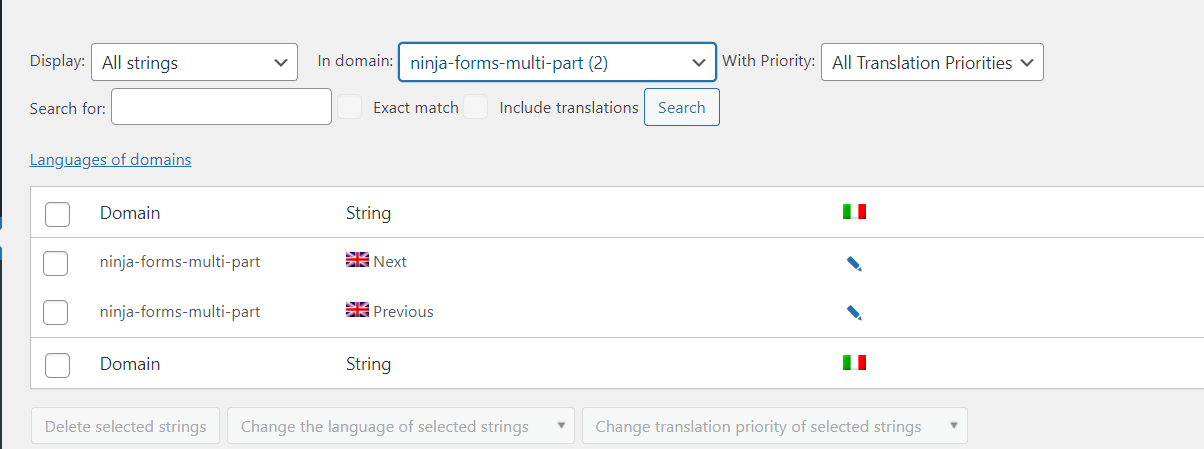 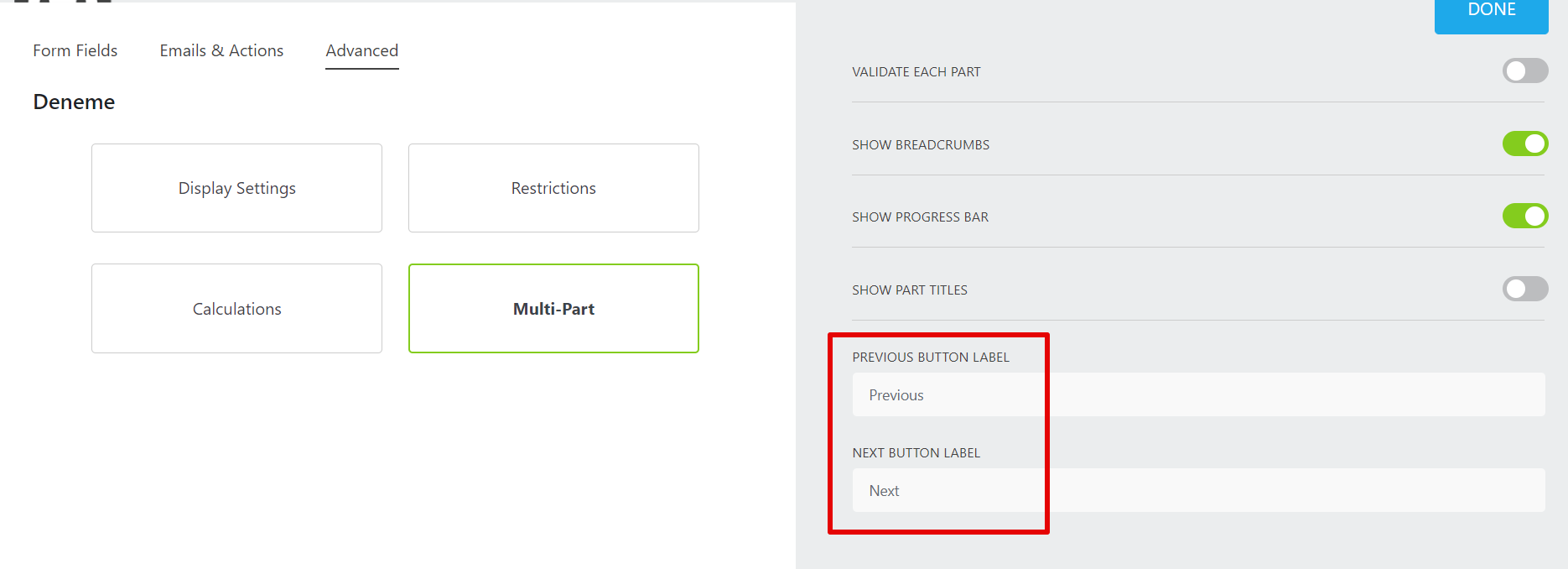 |