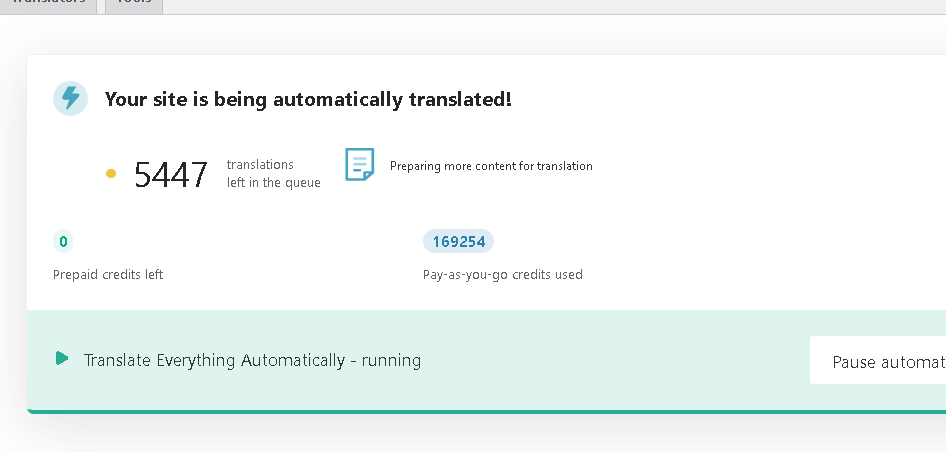
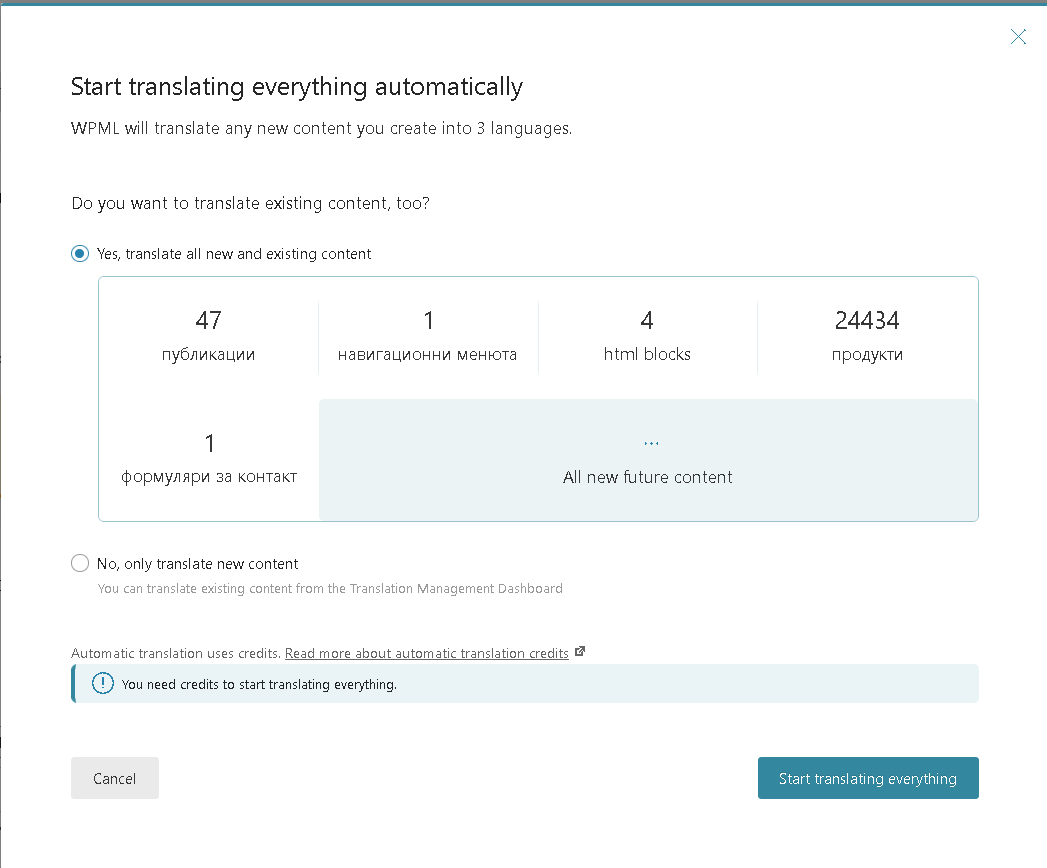
What I mean, Last 100 EUR, now Again 195000 Credits I'm waiting to be charged 100 EUR... The number of translated products is not increasing, while money keep going...
Alright, lets assume I'm in mistake about strange way of charging and overpaying. NO problems!
Please, why you are not charging me another 100 EUR treshhold so my translations to go on? I'm stuck for 4 days on 195000 credits and my card is not getting charged. Can`t we just finish this translation, no matter of the costs and be done with it?
Without access to your site, it's hard to understand what could be causing this. Can you now allow me access to your site? If so, please add credentials in the private fields in the next reply. If not, then let me know and I can set up a staging site on cloudway and send instructions for migrating a copy of your site there.
Thanks so much for allowing me access to the site. I can see some errors in the Advanced Translation Error Log. I'd like to have you try a few things to help find out the cause of the stopped translations.
1. WordPress includes a debug mode that helps reveal PHP problems. Let's enable this and see if there are any errors we can locate.
To enable it, open your wp-config.php file and look for
In this case the errors will be saved to a debug.log log file inside the /wp-content/directory.
The wp-config.php is located in your WordPress root directory. It’s the same file where the database configuration settings are. You will have to access it by FTP or SFTP in order to edit it.
If you open wp-config.php and that define statement is not there, you can add it right before this line:
/* That's all, stop editing! Happy blogging. */
Please note that you’ll see everything, not only related to our Plugins. This will most likely include messages from other plugins, your theme, and sometimes even WordPress core. The messages appear all over the place.
Sometimes they appear right on top, but they can also appear in the middle of the page.
After enabling the debug mode, please try to replicate the issue. Navigate to the page where the error message being displayed. The errors will be either displayed on the screen or logged in the debug.log log file inside the /wp-content/directory.
Paste the latest lines here. No need to paste the entire log file, just 50 lines or so will do. Please censor any sensitive information.
2. Please be sure to make a full backup of your site and database.
Then, go to WPML -> Support -> Troubleshooting.
Look for 'Clean up' and click the following:
- Synchronize posts taxonomies
- Clear the cache in WPML
- Remove ghost entries from the translation tables
- Fix element_type collation
- Set language information
- Synchronize local job IDs
- Fix Terms count
- Fix post assignment for translations
3. Once these are both done, go to WPML -> Translations and "take and translate" a page that needs translation. See if you are able to take it and translate it using automatic translation. If not, go to wp-content and look for debug.log (access using FTP or a file management plugin) and let me know if you see any errors.
I am not intending for this to be the way to translate moving forward, I just want to see if we can get the process moving for one page after these clean up steps. I look forward to learning the results.
Thanks for fast answer. Before I proceed - let me suggest something -> Pay-as-you-go credits used is stacked at 195,000 and I'm not getting charged. So my theory is still there is problem with billing, then with php errors on website. I suggest I'm getting blocked by your side. If you say it`s not the case - I'm doing debug, it is 10:35 PM at Bulgaria, so in hour and a half will be midnight - and any debug wont affect any customers.
As debugging now is possible over night (its 12:03 PM my time now, so in 12 hours), few hours ago I stopped and started pay-as-you-go services.
When I stopped pay-as-you-go, I got charged 100 EUR.
I started pay-as-you-go again and again I hit 100 EUR Limit(debt)
Now Main question, another 100 EUR is to be charged from my card, but number of translated products is not changed as in screenshot
So it was ~640 greek translations and ~ 610 Romanian before, now another 100 EUR is "reached" but number of translations did not change. This is one of the main problem which I suggest you charge me wrong!
Please DO NOT keep cancelling the subscription and starting it back up. This is causing more confusion. What happens when you do that is that you will be charged for any credits that were used from Pay As You Go, because the credits now show as debt. Then when you restart, you will need to pay the safety balance again, and you are creating more invoices, as you now are starting pay as yo ugo again which is meant to be paid at the beginning of next month for the credits you used the past month.