This thread is resolved. Here is a description of the problem and solution.
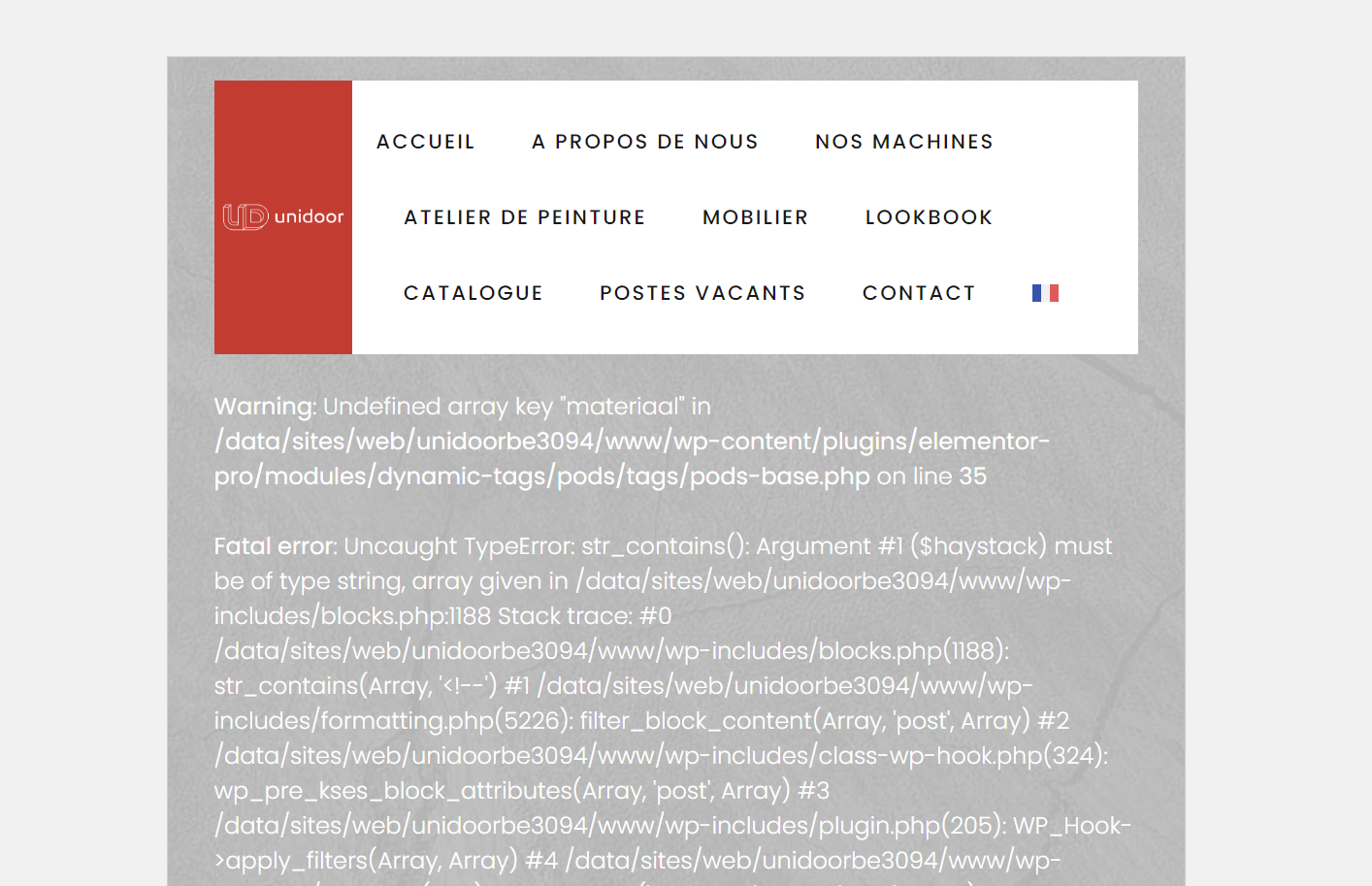
Problem: The client was experiencing errors on the translated pages of products made with Pods, which worked perfectly in the main language (Dutch) but showed errors on the translated pages.
Solution: We recommended the following troubleshooting steps: 1. Navigate to WPML -> Support -> Troubleshooting. 2. Perform the following actions: - Synchronize posts taxonomies (for products and then for variations) - Assign translation status to duplicated content - Set language information - Fix terms count - Fix post type assignment for translations
Initially, these actions did not resolve the issue, but after clearing the cache, the translated pages started working correctly. This suggests that the problem may have been related to outdated cached content.
If you're experiencing a similar issue, we recommend trying the above troubleshooting steps. However, please note that the solution might be irrelevant if it's outdated or not applicable to your case. If the problem persists, we encourage you to open a new support ticket. We also highly recommend checking related known issues, verifying the version of the permanent fix, and confirming that you have installed the latest versions of themes and plugins. For further assistance, please contact us on the WPML support forum.
This is the technical support forum for WPML - the multilingual WordPress plugin.
Everyone can read, but only WPML clients can post here. WPML team is replying on the forum 6 days per week, 22 hours per day.
At out website we have products made with Pods.
This is working perfect in our main language (Dutch) but the translated pages give an error.
see: hidden link
Languages: English (English )German (Deutsch )French (Français )
Timezone: Europe/Zagreb (GMT+01:00)
Hi,
Thank you for contacting WPML support!
What about this error:
Fatal error: Uncaught TypeError: str_contains(): Argument #1 ($haystack) must be of type string, array given in /data/sites/web/unidoorbe3094/www/wp-includes/blocks.php:1188 Stack trace: #0
I see it on hidden link as well, does it show up if WPML is not active?
Languages: English (English )German (Deutsch )French (Français )
Timezone: Europe/Zagreb (GMT+01:00)
I did this:
- WPML - > Support -> Troubleshooting:
– Synchronize posts taxonomies (for products and then for variations)
– Assign translation status to duplicated content
-- Set language information
-- Fix terms count
-- Fix post type assignment for translations
But at first it didn't work, but now it works, as something was still in cache.
I suspected we should try with the above syntonisation because of "Warning: Undefined array key "materiaal".