
This is the technical support forum for WPML - the multilingual WordPress plugin.
Everyone can read, but only WPML clients can post here. WPML team is replying on the forum 6 days per week, 22 hours per day.
This topic contains 11 replies, has 2 voices.
Last updated by eoinK 3 years, 10 months ago.
Assisted by: Dražen.
| Author | Posts |
|---|---|
| January 20, 2022 at 12:29 pm #10392901 | |
 eoinK |
I am trying to: Add VAT to a secondary currency, but the calculated figures are wrong Link to a page where the issue can be seen: hidden link I expected to see: I expect to see the Shipping costs to be rounded to the nearest euro, Zasilkovna: 2.00 € Instead, I got: When VAT is applied to the primary currency and then converted, the outcome is wrong. Zasilkovna: 1.98 € Conversion rate is set as 1 Kc = 0.04 euro, VAT rate is 21%. 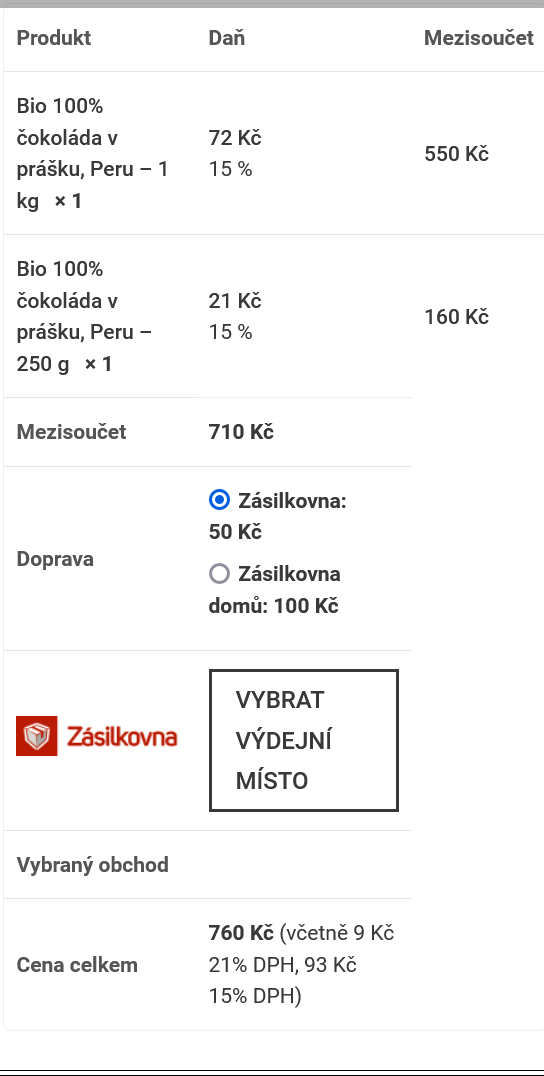 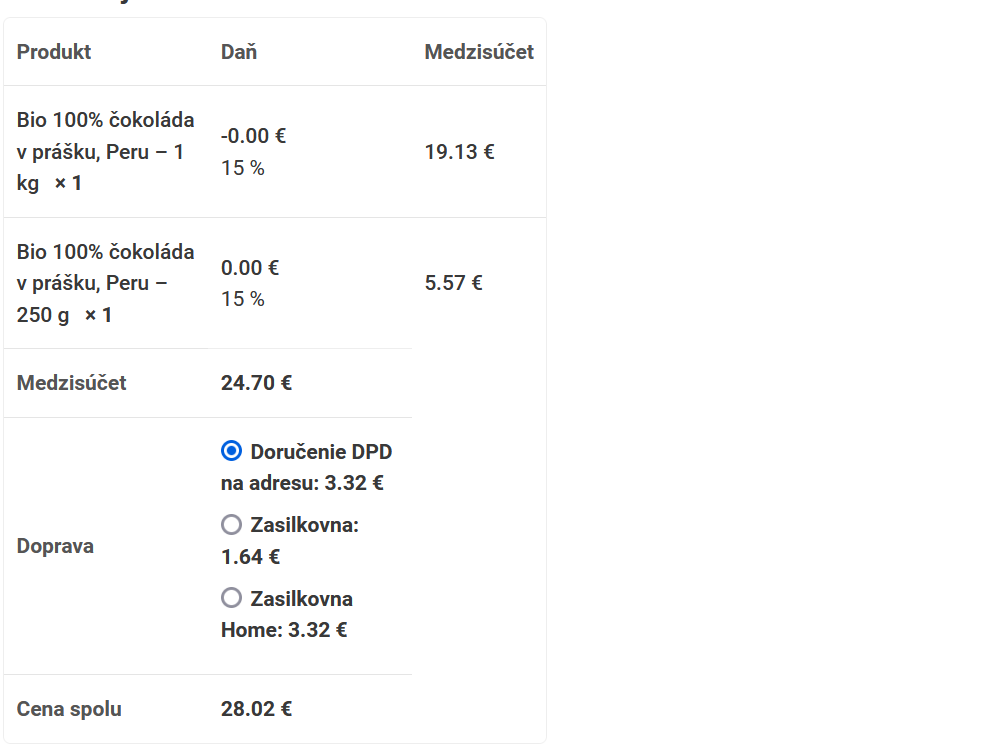 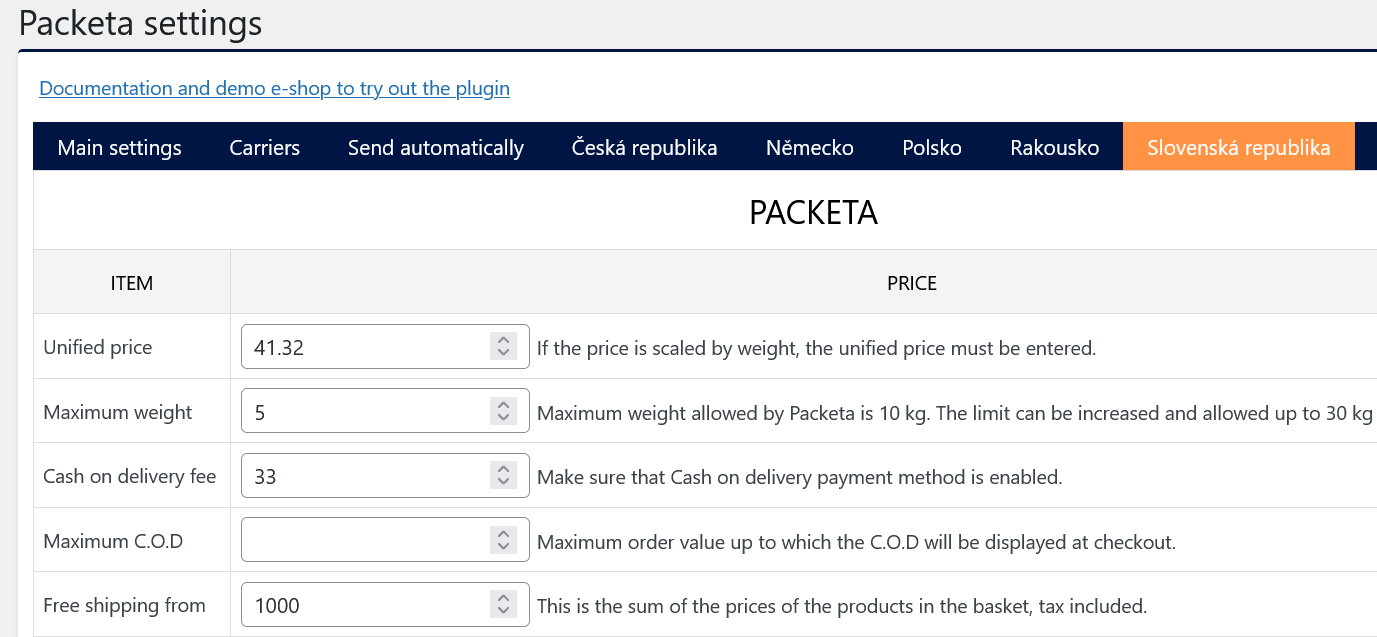  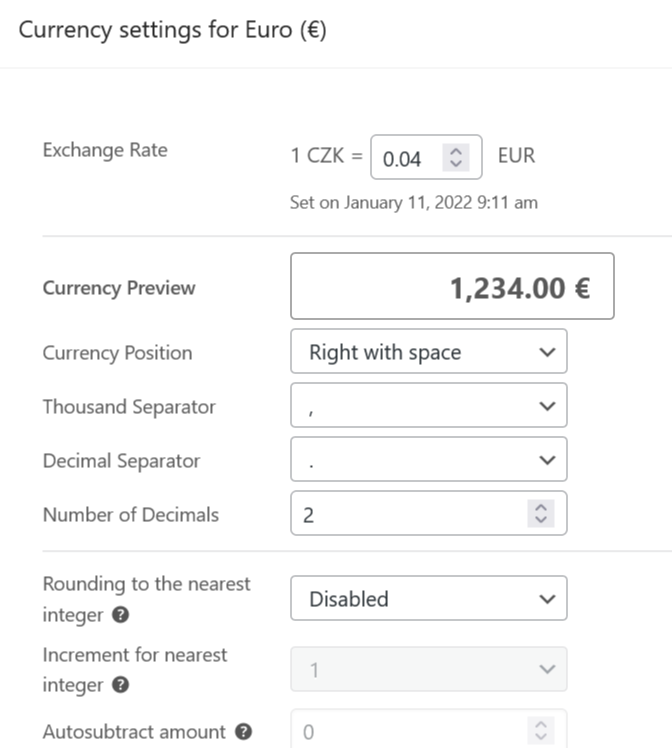 |
| January 21, 2022 at 7:14 am #10399709 | |
 Dražen Supporter Languages: English (English ) Timezone: Europe/Zagreb (GMT+02:00) |
Hello! Welcome to WPML Support. I'll do my best to help you solve this issue. 1) I see you are using some 3rd party plugin for shipping. Does the issue happen with regular default WooCommerce shipping methods also? 2) I created a minimal installation of WordPress, WPML, and all necessary WPML add-ons. You can access the WordPress dashboard using the link below: Kindly follow the steps below: This will help us check issues faster and to report the probable issue to the developers' team to solve the possible problem faster. - https://wpml.org/faq/how-to-reproduce-issues-and-share-them-with-wpml-support/ Let me know how it goes. Thanks, |
| January 24, 2022 at 11:01 am #10416999 | |
|
eoinK |
Hi, Yes, I am using a 3rd party plugin for Shipping, but that is not the source of the issue. I have set up the demo shop, with WPify 3rd party plugin. Kc is primary currency with no decimal places, with Euro at a conversion rate of 1 Kc = 0.04 euro. Euro is set for 2 decimal places. Shipping options are set up for CZ and SK zones, at 50 Kc (inc 21% VAT) (41.3 ex VAT) and 100Kc (inc 21% VAT) (82.6 ex VAT) So shipping to CZ costs 50 Kc and 100Kc, when not showing decimal places. Correct!! Shipping to SK costs €1.98 and €4.02 when Kc is not showing decimal places. Not correct!! Client needs to show 2 decimal places for euro, and none for Kc. I know that in the standard WC shipping methods, I can specify a cost in euro, but then the customer has no Delivery pickup options available to them at checkout. Thanks |
| January 24, 2022 at 11:05 am #10417017 | |
|
eoinK |
Hi, Also would like to add, that when I use the standard WC Shipping options, and use the Automatic conversion calculations, then the euro costs are still wrong. Thank again. |
| January 24, 2022 at 12:22 pm #10417745 | |
|
Dražen Supporter Languages: English (English ) Timezone: Europe/Zagreb (GMT+02:00) |
Hello, thanks for getting back and taking the time to reproduce. 1) Is it possible to extend this option to specify the cost to all Shipping methods? I am not 100% sure I understand, but currently, I do not see such an option, maybe if the plugin author is interested in providing WPML compatibility and making such an option together with WPML developers. 2) So it's not the WPify plugin that is giving incorrect shipping costs, it is coming from the WPML currency convertor. Great, that is good news as it would mean we can simply reproduce it and escalate it to our developers as a WPML bug. So, can you please reproduce the issue now without 3rd party plugin, share with me a simple step-by-step guide on how can I see the issue, what goes wrong, and what should be the correct result. I do not see it without 3rd party plugin, so not really sure how to reproduce it. If it still happens and is confirmed, I can escalate it to our developers for further debugging. Thank you, |
| January 25, 2022 at 10:33 am #10425137 | |
|
eoinK |
Hi, Steps are as follows: Configure Woocommerce as: Tax tab: Shipping tab: Payments tab: Products: Shop: Product price is 500 Kc. Product price is €20 (500Kc * 0.04). This is correct. In WPML Multicurrency, if I set euro to have 0 Decimal places, then Shipping cost becomes €1???? Thanks |
| January 25, 2022 at 12:39 pm #10426329 | |
|
Dražen Supporter Languages: English (English ) Timezone: Europe/Zagreb (GMT+02:00) |
Hello, thanks for getting back and sharing this helpful guide. I have checked and could see the issue you described. Also, I can see, if you set EURO to 0 decimal places and rounding, it shows and works fine. But that is not what you need, since you need Euro set to 2 decimals and KC 0. I have shared this ticket and info with our 2nd tier support to check and advise. I will update you soon. Thanks, |
| January 27, 2022 at 2:32 pm #10447085 | |
|
Dražen Supporter Languages: English (English ) Timezone: Europe/Zagreb (GMT+02:00) |
Hello, our second-tier checked the issue and it seems the calculations are correct. What is happening right now, 41.3 * .04 = 1.65 rounded to 2 then 21% tax added resulting in 2.42 Euro. What we suggest is to set the shipping price including the tax and disable taxation so shipping cost will be correctly converted and rounded to up. Please check and let me know if this works for you. If not, please install on sandbox and set up the shipping plugin you are using on your website then we will check for any solution/settings that might be helpful for you. Thanks, 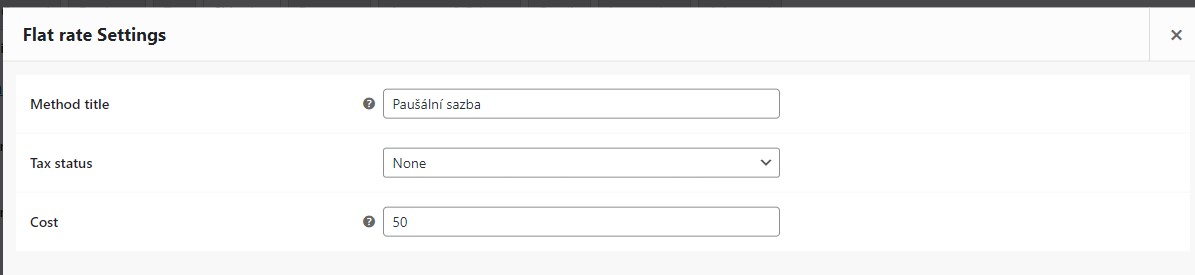 |
| January 27, 2022 at 3:26 pm #10447689 | |
|
eoinK |
Hi, No, this doesn't work for our situation. As mentioned, there is No Rounding on the euro currency, only 2 Decimal places. As for charging shipping without VAT, that won't work either, because the eshop will be shipping to other countries, and to businesses in those other countries. As for the other shipping plugin, it displayed the same behaviour, but if you can create a new sandbox system for me, I'll set it up for you there. Thank you, |
| January 28, 2022 at 7:30 am #10452353 | |
|
Dražen Supporter Languages: English (English ) Timezone: Europe/Zagreb (GMT+02:00) |
Hello Eoin, thanks for getting back. Sure, let's check your setup with the shipping plugin and hopefully, our 2nd tier can find a workaround for you. Here is a new sandbox website: - hidden link Let me know when I can check. Thanks, |
| January 28, 2022 at 8:17 am #10452687 | |
|
Dražen Supporter Languages: English (English ) Timezone: Europe/Zagreb (GMT+02:00) |
Hello, also, our 2nd tier has a comment to share on your rounding from WC with 2 decimals: I am afraid to say that the requirement is incorrect. This is not even possible with WC without a third-party plugin or code. WC does the rounding on the final amount if the Decimal is set to 0. So the WCML will do for other currencies. They want to round the final amount even in just one language this is more of WC question than WCML. We can still check your issue on the new sandbox site, and see if there is a way for a workaround. Thanks, |
| January 31, 2022 at 8:18 am #10467415 | |
|
eoinK |
My issue is not resolved, as it looks like something wrong with how WooCommerce is rounding other currencies. |






