[Resolved] Split: Divi template not fully translated
This thread is resolved. Here is a description of the problem and solution.
Problem: The client is using the Divi Builder to create a template for a custom post type called "chapters". Although they have translated the headers (Source, Language, Download) using String Translation, the dynamic content pulled by the Pods plugin and the headers are not being translated or displayed correctly in other languages. Solution: 1. We set the Lang field to be translated and instructed the client to update the chapter in the default language. This allows the Lang field to be visible and translatable when updating translations. 2. For translating links, we advised using the search field to find and translate them alongside the chapters. 3. To address untranslated labels on the front end, we recommended translating the body templates. The client should visit the templates page and ensure all templates are translated.
If this solution does not resolve your issue, or if it seems outdated, please check the related known issues and confirm that you have installed the latest versions of themes and plugins. If the problem persists, we highly recommend opening a new support ticket at WPML support forum.
This is the technical support forum for WPML - the multilingual WordPress plugin.
Everyone can read, but only WPML clients can post here. WPML team is replying on the forum 6 days per week, 22 hours per day.
Hi Lucas and thanks so much for your great support last week. I'm sorry to bother you again. I was able to move forward a bit with the work on the website but now have run into a new issue:
I have a post type: "chapters" and have used the divi builder to create a template for this type of post. In English I have some headers: Source, Language and Download and some dynamic content that is being pulled in. Both the headers and the dynamic content are somehow not being "seen" by wpml. Can you help me again? I am attaching some screenshots of the problem.
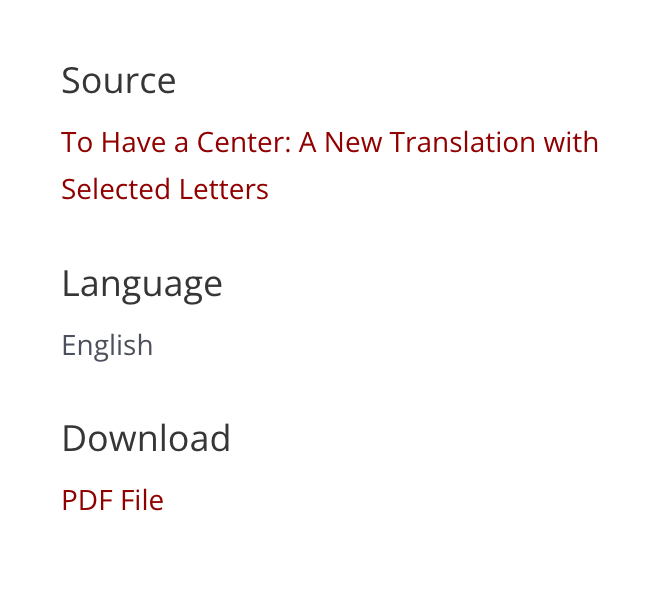
In the first screenshot you can see that the template for all chapters has been built with the Divi builder. The content is added to the regular WordPress backend and I am importing some dynamic content generated by the pods plugin such as the Source, the Language and the Download file. In the second screenshot you will see that I used String Translation to translate the three headers and in the third you can see the front end and where the dynamic content should appear (to the left)
For example, on this Original language post: hidden link
You can see to the left the Titles and dynamic content. However when you click on DE or FR the titles do not change and the first link does not go to the the german or french version but remains the same as the english. Can you help me again?
I'm Osama from the WPML forums support team. I'll be glad to help you today.
First, apologies for the delayed response; it was due to a higher workload.
I would need to look closely at your site, so I would need to request temporary access (WP-Admin and FTP) Preferably to a test site where the problem has been replicated.
Your answer will be private, meaning only you and I can access it.
❌ Please back up your database and website ❌
✙ I need your permission to deactivate and reactivate the plugins and themes, and change site configurations. This is also why the backup is critical.
✙ I also need your permission to take a local copy of your site to debug the issue without affecting your live site.
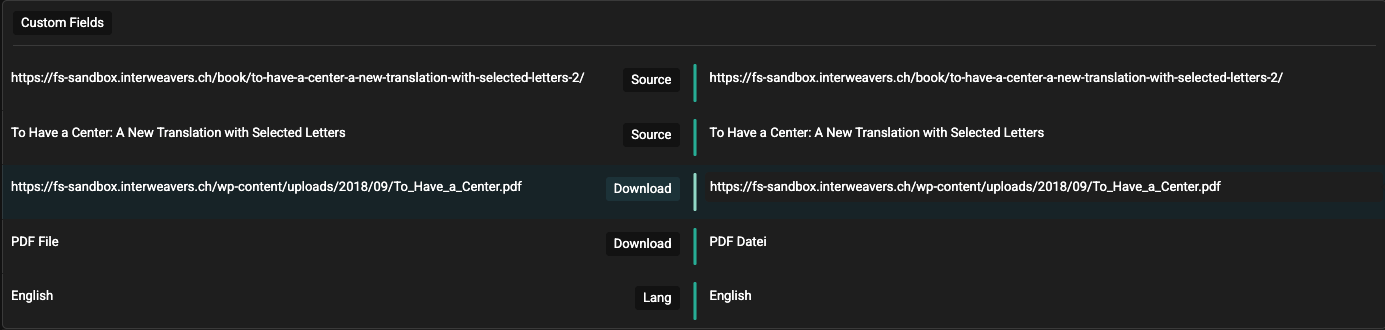
Thanks for the access details. I set the Lang field to be translated. After that, I updated the chapter in the default language.
When updating the translation, you can see the Lang field and translate it. For the links, use the search field to find and translate them alongside the chapters. (Kindly check the attached screenshot)
After that, you will be able to see the correct data on the side panel on the front end.
Hi, That is great. Now I could change the language "English" to "English" for the German and "Anglais" for the French. However, I was unable to change the Titles: Source, Language and Download. These are part of the Divi Template built with the Divi Builder and affect all Posts with the category "Chapters and Excerpts"...
Hi Osama and thank you so much for your help with my translation issues. I am now trying to copy over the changes you made to the sandbox website to the actual live website so that I can translate properly. You explained above that you set the Lang field to be translated. Where do I need to do this? After I manage it, I will then also try to translate the body templates and make the live site work properly. Thanks again for your help and support.
Hi Osama and sorry for bothering you again... I managed to find where to translate the "Lang"... I'm now trying to figure out the rest and will contact you again if I have any questions. Thanks so much for your excellent and timely support.
Hi Osama, Sorry but now I am running into a new issue. I have managed to translate the titles on the page by translating the page builder templates but now the links on the left are showing up as html instead of as links. Can you help me understand what is happening? Here is the issue you can view on the live site. The original language page is correct: hidden link While the translations show html on the left:
German: hidden link
French: hidden link