Skip to content Skip to sidebar

This thread is resolved. Here is a description of the problem and solution.

Problem:
The client reported that their website crashed and the German translation pages appeared strange. The hosting provider informed the client that the database was locked due to exceeding the available storage space, and recommended deleting unnecessary data to unlock it.
Solution:
We advised the client to contact their hosting service for more information about the issue, specifically asking whether any of WPML's database tables, prefixed with

wp_icl

, were causing the database to exceed its storage limits. We also suggested checking if they could log into their site to further diagnose the problem.

If this solution does not resolve your issue, or if it seems outdated or irrelevant to your case, we highly recommend checking related known issues at https://wpml.org/known-issues/, verifying the version of the permanent fix, and confirming that you have installed the latest versions of themes and plugins. Should you need further assistance, please do not hesitate to open a new support ticket at WPML support forum.

This is the technical support forum for WPML - the multilingual WordPress plugin.

Everyone can read, but only WPML clients can post here. WPML team is replying on the forum 6 days per week, 22 hours per day.

Tagged: 

This topic contains 3 replies, has 0 voices.

Last updated by Itamar 1 week, 2 days ago.

Assisted by: Itamar.

Author Posts
January 1, 2026 at 1:57 pm #17699165

stephanM-24

It looks as if WPML crashed my website.

My German translation pages look completely strange now.
This is the email I just received from my hosting provider:

Dear Stephan Meyer,

Your database dbsXXXXXXX has been locked because the stored data exceeds the available storage space.

To unlock the database as quickly as possible, please delete any data that is not required.

The storage space you clear will be released in the database after a short delay. You will usually be able to use your database again the following day.

The affected database is located in your IONOS Webhosting Premium XXXXXX contract.

Important: Since your database has been blocked, read and write access is currently no longer possible. Associated applications can now no longer access this database either. We therefore recommend that you respond quickly.

January 1, 2026 at 2:09 pm #17699168

Itamar
WPML Supporter since 02/2016

Languages: English (English )

Timezone: Asia/Jerusalem (GMT+02:00)

Hi,

In our forum, we try to keep one issue per ticket. Otherwise, tickets can get cluttered and confusing for both users and supporters. Therefore, I've split the other ticket and created this new ticket with this issue.

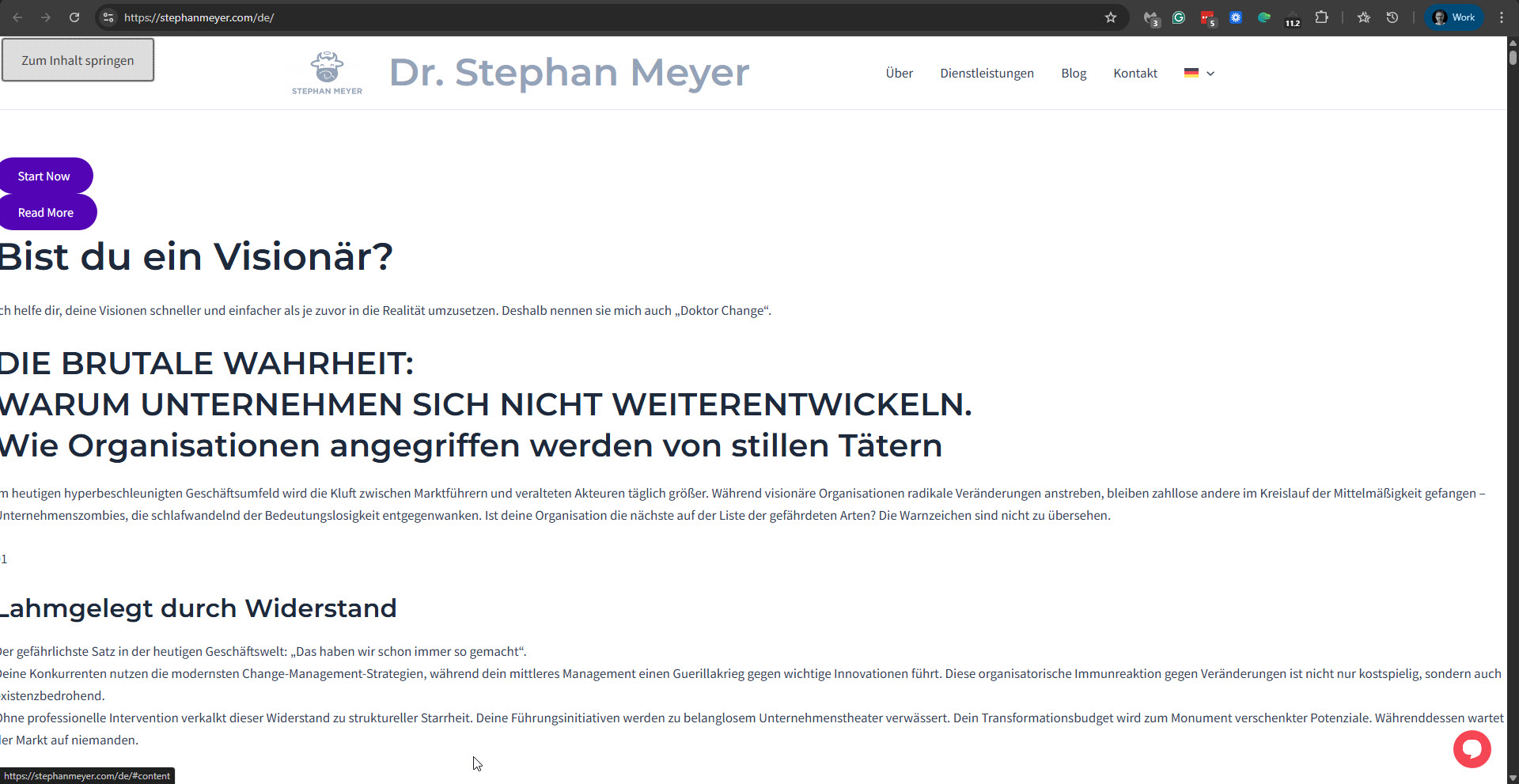
I can see that the layout of the German version of your site is broken. Please see the attached screenshot. I've tried to log in to your site to see if I can tell what happened, but I wasn't able to. Are you able to log into your site?

With the information we have so far, including the email you got from your hosting service, we can't determine if WPML is the cause of this problem -- the database exceeded the available storage space. Please contact the support team at your hosting service and request more information about this issue. We would particularly like to know whether one of WPML's DB tables is causing the DB to exceed available storage space. WPML's DB is prefixed with wp_icl. Can you please contact them and ask them about it?

Regards,
Itamar.

2026-01-01_15-59-59.jpg
January 1, 2026 at 6:29 pm #17699455

stephanM-24

Problem is solved.
It was a backup tool that went wild.

January 1, 2026 at 7:54 pm #17699500

Itamar
WPML Supporter since 02/2016

Languages: English (English )

Timezone: Asia/Jerusalem (GMT+02:00)

Great, I'm glad that this issue is solved now.

Regards,
Itamar.