This thread is resolved. Here is a description of the problem and solution.
Problem:
You are unable to find where to change the email in the mailto: link, which displays a Spanish email address on the screen but shows a German email address when hovered over.
Solution:
We resolved the issue by modifying the email address in the footer of your site. Here are the steps we followed:
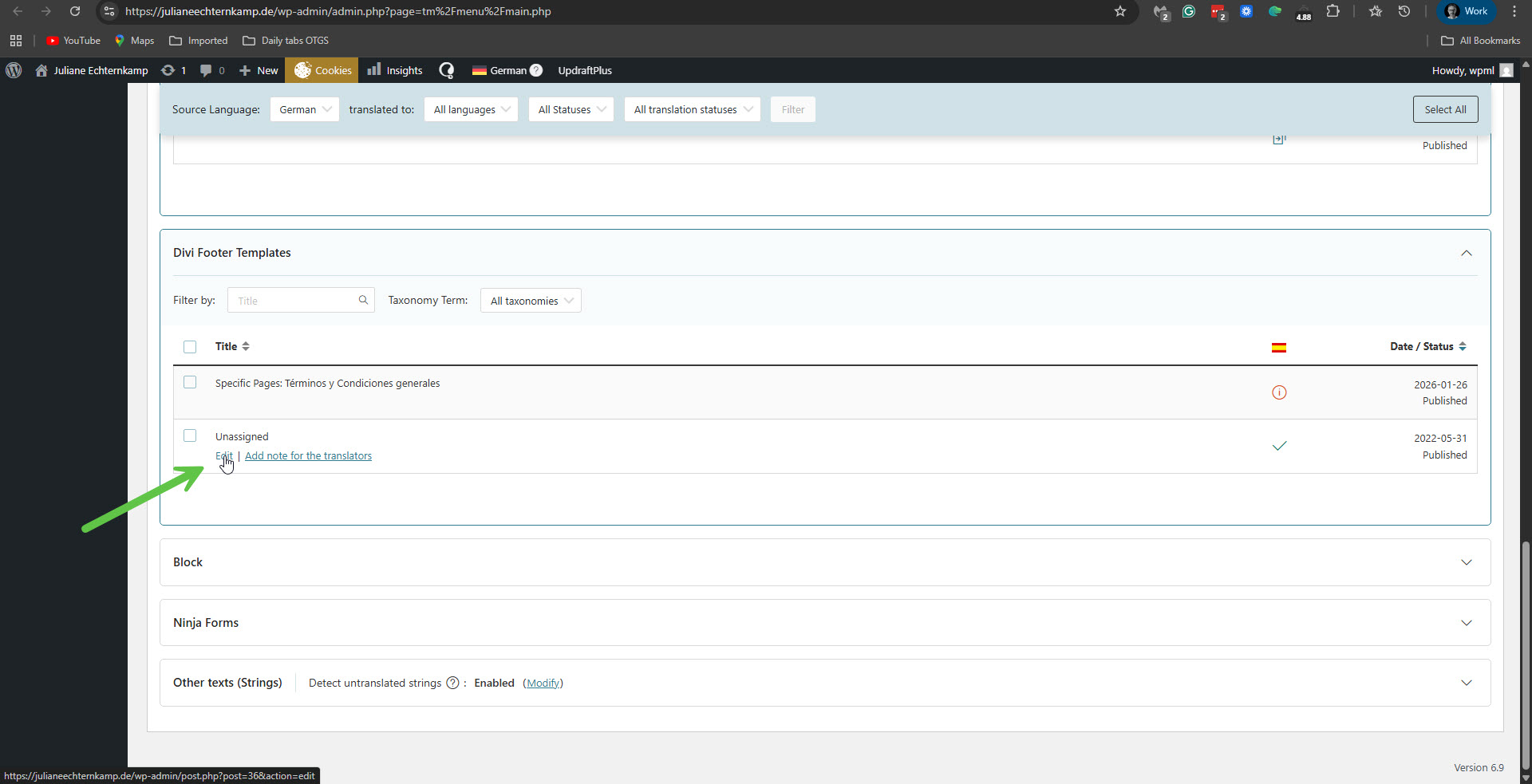
1. We accessed the 'Unassigned' footer in WPML -> Translation Dashboard -> Divi Footer Templates and clicked the 'Edit' option.
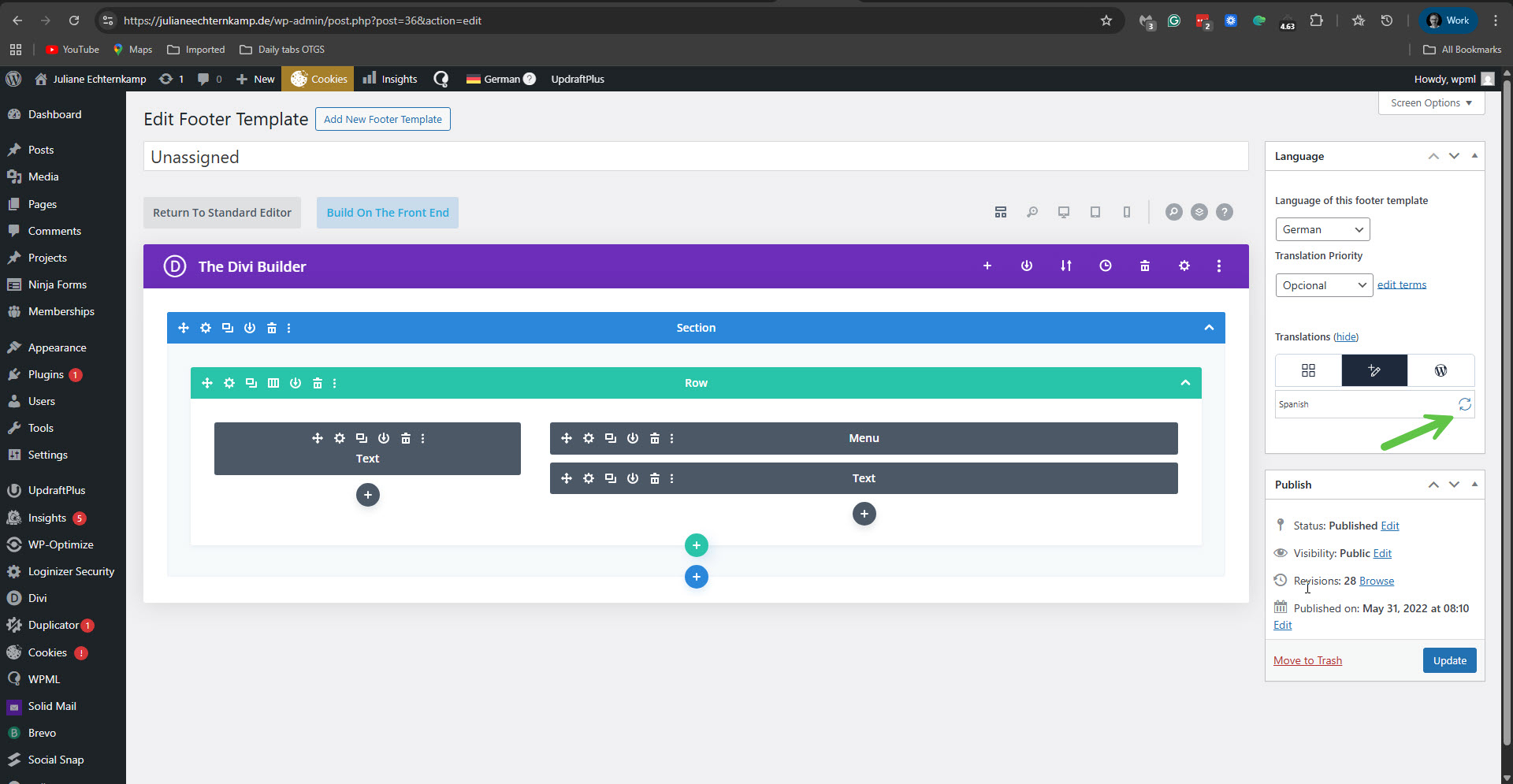
2. In the editing screen of this template, we clicked to edit the Spanish translation.
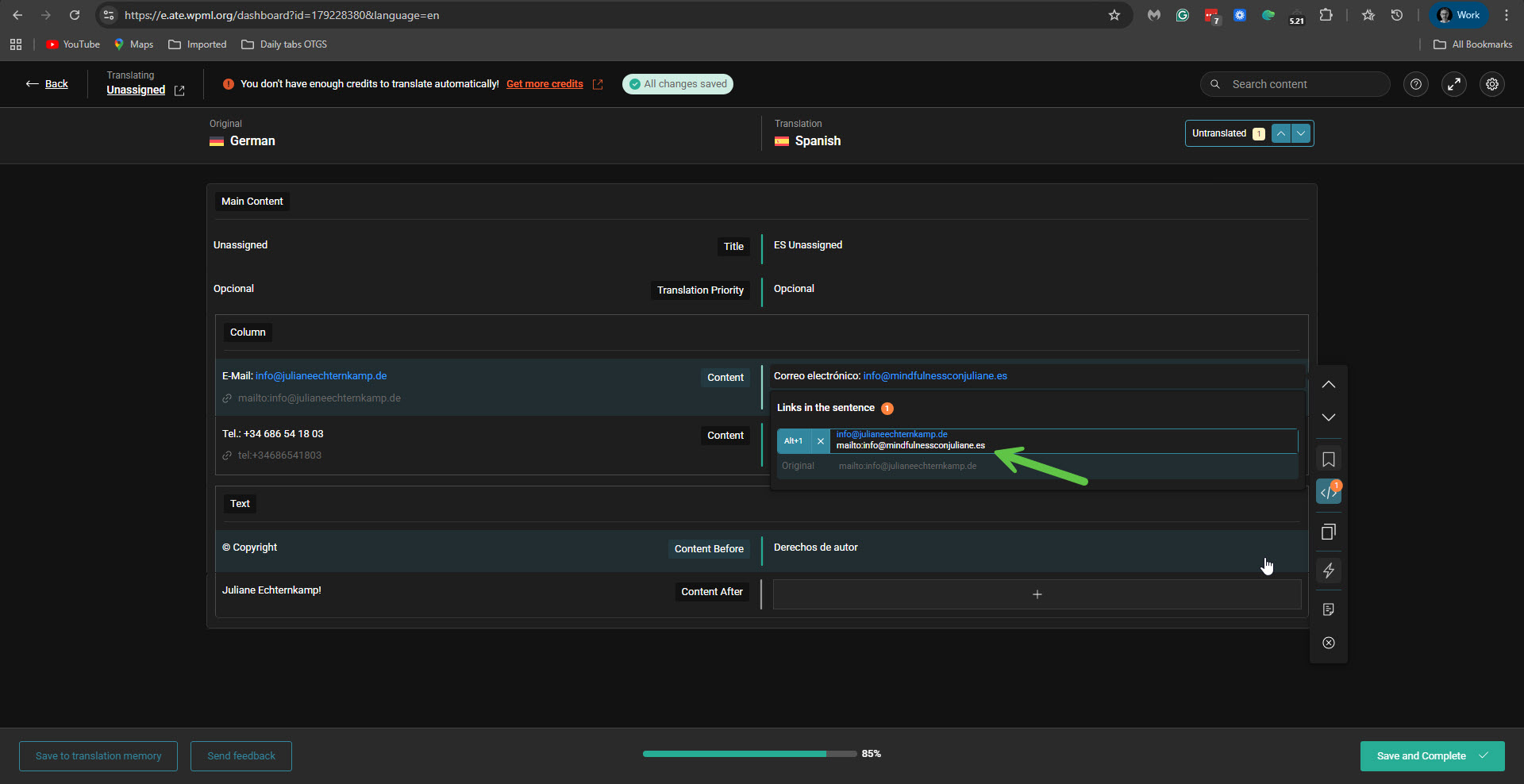
3. On the Advanced Translation Editor screen, we edited the email field and updated the mailto: to the Spanish domain email address.
Please confirm if this resolves your issue and mark the ticket as resolved.
If this solution does not apply to your case, or if it seems outdated, we recommend opening a new support ticket. We also highly recommend checking related known issues at https://wpml.org/known-issues/, verifying the version of the permanent fix, and confirming that you have installed the latest versions of themes and plugins. For further assistance, please visit our support forum at WPML Support Forum.
This is the technical support forum for WPML - the multilingual WordPress plugin.
Everyone can read, but only WPML clients can post here. WPML team is replying on the forum 6 days per week, 22 hours per day.
This topic is split from https://wpml.org/forums/topic/problems-with-changing-from-subdirectory-to-new-domain/