Skip to content Skip to sidebar

This thread is resolved. Here is a description of the problem and solution.

Problem:
The client was experiencing issues with the Spanish and Croatian translations of their website not correctly applying page settings, such as displaying a sidebar and titlebar despite settings to the contrary.
Solution:
We recommended setting all custom fields to 'Copy' and then updating the English original page and its translations. Here are the steps we followed:
1. Set all the custom fields to 'Copy' and clicked the 'Apply' button.
2. Edited the English original page, made a small change (added a space), and clicked 'Publish'.
3. This update required the Spanish and Croatian translations to be updated, indicated by the change of the pencil icon to a circled-arrow icon.
4. Updated the translations using the Advanced Translation Editor, where there was nothing to translate, just to save and complete.
5. Cleared the cache on the site, after which the Spanish and Croatian pages displayed correctly.

If this solution does not resolve your issue, or if it seems outdated or irrelevant to your case, we highly recommend checking related known issues at https://wpml.org/known-issues/, verifying the version of the permanent fix, and confirming that you have installed the latest versions of themes and plugins. If the problem persists, please open a new support ticket at WPML support forum.

This is the technical support forum for WPML - the multilingual WordPress plugin.

Everyone can read, but only WPML clients can post here. WPML team is replying on the forum 6 days per week, 22 hours per day.

Tagged: 

This topic contains 1 replies, has 0 voices.

Last updated by Itamar 5 months ago.

Assisted by: Itamar.

Author Posts
December 1, 2025 at 11:51 am

ruderM

I am developing web page workbase.hr and using workscout wp theme.
I payed wpml plugin for agencies.
The problem is that the translated versions spanish and croatian doesn't correctly use the page settings, it tries to load a page with sidebar and titlebar despite the saved settings hidden link

It had the custom fields set as translatable hidden link but even if I changed that it did not help

December 1, 2025 at 12:40 pm #17622546

Itamar
WPML Supporter since 02/2016

Languages: Hebrew (עברית )

Timezone: Asia/Jerusalem (GMT+03:00)

Hi,

This ticket has been inactive for quite a while. I didn't get a reply from you. So, I've transformed this chat into a support ticket because you may still need our help.

I fixed this issue. Here is what I did.

1. I set all the custom fields to Copy and clicked the Apply button.

2. I edited the English original page and made a small change. I just added a space and clicked Publish. I went back to the WordPress editor.

3. This caused the Spanish and Coration translation to need an update. The pencil icon changed to a circled-arrow icon.

4. I updated the translations with the Advanced Translation Editor. There was nothing to translate. Just to save and complete.

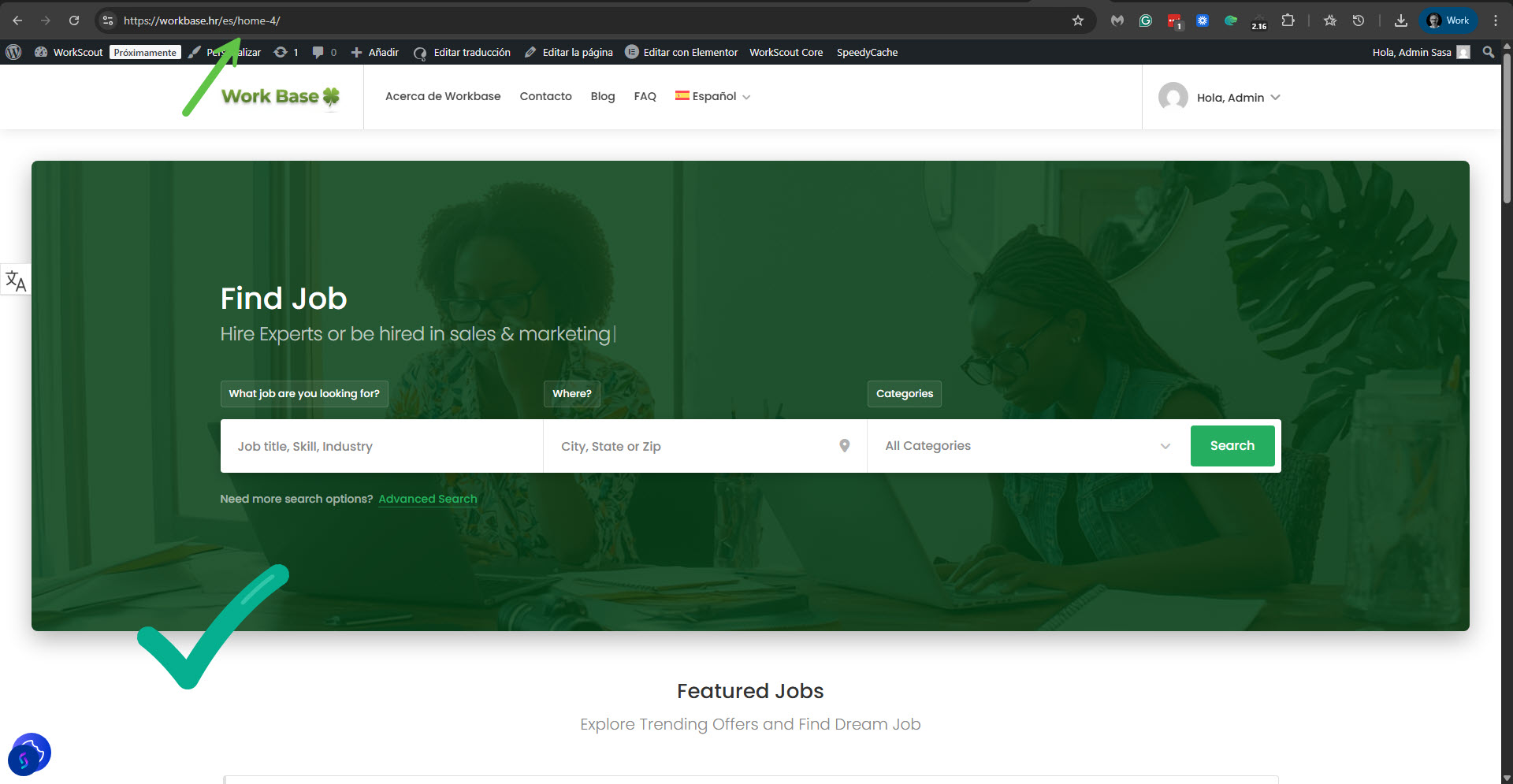
5. I cleared the cache on your site. And could see that now the Spanish and Croatian pages are OK.

Please see the attached screenshot.

Please confirm that the problem has been resolved and mark this ticket as resolved.

Thanks,
Itamar.

2025-12-01_14-36-54.jpg