eduardoC-35
|
Hi,
It happened again, the translations look bad.
hidden link
hidden link
|

Kor
|
Thanks for your reply. Could you please recall what changes or actions you’ve taken on the site in the past few days? If possible, list the tasks you’ve performed on the website from 7 January up to today.
|
eduardoC-35
|
Some changes. This is a site under development for now. Generally, changes are being made to the import properties. These changes are made daily using cron. This is urgent because we will soon be going live with the website, perhaps tomorrow.
Thank you.
|
Kor
|
Thanks for your patience. I think I know what’s going on.
It looks like some theme options were edited in the Spanish language. When those options are saved, they can overwrite the theme option strings that should belong to English, which is why Spanish labels appear on the English property details page.
Earlier, I suggested switching to English theme options and using “Reset Section” to fix the English strings. That was incorrect and I apologize for the confusion. I realized this after testing the theme behavior on our sandbox site
hidden link
Feel free to test it as well.
To fix the issue on your site, please follow these steps.
1. While viewing the site in the Spanish language, go to Theme Options > Traducción > Página de detalles de la propiedad and click “Restablecer Sección”.
2. Check the Spanish property details page and confirm that all labels are now shown in Spanish hidden link
3. Open the English version of the same page and identify the labels that are still showing Spanish hidden link
4. In WPML > String Translation, locate those strings and translate them correctly.
For example, the string “Dormitorios” shown in this screen recording is currently marked as English, which is incorrect. You need to change the string language to Spanish and then translate it to English.
You can follow this screen recording for reference hidden link
5. After doing this, the English page should show the correct label, such as “Bedrooms” on the property details page
hidden link
Please repeat the same process for the remaining strings. Once they are assigned to the correct source language and translated properly, the issue should not happen again in the future.
|
eduardoC-35
|
I think I've got it, thanks, I'll check it out in a few days to see how it performs.
On that page there's also a highlighted feature; how can I translate it? I can't find it in the string translation. In spanish shows as DESTACADO
|
Kor
|
Thanks for your reply. Yes, please let me know how that went. I've checked this property hidden link on both languages, and I cannot find the string called "DESTACADO". Could you highlight it using a screenshot?
|
eduardoC-35
|
I finally removed the featured attribute; however, it wasn't present in all properties, which is why you didn't see it there.
Returning to the main issue of this ticket, the translations are changing again. I've changed them a thousand times and tried many things, but every so often the property translations change again. They appear in Spanish, but when I go to the string translation, the English strings are assigned to Spanish, so I have to manually reassign them to English and apply the translation.
Otherwise, the Spanish strings don't appear at all.
Please help me with this, I don't know what else to do.
|
eduardoC-35
|
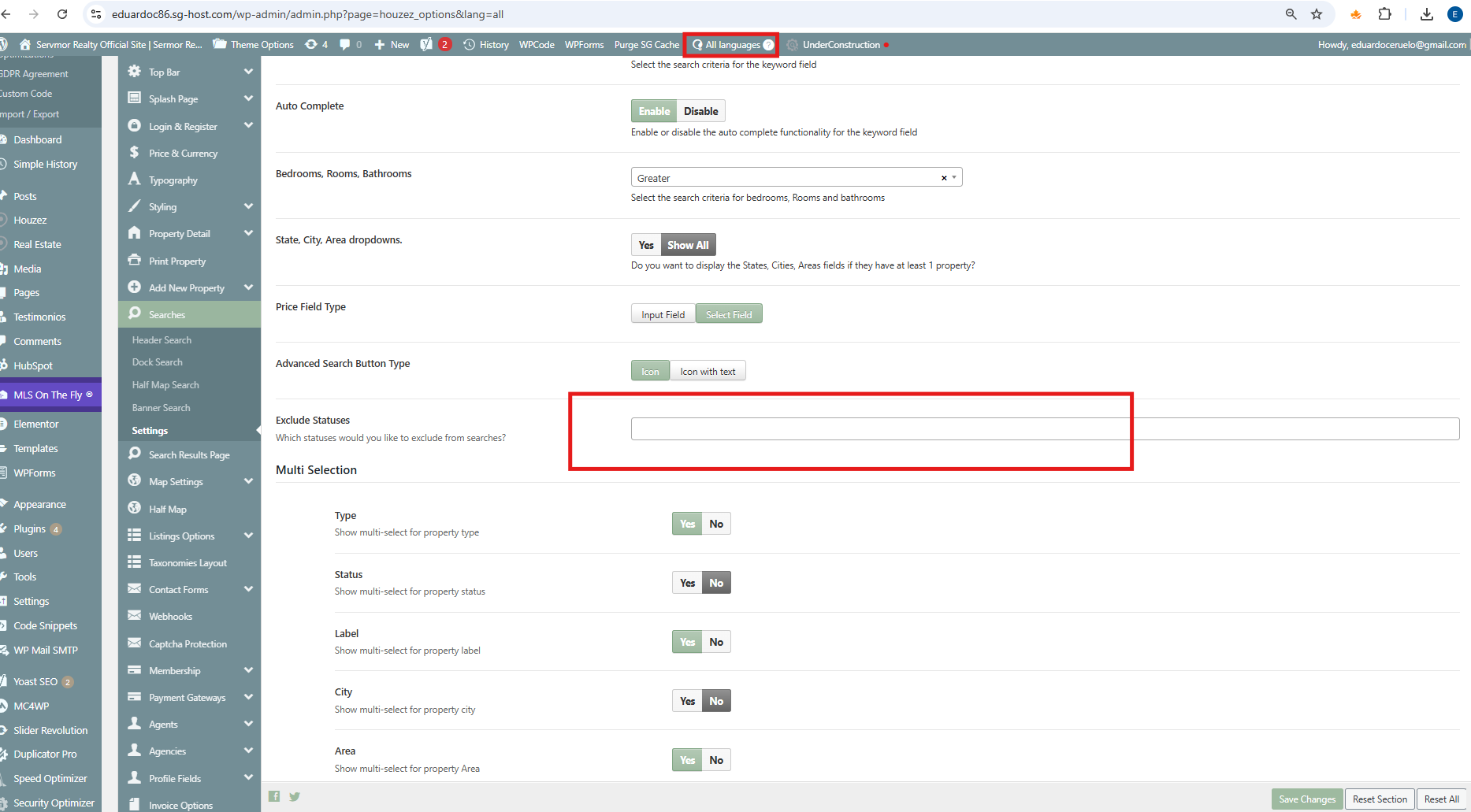
I've changed it thousands of times, but for some reason it resets after a while and shows all the properties again. This is terrible for my client.
It's reset again now. I've tried changing it to just Spanish, just English, and both languages. It works for a while, but it always resets again. The same thing happens with the property translation; it resets after a while. I've also spoken to Houzez support about this, and I have open tickets with both you and them about this issue, but no one can give me a solution. I've been dealing with this for weeks... Please...
|
eduardoC-35
|
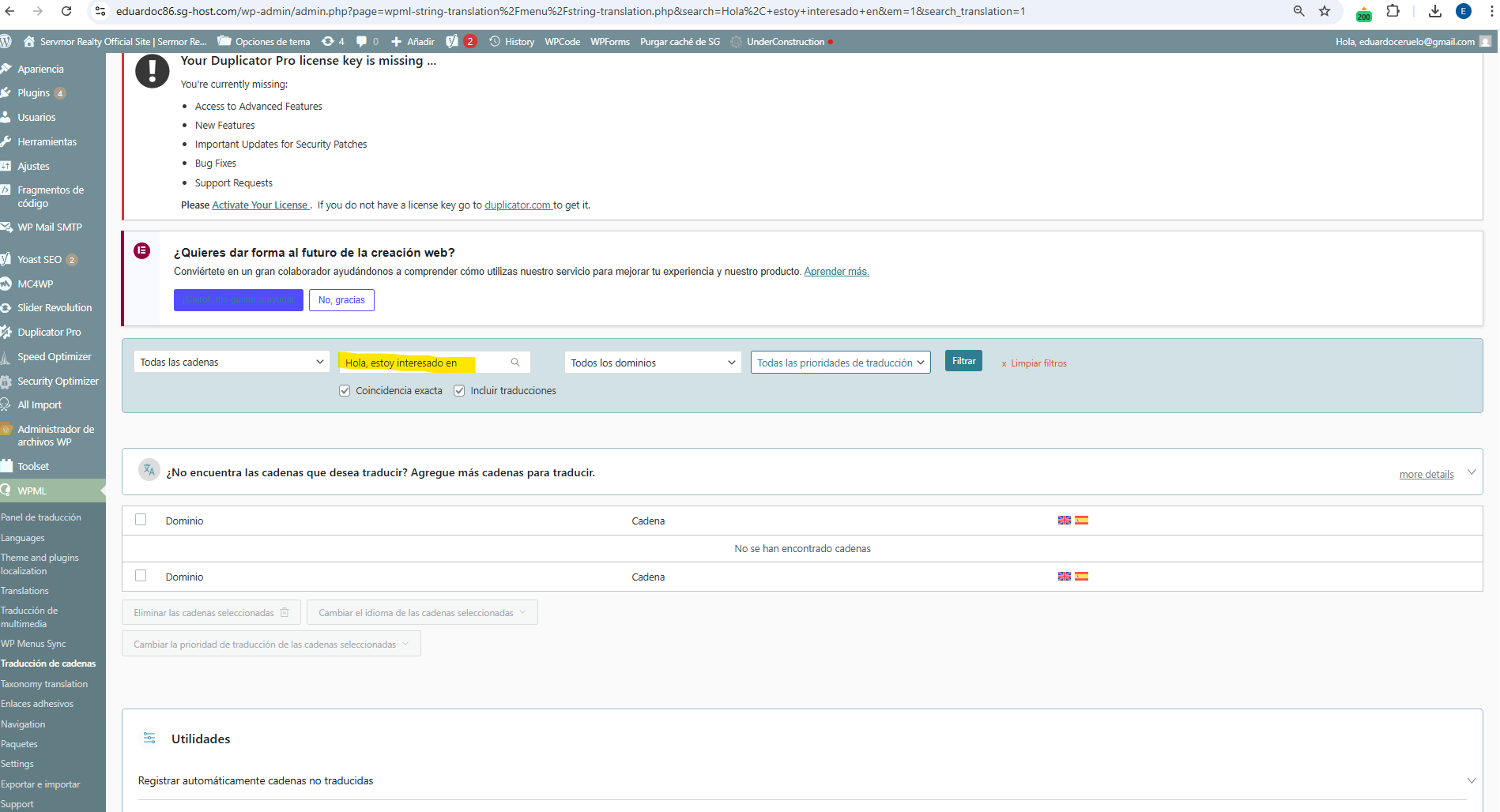
This is the string that appears in the agent form for both Spanish and English. If I search for it in the string translation, it doesn't appear. Other times it appears with the English flag as if it were an English string when it's actually a Spanish string... How is it possible that it doesn't appear if I'm seeing it right now in the agent form for properties, assigned to English and Spanish, the same string
|
eduardoC-35
|
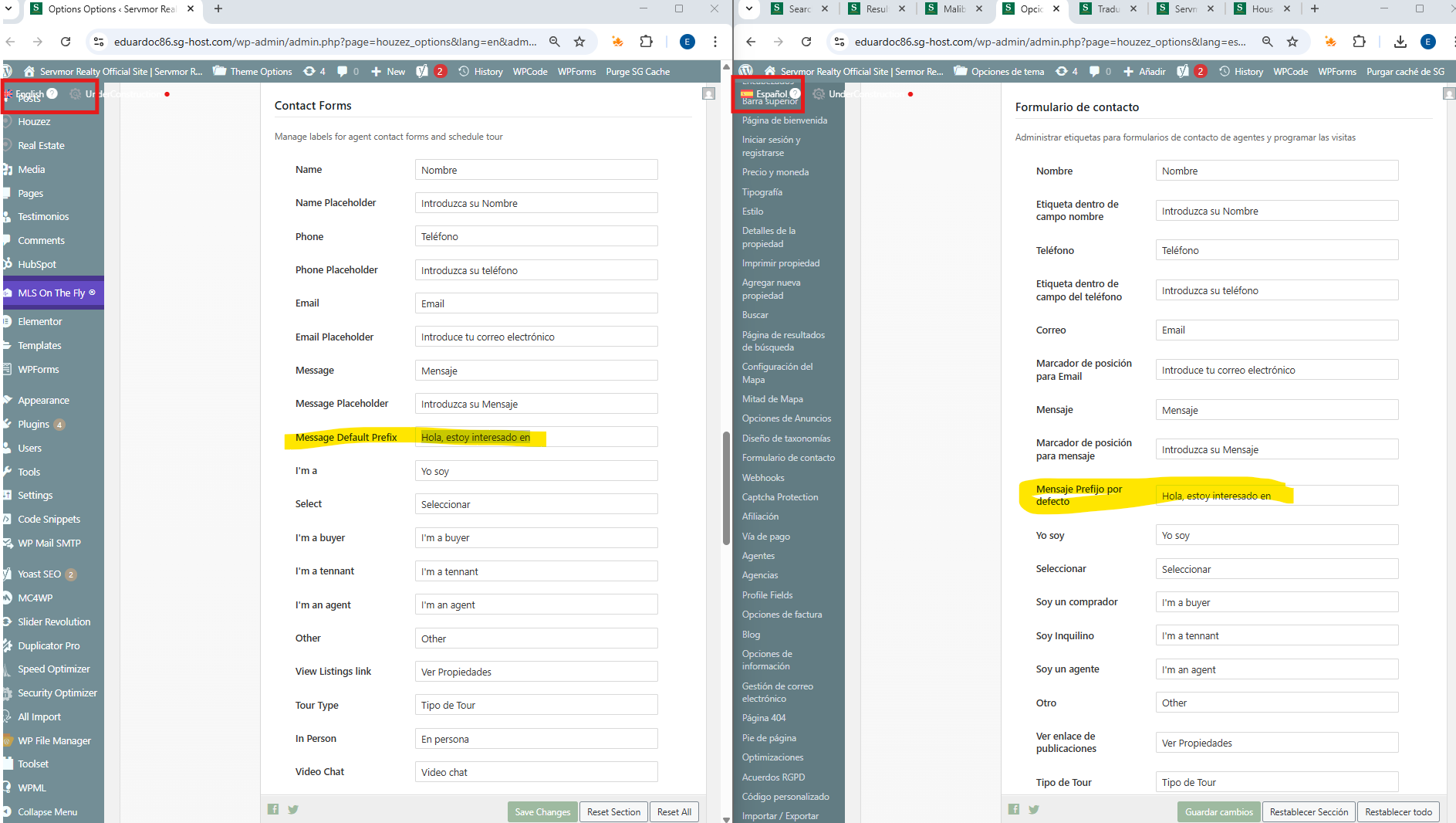
For example, looking at the Houzez property translation page, it now looks like this in both languages under Message Default Prefix: Hello, I'm interested in
And that string doesn't appear when I search for it in the string translation
|
eduardoC-35
|
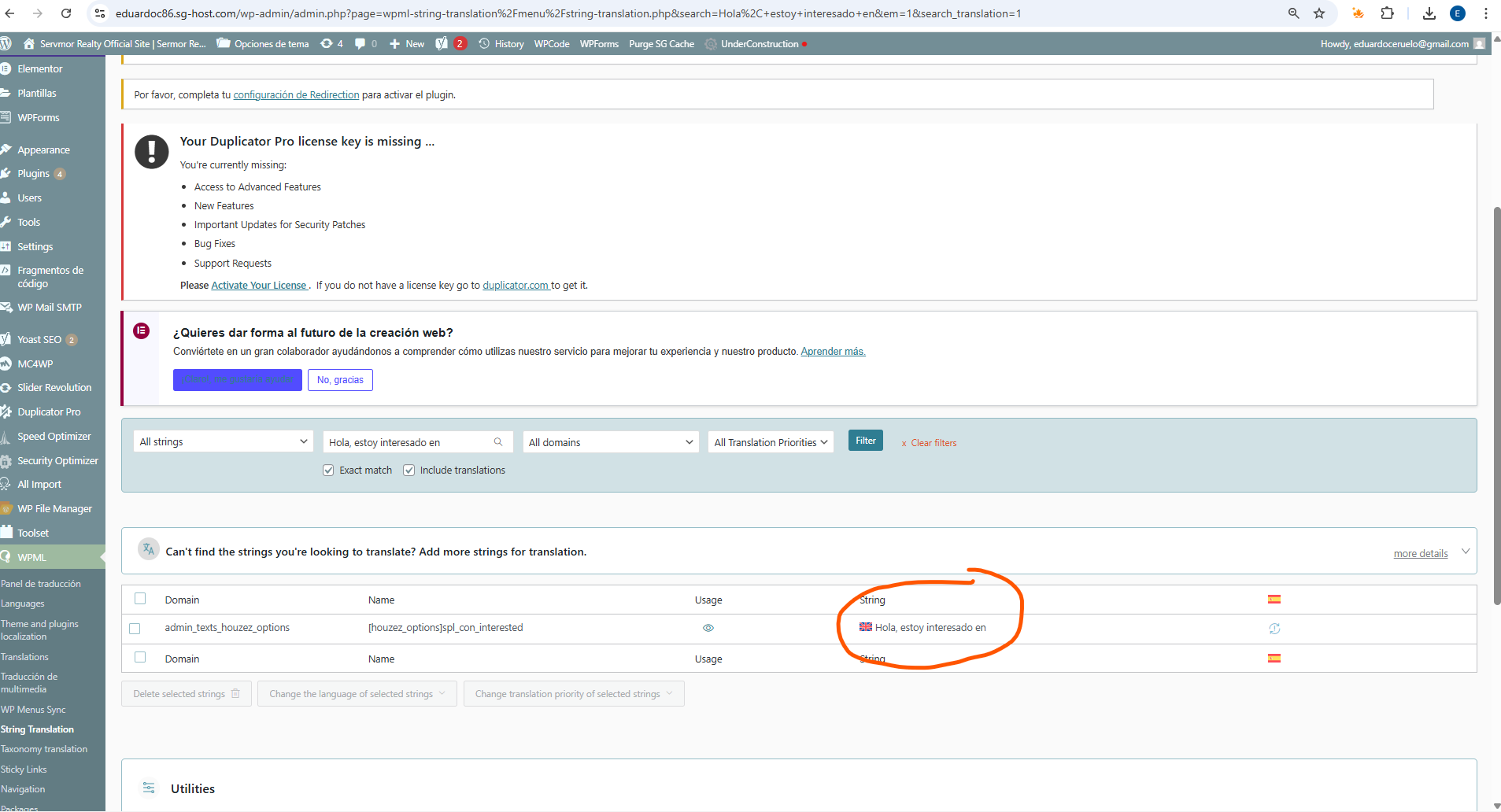
As you saw, that string didn't appear in the string translation. After entering the property translation in both languages, it now appears, but as I mentioned in another message, the string appears in Spanish but is assigned to the English language. I've reassigned this many times, but it always goes back to being wrong after a while.
|
Kor
|
Thanks for your reply. I can see the issue in your screenshots, and I’m sorry to hear that it keeps recurring. I’ll escalate this to our 2nd Tier Support for further investigation and will get back to you as soon as I have feedback.
|
eduardoC-35
|
Just letting you know that the website is now live at hidden link in production.
My credentials are the same. Any updates on the issue?
|