I am using a 'Different domain per language' setup (.com and .eu). My hosting provider (Kinsta) has thoroughly investigated the server side and confirmed the following:
Both domains are correctly mapped to the same root directory.
There are no server-side redirects, firewall blocks, or 500 errors.
Redirections to the main domain are being triggered by WordPress/WPML, not the server.
The symptoms are:
Validation Error: In WPML > Languages, the .eu domain is marked as 'Not valid'.
Menu Sync Issue: In WP Menus Sync, all translated items are orange with '#' as the link, even though the pages are fully translated and published.
Elementor Error: I get 'the_content function not found' on translated pages because of an automatic redirect to the main domain.
Auto sign-in is enabled, but the cross-domain session doesn't seem to work.
Could you please check why WPML is failing to validate the domain and why it's forcing a redirect to the main domain instead of showing the translated content on the .eu domain?
Could you please try to follow the below steps and see if this resolves the issue:
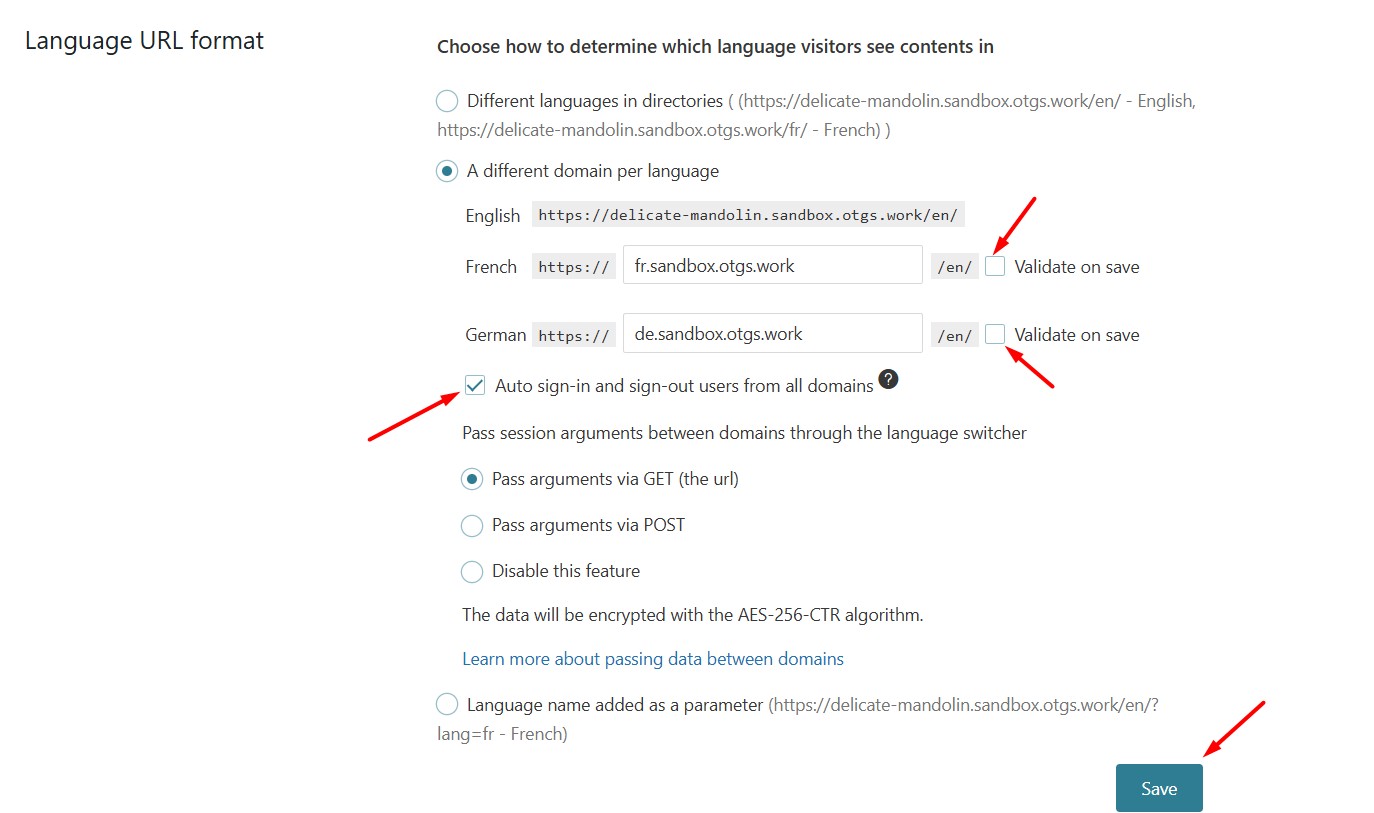
1. Go to WPML >> Languages > Language URL format section.
2. Uncheck the “Validate on save” checkbox.
3. Select the “Auto sign-in and sign-out users from all domains” option.
4. Press the Save button.
5. Re-save the Permalinks from the Settings >> Permalinks page by pressing the Save Changes button.
6. Clear all sorts of site/server/CDN cache.
7. Log out from your site and log in again and try to switch to a secondary language domain and let me know how it goes.
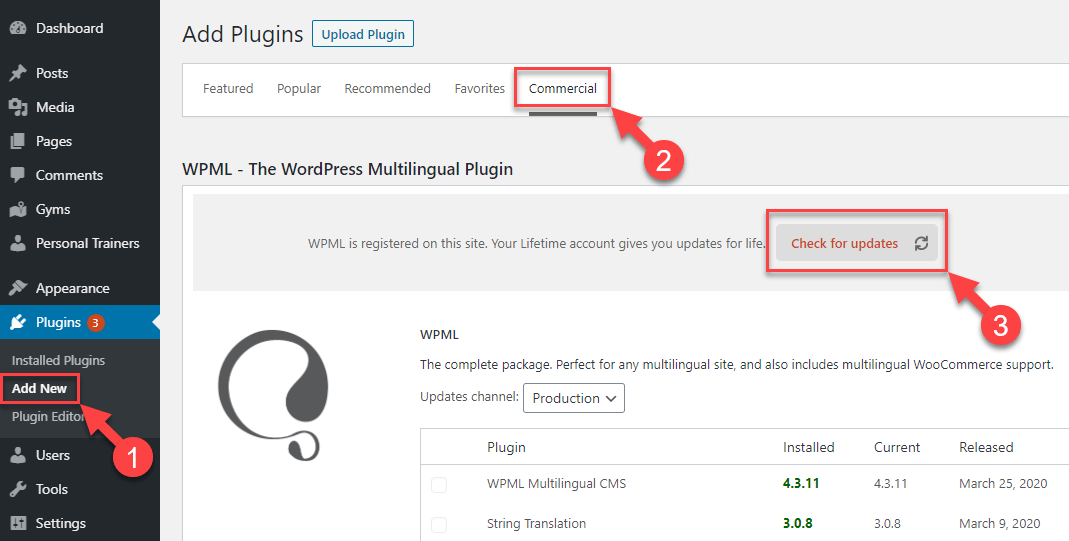
Sorry for the delay, I was off during the weekend. Thanks for trying the above steps. We have recently released WPML 4.9.0, please take a backup of your site, update it to the latest version. You can update it from Plugins >> Add New, click the Commercial tab, and then click the “Check for updates” button. Here is the screenshot for more details: https://wpml.org/wp-content/uploads/2020/04/wpml-force-plugin-update-1.png
If the issue persists, please provide temporary access (WP-Admin and FTP Login info) to your site (preferably staging site), so that I can look into your setup and debug the issue.
Your next answer will be private, meaning only you and I can access it.
=== Please backup your database and website ===
✙ I would need your permission to deactivate and reactivate Plugins and the Theme and to change configurations on the site. This is also a reason the backup is essential.
Thank you
The topic ‘[Closed] To be able to go from a language to an other !’ is closed to new replies.