[Resolved] Translate Jet Engine Post Types and listings
This thread is resolved. Here is a description of the problem and solution.
Problem: You are trying to display the translated single template of a Jet Engine custom post type using the JupiterX theme, but it keeps showing in the original language.
Solution: 1. Backup your site. 2. To translate template strings like BEDS, BATHS, etc., add the following code to your theme's functions.php file:
3. Save the changes and refresh a product page to see the translation. 4. To make the 'features' post meta translatable, add this code to your theme's functions.php or as a Must Use Plugin:
/**
 * Translate associative KEYS for JetEngine 'features' post meta via WPML.
 * Place in wp-content/mu-plugins/jetengine-features-wpml.php (recommended) or your theme's functions.php.
 */

add_filter( 'jet-engine/listing/data/get-post-meta', 'myproject_translate_features_keys_wpml', 10, 3 );

/**
 * @param mixed $value The meta value resolved by JetEngine (array for 'features').
 * @param string $key Meta key (we only act on 'features').
 * @param int $object_id Post ID.
 *
 * @return mixed
 */
function myproject_translate_features_keys_wpml( $value, $key, $object_id ) {

	// Only handle the 'features' field and only if it's an associative array like ['Pet-Friendly' => 'true', ...].
	if ( $key !== 'features' || ! is_array( $value ) ) {
		return $value;
	}

	// Determine current language (WPML). If WPML is missing, calls below no-op and return originals.
	$lang = apply_filters( 'wpml_current_language', null );
	if ( empty( $lang ) && defined( 'ICL_LANGUAGE_CODE' ) ) {
		$lang = ICL_LANGUAGE_CODE;
	}

	$context = 'Jet Engine Admin Labels';

	// Small request-level cache to avoid re-translating the same labels repeatedly.
	static $cache = [];

	$translated = [];
	foreach ( $value as $label => $flag ) {
		$label_str = (string) $label;
		$name      = md5( $label_str ); // stable key as you requested
		$ck        = $context . '|' . $name . '|' . (string) $lang;

		if ( isset( $cache[ $ck ] ) ) {
			$new_label = $cache[ $ck ];
		} else {
			// Register (idempotent) so translators can provide translations in WPML String Translation.
			do_action( 'wpml_register_single_string', $context, $name, $label_str );

			// Translate. If WPML inactive or no translation yet, this returns the original.
			$new_label = apply_filters( 'wpml_translate_single_string', $label_str, $context, $name, $lang );
			if ( ! is_string( $new_label ) || $new_label === '' ) {
				$new_label = $label_str;
			}
			$cache[ $ck ] = $new_label;
		}

		// Keep the same value ('true'/'false') as stored; do NOT coerce unless you want to.
		$translated[ $new_label ] = $flag;
	}

	return $translated;
}
5. Save the changes. 6. Go to WPML -> Strings Translation and translate the strings under the 'Jet Engine Admin Labels' domain.
If this solution does not resolve your issue or seems outdated, please check for related known issues at https://wpml.org/known-issues/, verify the version of the permanent fix, and confirm that you have installed the latest versions of themes and plugins. If the problem persists, we recommend opening a new support ticket at WPML support forum.
This is the technical support forum for WPML - the multilingual WordPress plugin.
Everyone can read, but only WPML clients can post here. WPML team is replying on the forum 6 days per week, 22 hours per day.
Background of the issue:
I am trying to show the translated single template of a Jet Engine custom post type on my site hidden link. I am using the JupiterX theme and its layout builder.
Symptoms:
The translated single template of a Jet Engine custom post type keeps showing the original language instead of the translation.
Questions:
How can I display the translated single template of a Jet Engine custom post type?
Why does the translated template keep showing the original language?
Sorry for the delay in receiving a response, we are working through tickets as quickly as possible. While waiting for a colleague to take this ticket, can I ask you a few questions so that we are clear exactly the issue you are reporting?
If I understand you correctly, you have used JetEngine to register a custom post type.
You have created a template to display those posts with a theme Layout.
I assume you have made the post type translatable and have translated posts.
And you have sent the Layout for translation (from WPML > Translation Management), and translated it. (Again, I assume it contains some texts in the original language that should be translated to the second language.)
And the problem is that when you view one of the translations of the posts on the front end the texts from the Layout are showing the original language, not the translations. (All texts or just some texts?)
Can you please confirm if that is correct?
It would probably help if we have access to your site to check the configuration, if you are agreeable.
Let me set a private reply to get credentials from you.
I am still waiting for your feedback.
Please help me out on this issue, as we have a deadline to deliver the project and we can't go further if we don't fix the problem.
Dear sirs,
Four days passed and still no help from you. We are obliged to deliver the project ath the end of July and we need you to help us fix the issue asap!
Info:
1. The JetEngine post type is: House
2. Jet Engine Listings to be shown in secondary language (Russian): House Single, House Archive - But we currently have translated only House Single which is not showing in russian.
Hi again.
There have been so many days and I haven't received any support. This very disappointing as we paid for the renewal a few days ago and we expect much better support.
Please look into my ticket and provide me with a solution.
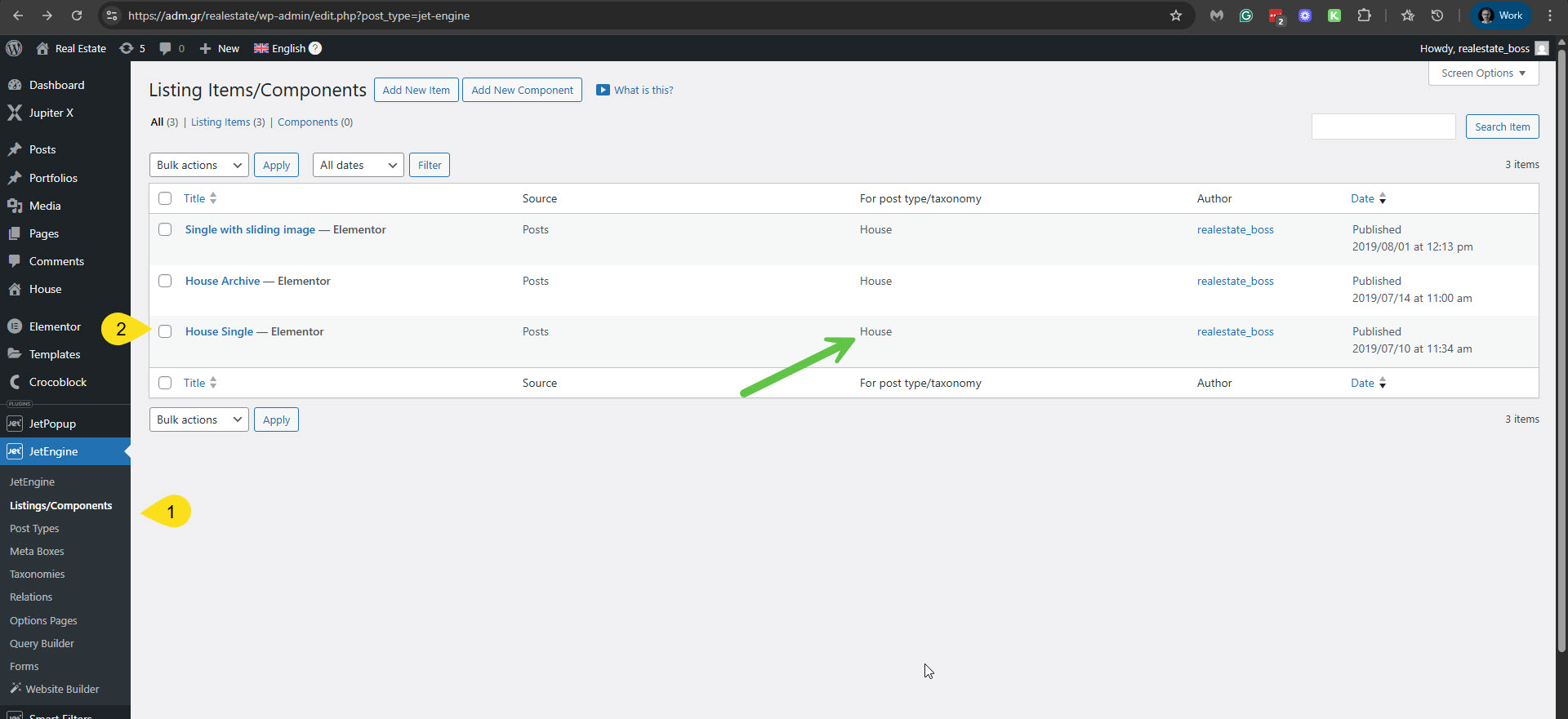
Can you please confirm that the 'House Single' template is located in JetEngin -> Listing Items/Components? hidden link
Please see the attached screenshot house-single-temp.jpg.
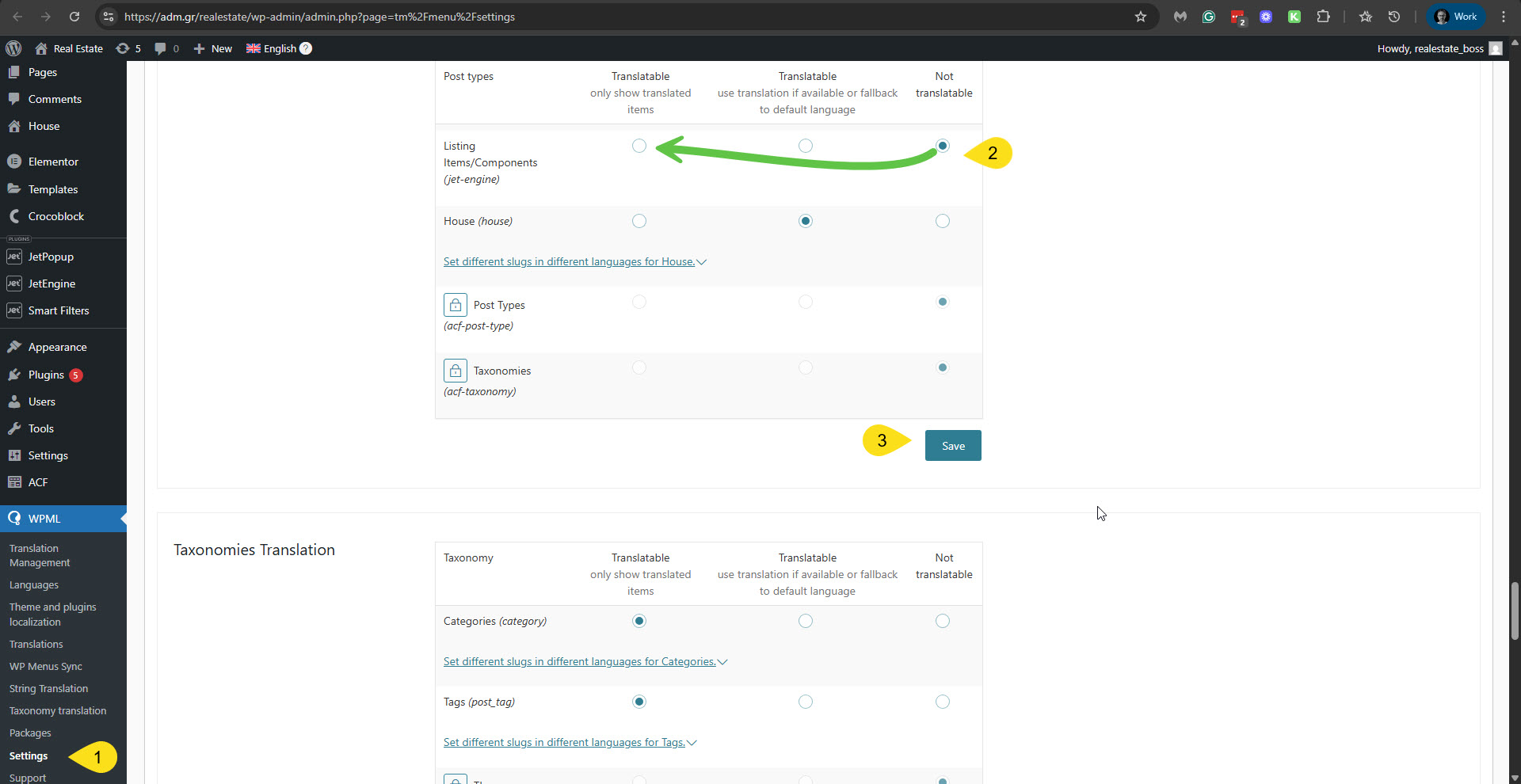
If so, then you need to set it to be translated in WPML -> Settings Post Types Translation. Currently, it is set to Not Translatable. You must put it into Translatable and click the Save button. Please see the attached screenshot listing-component.jpg.
Please let me know how it goes. If you would like me to apply those changes, please let me know, and I will make the necessary updates on your site. (I'm not allowed to do that without your consent.)
**** Important! Please make a full site backup (files and DB) before you proceed with those steps****
Hi,
I did what you suggest:
1) I made the listing translatable, but it didn't work.
2) I added the workaround code from the link that you sent, but it didn't work as well.
You can review the changes and make every other change you thing it may help.
We give you authorization.
Please let me know the soonest possible. The delivery deadline is approaching and we need a solution asap!
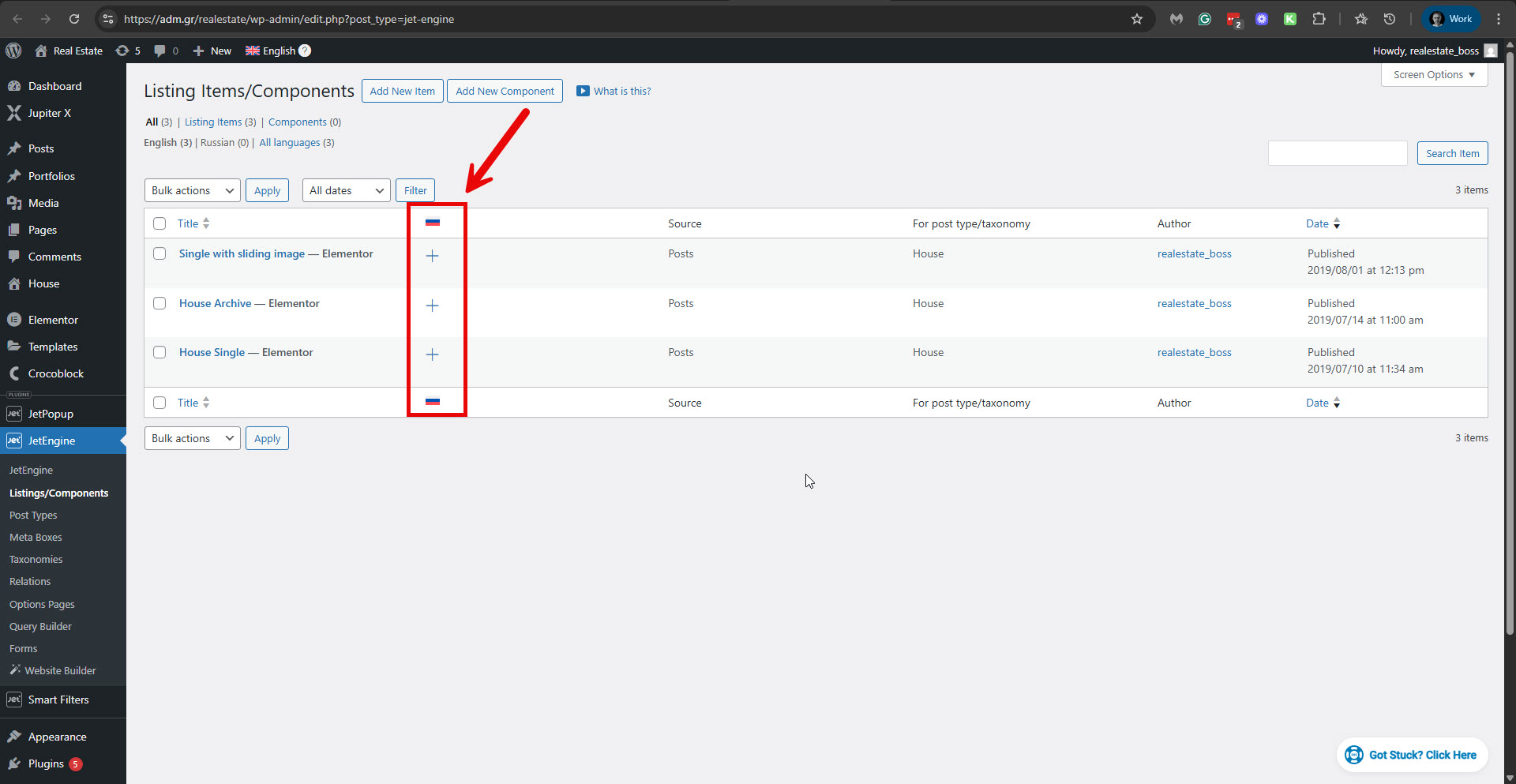
I'm sorry if it was not clear enough. Now you must translate the template to display in Russian. I checked JetEngine -> Listings/Components and could see that the 'House Single' template (or any of the two other templates) is not translated. Please see the attached screenshot. Please proceed with translating it and check. If you are using caching on your site, please clear all the caching when checking this.
Hi Itamar,
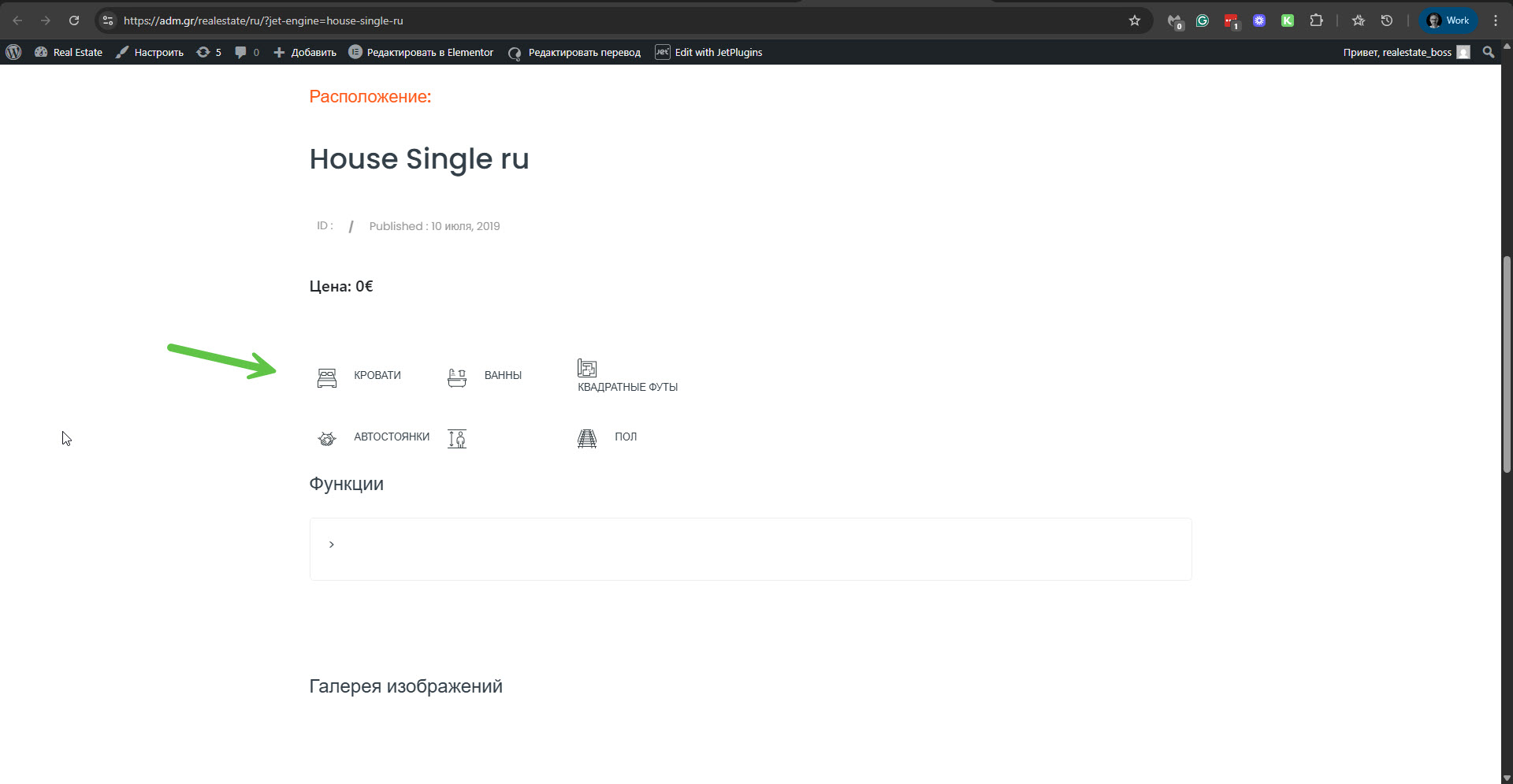
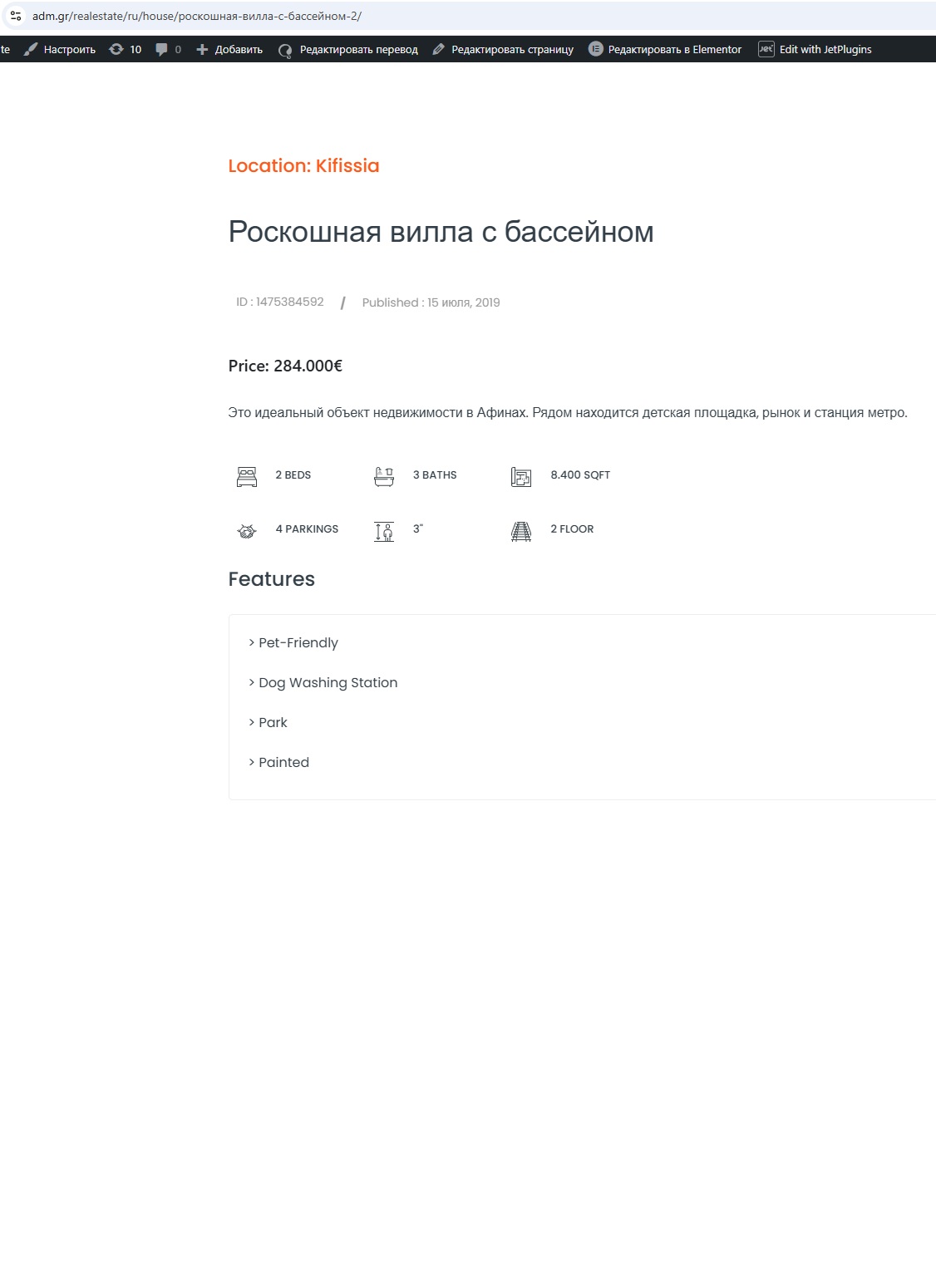
I checked your link, but it's the listing's translation. If you check on a translated House, you will see that it shows the english version of the listing, with the post's text only translated.
Please check at this link: hidden link
Maybe we need to translate the taxonomies to work? Please give us a solution, we are under pressure.
Thanks
Thanks. I can see the problem on the translated hidden link">house.
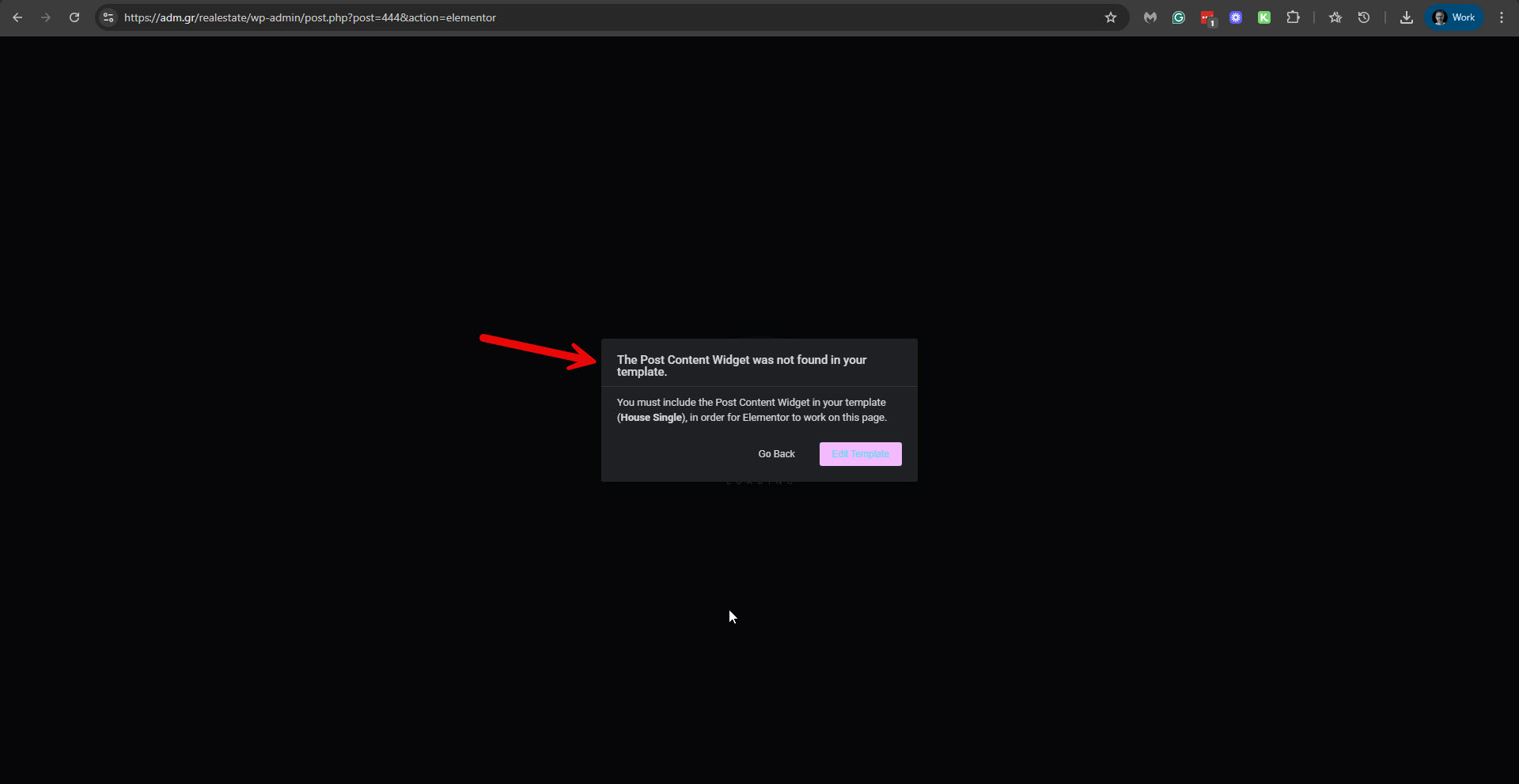
I further checked things on your site. I tried to edit the property with Elementor, and I received a message: "The Post Content Widget was not found in your template." Please see the attached screenshot. This message comes from Elementor. Please check if it is related to this problem.
Otherwise, we will need to investigate this problem on our server and not on your production site. So please allow me to take a copy of your site. For this, I must install a plugin like Duplicator or All In One Migration. Please let me know if you agree.
I installed the All-in-One WP Migration and Backup on your site and created a copy of your site. I will install it on our servers, investigate the issue, and get back to you. Meanwhile, I want to urge you to update the related plugins like Elementor + Pro, and the JetEngine plugin to their latest versions. And also, I want to encourage you to place the Post Content Widget in your House Single template as I already mentioned in my previous reply. Then check if it helps to solve the issue. If you have caching enabled on your site, please deactivate it while you try this.