Skip to content Skip to sidebar

This thread is resolved. Here is a description of the problem and solution.

Problem:
The client wants to edit the link of the menu logo in every language on a website using the DIVI theme builder.
Solution:
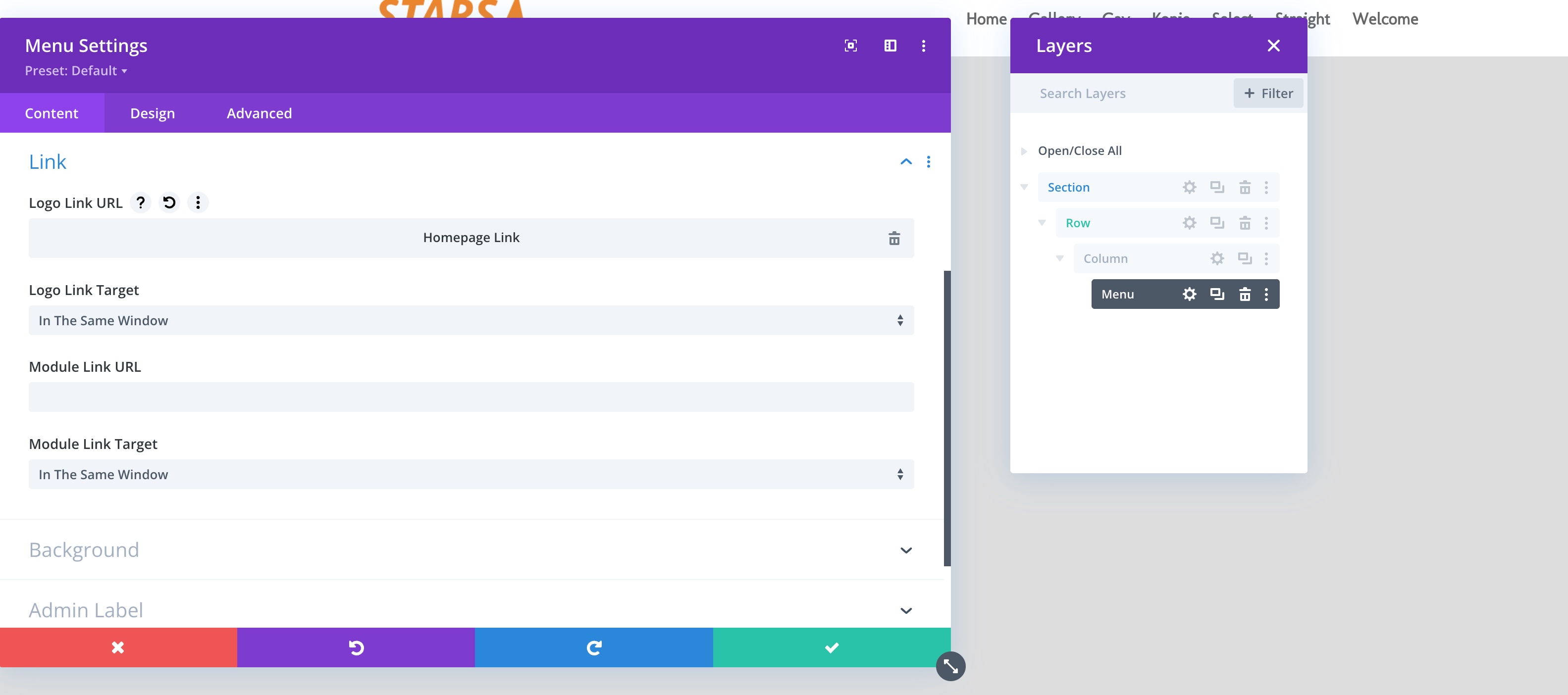
We tested changing the logo URL to the homepage URL, and it worked correctly. If you're experiencing this issue, we recommend checking if setting the logo URL to the homepage resolves the problem. If you prefer to use a custom URL for the logo in different languages, please confirm this preference.

If this solution does not apply to your case, or if it seems outdated, we highly recommend checking related known issues at https://wpml.org/known-issues/, verifying the version of the permanent fix, and confirming that you have installed the latest versions of themes and plugins. If further assistance is needed, please open a new support ticket at WPML support forum.

This is the technical support forum for WPML - the multilingual WordPress plugin.

Everyone can read, but only WPML clients can post here. WPML team is replying on the forum 6 days per week, 22 hours per day.

Tagged: 

This topic contains 3 replies, has 1 voice.

Last updated by christianD-67 2 days, 19 hours ago.

Assisted by: Shekhar Bhandari.

Author Posts
April 21, 2026 at 7:46 am #17982881

christianD-67

I want to edit the link of the menu logo in every language. The menu is a global header in DIVI theme builder.

April 21, 2026 at 8:08 am #17983013

christianD-67

I see the "Theme Builder Layout" in Translations, but it is empty.

April 22, 2026 at 10:48 am #17987061

Shekhar Bhandari
WPML Supporter since 03/2015

Languages: English (English )

Timezone: Asia/Kathmandu (GMT+05:45)

Hello there,

Thank you for contacting WPML support. I'd be happy to assist you on this issue.

Since you already performed basic troubleshooting steps, To debug this issue further, I would need to check your site settings once, for this I would need temporary access (wp-admin and ftp) to your site.

So could you please provide me with those details, you will find the needed fields for this below the comment area when you log in to leave your next reply.
hidden link

This info is private and available to you and WPML supporters only.
Read more about this: https://wpml.org/purchase/support-policy/privacy-and-security-when-providing-debug-information-for-support/

Note:
Backup your sites before providing the credentials or if possible provide credentials for the test site

Look forward to your reply.

Thanks

April 23, 2026 at 6:31 am #17989116

Shekhar Bhandari
WPML Supporter since 03/2015

Languages: English (English )

Timezone: Asia/Kathmandu (GMT+05:45)

Hello there,

I tested the logo URL by setting it to the homepage URL, and it is working correctly on my end. Could you please check and confirm on your side?

Also, let me know if you would like to use a custom URL for the logo instead.

I look forward to your reply.

Thanks

logo.jpg
April 23, 2026 at 8:17 am #17989545

christianD-67

perfect, thank you!