
This thread is resolved. Here is a description of the problem and solution.
Problem:
The client has successfully translated their website content into German using WPML but is facing an issue where the product swatcher does not appear on the translated product pages. The product swatcher was created using WPClever and settings under 'Products' -> 'Attributes'. All translations were applied, and the code to invoke the product swatcher on the product page was translated in WPML's String Translations.
Solution:
We recommend the following steps to resolve the issue:
1. Go to WPML -> Settings -> Post Type Translation section.
2. Set the "Linked Variations (wpclv)" post type to "Translatable - use translation if available or fallback to the default language".
3. Go to Linked Variations.
4. Translate the variations.
5. Edit the translated Variations to add the translated posts.
6. Update the translated variations.
Please note that this solution might be irrelevant if it's outdated or not applicable to your case. If the issue persists, we highly recommend checking related known issues, verifying the version of the permanent fix, and confirming that you have installed the latest versions of themes and plugins. If you still need assistance, please open a new support ticket.
This is the technical support forum for WPML - the multilingual WordPress plugin.
Everyone can read, but only WPML clients can post here. WPML team is replying on the forum 6 days per week, 22 hours per day.
Tagged: WCML
Related documentation:
This topic contains 17 replies, has 3 voices.
Last updated by Ilyes 1 year, 10 months ago.
Assisted by: Ilyes.
| Author | Posts |
|---|---|
| January 27, 2024 at 12:46 pm #15232599 | |
 ramonJ-5 |
Dear support team, I hope this message finds you well. I have successfully translated almost the entire content of my website into German using WPML. However, I have encountered an issue with the product swatcher (please refer to the attached image ProductSwatcher.png), as it does not appear on the translated product pages. The product swatcher was created using WPClever in conjunction with settings applied under 'Products' -> 'Attributes' (see attached image ProductSwatcherProductDetailsDE.png). We ensured that all translations were properly applied in this section. Additionally, in the WPML plugin -> String Translations, we translated the code used to invoke the product swatcher on the product page (see attached image ProductSwatcherCall.png). It's worth noting that the invocation code remains unchanged [wpclv]. Despite these efforts, the product swatcher is not displaying on the translated pages. Could you please provide us with guidance or tips on how to resolve this issue? Thank you very much in advance for your assistance. 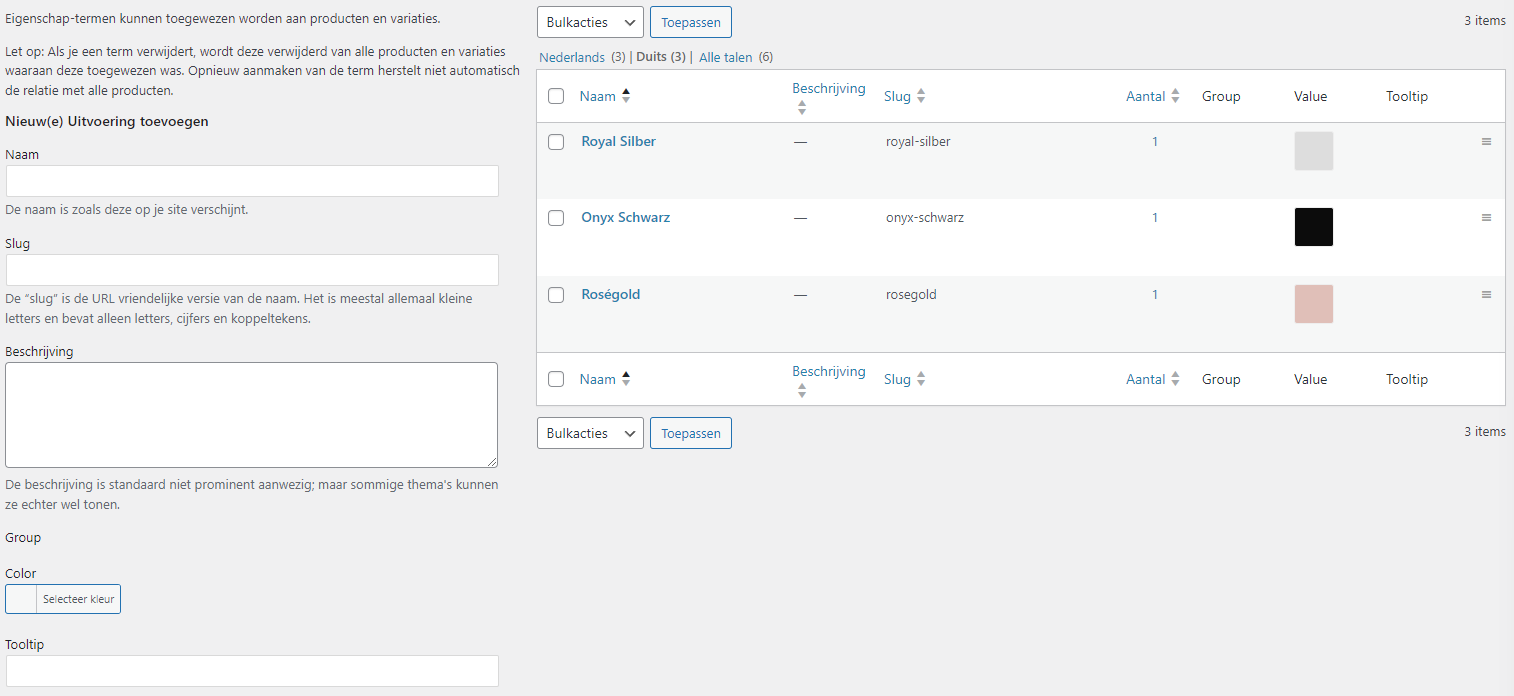 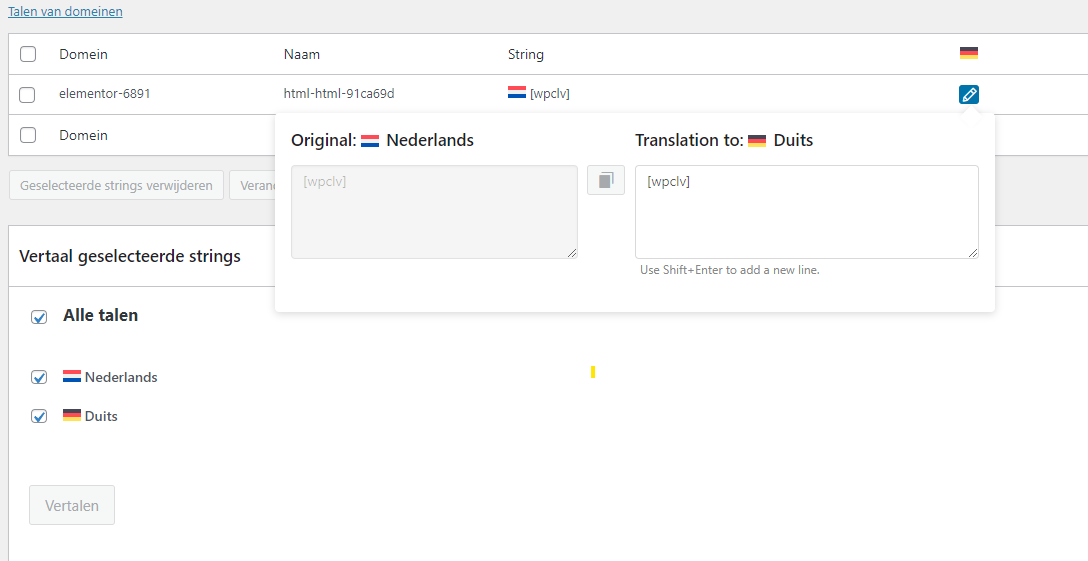 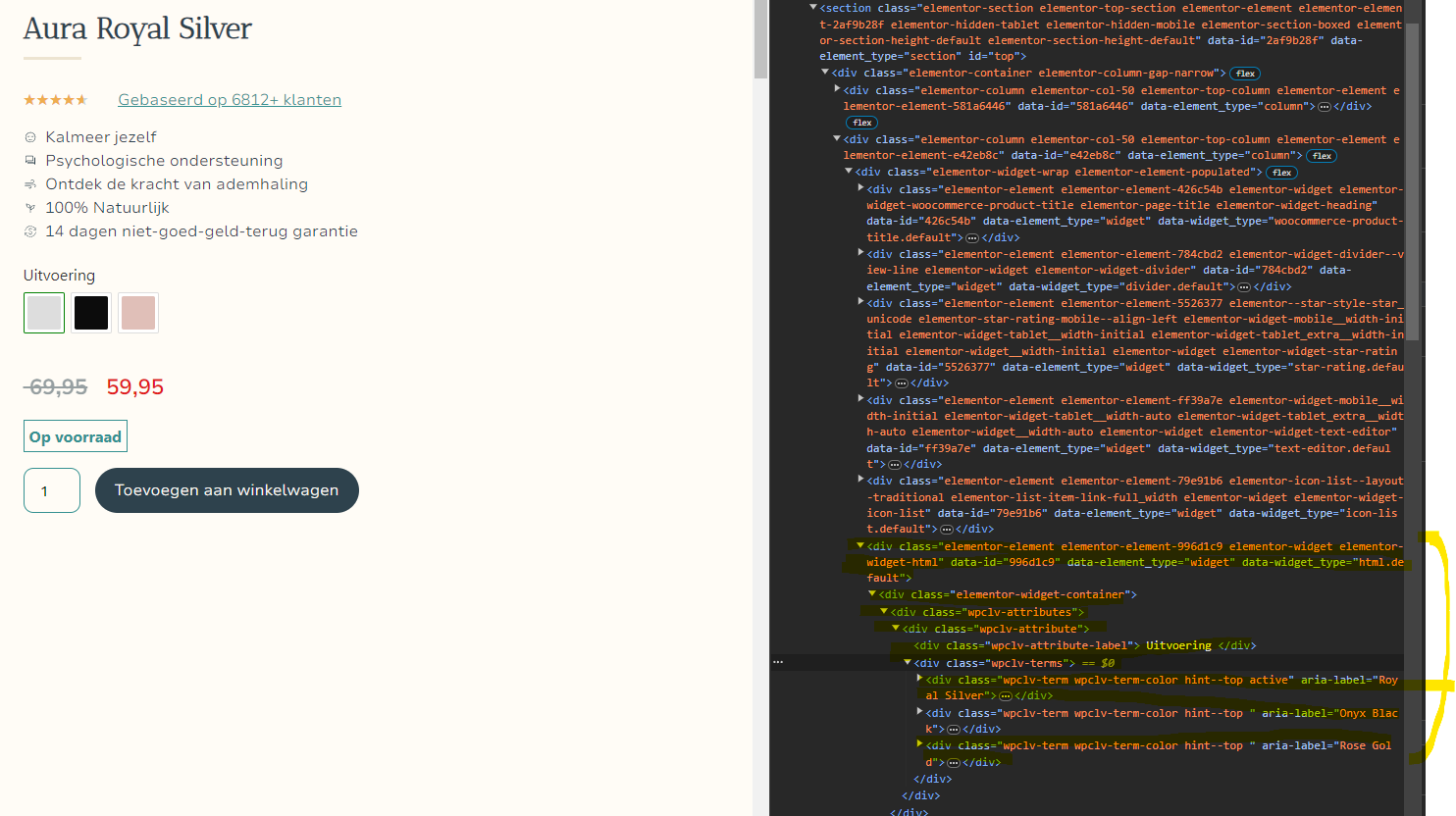 |
| January 28, 2024 at 11:34 am #15234009 | |
 Osama Mersal WPML Supporter since 02/2020 Languages: English (English ) Arabic (العربية ) Timezone: Africa/Cairo (GMT+02:00) |
Hi, Thanks for contacting WPML forums support. I'll be glad to help you today. 1) I would need to look closely at your site, so I would need to request temporary access (WP-Admin and FTP) Your answer will be private, meaning only you and I can access it. ❌ Please backup your database and website ❌ ✙ I would need your permission to de-activate and re-activate the Plugins and the Theme and change configurations on the site. This is also a reason the backup is critical. ✙ I also need your permission to take a local copy of your site to debug the issue without affecting your live site. 2) Could you please share your Debug information with me? Best regards, |
| January 30, 2024 at 7:16 pm #15246230 | |
|
ramonJ-5 |
Thank you very much for your message! I have just added the debug information. Regarding access to the website's test environment, I must mention that unfortunately, we do not have a test environment for our website. I also don't know if I created one quickly? Perhaps you can already investigate something using the debug information I am sending you. I would also like to mention that when I go to hidden link, the entire element is missing in developer mode (html). When I look at the untranslated page (hidden link), that element is still there. I don't understand why the translation plugin is removing the div element. It should only translate and not remove elements, right? Thank you very much in advance! Look forward to hearing from you! |
| January 31, 2024 at 7:48 am #15247605 | |
|
Osama Mersal WPML Supporter since 02/2020 Languages: English (English ) Arabic (العربية ) Timezone: Africa/Cairo (GMT+02:00) |
Hi, 1) Please edit the translated product using the WordPress editor and check if you can see the variations correctly. If not, please check the following steps: 1- Go to WPML-> Support-> Troubleshooting ❌ Please backup your database before performing the above steps ❌ 2) It's unrelated to the issue, but according to your Debug.info, the WP memory limit needs to be increased. PHP memory is fine, but WordPress uses 40Mb as default. The minimum requirements for WPML are 128 MB. (Kindly check this page https://wpml.org/home/minimum-requirements/) You can increase it by adding the following code in your wp-config.php file right before the /* That's all, stop editing! Happy publishing. */ line:
/* Memory Limit */
define('WP_MEMORY_LIMIT', '256M');
define( 'WP_MAX_MEMORY_LIMIT', '256M');
Best regards, |
| January 31, 2024 at 11:09 am #15248635 | |
|
ramonJ-5 |
Hello, Thanks for your response! First I've added the code to the wp-config.php file, so thanks for the tip! Secondly I've checked the editor to see if the HTML-element does show on the translated page. And yes, it does show (see the image I've uploaded). So, I'm not sure what to do next, hopefully you can tell me 😀 Thanks in advance! 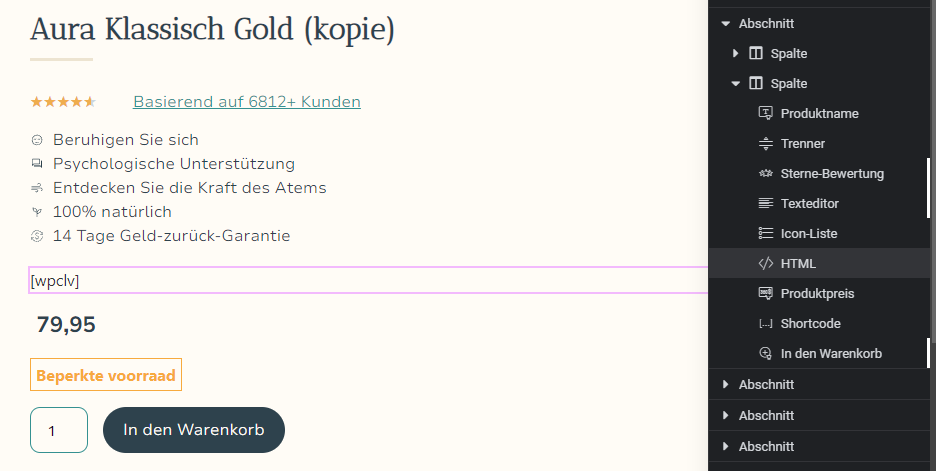 |
| January 31, 2024 at 11:13 am #15248673 | |
|
Osama Mersal WPML Supporter since 02/2020 Languages: English (English ) Arabic (العربية ) Timezone: Africa/Cairo (GMT+02:00) |
Hi, I'll need to access your site to check the issue and see what is missing. If you don't have a testing environment, sharing the live site access details is okay. ❌ Please backup your database and website ❌ If you are uncomfortable sharing the live site access details, I would need a site snapshot if possible. If you already know how Duplicator works. (http://wordpress.org/plugins/duplicator/), ★ Duplicator Instructions (hidden link) Send me both files (you probably want to use DropBox, Google Drive, or similar services, as the snapshot file will be quite big) I will enable your following answer as private, so you can securely provide me with the information. Best regards, |
| January 31, 2024 at 11:30 am #15248747 | |
|
Osama Mersal WPML Supporter since 02/2020 Languages: English (English ) Arabic (العربية ) Timezone: Africa/Cairo (GMT+02:00) |
Hi, I requested access to the Drive folder. Best regards, |
| January 31, 2024 at 12:11 pm #15249066 | |
|
Osama Mersal WPML Supporter since 02/2020 Languages: English (English ) Arabic (العربية ) Timezone: Africa/Cairo (GMT+02:00) |
Hi, Could you please share the installed file in the folder? Best regards, |
| January 31, 2024 at 12:20 pm #15249110 | |
|
ramonJ-5 |
I'm uploading the dup-installer folder right now in the Drive I've shared with you |
| January 31, 2024 at 12:29 pm #15249165 | |
|
Osama Mersal WPML Supporter since 02/2020 Languages: English (English ) Arabic (العربية ) Timezone: Africa/Cairo (GMT+02:00) |
Hi, The drive is missing the installed.php file. Would you please upload it? Best regards, |
| January 31, 2024 at 1:23 pm #15249499 | |
|
ramonJ-5 |
Excuse me, just uploaded it 😉 |
| January 31, 2024 at 4:09 pm #15250317 | |
|
Osama Mersal WPML Supporter since 02/2020 Languages: English (English ) Arabic (العربية ) Timezone: Africa/Cairo (GMT+02:00) |
Hi, Thanks for the duplicator package. I checked the issue, and it seems like a compatibility issue, so please log in to this sandbox site and try to show the swatches in the default language. (hidden link) After that, please let me know how to reproduce the issue so I can consult our compatibility team. Best regards, |
| January 31, 2024 at 9:07 pm #15252183 | |
|
ramonJ-5 |
Hello, I replicated the situation with two color swatches in the test environment. You can see how they are visible in the original version, but not on the DE translated page. |
| February 1, 2024 at 7:54 am #15253057 | |
|
Osama Mersal WPML Supporter since 02/2020 Languages: English (English ) Arabic (العربية ) Timezone: Africa/Cairo (GMT+02:00) |
Hi, Thanks for replicating the issue. Please check if the translated product works correctly. (hidden link) If it works correctly, please check the following steps: 1- Go to WPML-> Settings-> Post Type Translation section Best regards, |
| February 5, 2024 at 7:20 pm #15268215 | |
|
ramonJ-5 |
Hi Osama, Thank you very much for your guidance, I was able to fix the problem with the suggestions you gave me! The color swatches are working fine now. However, there's only one problem left. I copied 3 products with the intention of using a different landing page for them (elementor theme builder page). For your clearification, we have 3 products with a link to the same landing page (stress page) and the 3 other products link to a page about smoking. WPML created the copies of the products but did not correctly connect them with the right theme, so all 6 are linked to the stress page right now. When I manually link them in theme builder to smoking it shows an untranslated page. The preview of the page shows a translated version, but when I connect the page it shows the original untranslated page. Hopefully you're able to help us fix this last problem with the swatches 😀 Thanks in advance. Kind regards, |




