Skip to content Skip to sidebar

This is the technical support forum for WPML - the multilingual WordPress plugin.

Everyone can read, but only WPML clients can post here. WPML team is replying on the forum 6 days per week, 22 hours per day.

This topic contains 0 replies, has 1 voice.

Last updated by marcoB-61 1 week, 6 days ago.

Author Posts
April 6, 2026 at 4:27 pm #17952057

marcoB-61

I’m trying to use HubSpot forms on my website, but I’m running into an issue with WPML translations.

On the main page (French version):
hidden link
I added a HubSpot form by pasting the embed code (in French) inside a code block.

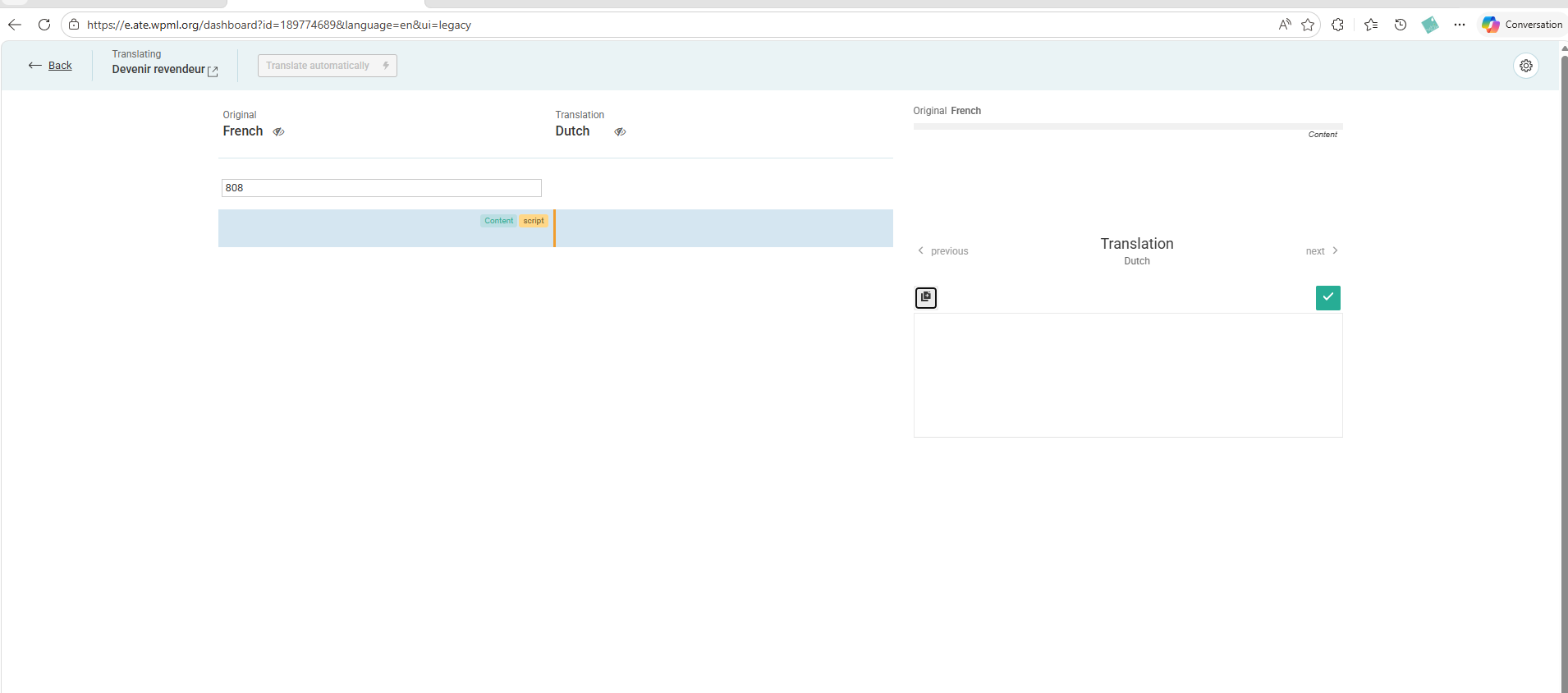
After that, I go to the Dutch (NL) translation of the page. According to the WPML tutorial, (https://wpml.org/documentation/plugins-compatibility/integrating-hubspot-with-multilingual-sites-that-use-wpml/) I should be able to find and edit the specific part of the content containing the HubSpot form code (for example, by searching for a string like “808” from the FR version).

However, in my case, that field appears empty in the main language content within the translation editor (see attached screenshot). Because of that, I don’t see how I’m supposed to replace or adapt the form for the Dutch version.

So right now I’m stuck:

The form displays correctly in French
But I can’t access or modify that code in the WPML translation interface

Could you clarify how this is supposed to work?
Is there a specific way to handle HubSpot embed codes with WPML so that each language can have its own form?

Thanks in advance for your help.

April 6, 2026 at 4:53 pm #17952090

marcoB-61

Everything is solved thanks