Home›Support›English Support›[Resolved] Try to translate a custom post type (Chinese to English), the job doesn't start
[Resolved] Try to translate a custom post type (Chinese to English), the job doesn't start
This thread is resolved. Here is a description of the problem and solution.
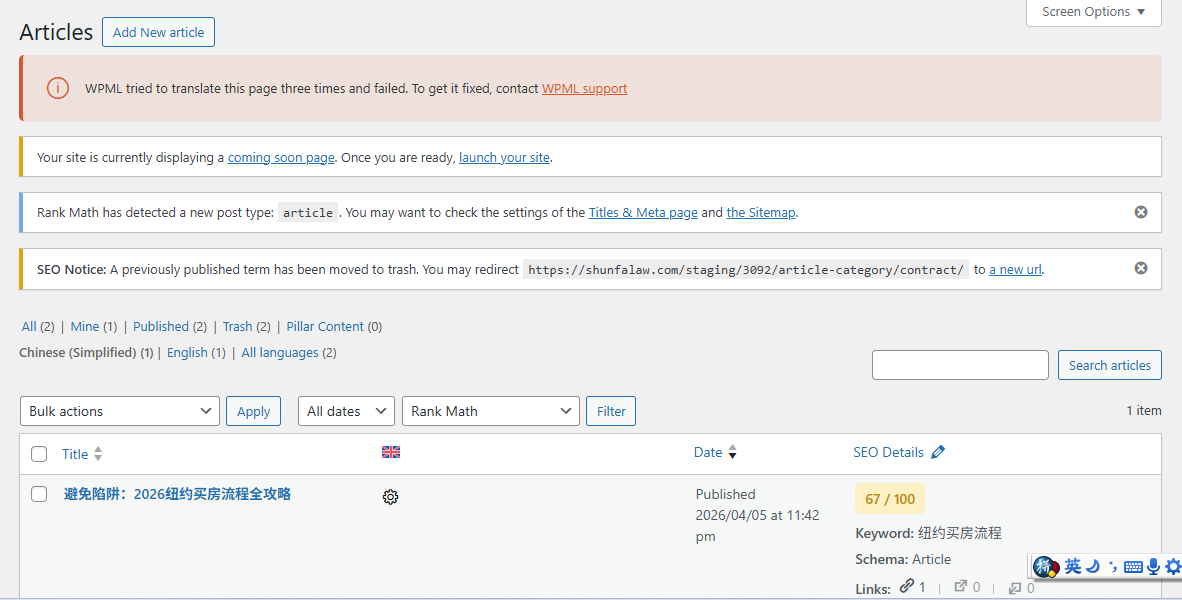
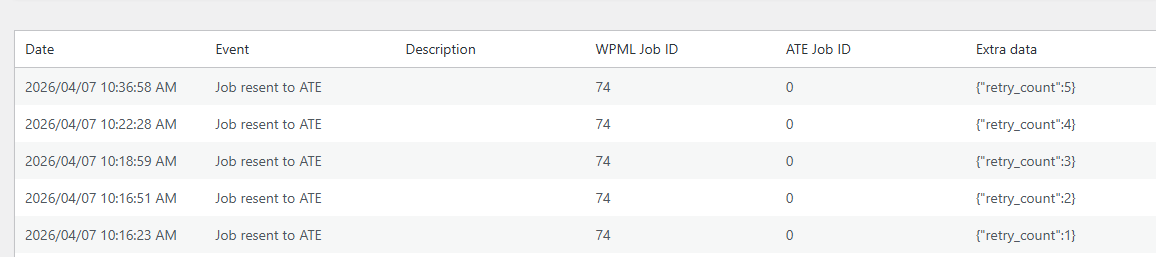
Problem: The client is experiencing intermittent issues when attempting to start translating a Chinese article to English on their website. Sometimes the translation initiates without any problems, but at other times, it fails to start. The WPML dashboard shows an error indicating that WPML tried to translate the page three times and failed, along with repeated 'Job resent to ATE' events in the logs.
Solution: We recommend the following steps to resolve the issue: 1. Navigate to WPML → Translation Dashboard. 2. Click on the Jobs tab. 3. Locate the translation job for the Chinese article (identified by the article title or Job ID 74) and click the Cancel button next to it. 4. Go to Articles in your WordPress admin and edit the original Chinese article by making a minor change (e.g., adding a space). 5. Save the article and resend it for translation from the Translation Dashboard or the Articles list page.
If the problem persists after following these steps, it may require further investigation by our support team. Please use the 'Switch to Human Support' button for direct assistance.
Please note that the solution provided might be outdated or not applicable to your specific case. We highly recommend checking related known issues at https://wpml.org/known-issues/, verifying the version of the permanent fix, and confirming that you have installed the latest versions of themes and plugins. If the issue continues, do not hesitate to open a new support ticket at https://wpml.org/forums/forum/english-support/.
This is the technical support forum for WPML - the multilingual WordPress plugin.
Everyone can read, but only WPML clients can post here. WPML team is replying on the forum 6 days per week, 22 hours per day.
I try to start translating a chinese article at my site to english. Sometimes the translation starts without any issue, sometimes the translation will not start, please refer to the screenshot (Screenshot 2026-04-07 063740.png) for what I saw. And I also attach the error_logs screenshot as reference.
One more information, this is the staging site of my original website. They have the same domain name, just exists in different folder under wp-content. But at WPML, I register them using different keys. Is this the issue coming from? I need staging site because I don't want my changes show at main site without finalizing it.
Hello,
My name is Carlos, and I will continue working on this ticket
1.- Having the same URL shouldn't affect the behavior of WPML; it is not recommended. To easily create a staging site without worrying about the domains, you can use the WP Staging plugin, which is free and easy to use.
Once you create the staging site with WP Staging, register it as a development site and double-check if the issue has disappeared.
Important: Make sure the custom post type is set to Translatable in WPML -> Settings -> Post Type Translation
2.- Please increase the WP memory Limit. Minimum requirements are 128Mb: https://wpml.org/home/minimum-requirements/
You can add this to wp-config.php to increase WP memory:
I am hosting my website through Bluehost, I create the staging site through Bluehost provided feature. I don't use WP staging to create the stage site.
And I will try to update the memory for my site, and check how is going. If everything goes well after increasing the memory, I will close this ticket.
Please share the access credentials to the staging site in your next message, which I have set private. This will allow me to reproduce the issue and double-check the WPML configuration.
When there is a missing column in the languages table, a new troubleshooting option appears under WPML -> Support -> Troubleshooting steps. The issue is solved by using this option.
The option used to solve this problem won't appear anymore unless the site is restored from a backup created before solving the issue.
Yes, sure, you can come back to this link, and also, you should be able to find all the tickets you have opened in this other link: https://wpml.org/forums/users/hailinc/