Skip to content Skip to sidebar

This thread is resolved. Here is a description of the problem and solution.

Problem:
The client was unable to add a new language in WPML, which might be due to server-related causes or a compatibility issue with other plugins or the active theme.
Solution:
We recommend following these steps to identify and resolve the issue:
1. Ensure your server meets the WPML minimum requirements.
2. Test for a compatibility issue:
- Create a full website backup.
- Disable all plugins except for WPML and its add-ons.
- Switch to a default WordPress theme like TwentySeventeen.
- Check if the issue persists.
- If resolved, reactivate your plugins one by one to identify the problematic plugin.
It is advisable to perform these tests in a staging environment if possible.

If the solution provided here does not resolve your issue or seems irrelevant due to being outdated or not applicable to your case, we highly recommend checking related known issues at https://wpml.org/known-issues/, verifying the version of the permanent fix, and confirming that you have installed the latest versions of themes and plugins. If further assistance is needed, please open a new support ticket.

This is the technical support forum for WPML - the multilingual WordPress plugin.

Everyone can read, but only WPML clients can post here. WPML team is replying on the forum 6 days per week, 22 hours per day.

Tagged: 

This topic contains 1 reply, has 2 voices.

Last updated by Mihai Apetrei 1 year, 7 months ago.

Assisted by: Mihai Apetrei.

Author Posts
July 23, 2024 at 10:11 pm #15994962

tailinS

Background of the issue:
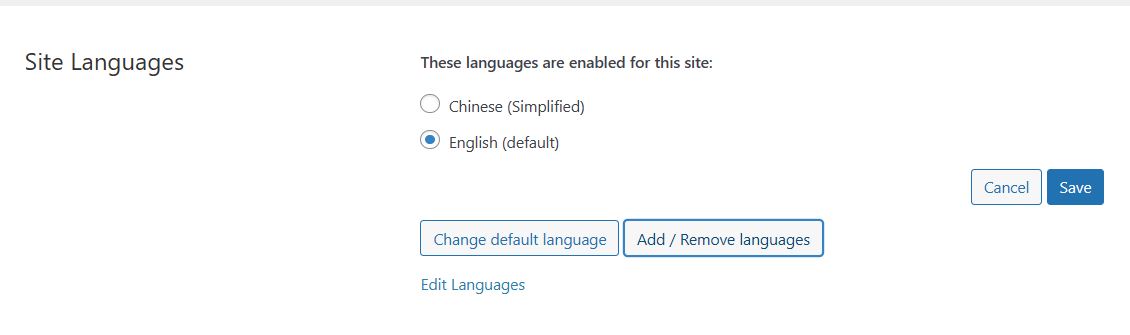
I was not able to add a new language on WPML. I selected "Language," then clicked "Edit Languages" under "Site Languages." Inside the "Edit Languages," I clicked the "Add Language" button, but it was not responsive. No new language settings showed up for me to proceed to the next step. So, I went back to click on "Add/ Remove Languages" under "Site Languages." It failed work as the above. Could you please tell me why that happens and help us add Spanish to the site? Thank you! What site do you need help with? hidden link

Symptoms:
The "Add Language" button under "Edit Languages" and "Add/Remove Languages" under "Site Languages" are not responsive.

Questions:
Why is the "Add Language" button not responsive?
How can I add Spanish to the site?

July 23, 2024 at 10:49 pm #15995040

Mihai Apetrei
WPML Supporter since 03/2018

Languages: English (English )

Timezone: Europe/Bucharest (GMT+02:00)

Hi there.

Before this ticket gets assigned to one of my colleagues, I will try to help.

This issue looks to me like it could be either caused by server-related causes or a compatibility issue between WPML and (at least) one of the active plugins or the currently active theme.

1. Please make sure that your server follows the WPML minimum requirements and that you are using the very latest WPML versions:
https://wpml.org/home/minimum-requirements

2. If the issue is still happening, can you please let me know if it still happens even when only the WPML plugins are active and you are using a default WordPress theme?

Please try the following steps so that we can test for a compatibility-related issue:

- create a full website backup

- disable all plugins except WPML and its add-ons

- check if the issue is happening again

- if it's not, reactivate your plugins one by one, checking every time if the issue shows up again so that you can understand which plugin is causing that issue

If the issue happens even with the non-WPML plugins disabled:
- leave all the non-WPML plugins deactivated

- switch to a default theme like TwentySeventeen

- try to recreate the issue now

If you have the chance, it would be best to do this in a staging (testing) environment.

Please let us know how that goes and if following any of these steps solved your issue or brought any change.

We will be waiting for your response.

Mihai Apetrei