Skip to content Skip to sidebar

This thread is resolved. Here is a description of the problem and solution.

Problem:
If you're experiencing issues with translating content into English using WPML, where updating content in the primary language (Czech) and then switching to ATE results in the content for translation not loading and displaying the message: 'Unable to retrieve job details,' it might be due to the translation job containing no translatable data. This issue could be evident across multiple sites using the WPML plugin.
Solution:
We recommend checking the .xliff file generated by WPML. If the

<body>

element within the .xliff file is empty and the 'wpml-words-to-translate-count' is '0', it indicates that WPML is unable to extract any translatable content. This could be due to server-side issues rather than a problem with WPML configuration, plugins, or themes. Possible server-side causes include multiple applications of output compression (e.g., zlib.output_compression in PHP combined with server-level gzip/Brotli), modifications by security or performance layers (e.g., WAF, CDN, reverse proxy, or caching layer), or incorrect headers or content encoding (e.g., globally applied 'Content-Encoding: gzip').
To resolve this, contact your hosting provider, explain the issue, and ask them to investigate how responses are encoded and compressed on the server. This step is crucial especially if the issue affects multiple sites, suggesting a shared server configuration problem.

If this solution does not apply to your case, or if it seems outdated, we highly recommend checking related known issues at https://wpml.org/known-issues/, verifying the version of the permanent fix, and confirming that you have installed the latest versions of themes and plugins. Should the problem persist, please open a new support ticket at WPML support forum for further assistance.

This is the technical support forum for WPML - the multilingual WordPress plugin.

Everyone can read, but only WPML clients can post here. WPML team is replying on the forum 6 days per week, 22 hours per day.

Tagged: 

This topic contains 16 replies, has 0 voices.

Last updated by Andrey 4 months, 1 week ago.

Assisted by: Andrey.

Author Posts
December 22, 2025 at 12:46 am #17680887

danielS-274

Hi Andrey,

yeah i did. That was new Key from 4.12.2025. I created newone and did again. Nothing new happened.

December 22, 2025 at 4:30 pm #17682958

Andrey
WPML Supporter since 06/2013

Languages: English (English ) Russian (Русский )

Timezone: Europe/Kyiv (GMT+03:00)

Thank you for the update.

I am taking a further look at what could be wrong.

December 22, 2025 at 10:54 pm #17683566

Andrey
WPML Supporter since 06/2013

Languages: English (English ) Russian (Русский )

Timezone: Europe/Kyiv (GMT+03:00)

I took a deeper look at the issue.

The “Unable to retrieve job details” message occurs because the translation job contains no translatable data.

When I download the .xliff file from your site, it looks like this:

<?xml version="1.0" encoding="utf-8" standalone="no"?>
<xliff xmlns="urn:oasis:names:tc:xliff:document:1.2" version="1.2"
       xmlns:tool="<em><u>hidden link</u></em>">
  <file original="563-2b6301028a8bbd7bb235a461e0eb8c1a"
        source-language="cs"
        target-language="en"
        tool:source-language-domain="<em><u>hidden link</u></em>"
        tool:target-language-domain="<em><u>hidden link</u></em>"
        tool:sender-id="9"
        tool:sender-username="Jara"
        tool:sender-email="saboo@saboo.cz"
        tool:sender-display-name="Jara[php]"
        tool:wpml-words-to-translate-count="0"
        tool:wpml-automatic-translation-costs="0"
        datatype="plaintext">
    <header>
      <phase-group>
        <phase phase-name="shortcodes" process-name="Shortcodes identification">
          <note>...</note>
        </phase>
        <phase phase-name="post_type" process-name="Post type">
          <note>post_page</note>
        </phase>
      </phase-group>
      <reference>
        <external-file href="<em><u>hidden link</u></em>"/>
      </reference>
    </header>
    <body/>
  </file>
</xliff>

As you can see:
- The <body> element is empty
- tool:wpml-words-to-translate-count="0"

This means WPML is unable to extract any translatable content.

On my local copy of the same site, the XLIFF file is generated correctly:

<body>
  <trans-unit resname="title" restype="string" datatype="html" id="title">
    <source><![CDATA[WPML Testtt]]></source>
    <target><![CDATA[WPML Testtt]]></target>
  </trans-unit>
  <trans-unit resname="Paragraph" restype="string" datatype="html">
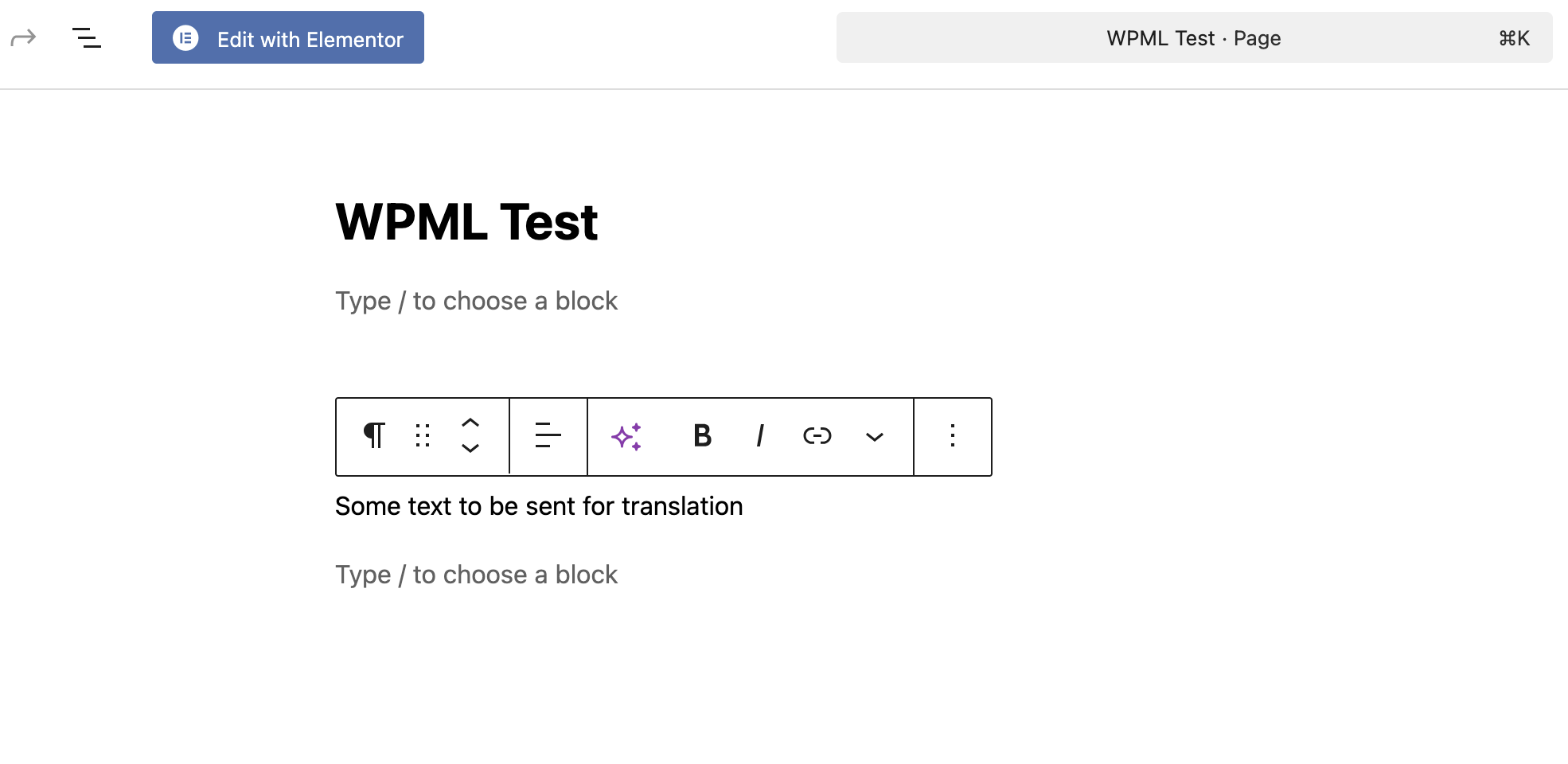
    <source><![CDATA[Some text to be sent for translation]]></source>
    <target><![CDATA[Some text to be sent for translation]]></target>
  </trans-unit>
</body>

Here, the <body> element contains valid <trans-unit> entries, and the word count is calculated correctly.

I also verified the following on your server:
- Database charset and collation are correct
- All required PHP extensions are installed
- No plugin or theme conflicts are involved

To further investigate, I temporarily switched WPML to use the Classic Translation Editor and rechecked the test page. At that point, the editor displayed the following values:
Title: x???QI-.�?
Body: x???MU(I?(Q(?WHJU(N?+QH?/R()J?+?I,???�?4t
(See attached screenshots.)

This clearly shows that the server is returning binary / compressed data instead of plain UTF-8 text. As a result, WPML cannot extract readable strings, which explains:
- the empty <body/> in the XLIFF file
- the zero word count
- the “Unable to retrieve job details” error

Conclusion

WPML configuration, plugins, or themes do not cause the issue.

The problem is almost certainly server-side.

Possible causes include:
1. Output compression applied multiple times
- zlib.output_compression in PHP combined with server-level gzip/Brotli
- or a hosting “performance” module compressing responses
2. Security or performance layers modifying responses
- WAF, CDN, reverse proxy, or caching layer
3. Incorrect headers or content encoding
- e.g. Content-Encoding: gzip applied globally, including wp-admin or admin-ajax.php

At this stage, you’ll need to contact your hosting provider, explain the issue we shared, and ask them to investigate how responses are encoded and compressed on the server.

Since you mentioned that this issue affects multiple sites (probably) on the same hosting environment—even with different plugins and themes—it strongly suggests a shared server configuration problem. I am afraid, this is not something we can fix from the WPML side.

Screenshot 2025-12-22 at 23.04.36.png
Screenshot 2025-12-22 at 23.04.19.png