Home›Support›English Support›[Resolved] Variation Swatches plugin are not showing colors on the translation pages
[Resolved] Variation Swatches plugin are not showing colors on the translation pages
This thread is resolved. Here is a description of the problem and solution.
Problem:
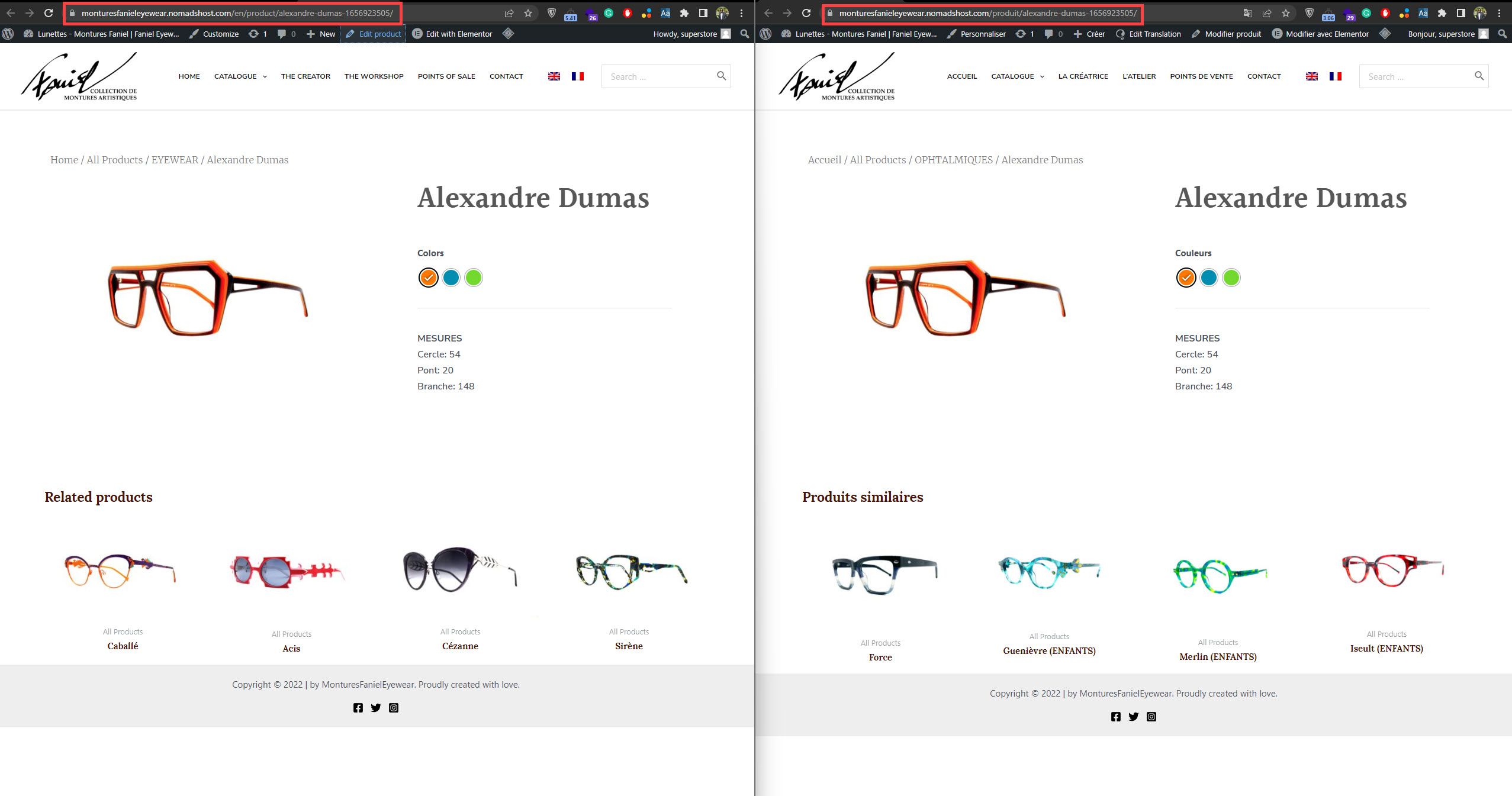
The variation Swatches plugin (Variation Swatches for WooCommerce) is not showing colors on the translated products.
Solution:
1- Go to WPML-> Settings-> Custom Term Meta Translation
2- Set the "product_attribute_color" to copy
3- Click on "Save"
4- Edit the default language color and re-save it
This is the technical support forum for WPML - the multilingual WordPress plugin.
Everyone can read, but only WPML clients can post here. WPML team is replying on the forum 6 days per week, 22 hours per day.
This product's default language is English. Please check your screenshot and see the source language. Kindly check it in the dashboard to check the default language. (hidden link)
I've added the correct English short description and translated it to French. Would you please check the product on the front end and let me know if it works correctly. (hidden link)
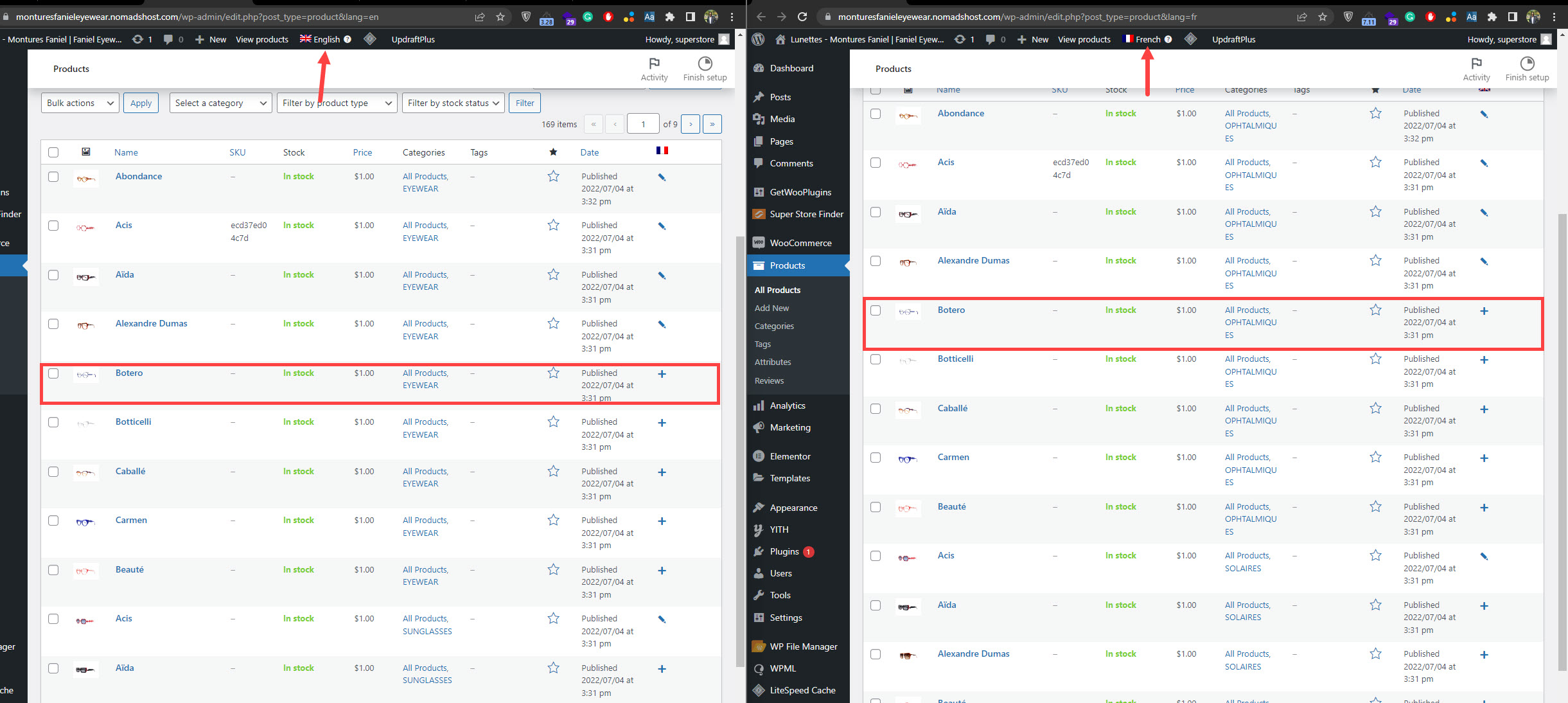
I've noticed that most of your products are not connected. (Kindly check the attached screenshot)
I suggest the following steps after a database backup:
1- Go to Products-> All products
2- Switch the language from the top admin bar to English
3- Delete the products that have the "+" icon in the language column
4- Empty the trash
5- Go to WPML-> Support-> Troubleshooting
6- Run the troubleshooting functions one by one (Kindly check this hidden link)
7- Go to products-> All Products in French
8- Click the "+" icon to translate a product
❌ Please backup your database before performing the above steps❌
After that, please check if that product worked correctly. Kindly translate the rest of the products using the translation editor.