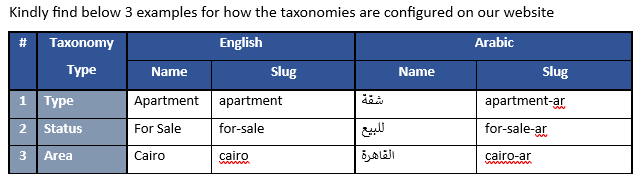
We are using the Houzez theme together with WP All Import, and our website is configured in two languages:
• English (main)
• Arabic
We are facing an issue specifically during the import of Arabic properties, and it appears to be related to how WPML handles taxonomy matching for translated terms.
The Issue
Importing English properties works correctly—each property is assigned the correct taxonomy.
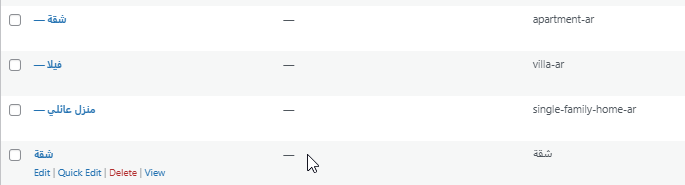
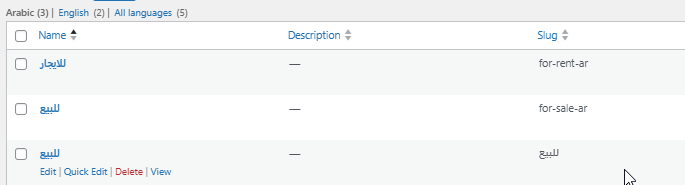
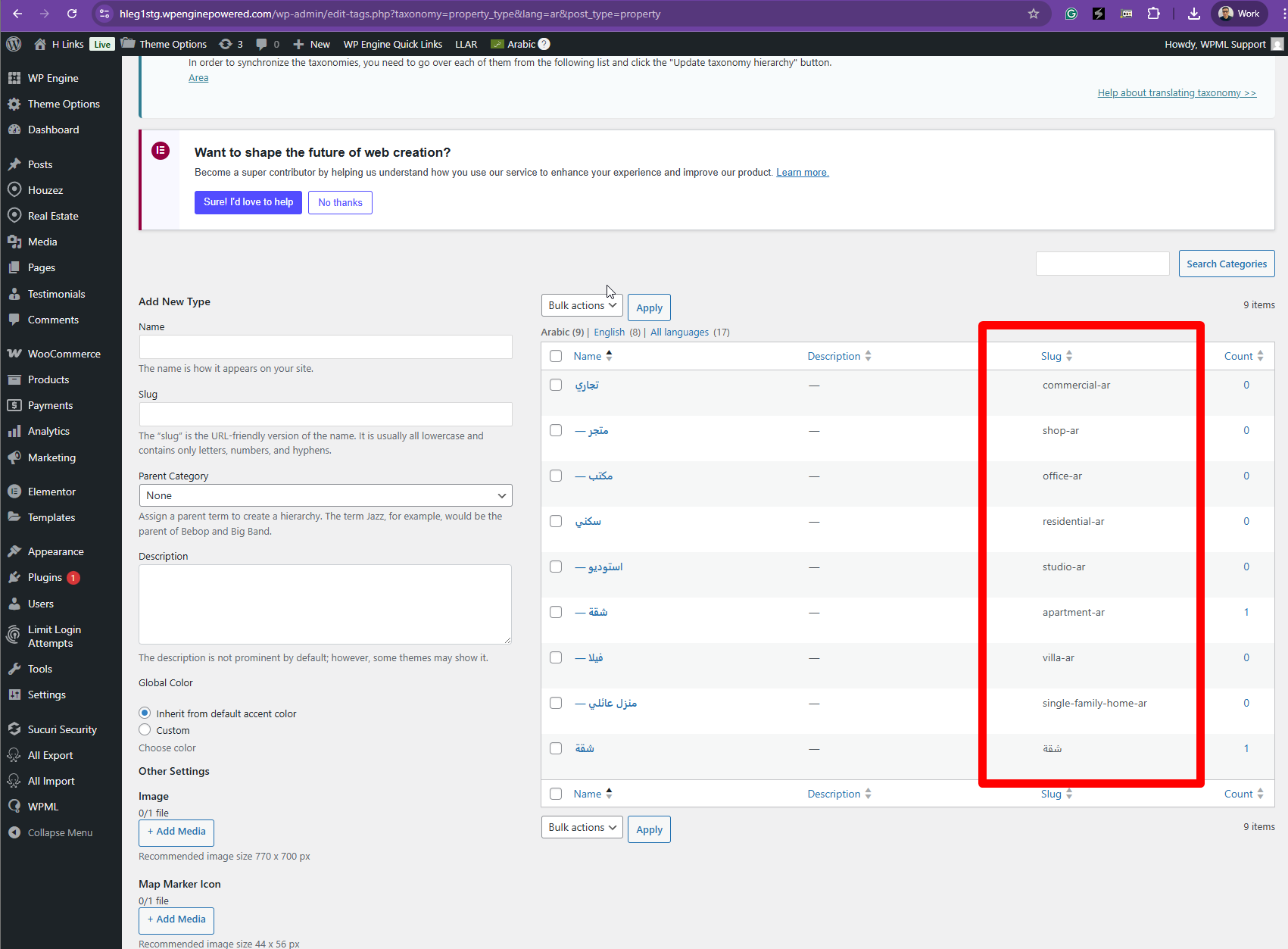
However, when importing Arabic properties, WP All Import creates new Arabic taxonomy terms using the Arabic name as the slug (e.g., "شقة") instead of matching the existing translated taxonomy term ("apartment-ar").
This results in:
• Duplicate taxonomy terms
• Incorrect taxonomy assignment
• Broken or inconsistent property search results on the Arabic site
Question
Could you please advise how to ensure that WP All Import + WPML correctly match translated taxonomy terms using the existing Arabic slugs (e.g., apartment-ar) instead of creating new terms?
Any guidance or recommended configuration steps would be greatly appreciated.
Thank you,
I will need to closely examine your website. Therefore, I will require temporary access (WP-Admin and FTP) to a test site where the problem has been replicated, if possible. This will enable me to provide better assistance and determine if any configurations need to be modified.
Please note that it is important to have a backup for security purposes and to prevent any potential data loss. You can use the UpdraftPlus plugin (https://wordpress.org/plugins/updraftplus/) to fulfill your backup requirements.
Your upcoming reply will be treated with confidentiality and will only be visible to you and me.
✙ To resolve the issue, I may need your consent to deactivate and reactivate plugins and the theme, as well as make configuration changes on the site if necessary. This emphasizes the significance of having a backup.
Thanks for your reply. I’ve checked your property types here hidden link
and everything appears to be linked correctly. Could you let me know what exactly is wrong? Where can I see the issue on the frontend? Please share a few clearer screenshots highlighting the problem so I can better understand it.
We recently imported a new property using WP All Import. As shown in the attached screenshots, the import process created new arabic taxonomy with arabic slug for each taxonomy included in the import file although the taxonomy name already exist but with English slug .
We also have a dedicated template file for this import. You can review it in WP All Import, and under the Manage Imports tab, you’ll find the exact import files we used. Everything related to the import is visible there.
Thanks for your reply. Are you saying that you know how to import the properties into both languages, but you want to know why the property category slugs are in English, as highlighted in the attached screenshot?
The topic ‘[Closed] We need help ensuring that WP All Import correctly assigns existing translated taxonomy terms (Arabi…’ is closed to new replies.