Anonymous
|
I will get back to you tonight and we can resume talk tomorrow.
I need to get back to my paid work! 😉
|
Anonymous
|
Hi Andreas,
In response to the BEST Dual Color Heading working PERFECTLY with WPML is from Unlimited Element for Elementor!
See attached picture.
My translation are like intended now 🙂
|

Andreas W.
WPML Supporter since 12/2018
Languages:
English (English )
German (Deutsch )
Timezone:
America/Lima (GMT-05:00)
|
Thank you for the confirmation!
The issue about the media replacement has been escalated. I will need to ask you for some patience. Likely, our team will try to reach the author on this matter.
|
Anonymous
|
Perfect! Thank you!
The EN images are showing up on the FR site and vice-versa!
Backwards for NO reason 🙂
|
Andreas W.
WPML Supporter since 12/2018
Languages:
English (English )
German (Deutsch )
Timezone:
America/Lima (GMT-05:00)
|
You still have this issue after trying this workaround?
https://wpml.org/forums/topic/what-is-the-status-of-my-support-request-i-dont-see-anything/#post-17484455
If so, undo this workaround and instead try this:
Edit .../wp-content/plugins/unlimited-elements-for-elementor/provider/wpml_integrate.class.php
Look for line 156
Replace:
$alternateThumbID = apply_filters( 'wpml_object_id', $thumbID, 'attachment', false, self::$objWpmlSingleton->activeLanguage );
With:
$current_lang = apply_filters( 'wpml_current_language', null );
$alternateThumbID = apply_filters( 'wpml_object_id', $thumbID, 'attachment', false, $current_lang );
Please confirm if this solved the issue, or not.
|
Anonymous
|
Hi Andreas,
I am a designer and NOT a coder.
These scripts don't mean anything to me and I am not comfortable OR know where to insert them.
Could you please do it?
|
Andreas W.
WPML Supporter since 12/2018
Languages:
English (English )
German (Deutsch )
Timezone:
America/Lima (GMT-05:00)
|
I have adjusted the code of "Unlimited Elements for Elementor" on your site. Note that once you update the plugin, those changes will get overwritten, unless the author of the plugin considers those changes inside the next plugin update.
Our team will reach out to the author and inform them about the issue.
|
Anonymous
|
Thank you so much!!!!
Can you please provide me with a link or a screenshot of where those codes where added?
I really will need to know so I can update that code next time I update my plug-in.
🙂
|
Andreas W.
WPML Supporter since 12/2018
Languages:
English (English )
German (Deutsch )
Timezone:
America/Lima (GMT-05:00)
|
The change I have taken is explained in this comment:
https://wpml.org/forums/topic/what-is-the-status-of-my-support-request-i-dont-see-anything/?paged=2#post-17488385
I used the File Manager plugin (which I already deinstalled) and edited the file as explained in the comment.
In your case, the file is at:
/wp-content/plugins/unlimited-elements-for-elementor-pro/provider/wpml_integrate.class.php
This is a PHP file that Unlimited Elementor for Elementor uses for making their plugin compatible with WPML.
The issue appears to be that in their code, they were not checking correclty for the currently active language.
|
Anonymous
|
Perfect!!
Thank you so much!!
I see that everything is correct now!
YOU HAVE BEEN AWESOME!!! 🙂
How can I save the entirety of our exchanges so I can save it as a single document file?
|
|
Anonymous |
HI Andreas,
I just noticed that the 3D Flip Book Plug in is now showing the EN images instead of the FR ones on the FR site.
Can you please adjust as well?
Here are the image proofs.
|
Andreas W.
WPML Supporter since 12/2018
Languages:
English (English )
German (Deutsch )
Timezone:
America/Lima (GMT-05:00)
|
As we already handled and exported one issue for a specific plugin on this ticket, I would like to move your last request to a new ticket and then follow up with you from there.
You will receive an email notification once I answer the new ticket, which I will be creating right now.
|
Anonymous
|
Hi Andreas,
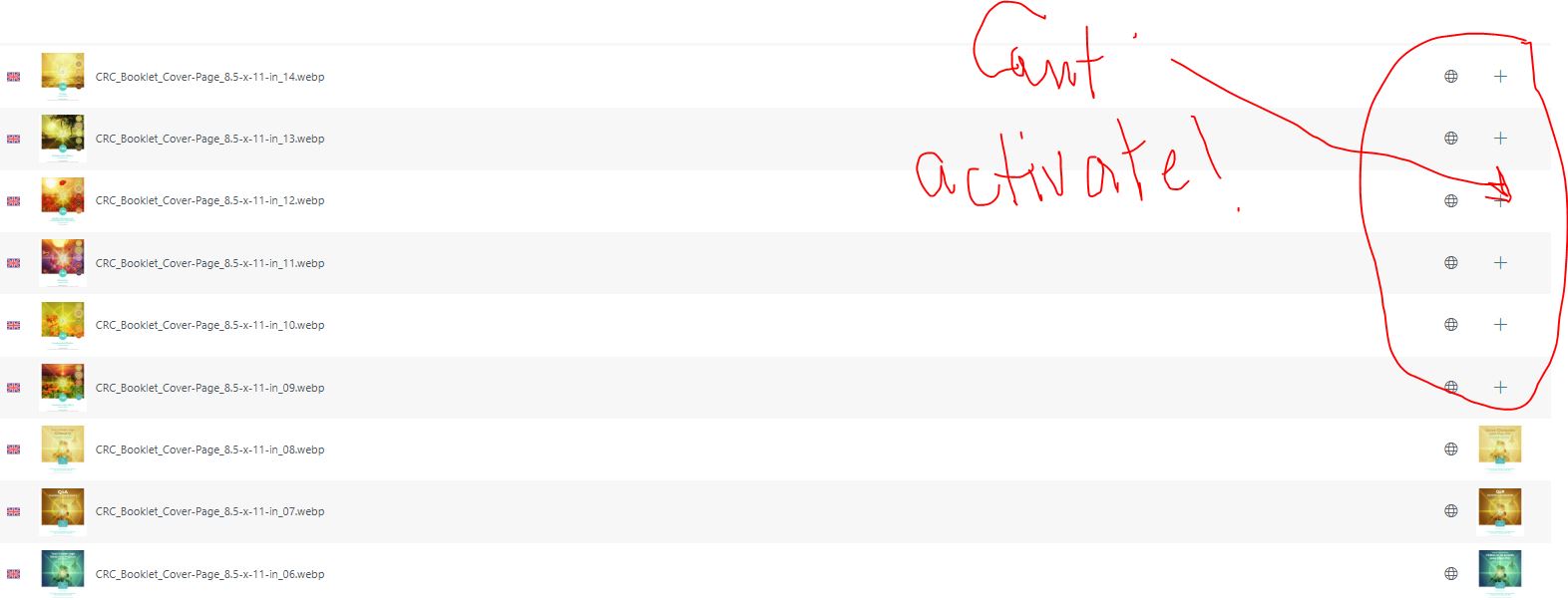
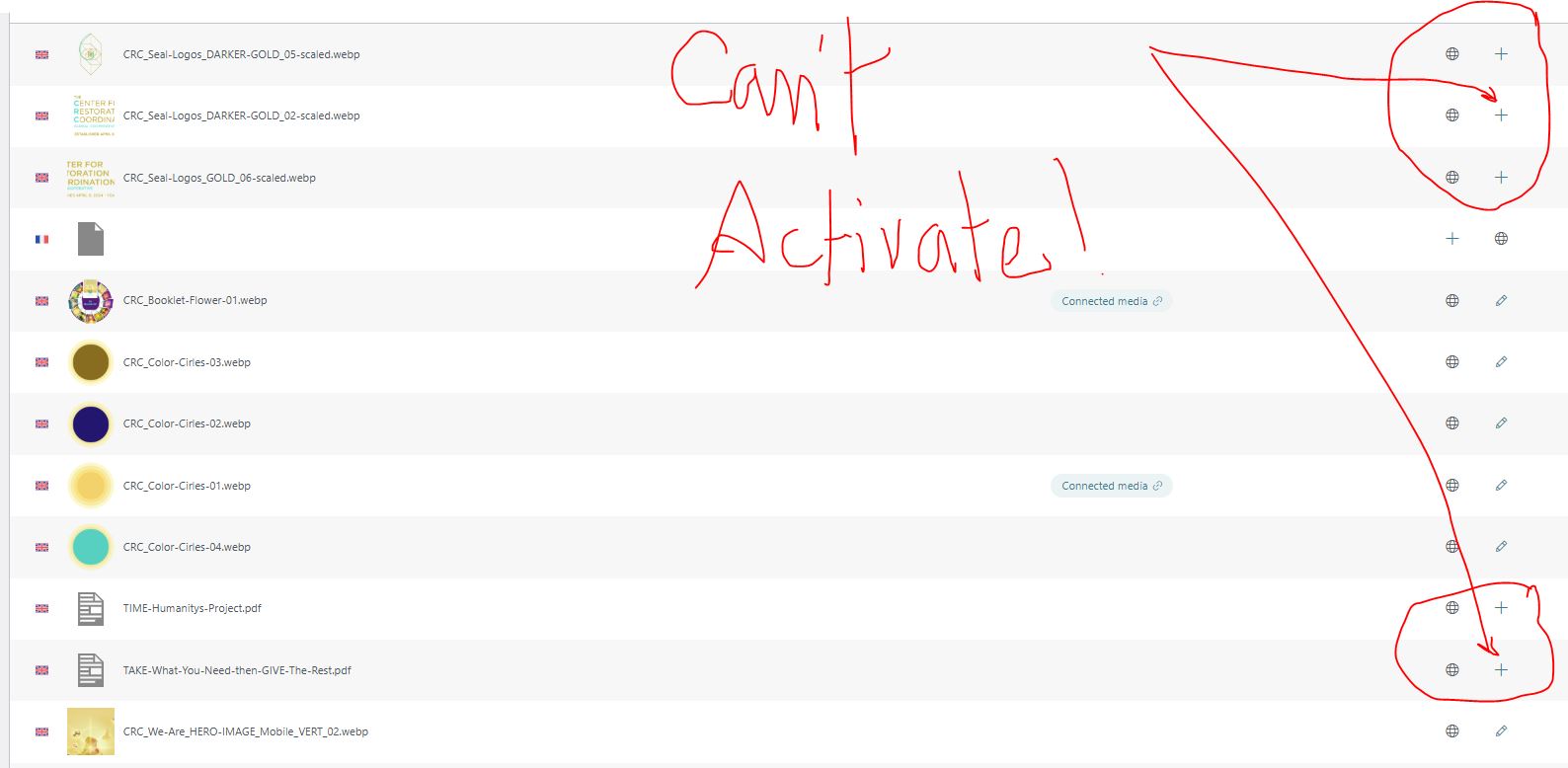
I am unable to translate the attached images.
I just paid for PAY-AS -YOU GO yet the "plus sign" still doesn't activate so I can translate the images.
Can you please help??
|
Andreas W.
WPML Supporter since 12/2018
Languages:
English (English )
German (Deutsch )
Timezone:
America/Lima (GMT-05:00)
|
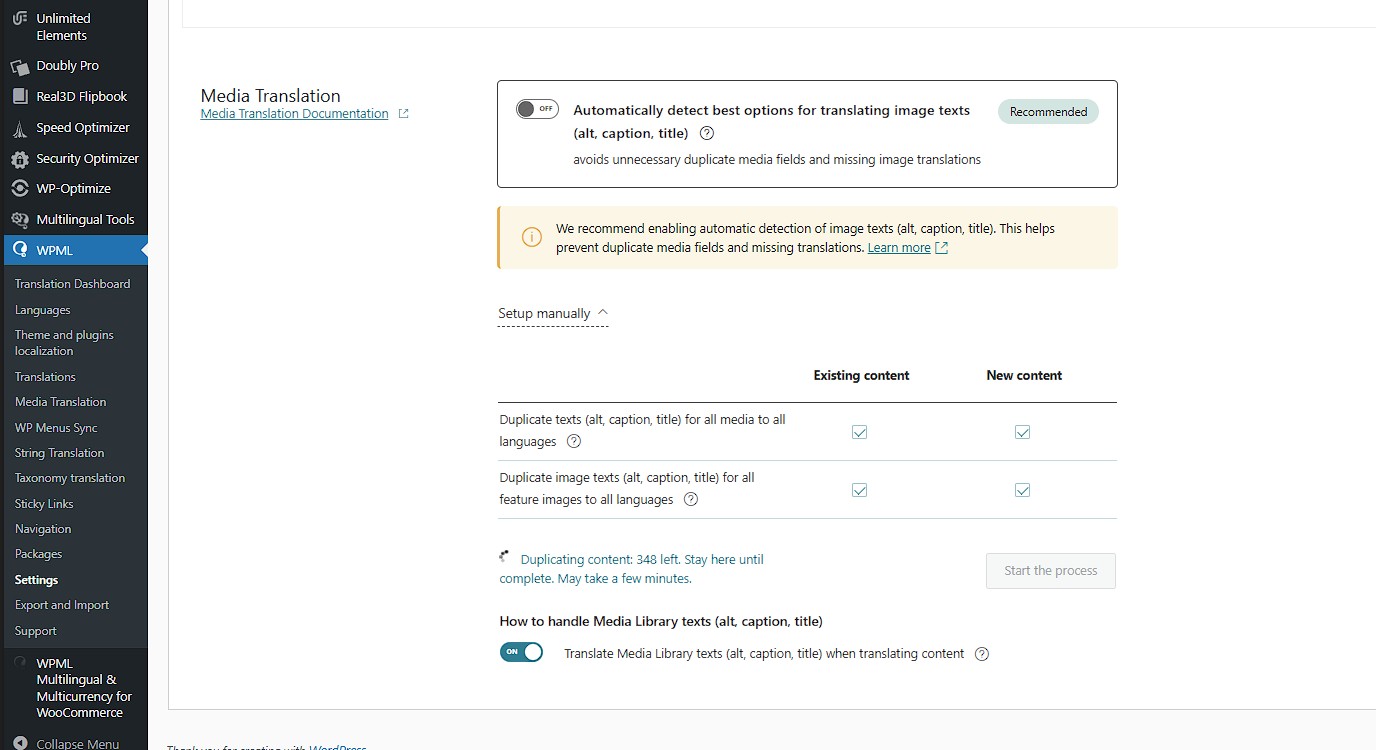
I ran the media sync option at WPML > Settings > Media Translation, which will create the media entries for WPML in all languages.
See screenshot.
This seems to have solved this issue.
|