Skip to content Skip to sidebar

This thread is resolved. Here is a description of the problem and solution.

Problem:
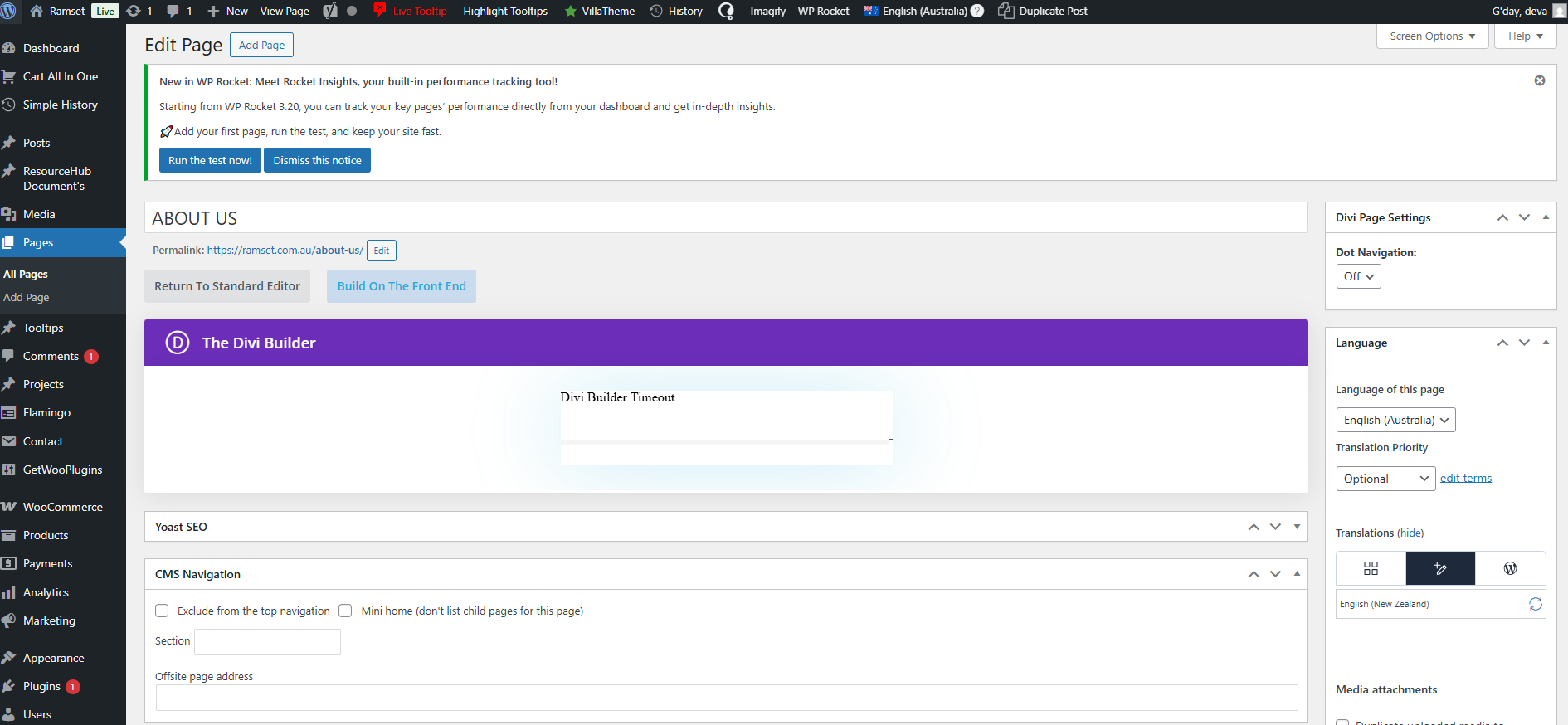
The client is experiencing a timeout error in the backend while editing a page using the Divi builder. This issue persists even when WPML is disabled, suggesting that WPML is not the cause of the problem.
Solution:
1. Test the backend editor with WPML disabled to confirm if the issue continues.
2. If the problem persists with WPML disabled, it is likely related to the Divi Builder or a conflict with other plugins. In this case, we recommend contacting Divi support for further assistance.
3. If you suspect that WPML might still be involved, or if specific issues appear only when WPML is active, please let us know, and we will investigate further.

Please note that this solution might be outdated or not applicable to your specific case. We highly recommend checking related known issues at https://wpml.org/known-issues/, verifying the version of the permanent fix, and confirming that you have installed the latest versions of themes and plugins. If the issue persists, please open a new support ticket at WPML support forum.

This is the technical support forum for WPML - the multilingual WordPress plugin.

Everyone can read, but only WPML clients can post here. WPML team is replying on the forum 6 days per week, 22 hours per day.

This topic contains 2 replies, has 0 voices.

Last updated by Dražen 1 month, 3 weeks ago.

Assisted by: Dražen.

Author Posts
February 27, 2026 at 8:31 am #17858813

robS-30

As in the backend while editing the page, the Divi builder shows timeout error. Could you please check and sort the issue.
About one month before I have raised the issue. The WPML support asked to shared the credentials. As the client went on leave just now we can't confirmation to send the credentials.

February 27, 2026 at 8:57 am #17858930

Dražen
Supporter

Languages: English (English )

Timezone: Europe/Zagreb (GMT+02:00)

Hello,

Here is the ticket. Please let me know once it has been approved from client and share the admin access details in the next private reply.

Regards,
Dražen

March 10, 2026 at 9:11 am #17884420

Dražen
Supporter

Languages: English (English )

Timezone: Europe/Zagreb (GMT+02:00)

Hello,

Thank you for your patience.

I checked the issue on your website and I can see that the problem still happens even when WPML is disabled (please see the attached screenshot). Since the issue occurs in this case as well, it indicates that WPML is not causing the problem.

If the problem persists with WPML disabled, the cause is usually related to the theme, page builder, or another plugin, rather than WPML itself.

Because of that, I recommend the following next steps:

- Test the backend editor with WPML disabled and check if the issue continues.

- If the problem remains even with WPML disabled, the best next step would be to contact Divi support, since the issue is likely related to the Divi Builder or conflict with other plugins.

If you believe WPML is still involved or you notice any behavior that specifically appears only when WPML is active, please let me know and I will be happy to check further.

Regards,
Dražen

Edit-Page-“ChemSet™-Next-Gen”-‹-Ramset-—-WordPress-03-10-2026_10_09_AM.jpg