Skip to content Skip to sidebar

This is the technical support forum for WPML - the multilingual WordPress plugin.

Everyone can read, but only WPML clients can post here. WPML team is replying on the forum 6 days per week, 22 hours per day.

Sun Mon Tue Wed Thu Fri Sat
- 9:00 – 13:00 9:00 – 13:00 9:00 – 13:00 9:00 – 13:00 9:00 – 13:00 -
- 14:00 – 18:00 14:00 – 18:00 14:00 – 18:00 14:00 – 18:00 14:00 – 18:00 -

Supporter timezone: America/Los_Angeles (GMT-07:00)

Tagged: 

This topic contains 8 replies, has 1 voice.

Last updated by Bobby 2 weeks, 5 days ago.

Assisted by: Bobby.

Author Posts
March 31, 2026 at 12:59 pm #17940036

joannesB

WEbsite is very very very slow because of WPML my hosting company is telling me. Plug-in can not connect to wpml.org

March 31, 2026 at 3:16 pm #17940595

joannesB

This is what my hosting company is telling me:

I have temporarily disabled the Firewall, Fail2Ban, and ModSecurity.

I am able to ping cdn.wpml.org and also, for example, lemonbytes.nl.
I cannot ping the other addresses.

Ping to wipml.org
Sorry, ping to wpml.org
Ping to cdm.wpml.org (that one does work)

They may want to check whether the server IP is being blocked by their server.

IPv4: 158.220.100.42
IPv6: 2a02:c206:2219:7061::1

April 1, 2026 at 1:30 pm #17943324

joannesB

I have the same issue on alle website with WPML but with different Hosting partners.
So please help...!!! my website are horrible slow.

Scherm­afbeelding 2026-04-01 om 10.45.01.png
April 1, 2026 at 5:07 pm #17944035

Bobby
WPML Supporter since 04/2015

Languages: English (English )

Timezone: America/Los_Angeles (GMT-07:00)

Hi there,

WPML not being able to connect should not cause performance issues, based on the description of the issue, it sounds like there might be 2 issues.

1. performance issue

2. connection issue.

For the connection issue, please review the following documentation:
https://wpml.org/faq/wpml-plugin-cannot-connect-to-wpml-org/

Contact your hosting provider and ask them to whitelist the following domains:

wpml.org
cdn.wpml.org
api.wpml.org
api.toolset.com
cloudfront.net

and let me know your results.

- For the performance issue, if possible please share a few more details.

- Do you notice the performance issue in the backend, front end or both?

- Does the performance issue resolve once WPML is deactivated?

- Is there a specific action that triggers it or it's always present?

I can see the Query Monitor is activated, please ensure that the plugin is only activated for debugging purposes and not constantly activated as it will impact performance.

---_> Do you see any duplicate queries coming from WPML?

April 2, 2026 at 11:32 am #17945827

joannesB

1 - When I deactivate WPML the website respons is quick.
2 - It's only in the back end very slow.
3 - There is no specific action,...it's always present

============================
Plugin: sitepress-multilingual-cms
3 oproepen

WPML_Nav_Menu->_set_custom_status_in_theme_location_switcher()
3 oproepen
=============================

=============================
Plugin: sitepress-multilingual-cms
1 oproep

WPML_Request->show_hidden()
1 oproep
==============================

Scherm­afbeelding 2026-04-02 om 13.30.16.png
April 2, 2026 at 5:57 pm #17946811

Bobby
WPML Supporter since 04/2015

Languages: English (English )

Timezone: America/Los_Angeles (GMT-07:00)

I would like to request temporary access (wp-admin and FTP) to your site to test the issue.
(preferably to a test site where the problem has been replicated if possible)

**Before we proceed It is necessary to take FULL BACKUP of your database and your website. Providing us with access, you agree that a backup has been taken **

I often use the Duplicator plugin for this purpose: http://wordpress.org/plugins/duplicator/
You will find the needed fields for this below the comment area when you log in to leave your next reply.
The information you enter is private which means only you and I have access to it.

NOTE: If access to the live site is not possible and the staging site does not exist please provide me with a duplicator package created with the duplicator plugin.

Thank you,
Bobby

April 7, 2026 at 4:49 am #17952487

Bobby
WPML Supporter since 04/2015

Languages: English (English )

Timezone: America/Los_Angeles (GMT-07:00)

Thank you for sharing the access details along with the note (important to know, while I would never turn ON automatic translation it is good to know)

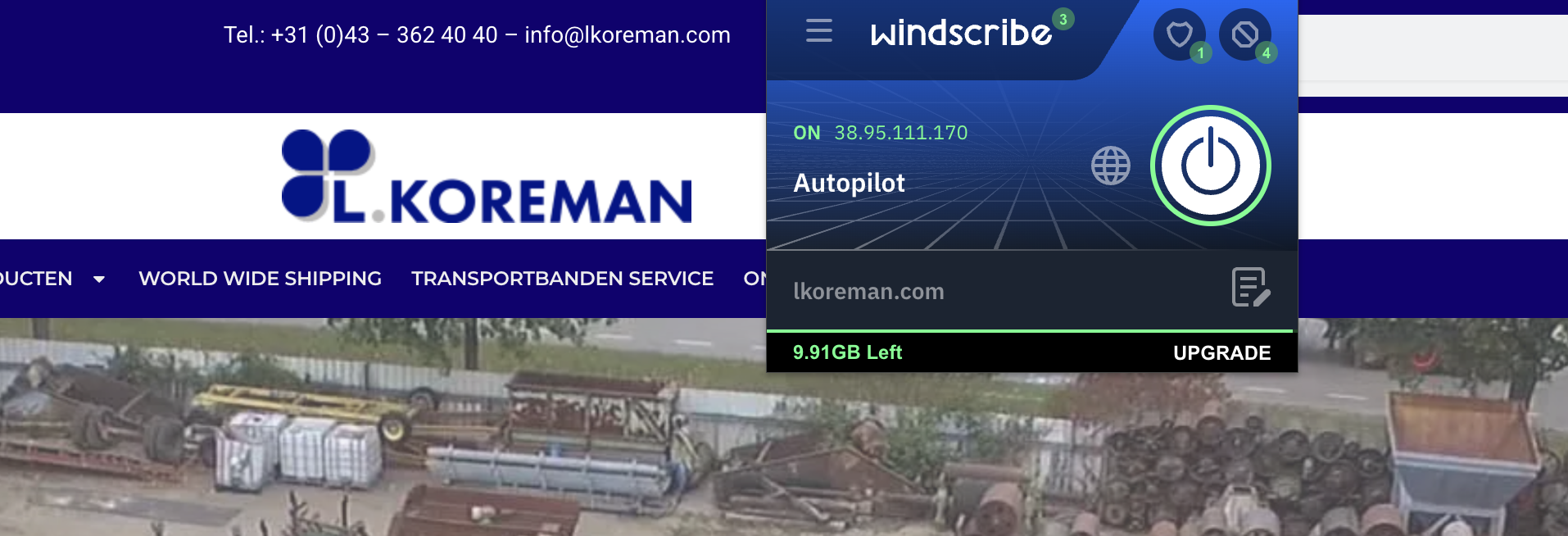
At the moment is the site down, or do I need to use VPN to login from a specific location ? (I am in the US)

When I attempt to access it I get

This site can’t be reached
lkoreman.com refused to connect.

April 7, 2026 at 12:19 pm #17954130

joannesB

Bobby, this website is an international platform. Koreman sell second hand machinery all over the world. So it should be okay...

BTW: Do you know that I have the samen problem with WPML in hidden link

April 7, 2026 at 9:30 pm #17955223

Bobby
WPML Supporter since 04/2015

Languages: English (English )

Timezone: America/Los_Angeles (GMT-07:00)

Thank you for confirming. However, it appears that my IP/location may have been blocked, which could indicate a broader issue with communication being restricted.

I was only able to access the site while connected via VPN, which further supports this possibility.

From the backend, I don’t see any plugins that would typically cause this behavior. Could you please review the firewall settings to ensure nothing is unintentionally blocking external requests?

Regarding WPML
The installer log appears to be functioning correctly, and communication with wpml.org seems to be working.
However, I did notice some errors logged here:
hidden link

Errors identified:

hidden link
Installer cannot contact updates server (possible temporary communication issue).
hidden link
cURL error 28: Resolving timed out after 5000 milliseconds.
Current Status (as of today)
Subscriptions are now updating successfully.
Suggested Resolution

If the issue persists and is impacting admin performance, you can disable automated version checks by adding the following line to your wp-config.php file:

define("OTGS_DISABLE_AUTO_UPDATES", true);

Next Steps
Please review the firewall configuration.
Test the same WPML support URL on the other affected website.
If issues continue, apply the above configuration change and share the results.

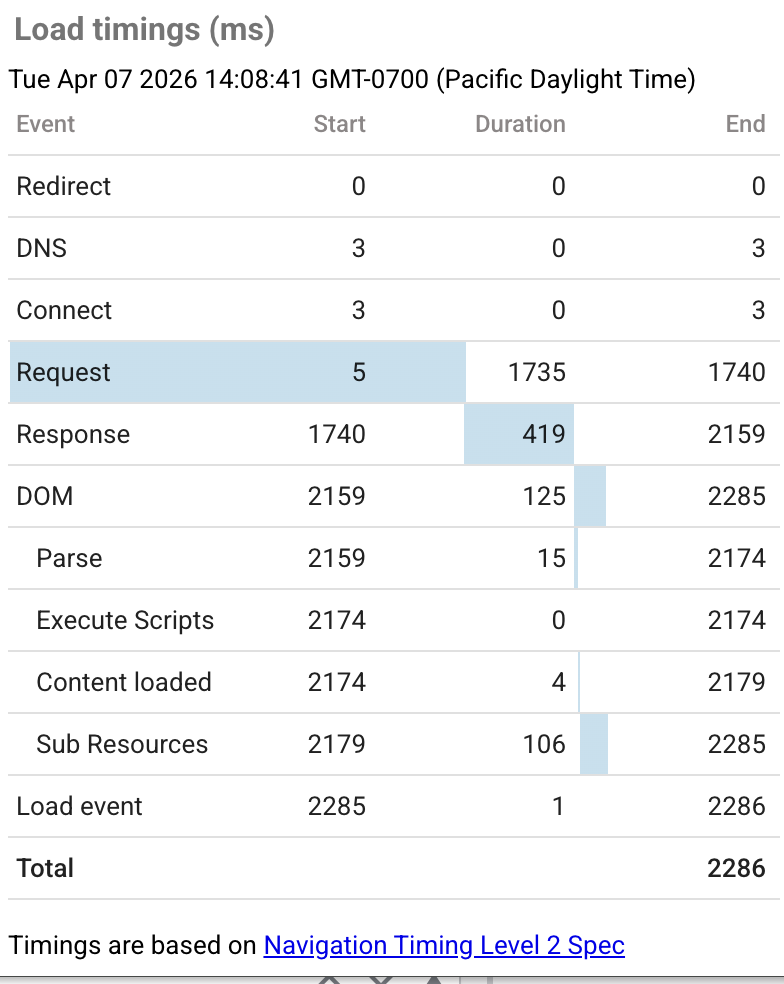
Note: Current backend load time is approximately 2–2.5 seconds, which appears normal.

Screenshot 2026-04-07 at 11.57.57 AM.png
Screenshot 2026-04-07 at 11.54.23 AM.png
Screenshot 2026-04-07 at 2.08.51 PM.png

The topic ‘[Closed] WPML plugin kan geen verbinding maken met wpml.org’ is closed to new replies.