
This is the technical support forum for WPML - the multilingual WordPress plugin.
Everyone can read, but only WPML clients can post here. WPML team is replying on the forum 6 days per week, 22 hours per day.
| Sun | Mon | Tue | Wed | Thu | Fri | Sat |
|---|---|---|---|---|---|---|
| - | - | 9:00 – 18:00 | 9:00 – 18:00 | 9:00 – 18:00 | 9:00 – 18:00 | 9:00 – 18:00 |
| - | - | - | - | - | - | - |
Supporter timezone: America/Lima (GMT-05:00)
Tagged: Known issue
This topic contains 10 replies, has 0 voices.
Last updated by Andreas W. 1 month, 1 week ago.
Assisted by: Andreas W..
| Author | Posts |
|---|---|
| March 4, 2026 at 12:48 pm #17871895 | |
 benjaminA-35 |
Hello WPML Support Team, I am reaching out regarding the translation bug I mentioned earlier. Unfortunately, the issue still occurs and the workaround you suggested does not always work reliably. Problem In WPML Advanced Translation Editor, the translation job shows 100% completed, but on the frontend the content still appears in the original language (German) instead of the translated language (English). Interestingly, some elements translate correctly (e.g., buttons) while other text elements remain in German. Environment What Happens Workaround (Not Reliable) The only workaround that sometimes fixes the issue is: After doing this, WPML sometimes re-detects the translation fields and the frontend translation starts working. However: In one case I even had to temporarily change text inside an element to force WPML to detect the translation fields again. Possible Cause During a previous support call we discovered that the issue might be related to renaming row elements or content elements in the backend editor. It seems that when row names or element identifiers change, the translation configuration becomes inconsistent, which causes WPML to not correctly map the translated content. Questions Additional Material I recorded a short video showing the issue and the workaround behavior: hidden link I also attached screenshots showing: Thank you for your help! Best regards 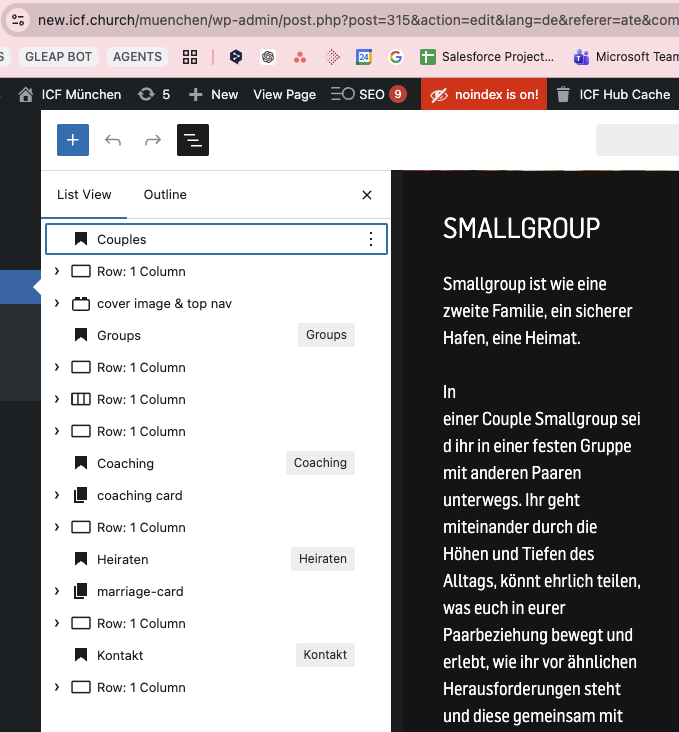 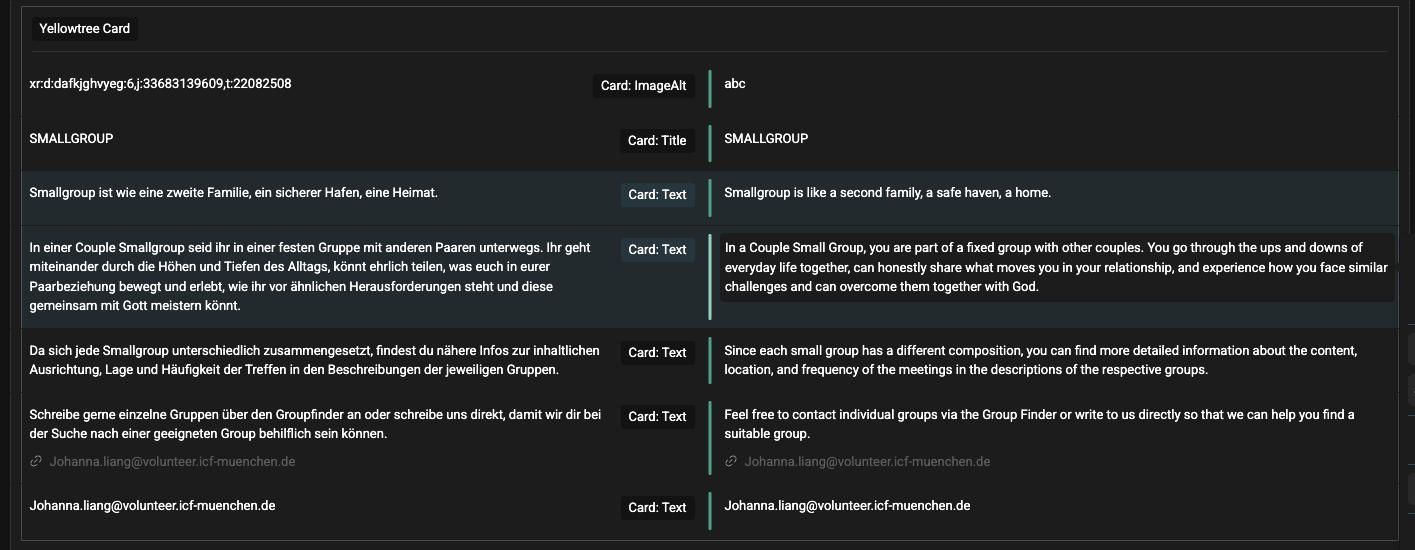 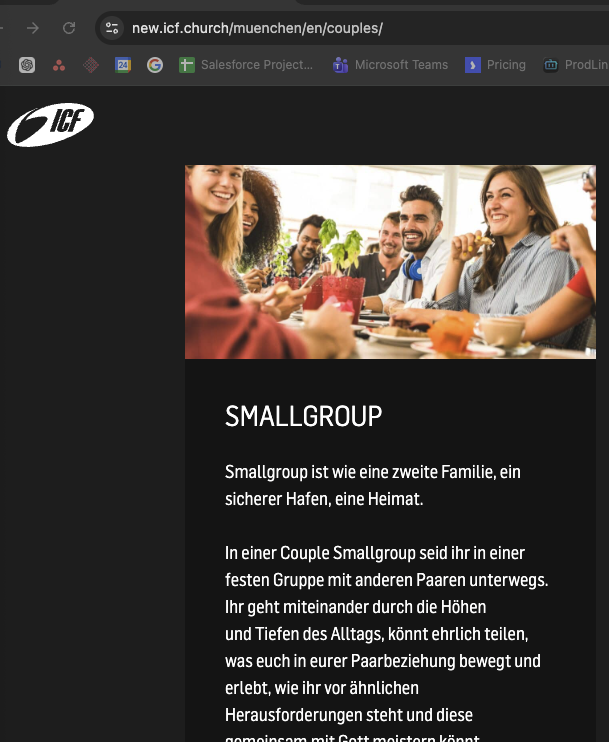 |
| March 7, 2026 at 9:03 am #17879076 | |
 Andreas W. WPML Supporter since 12/2018 Languages: English (English ) German (Deutsch ) Timezone: America/Lima (GMT-05:00) |
Hello, Translation on the Advanced Translation Editor needs to be translated to 100% to show up on the Frontend. On your video, I realized an occurring bug where segments are marked in orange as "saved for later". This is a known issue and might be the reason why the translation did not show up immediately. Errata: Best regards |
| March 10, 2026 at 8:34 am #17884342 | |
|
benjaminA-35 |
Hello Andreas, thanks for the response. Even if we update all "Saved for later" entries, we have the same issue. The bug occurs also in cases where nothing is "saved for later". So this can not be the bug |
| March 10, 2026 at 10:19 am #17884711 | |
|
Andreas W. WPML Supporter since 12/2018 Languages: English (English ) German (Deutsch ) Timezone: America/Lima (GMT-05:00) |
Thank you for your confirmation! I'd like to request temporary access (wp-admin and FTP) to the website to investigate the issue further. You'll find the necessary fields below the comment section if you log in to leave the next reply. The information you provide will be private, meaning only you and I will be able to see and access it. IMPORTANT If you don't see the "wp-admin / FTP" fields, your login credentials for the post and website will be set to "PUBLIC." Do NOT publish the information unless you see the required wp-admin / FTP fields. The private reply form looks like this: When replying again, click "I still need assistance". Video: Please note that we are required to request this information individually on each ticket. We are not permitted to access any login information that was not specifically provided in the private reply form for this ticket. |
| March 11, 2026 at 11:18 pm #17890491 | |
|
Andreas W. WPML Supporter since 12/2018 Languages: English (English ) German (Deutsch ) Timezone: America/Lima (GMT-05:00) |
The page "Impressum" does not exist on this staging site. Could you please name me an exact example? |
| March 12, 2026 at 12:14 am #17890517 | |
|
benjaminA-35 |
You can check out the Home Page of hidden link Orginial Site: hidden link Shows still some German content even everything is translated    |
| March 12, 2026 at 2:49 am #17890655 | |
|
Andreas W. WPML Supporter since 12/2018 Languages: English (English ) German (Deutsch ) Timezone: America/Lima (GMT-05:00) |
The translation for this content is not completed. You need to complete the translation inside the WPML Translation Editor to 100%. There were not even English translations entered into the translated segments of the WPML Translation Editor. As there was not much content to translate, I made an exception and completed the translation for you. Note that our support usually does not provide any free translations. How do we test in such a case: I can not confirm any issue with this test. Note that you should always avoid editing translations directly inside the WordPress Editor, unless you have set the WordPress Editor as the translation method for this content. The translation method can be set for each content individually. Its settings can be found in the right sidebar of the WordPress Editor while editing the original content. let me know if you have any further questions. |
| March 12, 2026 at 9:47 am #17891547 | |
|
benjaminA-35 |
Hello Andreas, i did finished all the content for this page as you can see in the screenshot. If you changed something in the backend editor before going again to the advanced translation editor you "fixed" it with the workaround. The workaround solves it, because after changing something again in the content that did get not shpow correctly even it was translated correctly, gets recoginized after that and then it works So I have to find another site where the bug is visible. It is 100% not working. On the live system I have severall cases per week with exact this problem. I will try to find another site with the bug and record a video to explain and show it correctly |
| March 12, 2026 at 8:49 pm #17893943 | |
|
Andreas W. WPML Supporter since 12/2018 Languages: English (English ) German (Deutsch ) Timezone: America/Lima (GMT-05:00) |
Sometimes it might happen that you have a translation in progress, and at the same time you update the original content. This can cause such unexpected issues. WPML shows a Warning on the WordPress Editor if this is the case. The translation gets completed, but in the meantime, the original content has changed, so you need to edit the original content again, so that WPML can properly update the translation status. |
| March 18, 2026 at 12:47 pm #17908077 | |
|
benjaminA-35 |
Hello Andreas, alright I will test this again. It seems that I am not able to reproduce the bug at the moment on Staging. I will ask my developer if I can give you access to our live system - There we have plenty of examples |
| March 18, 2026 at 8:54 pm #17909364 | |
|
Andreas W. WPML Supporter since 12/2018 Languages: English (English ) German (Deutsch ) Timezone: America/Lima (GMT-05:00) |
Sure, please use the private reply form to provide access. Please also name me the exact examples, but I would also appricate if you could first verify if my suggested workflow solves the issue. This said, it is a known limitation that jobs can get stuck, and this happens if original content was updated while a translation was in progress. WPML FAQ for this topic: |







The topic ‘[Closed] WPML Translation Completed but Frontend Still Shows Original Language (Content Not Updated)’ is closed to new replies.