Skip to content Skip to sidebar

This thread is resolved. Here is a description of the problem and solution.

Problem:
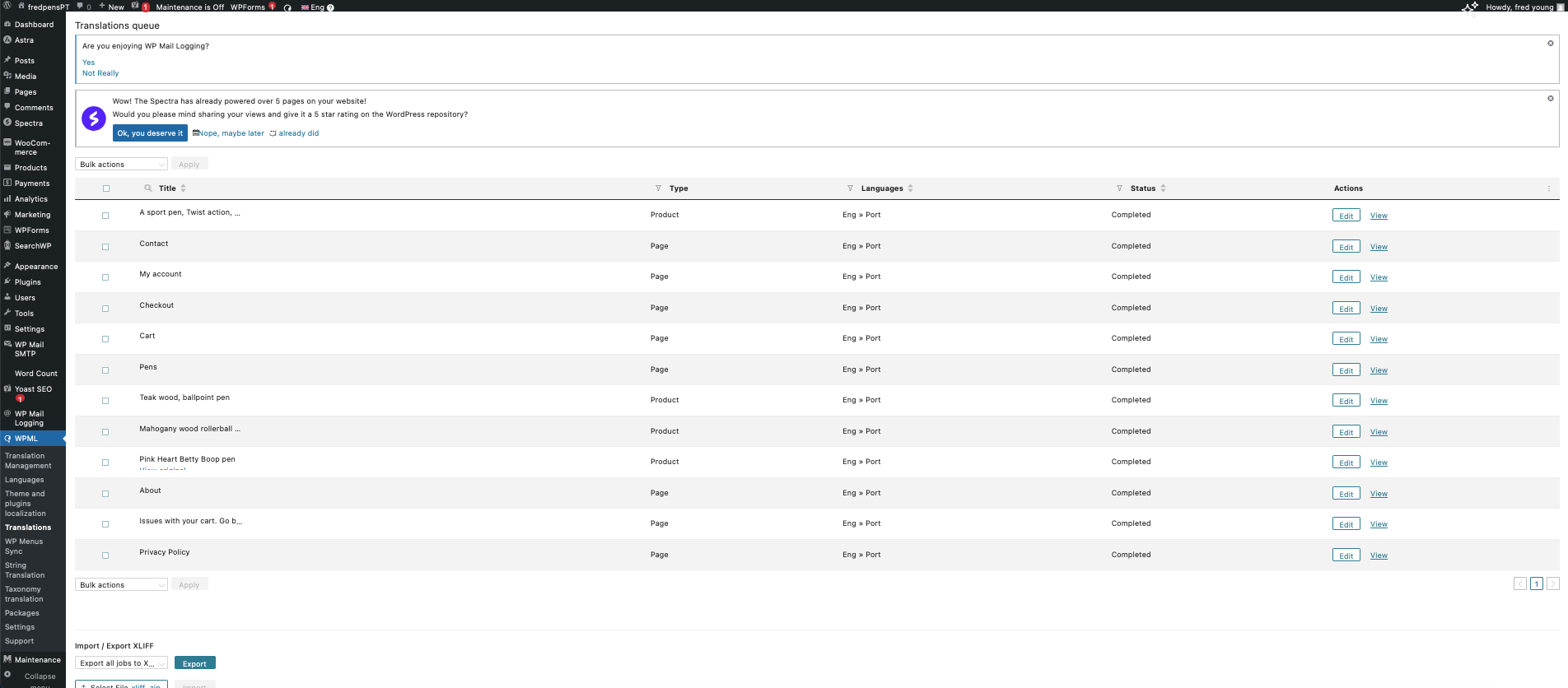
The client noticed that after using 'Bulk action -> Approve translation reviews' in WPML -> Translations, only 11 pages appeared in the queue, with the 'Home' page missing. The client was also unsure about how to edit translations of these pages.
Solution:
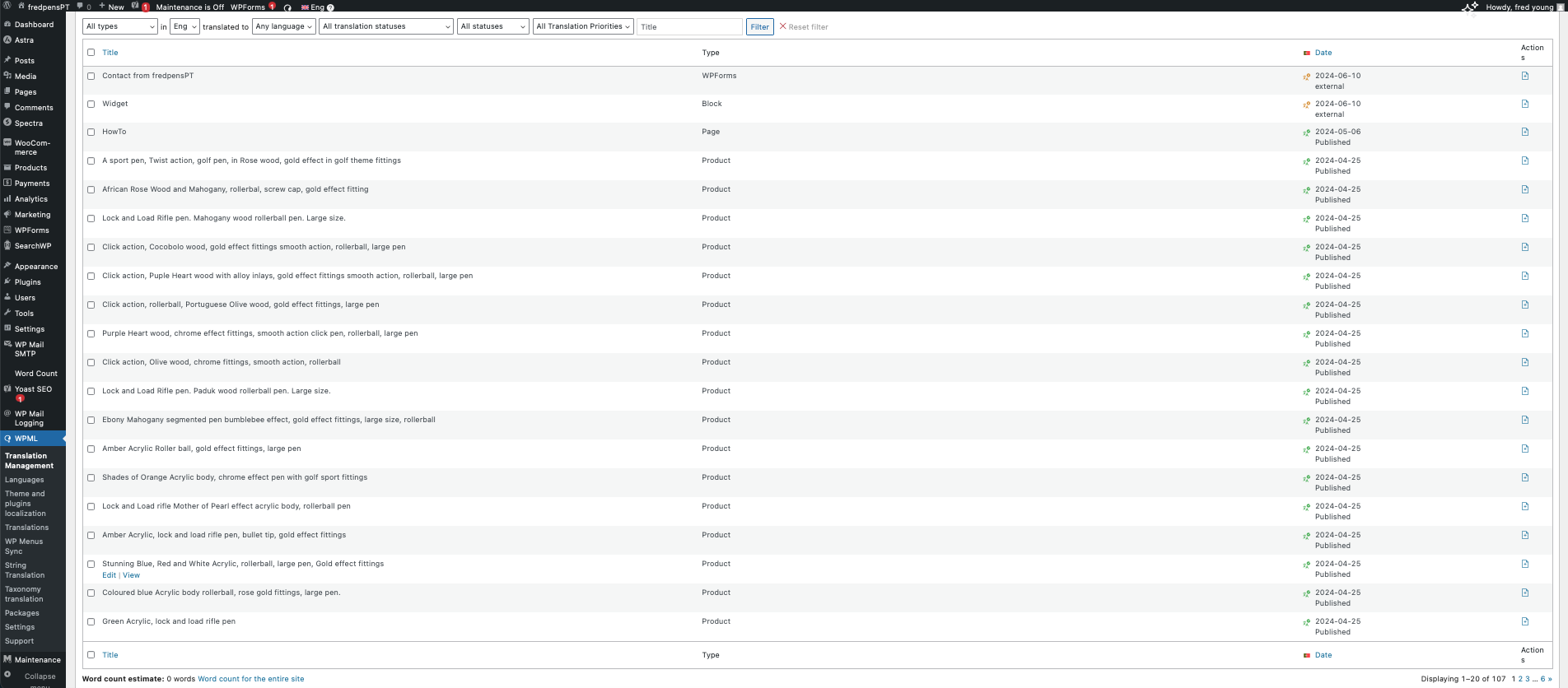
We explained that once a translation job is approved, it won't appear in the WPML -> Translations screen but can be accessed via WPML -> Translation Management -> Jobs tab. To make the pages appear again in the WPML -> Translations screen, the client should make a minor change to the original page/post and send it for translation again.
For editing translations, the client can:
1. Access the translated page/post on the front end while logged in and use the link in the admin top bar to edit.
2. Go to the page/posts list screen in the backend and click on the pencil icon for each page they want to edit.
3. Send the page for translation again in WPML -> Translation Management.

If these steps do not resolve your issue or if the solution seems outdated, please check the related known issues, verify the version of the permanent fix, and confirm that you have installed the latest versions of themes and plugins. If the problem persists, we recommend opening a new support ticket at WPML support forum.

This is the technical support forum for WPML - the multilingual WordPress plugin.

Everyone can read, but only WPML clients can post here. WPML team is replying on the forum 6 days per week, 22 hours per day.

This topic contains 3 replies, has 2 voices.

Last updated by Mateus Getulio 1 year, 8 months ago.

Assisted by: Mateus Getulio.

Author Posts
June 10, 2024 at 1:34 pm #15722200

nadiaY

Background of the issue:
On 6th June, I went to 'WPML -> Translations' and I selected 'Bulk action -> Approve translation reviews' to have all product pages translated and published. Before doing this, I checked and saw that it was possible to edit a 'completed/published' page again. I went ahead with the 'Bulk action -> Approve translation reviews' and the pages/products were translated. At the time, all the pages were there. I thought I would check and edit the translations if needed over time. I added define ('WP_MEMORY_LIMIT', '256M'); define ('WP_MAX_MEMORY_LIMIT', '256M'); to wp-config.html, but it did not solve the issue. I have a backup of 6th June 2024 as well.

Symptoms:
Now, when I go to 'WPML -> Translations', the queue only has 11 pages. The 'Home' page is not there, and it does not appear in the search results.

Questions:
Why does the 'WPML -> Translations' queue only show 11 pages now?

How can I resolve the issue of missing pages in the 'WPML -> Translations' queue?

June 10, 2024 at 8:11 pm #15723937

Mateus Getulio
Supporter

Languages: English (English ) Portuguese (Brazil) (Português )

Timezone: America/Sao_Paulo (GMT-03:00)

Hello there,

Thank you for contacting us.

When you approve a job that was under review, it can no longer be viewed in the WPML -> Translation screen.

You can still see it if you go to WPML -> Translation Management -> Jobs tab.

Alternatively, you need to make a minor change to the original page/post, so WPML recognizes there's an update, and send it for translation again in WPML -> Translation Management.

Then, you'll be able to see those items in the WPML -> Translation screen again.

Thank you,
Mateus

June 11, 2024 at 3:55 pm #15728080

nadiaY

Hi Mateus,

thank you for helping me.

I tried what you said and it worked.

Can I just ask you something?
The only way for me to tidy up (edit) a translated page is by reviewing it on WPML->Translations, am I correct?
Or...
Can I edit a translation on another place?

Thank you again,
Kind Regards,
Nadia

June 12, 2024 at 3:25 pm #15732440

Mateus Getulio
Supporter

Languages: English (English ) Portuguese (Brazil) (Português )

Timezone: America/Sao_Paulo (GMT-03:00)

Hello Nadia,

You can also edit the translation by accessing the translated page/post on the front end being logged in, you'll see a link in the admin top bar for you to edit the translation.

Alternatively, you can access the page/posts list screen in the back end and click on the pencil icon for each page you want to edit its translation.

Finally, you can also send the page for translation again in the WPML -> Translation Management.

Can you give it a try to see if you're able to edit the translations following the methods above?

Thank you, please let us know!
Mateus

June 12, 2024 at 8:15 pm #15733456

nadiaY

Mateus, you are a star!
Thank you ever so much for helping me and giving the extra ways to edit the pages I needed.

All the best, to you and team.

Nadia