Skip to content Skip to sidebar

This thread is resolved. Here is a description of the problem and solution.

Problem:
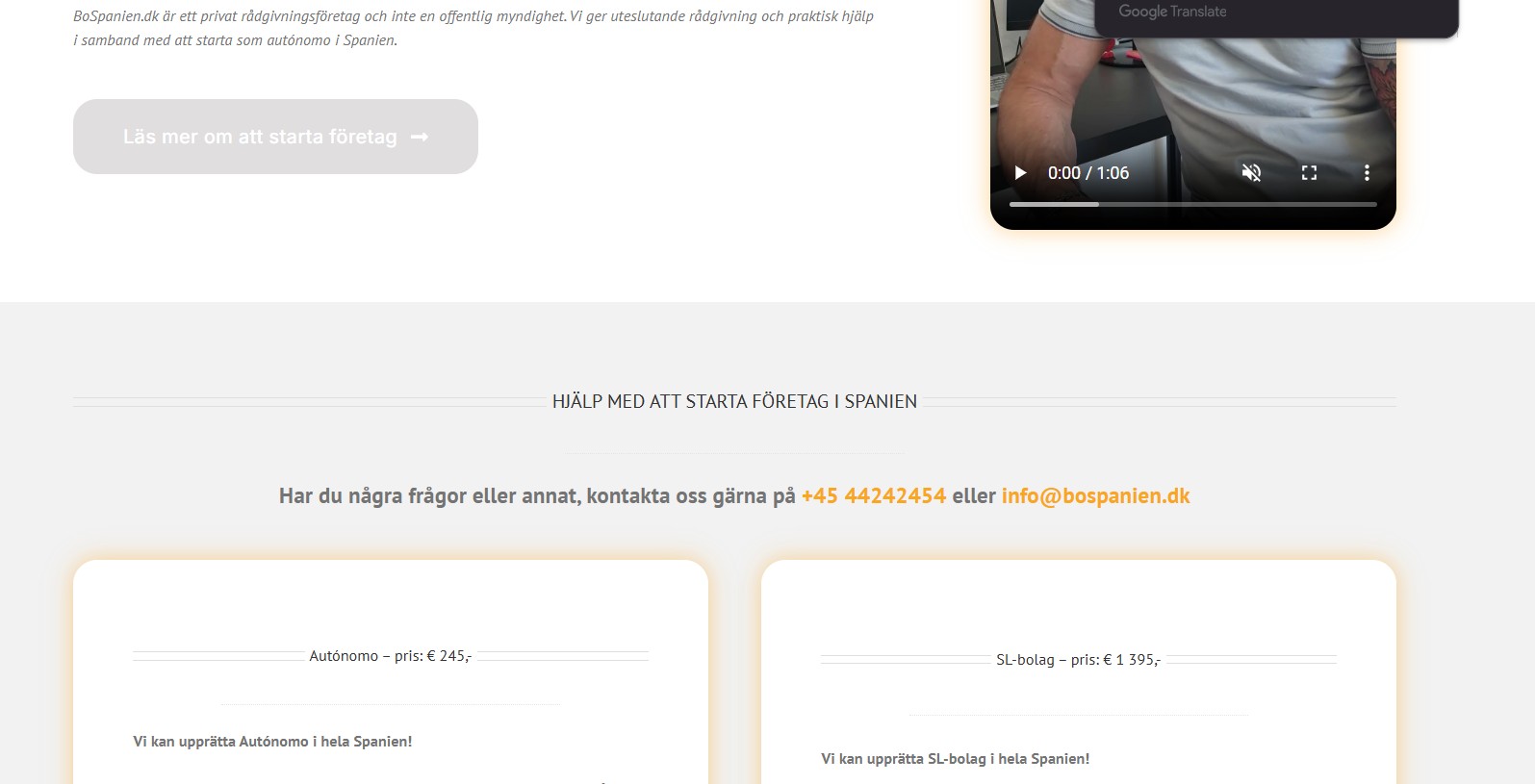
The client reported that only half of the page was being translated, specifically the slider and the hero section.
Solution:
We took the following steps to resolve the issue:
1. Navigated to WPML >> Support >> Troubleshooting page and executed several maintenance tasks:
- Cleared the cache in WPML
- Synchronized posts taxonomies
- Removed ghost entries from the translation tables
- Synchronized local job ids with ATE jobs
- Synchronized translators and translation managers with ATE
- Assigned translation status to duplicated content
- Fixed post type assignment for translations
- Set language information
2. Went to Avada >> Layouts, selected 'All languages' from the admin language switcher, and clicked the 'Save Layout Order' button.
3. Opened the default language page in edit mode and made a minor change in the page title to trigger the translation reload.
4. Accessed the translated page in WPML Advanced Translation Editor, ensured the translation was marked as 100% complete, and clicked the 'complete translation' button. This action corrected the translation display on the frontend.

If this solution does not resolve your issue, or if it seems outdated or irrelevant to your specific case, we highly recommend checking the related known issues, verifying the version of the permanent fix, and confirming that you have installed the latest versions of themes and plugins. Should you need further assistance, please do not hesitate to open a new support ticket.

This is the technical support forum for WPML - the multilingual WordPress plugin.

Everyone can read, but only WPML clients can post here. WPML team is replying on the forum 6 days per week, 22 hours per day.

This topic contains 5 replies, has 0 voices.

Last updated by Noman 1 month ago.

Assisted by: Noman.

Author Posts
February 6, 2026 at 2:53 pm

henrikJ-18

It only translate half of the page (slider and the hero sektion)

February 6, 2026 at 7:17 pm #17801106

Noman

I followed the below steps:

1. Went to WPML >> Support > Troubleshooting page and pressed the below buttons:
- Clear the cache in WPML
- Synchronize posts taxonomies
- Remove ghost entries from the translation tables
- Synchronize local job ids with ATE jobs
- Synchronize translators and translation managers with ATE
- Assign translation status to duplicated content
- Fix post type assignment for translations
- Set language information

2. Went to Avada >> Layouts, choose All languages option from admin language switcher, press the Save Layout Order button.

3. Opened the default language page in edit mode: hidden link

4. Made a small change in the page title to reload the translation.

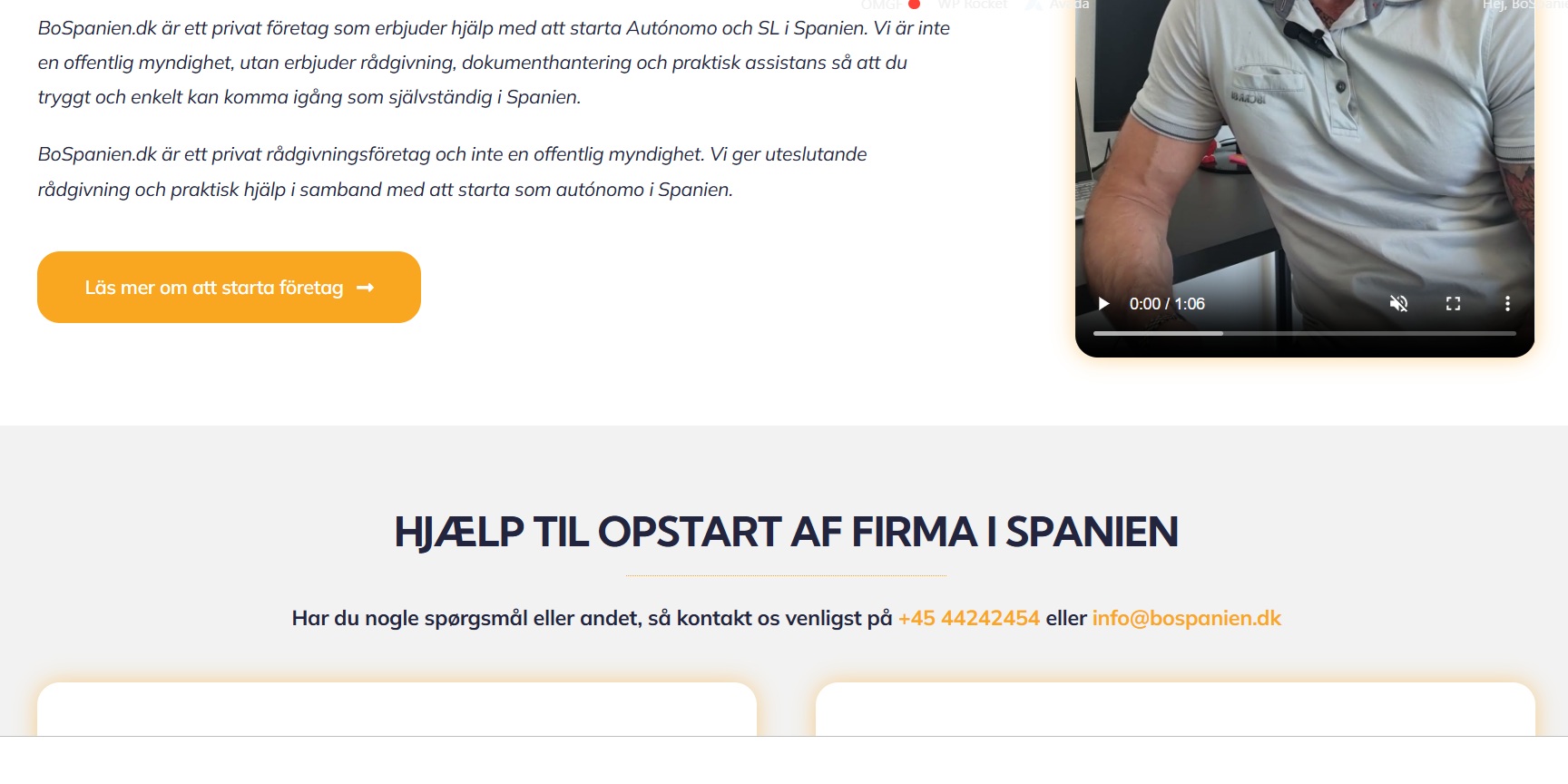
5. Opened the translated page in WPML Advanced Translation Editor, completed the translation as 100% complete, pressed the complete translation button and now it shows the correct translation at frontend (screenshot attached).

Could you please check and confirm?

Thank you for your cooperation

Swedish translation.jpg
February 9, 2026 at 7:56 am #17803938

henrikJ-18

It change the design alot, you can see the original page in this link: hidden link - and the same one with WPML here: hidden link

Do we then need to change this on all pages/language? It will take us days

February 9, 2026 at 5:35 pm #17806551

Noman

As you are using the Avada theme on your site, in this theme, you can translate theme options by switching different languages using the Language Switcher at the top of the WP Admin panel.

If you want to keep the same styling/theme option in all languages, please follow the below steps:

1. Take a backup of your site first for safety reasons.
2. Go to Avada >> Options.
3. Set the language switcher in the admin bar to All languages.
4. Set your theme options/CSS if needed. When done, click Save Changes.

Here is a doc for more details:
https://wpml.org/documentation/theme-compatibility/using-wpml-with-the-avada-theme/how-to-set-theme-options-for-languages-in-avada/#use-the-same-theme-options-for-all-languages

Please let me know if this resolves the issue or if you need further assistance with this issue.

Thank you

February 12, 2026 at 9:09 am #17815558

henrikJ-18

I will try this later, as I´m going to Denmark the next days. So I will get back, if I can't make it work 🙂

February 12, 2026 at 5:33 pm #17818202

Noman

No problem at all 🙂 Take your time. When you're back and ready to continue, just let me know and I’ll assist you further.

If this ticket gets closed in the meantime, feel free to open a new one with the reference of this ticket and we’ll be happy to continue from there.

Thank you