About 4 months ago, I already reported this issue and at that time I was asked to provide WPML Support with access to a staging environment.
Due to some circumstances, it took a bit longer to set this up, but the staging environment is now ready and available.
Below you can find my original case from back then, which unfortunately is still not resolved.
Background of the issue:
I am trying to resolve an issue with my WPML settings on my site hidden link. My default language is set to Dutch (code nl), but I am unable to map it to the supported WPML language Nederlands (nl_NL). This is preventing me from using automatic translation. I have checked the WPML → Languages section for an 'Edit languages' option but found no way to correct the code/locale of 'Dutch'. The dropdown for Language Mapping only shows other languages like English, French, and German, but not Dutch.
Symptoms:
I am seeing the following message in my WPML settings: 'Your default language, Dutch, must be mapped to a supported language in order to use automatic translation.'
Questions:
How can I make sure that my existing default language 'Dutch' is recognized as the official WPML language Nederlands (nl_NL)?
Is there a way to adjust the locale of this language through the interface (e.g. to nl_NL)?
If this can only be done through the database: which fields in the wp_icl_languages table should I modify to fix this mapping?
Would it be better to add the official 'Nederlands (nl_NL)' language again and remove 'Dutch'? And if so, how can I do this without losing my existing content?
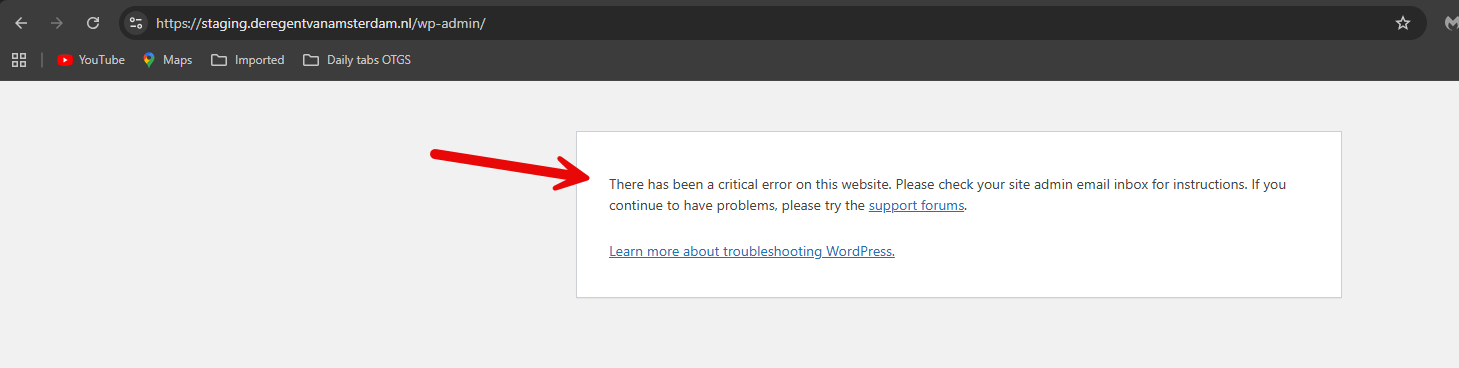
I switched to the default WordPress theme, but a fatal error occurred. Please see the attached screenshot. If you got the exact details/error message of this fatal error, please share them with me.
In any case, please restore your site so I can investigate this issue further. Or, follow the steps below to try to solve this problem.
1. Deactivate all plugins except WPML and String Translation.
2. Switch to the Classic Translation Editor in WPML -> Settings -> Translation Editor and save the settings.
3. Switch back to the Advanced Translation Editor and save the settings again.
4. In WPML -> Translation Management Dashboard, enable 'Translate Everything Automatically' and select to translate only future content and to publish without review temporarily.
5. These steps should refresh the database entries and settings for WPML, allowing the language mapping column to appear correctly in WPML -> Languages -> Edit Languages.
6. After verifying that everything is working correctly, turn off automatic translation (if needed), reactivate all your plugins, and switch back to your original theme.
**** Important! Please make a full site backup (files and DB) before you proceed with those steps****
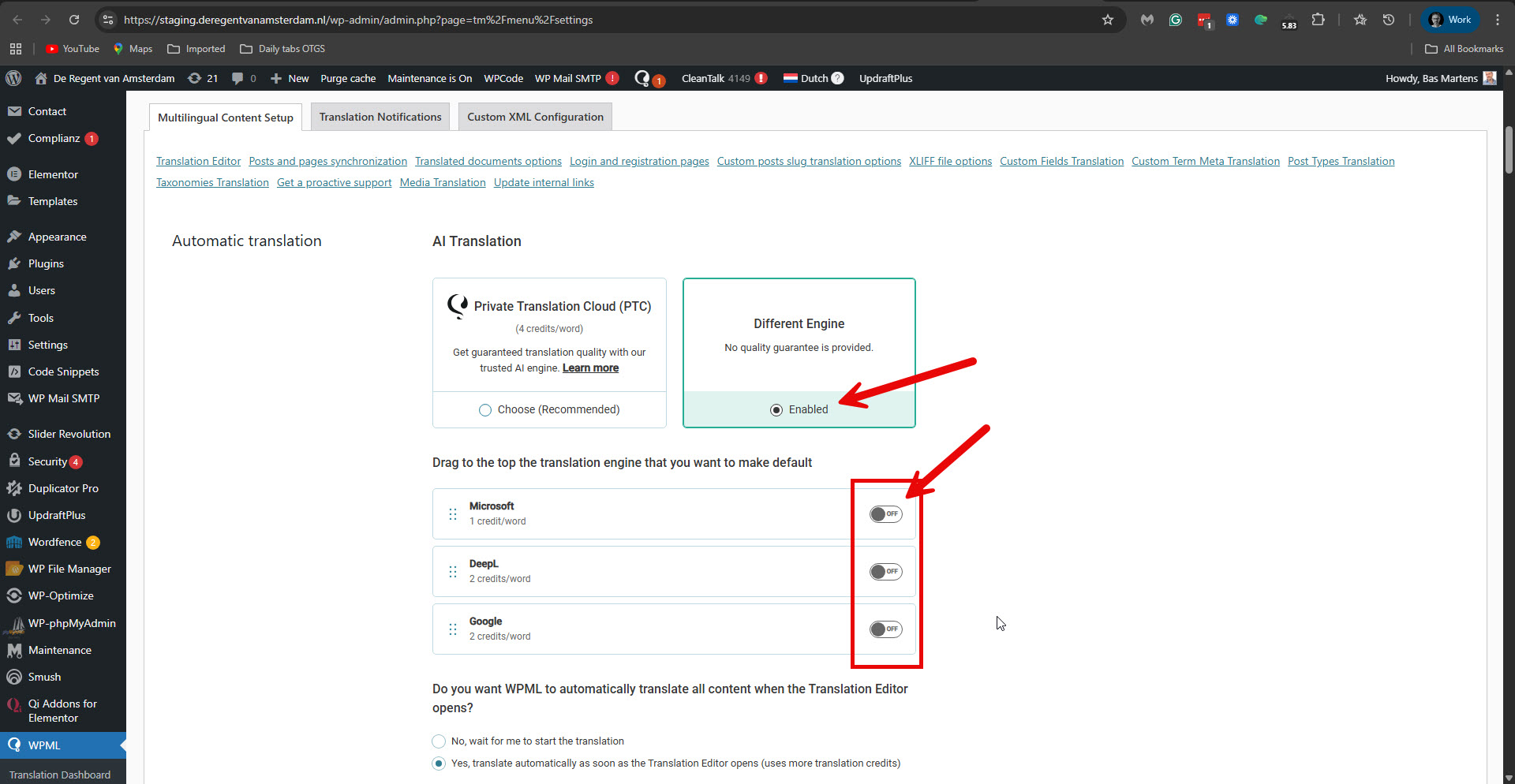
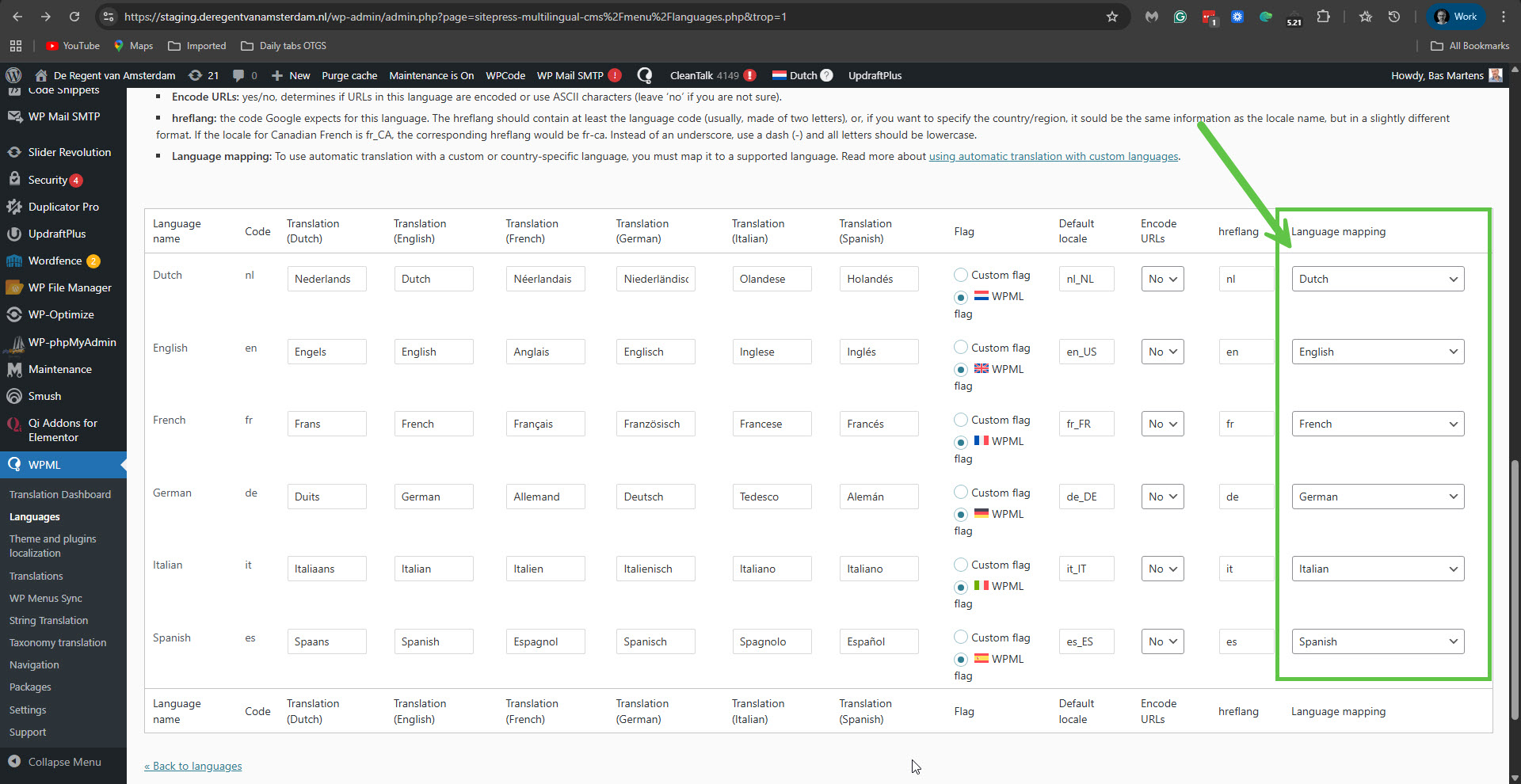
The problem occurred because in WPML -> Settings -> Automatic Translation, the option 'Different Engine was selected, but in practice, none of the engines was active. Please see the attached screenshot no-active-engine.jpg. I selected the Microsoft engine and clicked the Save button. This fixed the problem. Please see the attached screenshot languages-mapped.jpg.
Please confirm that the problem has been resolved and mark this ticket as resolved.