
Skip to content Skip to sidebar

This thread is resolved. Here is a description of the problem and solution.

Problem:
If you're experiencing the 'sprintf(): Too few arguments' error on your website specifically when using the Thai language, it might be related to the WPML String Translation plugin.
Solution:
We recommend trying the workaround provided in the WPML errata. Please ensure to back up your site before proceeding. You can find the necessary steps here: WPML Errata on sprintf() Error.

If this solution does not apply to your case, or if it seems outdated, we highly recommend checking related known issues at https://wpml.org/known-issues/, verifying the version of the permanent fix, and confirming that you have installed the latest versions of themes and plugins. Should you need further assistance, please do not hesitate to open a new support ticket at WPML Support Forum.

This is the technical support forum for WPML - the multilingual WordPress plugin.

Everyone can read, but only WPML clients can post here. WPML team is replying on the forum 6 days per week, 22 hours per day.

This topic contains 2 replies, has 1 voice.

Last updated by Andrey 2 weeks, 1 day ago.

Assisted by: Andrey.

Author Posts
March 19, 2026 at 2:31 pm #17911461

ernestD

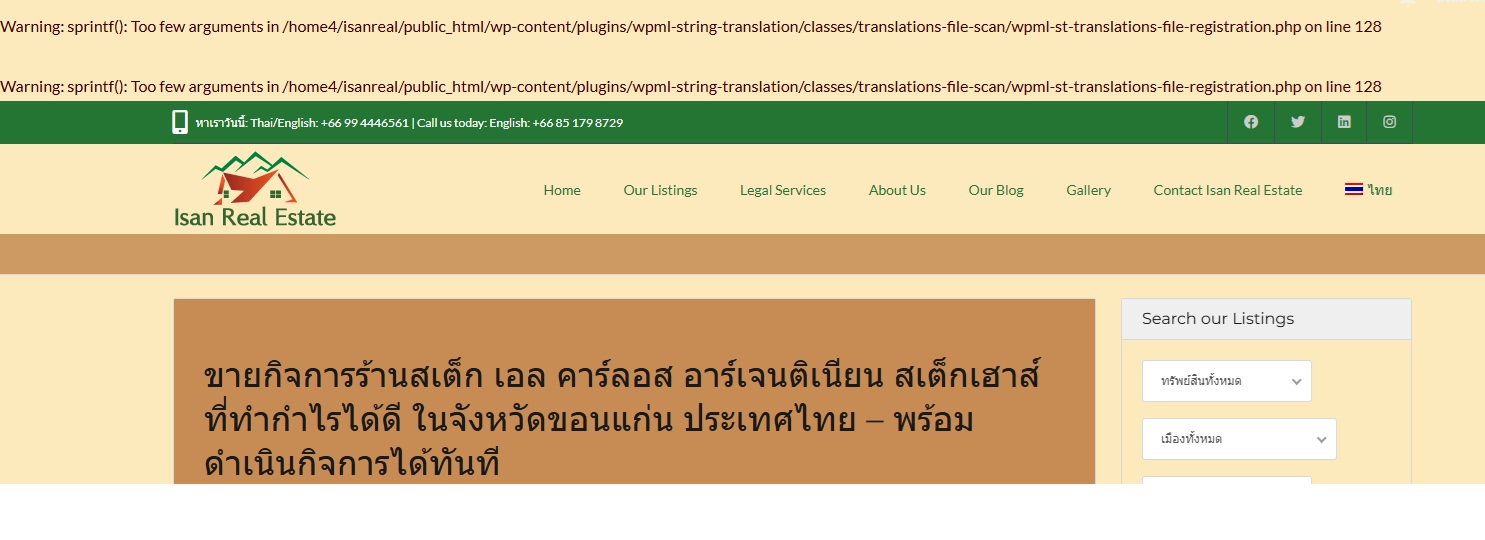
I'm getting this error on website now in Thai only: Warning: sprintf(): Too few arguments in /home4/isanreal/public_html/wp-content/plugins/wpml-string-translation/classes/translations-file-scan/wpml-st-translations-file-registration.php on line 128

Warning: sprintf(): Too few arguments in /home4/isanreal/public_html/wp-content/plugins/wpml-string-translation/classes/translations-file-scan/wpml-st-translations-file-registration.php on line 128

March 20, 2026 at 3:46 am #17912648

ernestD

Hi - I wanted to check if the following is OK: the end of the functions file

</script>
<script>
var defaultmapcenter = {mapcenter: new google.maps.LatLng(-33.863276, 151.207977)};
var map;
google.maps.event.addDomListener(window, 'load', function(){
map = estateMapping.init_property_map(property_list, defaultmapcenter);
});
</script>
<div id="map"></div>
function wpml_fix_missing_icl_tables() {

if( function_exists( 'icl_sitepress_activate' ) )

icl_sitepress_activate();

}

add_action( 'wp_footer', 'wpml_fix_missing_icl_tables' );
<?php }

} */

I can also send you WP credentials if that will be of use.

I'd appreciate an update when you can send. (Getting some angry clients and customers here.)

Many thanks - Ernie

March 20, 2026 at 11:10 pm #17915346

Andrey
WPML Supporter since 06/2013

Languages: English (English ) Russian (Русский )

Timezone: Europe/Kyiv (GMT+03:00)

Hello Ernie,

Can you try the following workaround and see if it resolves the issue?

https://wpml.org/errata/flux-checkout-fatal-error-uncaught-valueerror-unknown-format-specifier-t/

Don't forget to back up before proceeding.