[Resolved] menu navigation sidebar cannot be translated
This thread is resolved. Here is a description of the problem and solution.
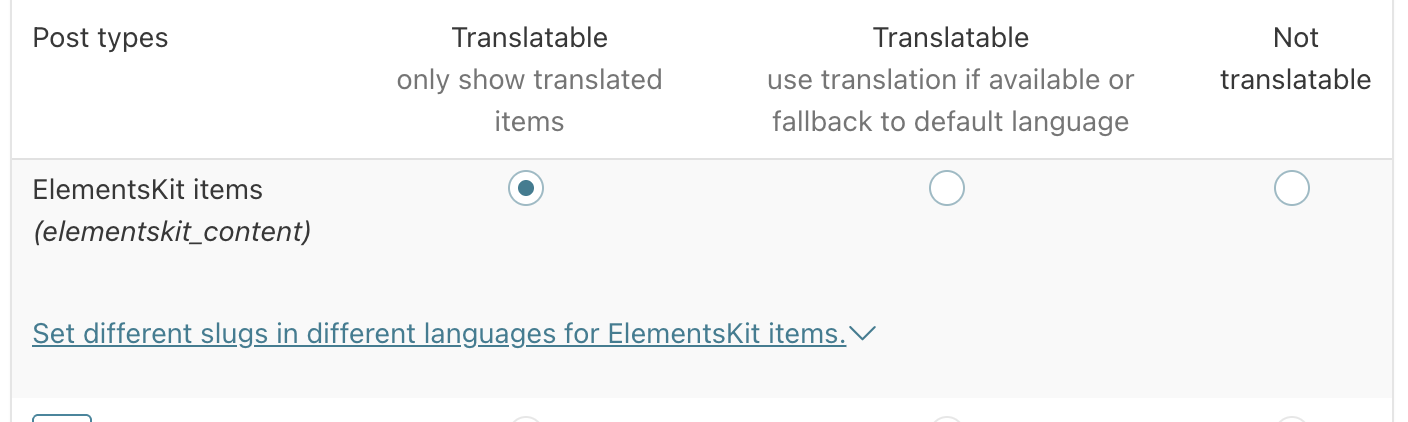
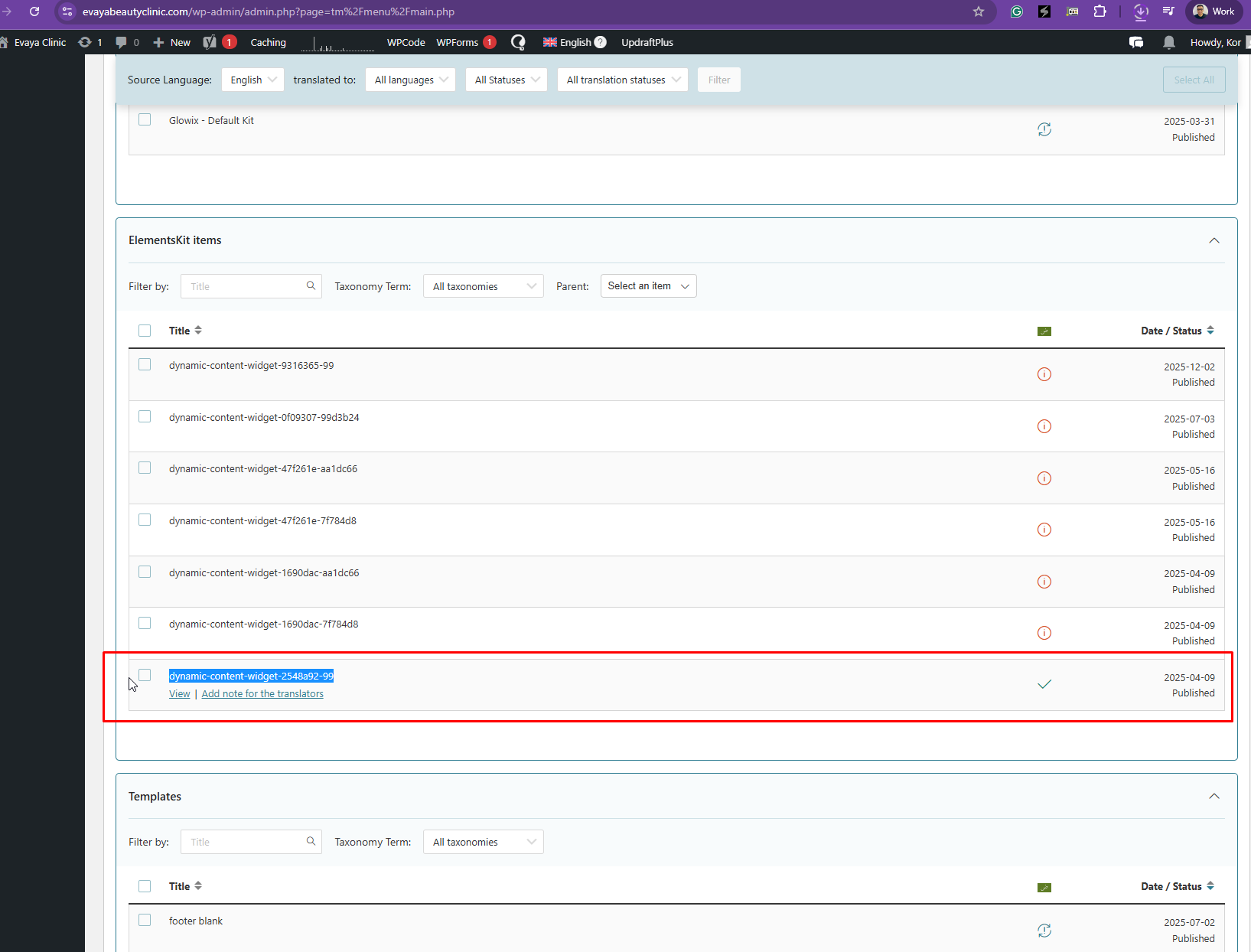
Problem: The client is experiencing issues with translating the menu navigation sidebar, Professional Service sidebar, Timing sidebar, and the appointment form at the bottom of each page, which appears in English on some pages and in Arabic on others. Solution: If you're facing similar issues with sidebar translations or inconsistent language displays in forms, we recommend the following steps: 1. Navigate to WPML > Settings and set the ElementsKit items post type to be translatable. 2. Go to WPML > Translation Dashboard and locate the widget to translate, as indicated in our provided screenshot.
Please note that this solution might be outdated or not applicable to your specific case. We highly recommend checking related known issues at https://wpml.org/known-issues/, verifying the version of the permanent fix, and confirming that you have installed the latest versions of themes and plugins. If the issue persists, please open a new support ticket at WPML support forum for further assistance.
This is the technical support forum for WPML - the multilingual WordPress plugin.
Everyone can read, but only WPML clients can post here. WPML team is replying on the forum 6 days per week, 22 hours per day.
I am facing the following issues.Check attachment for your reference.
The menu navigation sidebar is not translating, and there is no option to add translated content.
On every single service page, both the Professional Service sidebar and the Timing sidebar are not translating.
At the bottom of each page, the appointment form appears in English on some pages and in Arabic on others, causing inconsistency.
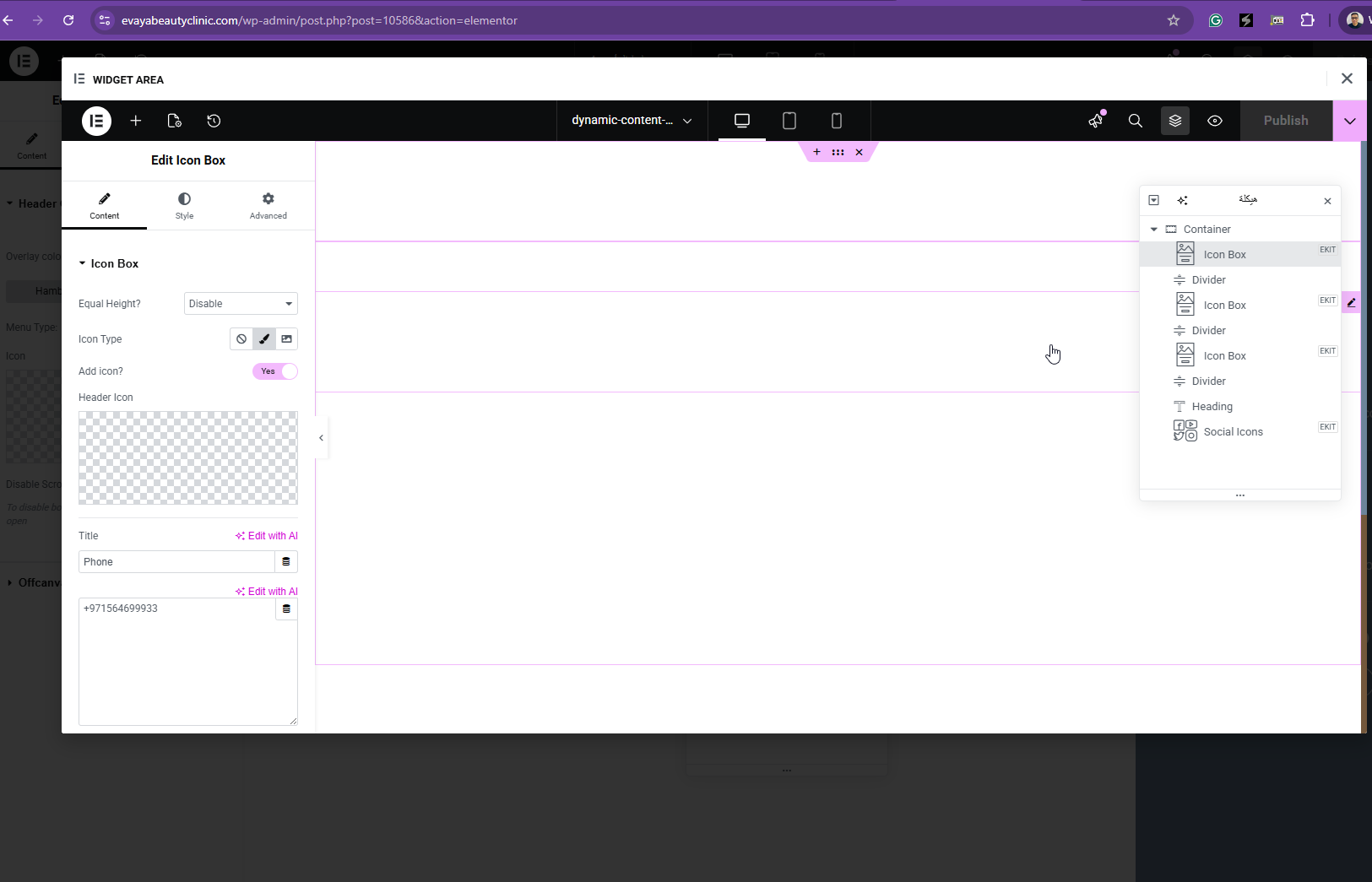
Thanks for your reply. It looks like the content is inside a "widget area" as shown in the attached screenshot. I don't see a way to translate that using the Advanced Translation editor. I kindly ask for a snapshot of the site. Alternatively, with your permission, I can create one myself. For this purpose, I typically recommend using the free plugin "Duplicator." If you're already familiar with Duplicator (https://wordpress.org/plugins/duplicator/), please skip the following steps and simply send me the archive file you downloaded.
To guide you further, please adhere to these instructions:
1. View the Duplicator instructions video: hidden link
3. If the archive file exceeds 400MB, please use Duplicator's file filters to exclude cache, wp-uploads directory, media, and archive files.
Once you have the archive file ready, kindly share the link with us. You can utilize platforms like Google Drive, Dropbox, or similar for file sharing, as the snapshot file might be large.
Please note that your next reply will be private, visible only to you and me. You can paste the file link there. Rest assured that once the issue is resolved, I will delete the local site.
Thanks for your patience. I don't see a way to translate it. Please allow me to escalate this further to our 2nd Tier Support for further assistance. I will come back to you once I've feedback.