Skip to content Skip to sidebar

This thread is resolved. Here is a description of the problem and solution.

Problem:
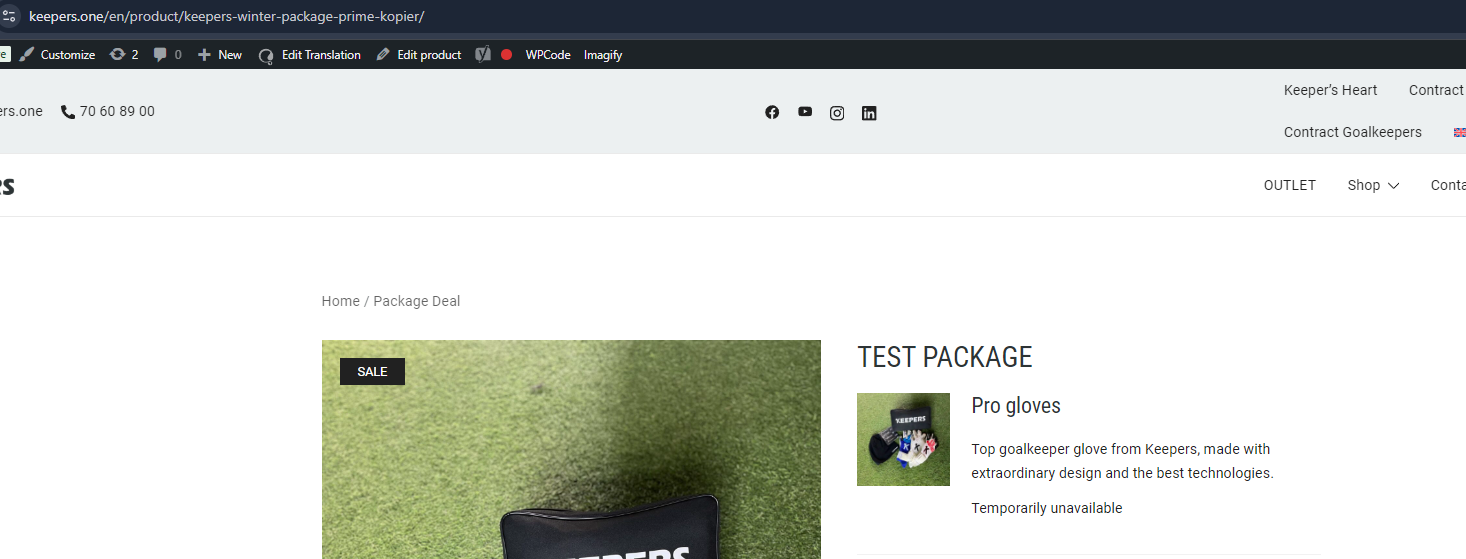
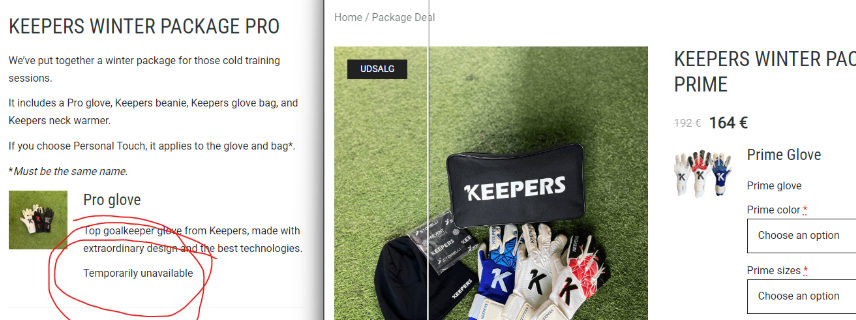
Specific product bundle components, such as "Pro Gloves", do not display variations on the English translation. The data-product_variations attribute is empty [], and variation IDs are missing from the bundle's JSON data.

Solution:
We recommend going to WooCommerce->WCML->MultiCurrency and disabling the option "Show only products with custom prices in secondary currencies". This adjustment might resolve the issue with the missing variations in the English translation of your product bundles.

Please note that this solution might be outdated or not applicable to your specific case. We highly recommend checking related known issues at https://wpml.org/known-issues/, verifying the version of the permanent fix, and confirming that you have installed the latest versions of themes and plugins. If the problem persists, please open a new support ticket.

This is the technical support forum for WPML - the multilingual WordPress plugin.

Everyone can read, but only WPML clients can post here. WPML team is replying on the forum 6 days per week, 22 hours per day.

This topic contains 2 replies, has 0 voices.

Last updated by lasseC-2 2 months, 3 weeks ago.

Assisted by: Shekhar Bhandari.

Author Posts
January 26, 2026 at 7:55 am

lasseC-2

Specific product bundle components (e.g., "Pro Gloves") fail to display variations on the English translation, while identical setups for other bundles work correctly. On the affected English bundle, the data-product_variations attribute is empty [], and variation IDs are missing from the bundle's JSON data.

1. WPML & WCML Core Troubleshooting
The following synchronization and cleanup tools have been executed via WPML > Support > Troubleshooting and WCML > Troubleshooting:

Cleared WPML Cache and synchronized post taxonomies.

Removed ghost entries and synchronized local job IDs with ATE.

Assigned translation status to duplicated content and fixed post-type assignments.

Taxonomy Sync: Used Taxonomy Translation to synchronize attributes and update product variations. All "Model" and "Size" terms are 100% translated and linked.

WCML Specific: Ran "Sync products variations" and "Fix translation links."

2. Data & Product Configuration
To rule out metadata corruption and configuration errors, the following was performed:

Global Attributes: Converted all local attributes to Global Attributes (Products > Attributes).

Product Re-creation: Deleted and re-created the problematic products and bundles from scratch.

Manual Pricing: Enabled manual pricing for the bundle and all 27 variations; confirmed all have valid EUR prices.

Identification: Assigned unique SKUs to all 27 variations to ensure distinct database identification.

Manual Updates: Performed "Minor edit in Danish -> Update English" to force metadata refreshing.

3. Environment & Server
Caching: Cleared all site, server, and Object Cache (LiteSpeed).

Plugin Versions: Running WPML (4.8.6), WCML (5.5.3.1), and WooCommerce Product Bundles (8.5.5).

Comparison: Bundle A (Working) and Bundle B (Failing) have identical configurations, yet Bundle B fails to fetch variation IDs into the English frontend JSON.

January 27, 2026 at 10:34 am #17766234

lasseC-2

Product with issue: hidden link

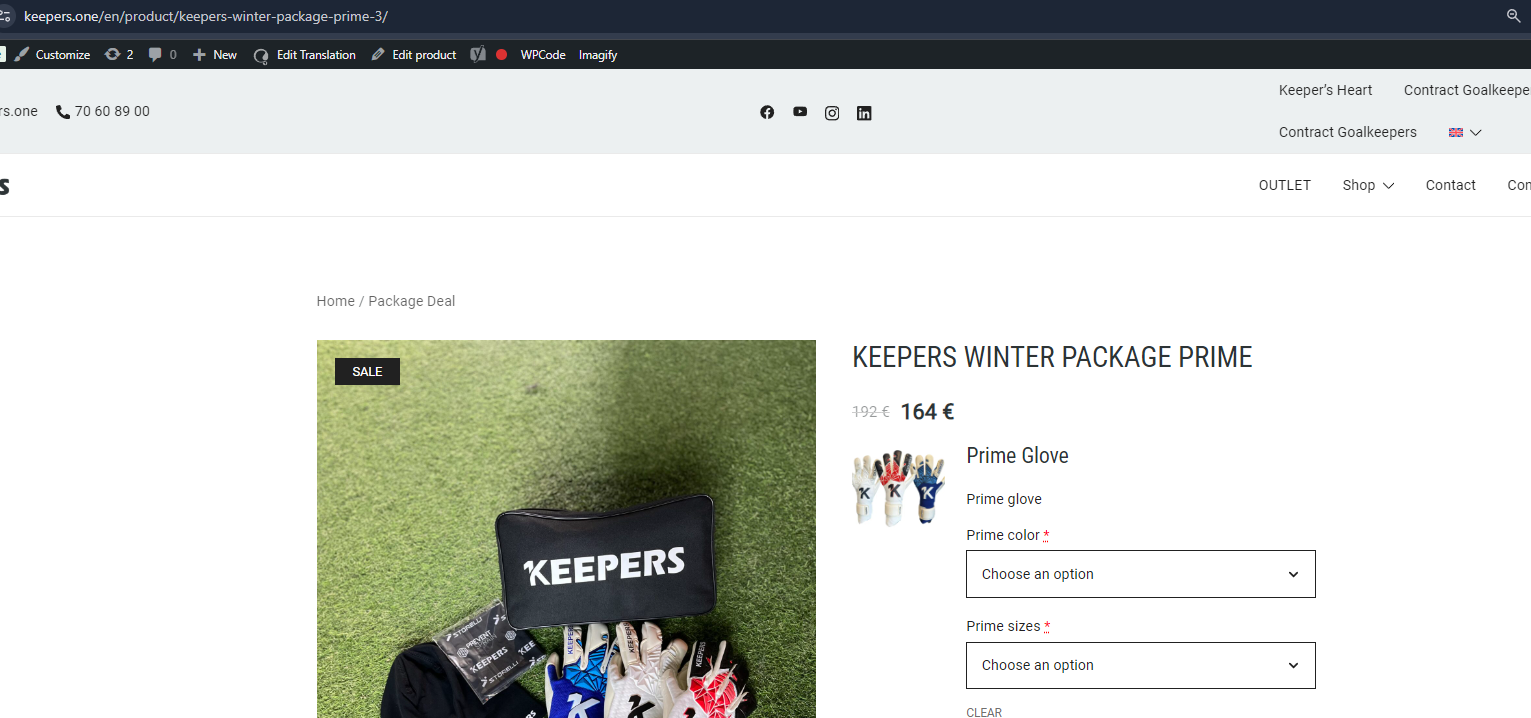
Same setup but no problem: hidden link

The issue.png
January 27, 2026 at 1:03 pm #17767114

Shekhar Bhandari
WPML Supporter since 03/2015

Languages: English (English )

Timezone: Asia/Kathmandu (GMT+05:45)

Hello there,

Can you please go to WooCommerce->WCML->MultiCurrency and disable the options " Show only products with custom prices in secondary currencies" and see if it helps for you?

Look forward to your reply.

Thanks

January 30, 2026 at 10:21 am #17776928

lasseC-2

As "Show only products with custom prices in secondary currencies" was disabled - the translated product shows the variation options 🙂