[Resolved] My images suddenly dissapearing from the second language
This thread is resolved. Here is a description of the problem and solution.
Problem: The client reported that some images, including featured images, were disappearing in the Bulgarian version of their posts. These images were not present in the media library for the second language, and the client had to manually translate them, which was not the usual procedure. Solution: We suggested checking if the WPML Media Translation plugin was necessary for their use case, as it might be causing the issue if images should not differ between languages. We recommended temporarily deactivating WPML Media Translation to see if the problem persists. Additionally, we advised performing a plugin conflict test: 1. Create a staging copy of the website to avoid disrupting the live site. 2. Switch to a default theme like "TwentyTwenty" through "WordPress Dashboard > Appearance > Themes". 3. Deactivate all plugins except for WPML Multilingual CMS and WPML String Translation via "WordPress Dashboard > Plugins". 4. Check if the issue still occurs. 5. If the issue is resolved, reactivate the plugins one by one to identify the problematic plugin.
If the problem reoccurs, the client should not hesitate to open a new support ticket. We also recommend visiting related known issues to check for any updates or similar cases. Ensure all themes and plugins are updated to their latest versions. For further assistance, please contact us through the WPML support forum.
This is the technical support forum for WPML - the multilingual WordPress plugin.
Everyone can read, but only WPML clients can post here. WPML team is replying on the forum 6 days per week, 22 hours per day.
I just realized when I was posting a new post that some of my images are dissapearing in my second language (Bulgarian). They are just not in the media library there. Not sure what happened, this was not the case before.
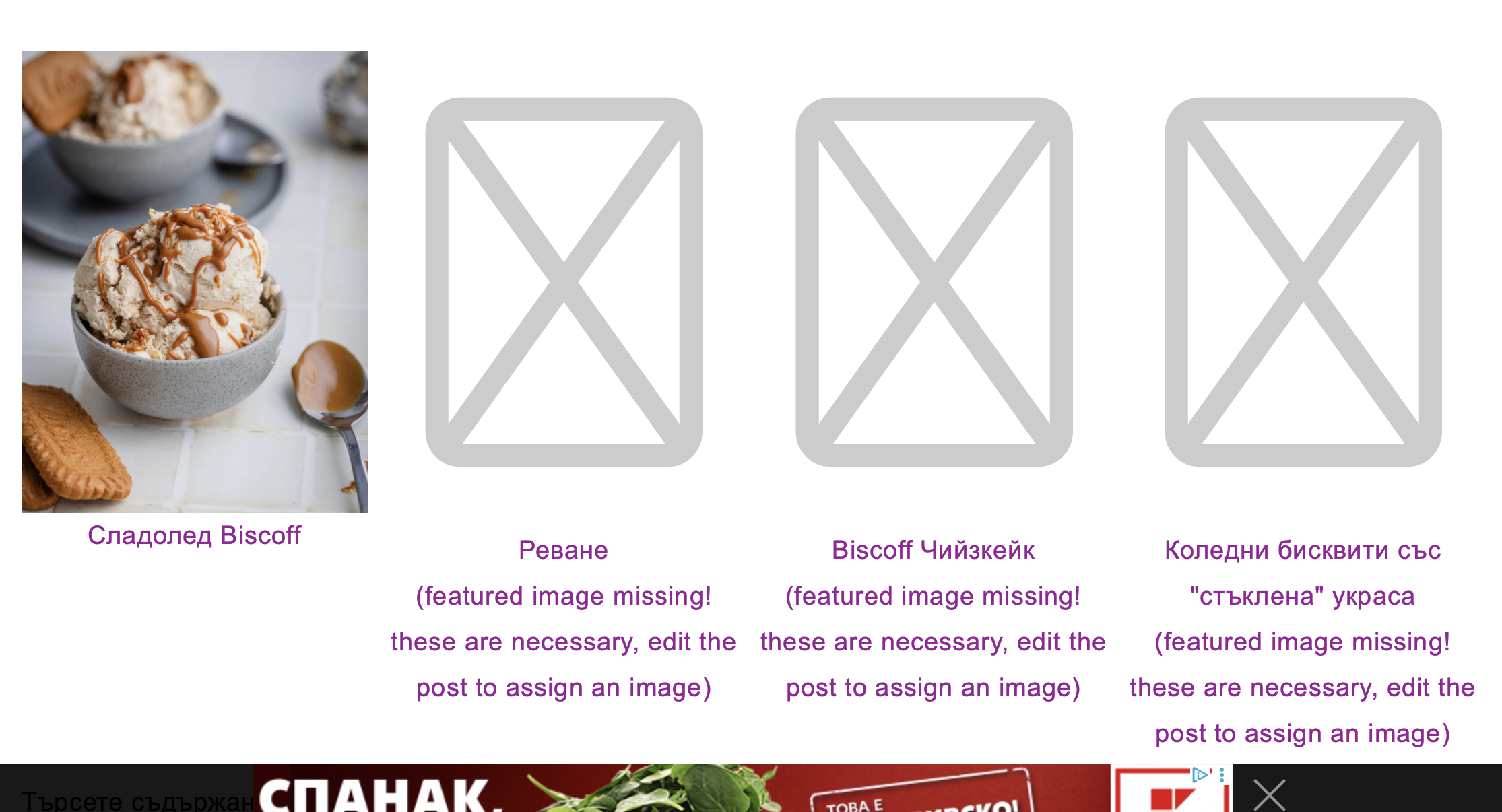
The featured images are suddenly missing for my latest posts, please see attached.
In the latest post I had to manually translate them which made no sense but I did it, that is why one image appears on the roll.
Can you please help?
Hi, I had another post with missing featured image: hidden link
It is an old post and I found the problem in Google search console.
I had to fix it right way because it is one of my highest performing posts and the missing featured image was ruining the SEO.
I checked other posts, so far I don't see more but that is very, very strange. The original photo was not missing in the Bulgarian media library, as long as I could see.
My only concern is why is it happening and how can we stop it from happening again.
Thanks
Thank you I went to the website admin and tried to check a few points but it is very hard to pinpoint the issue.
I have one question, do you use WPML Media Translation at all? I mean do you have scenarios where the image should be different between the languages?
If no, can you temporarily deactivate WPML Media Translation and monitor the situation if the same thing happens?
The other point that I should mention is a possible plugin conflict of some sort which needs you to have a seaprate installation to test:
- IMPORTANT STEP! Test this on a copy/staging version of the website to avoid any disruption of a live website.
- Switch to the default theme such as "TwentyTwenty" by going to "WordPress Dashboard > Appearance > themes".
- Go to "WordPress Dashboard > Plugins" and deactivate all plugins except:
. WPML Multilingual CMS
. WPML String translation
- Check if you can still recreate the issue.
- If not, re-activate your plugins one by one and check the issue each time to find out the plugin that causes the problem.
Hi, I have another update: the latest posts that I had fixed previously, again lost their featured image in Bulgarian. I haven't fixed them. These are:
hidden link hidden link hidden link
Can you please check again and if we can stop this issue from happening?
Sorry, I didn't see your answer on my previous message.
No, I don't have scenarios where all images are different, just one typically with ingredients on each language.
If I deactivate media translation what would happen to the previous posts? I don't want to loose all my images because I rely on them for SEO.
I don't have a copy on a stage site, this I don't have a way to do.
Also the issue is not happening all the time and it will be difficult to find out which plugin may interact with. It is happening on latest posts mostly and one old post.
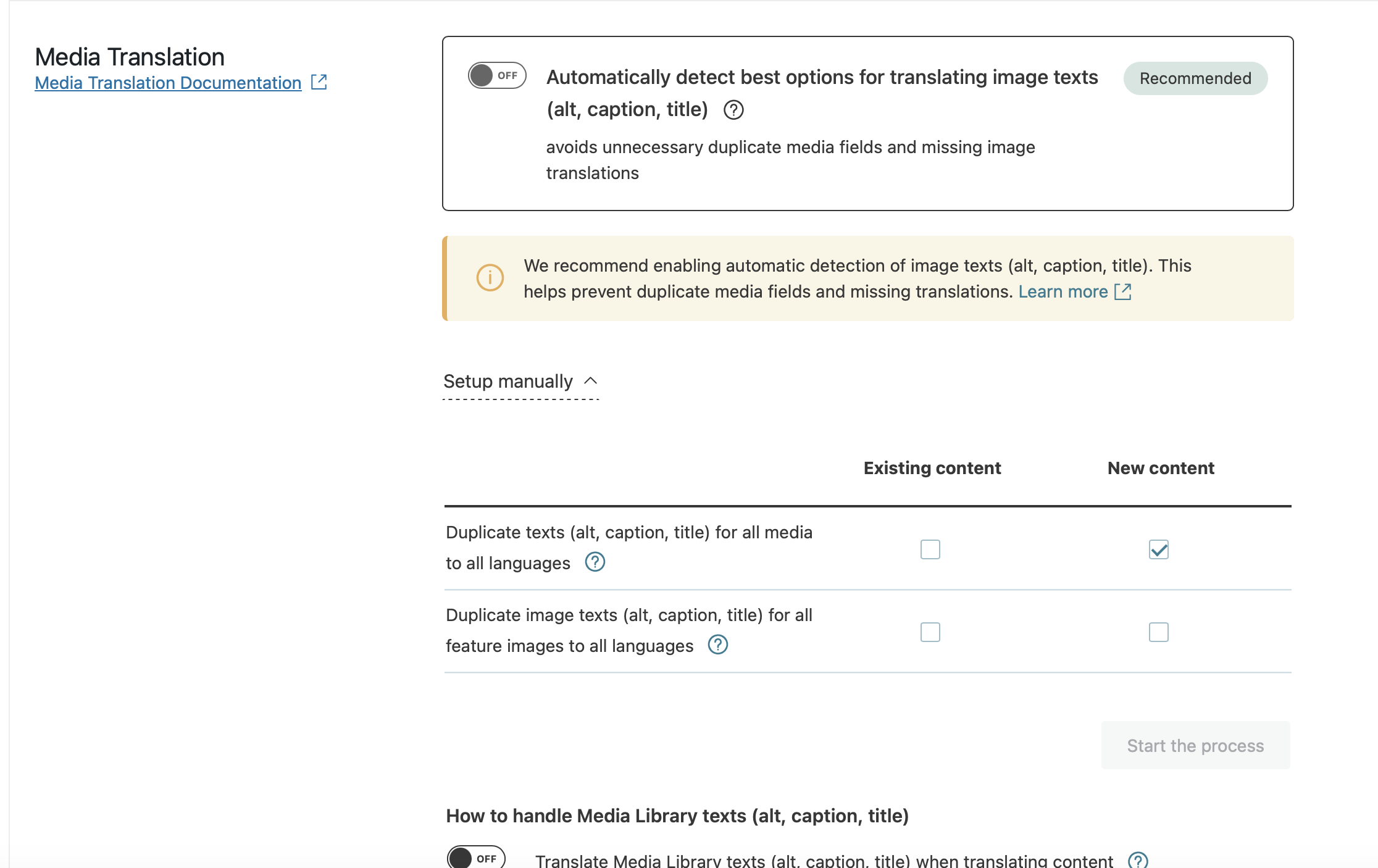
For now I deactivated this button since I don't really care about translating images and alt text. I just want them to appear in both languages as they are.
I fixed 2 of the 3 posts without featured images because I can't leave them like this for a long time - SEO will be hurt. But I noticed in the media library that the featured images were the only translated images for the 2 posts I fixed. That is strange because these posts contain all images in the Bulgarian version (even though these images are not translated, as it appears) but don't have the featured one (which was translated in the media library). A bit confusing.
The third post which I left untouched: hidden link does not have any image available in the media library. That's why I left it for now so you can have a look too. I remember clearly that I manually translated the featured image for this post as well when I opened the ticket.
I have the feeling that the automatic media translate option is not working well for me, so now it is disabled.
I am not sure which original page you are referring to. The image is translated to the media library but somehow was lost (even though I had added it manually after it dissapeared the first time).
Languages: English (English )Spanish (Español )Italian (Italiano )
Timezone: Europe/Madrid (GMT+02:00)
I would like to request temporary access (wp-admin and FTP) to your site to take a better look at the issue. You will find the needed fields for this below the comment area when you log in to leave your next reply. The information you will enter is private which means only you and I can see and have access to it.
**IMPORTANT**
- Please make a backup of the site files and database before providing us access.
- If you do not see the wp-admin/FTP fields this means your post & website login details will be made PUBLIC. DO NOT post your website details unless you see the required wp-admin/FTP fields. If you do not, please ask me to enable the private box.
The private box looks like this: hidden link
Sorry for not responding in time but I don't receive emails from WPML when there is a new response from you. I just received that you will be closing the ticket but the issue is not resolved yet - one post is still missing a featured image (the rest I fixed manually and they haven't lost them again for now).
I already have created a login for your colleague and I can give you the same but I don't see now the FTP fields for secure transfer. I only have a field to upload an image before this text box.
Thanks
I fixed the last post without featured image: hidden link
because staying without it for 2 weeks is an SEO problem for the whole site. I am relying on SEO for traffic and is important for me to have featured images on all posts.
Please keep the ticket open or with the possibility to be opened in the future if I encounter the same problem again with my new posts or with the old ones that I fixed manually.