
This is the technical support forum for WPML - the multilingual WordPress plugin.
Everyone can read, but only WPML clients can post here. WPML team is replying on the forum 6 days per week, 22 hours per day.
This topic is split from https://wpml.org/forums/topic/critical-error-54/
Tagged: Not WPML issue
This topic contains 12 replies, has 0 voices.
Last updated by wioletaR 5 months, 2 weeks ago.
Assisted by: Otto.
| Author | Posts |
|---|---|
| October 15, 2025 at 4:57 pm #17487928 | |
 wioletaR |
Hi Otto, I followed your instructions: with ST inactive I ran Fix WPML tables twice and cleared WPML cache, then triggered the installer once via a one-shot MU plugin calling icl_sitepress_activate(), reinstalled WPML String Translation, and verified the missing schema—yhoj_icl_string_batches now exists (indexes added). WPML and ST are working, no more critical errors, translations are fine. The only remaining issue is the wizard still shows “The WordPress REST API must be enabled,” but hidden link i will work tonigjht on the site , if something is ubnormal a will ask u again so far no more fatal errors but the rest api issue must also be solved |
| October 15, 2025 at 5:04 pm #17487979 | |
 Otto |
Hello, Please try the following: ❌ Please make a full website backup before proceeding ❌ 1. 2. Best Regards, |
| October 15, 2025 at 5:20 pm #17488022 | |
|
wioletaR |
Hi Otto, Even with all plugins disabled i see the error still. thank you 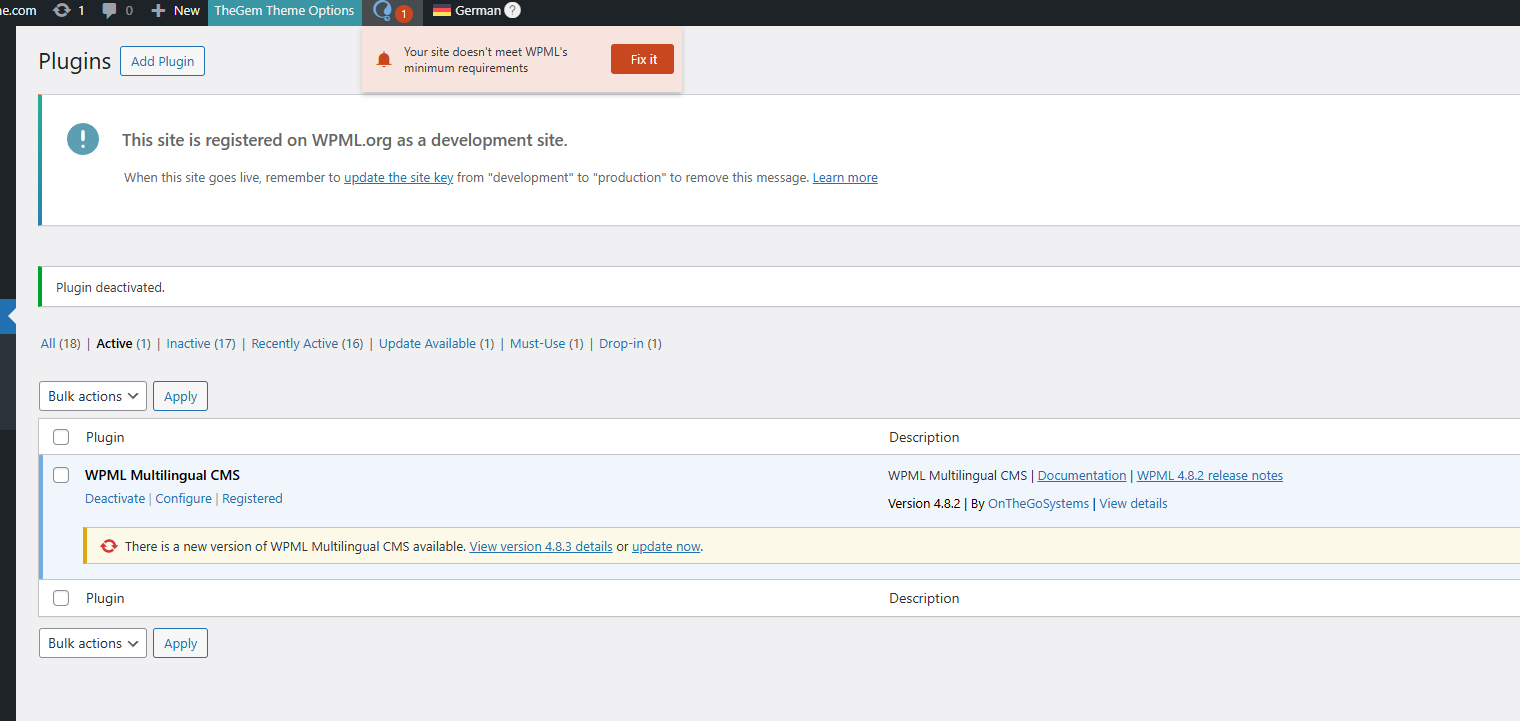 |
| October 15, 2025 at 5:21 pm #17488038 | |
|
Otto |
Hello, Thanks. I would like to request temporary access (wp-admin and FTP) to your site to take a better look at the issue. The information you will enter is private which means only you and I can see and have access to it. **IMPORTANT** Best Regards, |
| October 15, 2025 at 5:34 pm #17488075 | |
|
Otto |
Hi, There was a notice about WP Rocket cache. I cleared it. Then in the WPML warning, I clicked on "Fix it". And after that, the warning is gone, please check the screenshot attached. Can you try this in your site? Best Regards,  |
| October 15, 2025 at 5:41 pm #17488097 | |
|
wioletaR |
strange, on the live site does not resolve the issue. I granded u the same credentials please check it, drop the "new" from the login url to login. thanx 🙂 |
| October 15, 2025 at 5:44 pm #17488101 | |
|
Otto |
Hello, This is weird... I just clicked on fix it and the issue was gone in the production site too, check the screenshot attached. Is it OK for you now too? Best Regards,  |
| October 15, 2025 at 5:48 pm #17488122 | |
|
wioletaR |
very strange but solved! im not crazy I have been clicking the button!!! thanx a lot Otto 🙂 |
| October 15, 2025 at 5:50 pm #17488140 | |
|
Otto |
Thanks 🙂 I am closing the ticket then, feel free to open a new one if anything else come up. Have a nice day! |
| October 15, 2025 at 6:27 pm #17488201 | |
|
wioletaR |
Hi otto, it reappeared on the live site. u have full access thanx 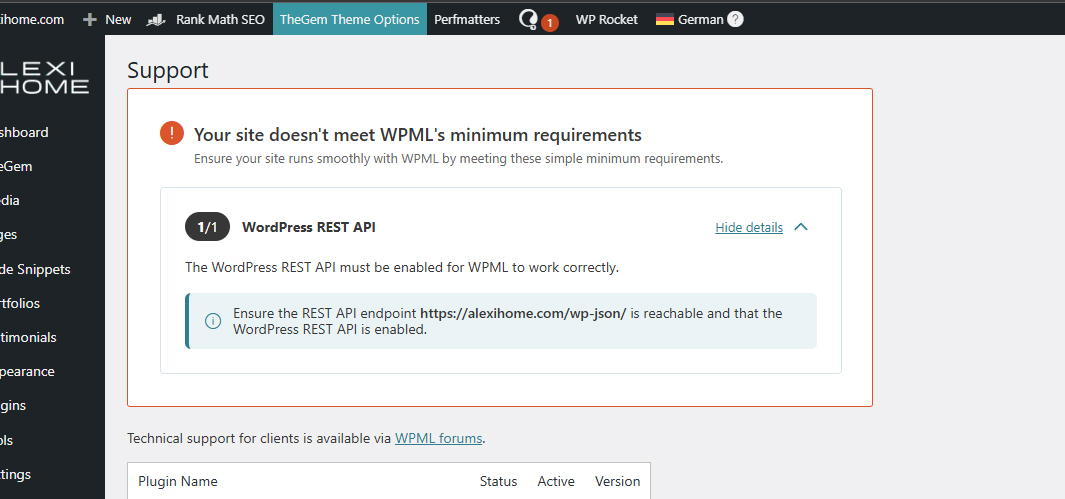 |
| October 15, 2025 at 8:42 pm #17488440 | |
|
Otto |
Hello, 🙁 I am sorry, but the credentials were automatically removed when I closed the ticket. Can you please share again? Also, let me know if you can relate the appearance of the warning to any action. Did you create a new post or send something to translate? Thanks. Best Regards, |
| October 16, 2025 at 12:47 pm #17490339 | |
|
Otto |
Hello, I just logged in, and it still shows that the requirements are OK. Check the screenshot attached. I think it may be related to cached files/css/js. Can you please make sure to clear all the caches of your site? I see you have WP Rocket enabled, but besides it also check if there are any caching mechanism at the server level. After this, "fix it" and see if this time it remains. Best Regards,  |
| October 16, 2025 at 1:19 pm #17490571 | |
|
wioletaR |
Well one thing is for sure, its a false positive. I will investigate server level caching since the site runs on litespeed server. i am closing the ticke tnow, thank you so much, u r the best 🙂 |