
This is the technical support forum for WPML - the multilingual WordPress plugin.
Everyone can read, but only WPML clients can post here. WPML team is replying on the forum 6 days per week, 22 hours per day.
| Sun | Mon | Tue | Wed | Thu | Fri | Sat |
|---|---|---|---|---|---|---|
| - | - | 9:00 – 18:00 | 9:00 – 18:00 | 9:00 – 18:00 | 9:00 – 18:00 | 9:00 – 18:00 |
| - | - | - | - | - | - | - |
Supporter timezone: America/Lima (GMT-05:00)
Tagged: Known issue
This topic contains 11 replies, has 0 voices.
Last updated by Andreas W. 14 minutes ago.
Assisted by: Andreas W..
| Author | Posts |
|---|---|
| January 30, 2026 at 6:47 pm #17779281 | |
 justinK-16 |
I have recently gone through my posts and updated some internal links, added a couple, and removed a couple. In doing so i also added a couple of sentences etc But today, when I return to some of the post,s up to 50% of segments have an orange bar next to them, and most are untranslated, with a small percentage still translated but requiring a click of the green "save and complete" button for each segment. 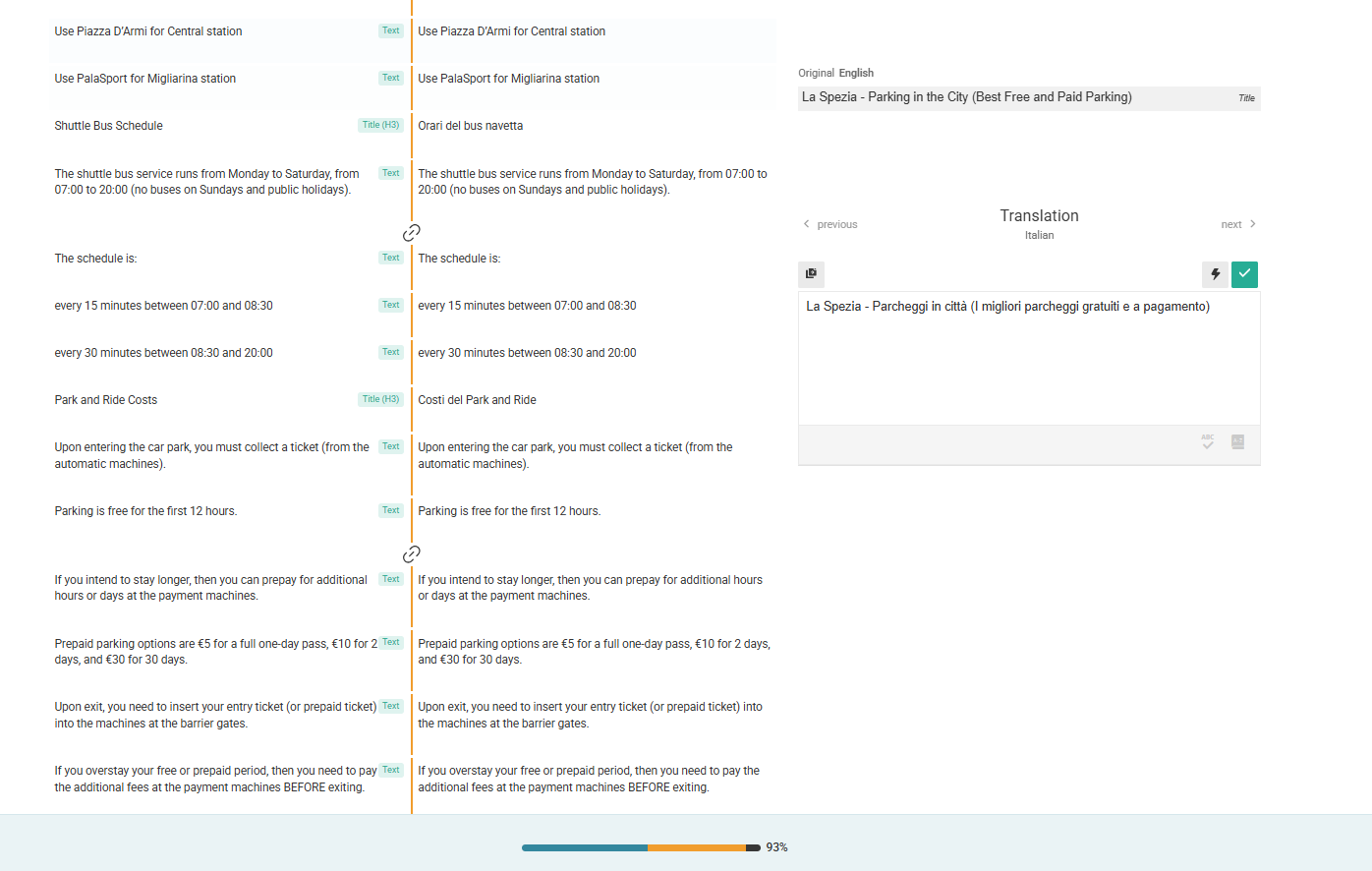 |
| January 31, 2026 at 8:15 am #17779802 | |
 Andreas W. WPML Supporter since 12/2018 Languages: English (English ) Spanish (Español ) German (Deutsch ) Timezone: America/Lima (GMT-05:00) |
Hello, Thank you for reaching out! This is sadly a currently known issues which will be solved in the upcoming update for the Advanced Translation Editor: This update will not require any plugin updates, as the Advanced Translation Editor runs on an external server. For now, we can sadly only advise marking each field manually. If you need my assistance, please do not hesitate to ask. I can enable a private reply form, which will allow you to provide admin access to the site. Best regards |
| January 31, 2026 at 9:54 am #17779901 | |
|
justinK-16 |
Hi Andreas One at a time is a massive job! Not all content has turned orange and reverted to English. If my primary language is English and all the segments with the orange bars next to them also now appear in English for the language I am translating into (the right column) - if i click the lightning bolt button (Translate this text automatically) - am I being charged translation credits? |
| January 31, 2026 at 10:51 am #17780015 | |
|
Andreas W. WPML Supporter since 12/2018 Languages: English (English ) Spanish (Español ) German (Deutsch ) Timezone: America/Lima (GMT-05:00) |
Yes, in this case, you would get charged again. If you changed the original text, it will always be expected that the affected segments need to be retranslated. If original segments were not altered on the original content, and do now appear untranslated, I would need more details about the permalinks for the original jobs to look them up in our system. What is kind of odd is that once I check the current organization for your site on our system, I am not able to find any jobs. Please go to WPML > Support > Installer Support and click "Check now". Revise if there are any issues with the site's registration, like "Site key not matching". I am asking, as according to our system, this site has been migrated without creating a new site key. It would be great if you could verify that. |
| January 31, 2026 at 11:44 am #17780087 | |
|
justinK-16 |
At the beginning of January I cloned <laspeziaguide.com> to <staging.lapseziaguide.com> From that point in time, i did not touch laspeziaguide.com> I made changes to the staging site only, removing a Custom Post Type (and all it related content - so the site is not only Pages and Posts. As mentioned, I also went through all posts and pages and removed, adeed or updated internal links. Earlier this week, I pushed all the changes back to the main domain <laspeziaguide.com> It is obvious that the content was previously translated because the front end reflects that - THE FRONT END IS STILL TRANSLATED from the past. I can provide you with some very good examples if you want me to share. Regarding the "Site key not matching" - i don't remember NOT going through the process of setting the staging site to a copy of the main site when prompted by WPML - but according to the log I was not done for about 1 week. When i switched back to the live site, the Site Key was updated straight away. I had a problem with something not working (i can't remember exactly what it was) so I unregistered and re-registered the live site and re-added the Site Key. I attached some screenshots of the Installer Support 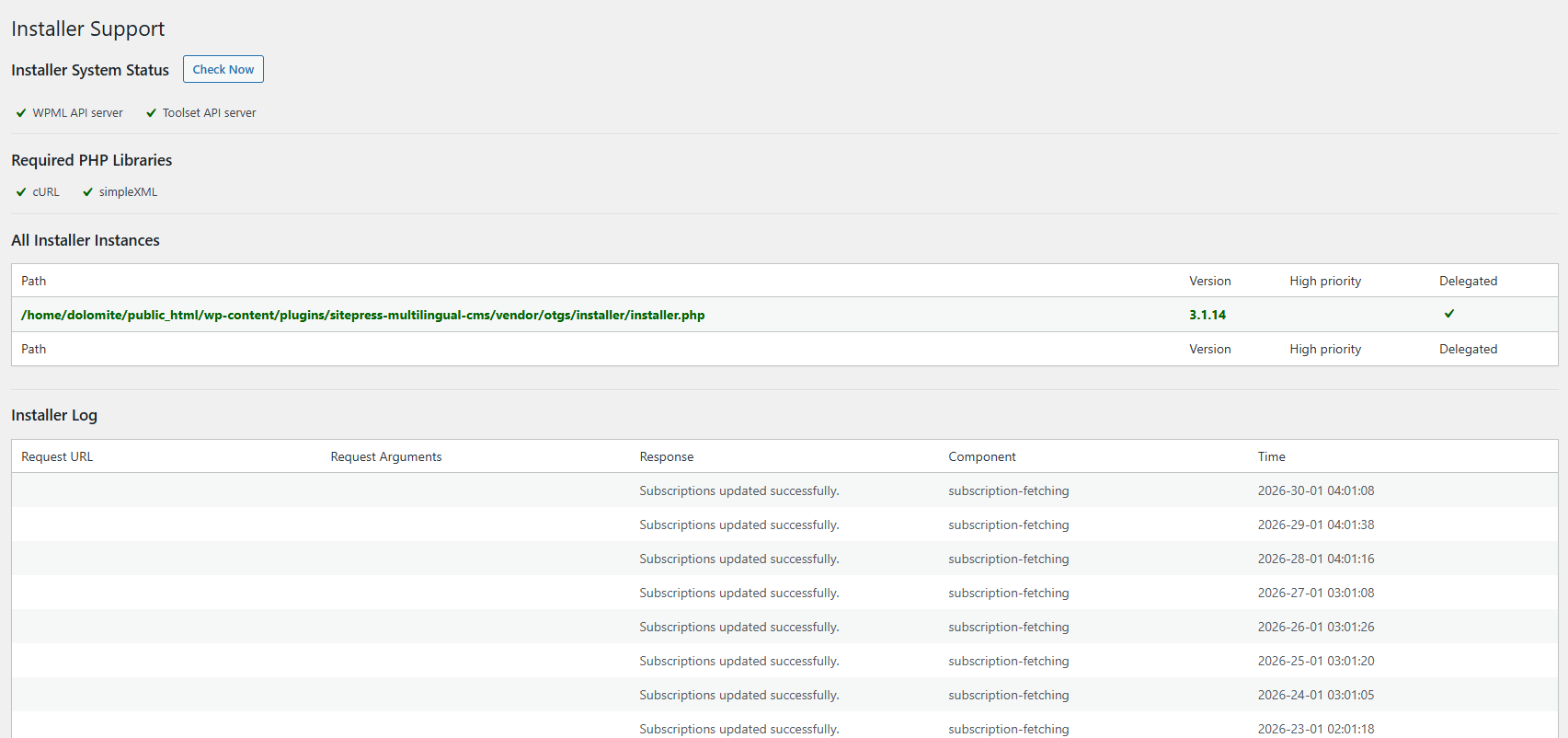 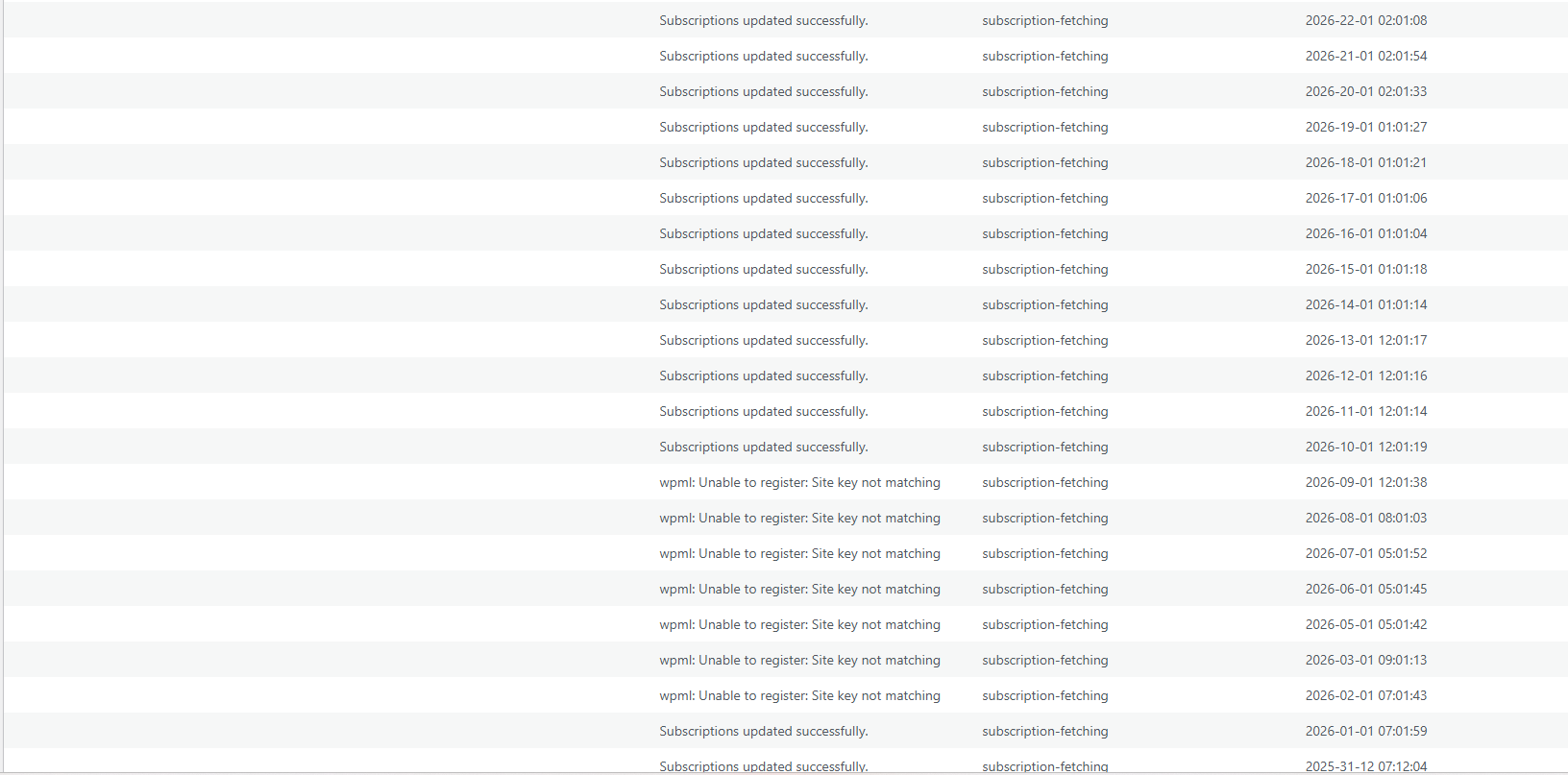 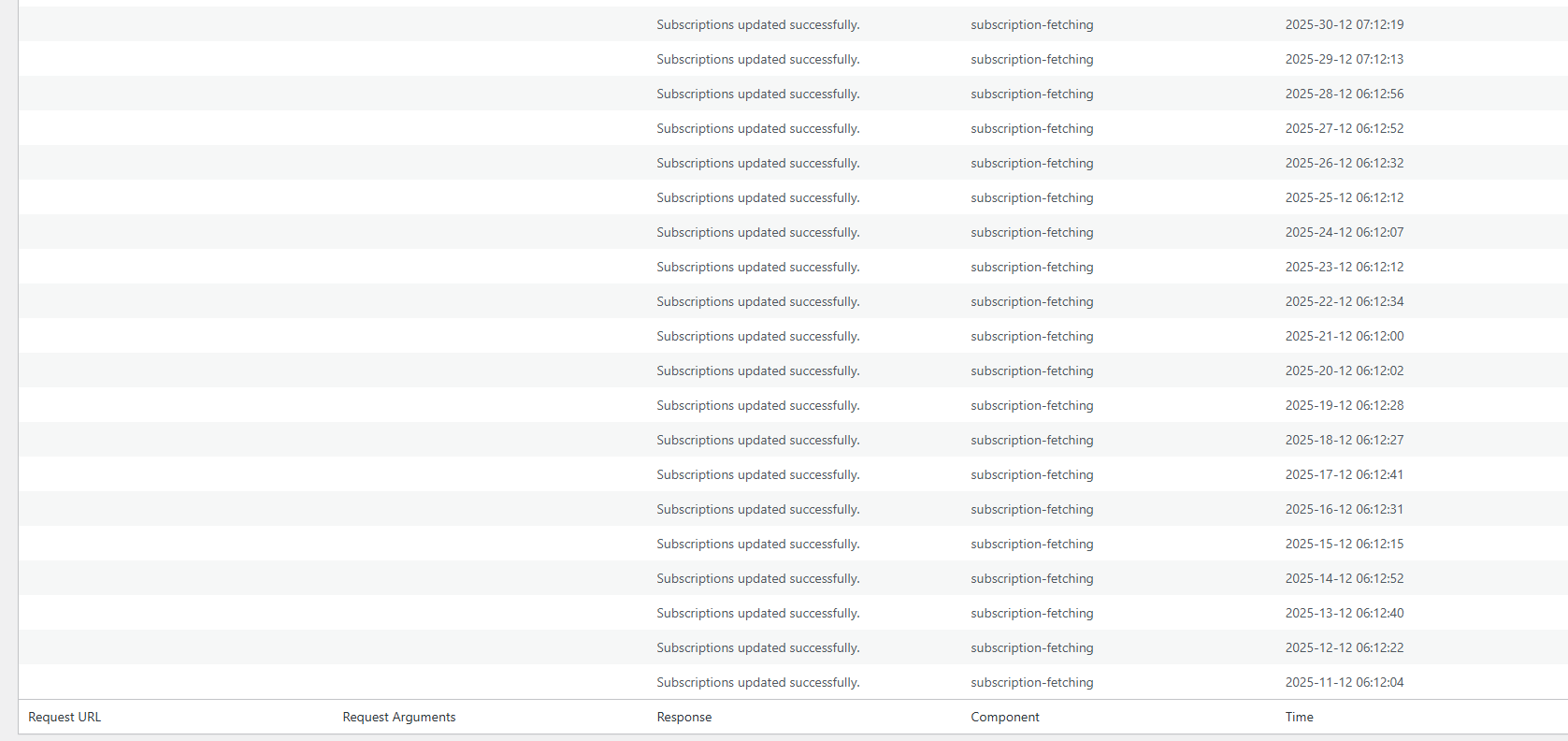 |
| January 31, 2026 at 11:59 am #17780137 | |
|
Andreas W. WPML Supporter since 12/2018 Languages: English (English ) Spanish (Español ) German (Deutsch ) Timezone: America/Lima (GMT-05:00) |
Usually, each time the site URL or server changes, a new unique site key needs to be created on wpml.org, and the site needs to be registered again. According to your screenshot, the site currently seems to be registered correctly. About the translations: If you changed the original content, it will clear the affected segments inside the Advanced Translation Editor, and expect that new translations will need to be translated. This is technically the point where the WPML Translation Editor resets its translation memory for the affected translated segment. It is expected at this point that the old translation will still show up on the Frontend until the new translation job has been completed. This means that if you changed the original content, then this behavior would be expected. What would not be expected are the orange markers, and I can offer to you to assist you in resetting them manually if you provide me with admin access to your site, as sadly, until now, we do not have a better workaround for this issue. An update that will fix this issue might be released within the next two weeks. |
| January 31, 2026 at 1:15 pm #17780212 | |
|
justinK-16 |
Hi Andreas Thanks for offering, but I would not wish that on anyone - it has to be clicked one segment at a time, to translate, then to approve....(i have been doing this for more than a week now, i did all pages and main posts on staging before transferring the site to live. There are many posts with 4000 words - and when 50% are now marked orange and in English requiring re-translation, but I am more worried about the cost. Considering it is a known WPML issue - it there any way to suspend the credits being used? Also, some pages are currently broken in the other languages as I removed some global widgets in Elementor Pro and some other plugins (it was to be expected), thinking translating will not take long, as I will only have a few links per post to update and maybe 2-10 sentences per post - not 100's 🙂 So thanks for offering, but I would be perfectly happy if iwas not being charged the credits on top of having to do all this extra work due to a known WPPML issue. Again appreciate your offer and help with this 🙂 |
| January 31, 2026 at 1:19 pm #17780215 | |
|
justinK-16 |
By the way i realise that some of the segments require translating because I made changes, but from what i have come across so far, 80-90% are nothing to do with any edits I made. |
| January 31, 2026 at 1:41 pm #17780241 | |
|
Andreas W. WPML Supporter since 12/2018 Languages: English (English ) Spanish (Español ) German (Deutsch ) Timezone: America/Lima (GMT-05:00) |
I was able to find your example on our system: Based on what I see on the system, it actually looks like your content was translated in 2025, but then the site was moved, without actually copying the translation memory. I have now merged the old translation memory into the new site. Could you please try creating a new translation job for one of the affected contents at WPML > Translation Dashboard and verify if the issue persists? |
| January 31, 2026 at 2:30 pm #17780270 | |
|
justinK-16 |
So I went here: WPML > Translation Dashboard Deleted all the jobs in progress Edited this post: hidden link In WP > All Posta - i click on the German Translation As you can see from the image - 50-60% of the progress bar is orange....(144 flagged for later) It has only taken/used 123 segments from the translation memory. When you said you merged the old translation memory - i assume merge doesn't mean overwrite, and as this has all been translated before (except the 18 segments), maybe i need to do something else for it to take effect? 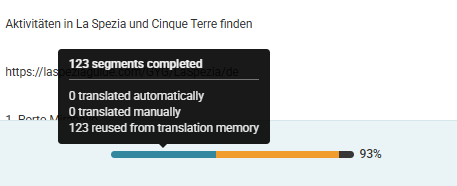 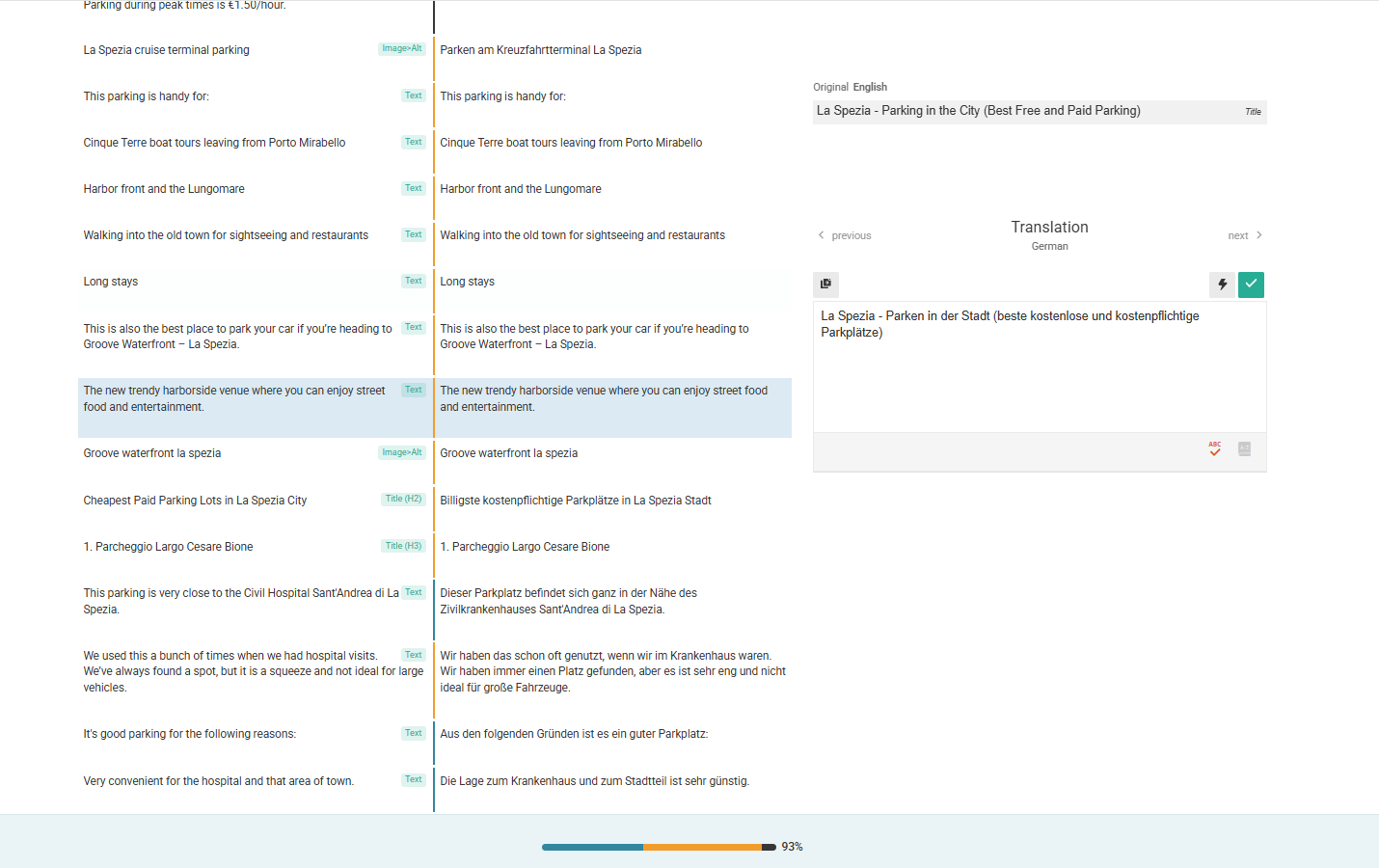 |
| January 31, 2026 at 8:42 pm #17780574 | |
|
Andreas W. WPML Supporter since 12/2018 Languages: English (English ) Spanish (Español ) German (Deutsch ) Timezone: America/Lima (GMT-05:00) |
Your site URL currently has three organizations on our system for which I merged the translation memory. Usually, this should read in the old translations from 2025. For now, please avoid using automatic translation until this issue is solved. I'd like to request temporary access (wp-admin and FTP) to the website to investigate the issue further. You'll find the necessary fields below the comment section if you log in to leave the next reply. The information you provide will be private, meaning only you and I can see and access it. IMPORTANT If you don't see the "wp-admin / FTP" fields, your login credentials for the post and website will be set to "PUBLIC." Do NOT publish the information unless you see the required wp-admin / FTP fields. The private reply form looks like this: When replying again, click "I still need assistance". Video: Please note that we are required to request this information individually on each ticket. We are not permitted to access any login information that was not specifically provided in the private reply form for this ticket. |
| February 3, 2026 at 3:55 pm #17788841 | |
|
Andreas W. WPML Supporter since 12/2018 Languages: English (English ) Spanish (Español ) German (Deutsch ) Timezone: America/Lima (GMT-05:00) |
About your example post: This post is not yet translated to 100%. The orange markers have to be manually removed on each segment. You can use the shortcut Alt-D to remove the markers. I know this may appear very inconvenient at the moment, but this is the only option we can offer to solve this problem. --- I have reviewed the jobs for this content on our system, and it seems that such segments, which are currently showing the original content in a second language, have not been translated earlier. Example: This segment uses the same original text in all translations, and according to what I see on the system, it has never been translated. If you are sure that this and other segments have been translated earlier, please confirm, as I see that this site has been migrated very often in the past, and I might need to take a closer look at the system. Currently, the only way would be to go manually through every translation, remove the marks, and make sure that each segment is translated. |