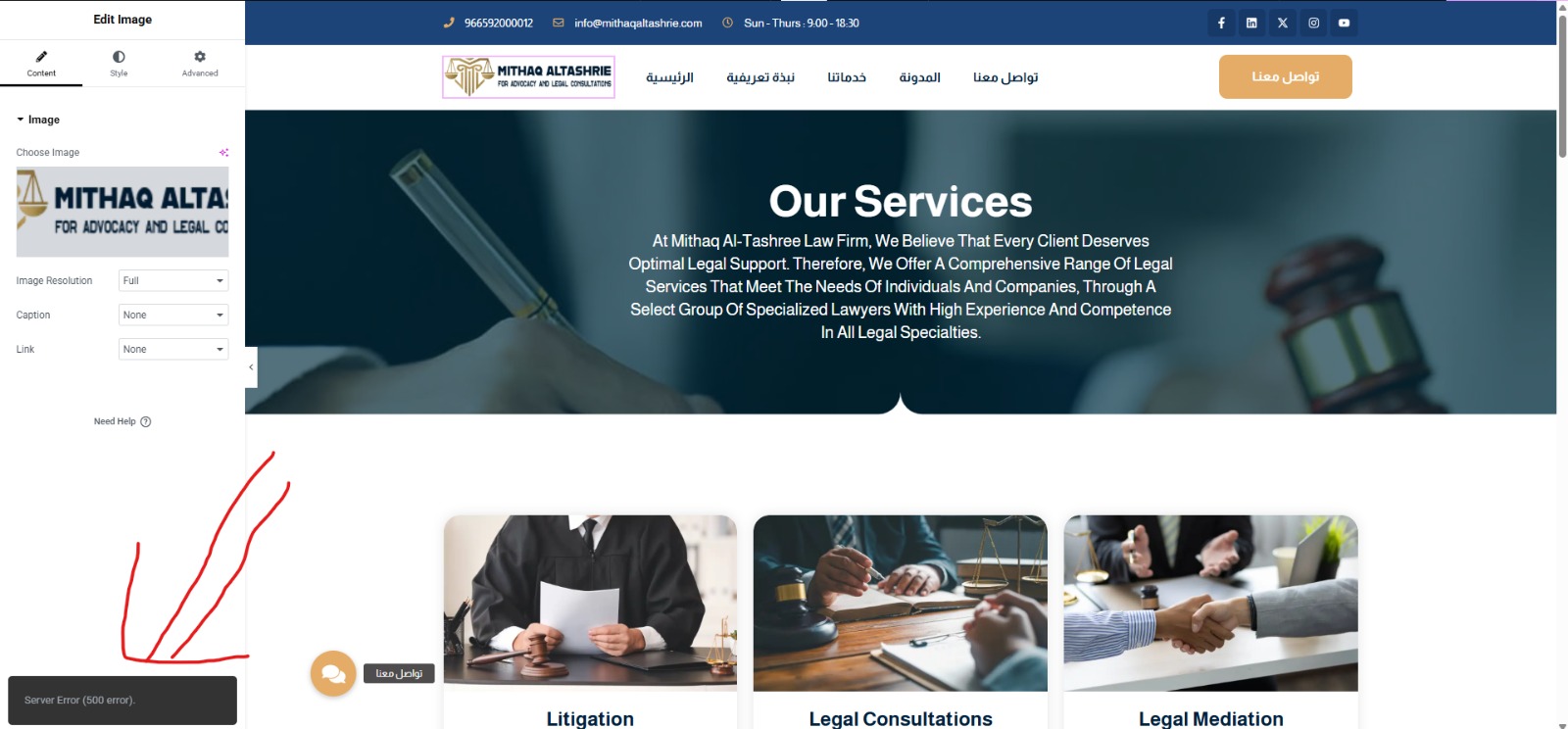
<b>Background of the issue: </b>
I am experiencing serious issues with the WPML plugin on my website hidden link. I have two separate headers for Arabic and English. The issue started suddenly without any manual intervention. I haven’t made any changes to WPML settings or installed any other translation plugins. I tried restoring a backup from July 30th, but the problem still persists. Hostinger support confirmed that the issue is caused by the WPML plugin. When I disable WPML, the site returns to normal. When I reactivate it, the problems reappear. These are the login details for the website: *** removed for security reasons from the public message ***
<b>Symptoms: </b>
Starting from July 31st, 2025, the Arabic header is showing the English header instead. Any attempt to edit the Arabic header returns a 500 internal server error. The blog page behaves erratically — sometimes it disappears from the frontend, and at other times it appears with incorrect fonts or broken layout.
<b>Questions: </b>
Why is the Arabic header showing the English header instead?
Why does editing the Arabic header return a 500 internal server error?
Why does the blog page disappear or appear with incorrect fonts or broken layout?
Once enabled, please retry. This will log the errors in the debug.log file which you can upload somewhere (i.e. hidden link) and share the download link for investigation.
When debugging is enabled, please try the following:
1) Take a full backup of your site and database before proceeding. It is highly advised to try these on a dev or staging site first, so your live site isn't compromised.
2) Deactivate all plugins except WPML and String Translation.
3) Switch to a standard theme like 2024 or 2021.
4) Check for the issue if it still happens.
5) Then start activating plugins one by one while keep checking for the issue. This way you 'll be able to pinpoint a conflict when & where it starts creating the problem.
6) If after activating all plugins you see that it still works fine, then switch to your theme and see if that's causing it.
Please let me know your findings and I'll try my best to help you further on the matter.
Regards.
The topic ‘[Closed] Subject: Critical Issues with WPML Plugin Causing Header and Blog Page Errors Message: Hello WPML …’ is closed to new replies.