This thread is resolved. Here is a description of the problem and solution.
Problem:
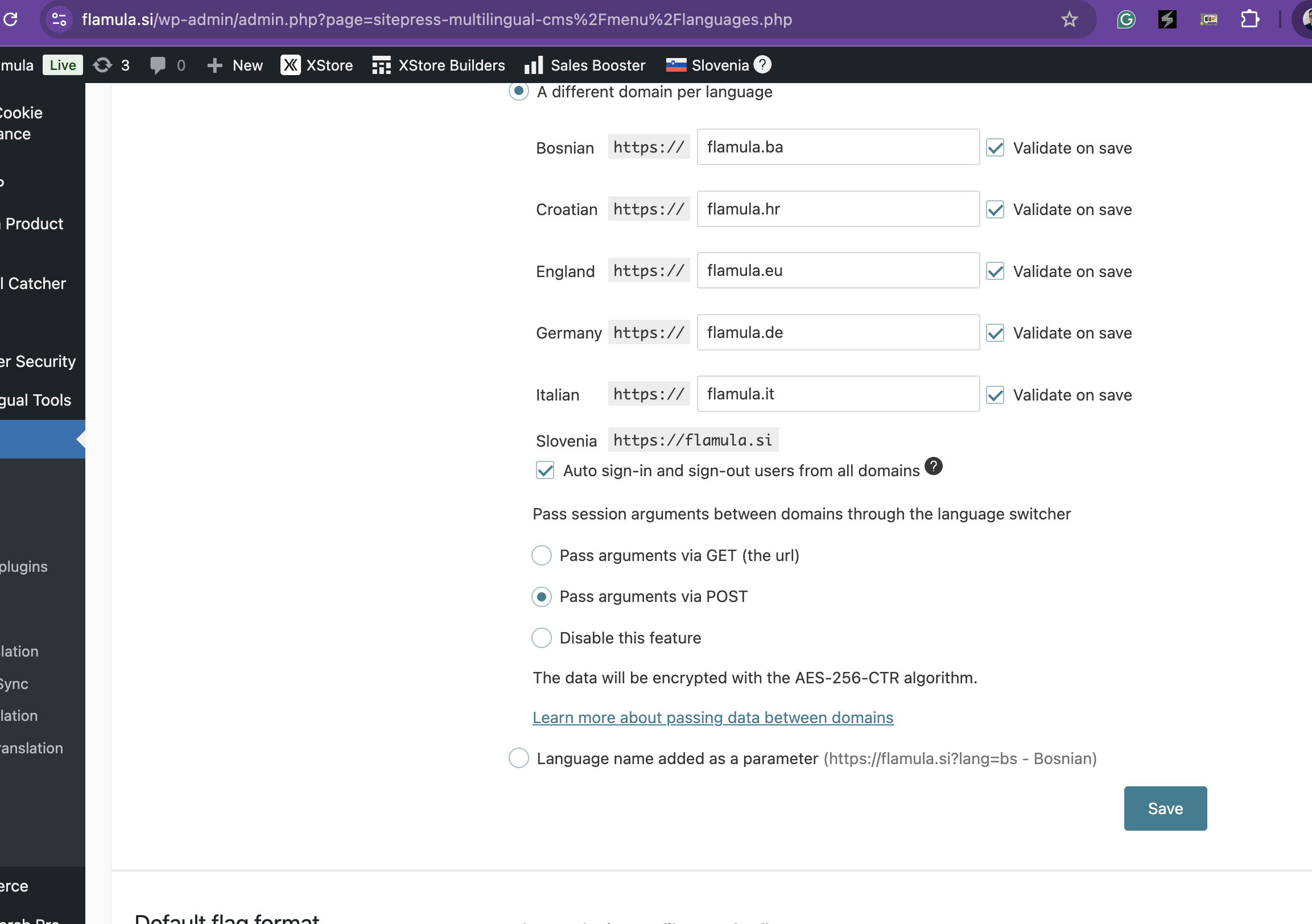
The client added a new Italian language to their WPML setup, but after saving the domain 'flamula.it' in WPML > Languages, it unexpectedly changes to 'it.flamula.si' upon refreshing the page.
Solution:
1. Ensure WPML is Up to Date: Verify that all WPML components, particularly WPML Multilingual CMS and WPML String Translation, are updated to the latest versions.
2. Verify Hosting Configuration for 'flamula.it': Contact the hosting provider to ensure that 'flamula.it' is correctly set up as an alias or parked domain that points directly to the main WordPress site without redirection.
3. Re-enter the domain in WPML settings and ensure the Language URL format is correctly set.
4. Clear all caches (plugin, server, browser) and retest the setup.
If these steps do not resolve the issue, it might be due to outdated information or a unique case not covered here. We recommend checking related known issues at https://wpml.org/known-issues/, verifying the version of the permanent fix, and confirming that you have installed the latest versions of themes and plugins. If the problem persists, please open a new support ticket at WPML support forum for further assistance.
This is the technical support forum for WPML - the multilingual WordPress plugin.
Everyone can read, but only WPML clients can post here. WPML team is replying on the forum 6 days per week, 22 hours per day.