This thread is resolved. Here is a description of the problem and solution.
Problem: You are experiencing issues with translating certain words on the checkout page of your site using WPML's String Translation feature. Some words do not appear, and others do not translate even after being found and translated. Solution: The issue might be related to caching, specifically caused by the "WP-Optimize - Clean, Compress, Cache" plugin. We recommend clearing your site's cache after updating content in any language. This action should help in reflecting the translated strings on your site.
If this solution does not resolve your issue, or if it seems outdated or irrelevant to your case, we highly recommend checking related known issues at https://wpml.org/known-issues/, verifying the version of the permanent fix, and confirming that you have installed the latest versions of themes and plugins. Should these steps not provide a resolution, please do not hesitate to open a new support ticket with us for further assistance at WPML Support Forum.
This is the technical support forum for WPML - the multilingual WordPress plugin.
Everyone can read, but only WPML clients can post here. WPML team is replying on the forum 6 days per week, 22 hours per day.
Background of the issue:
I am trying to translate some words on the checkout page of my site hidden link using WPML. I have used the String translation feature.
Symptoms:
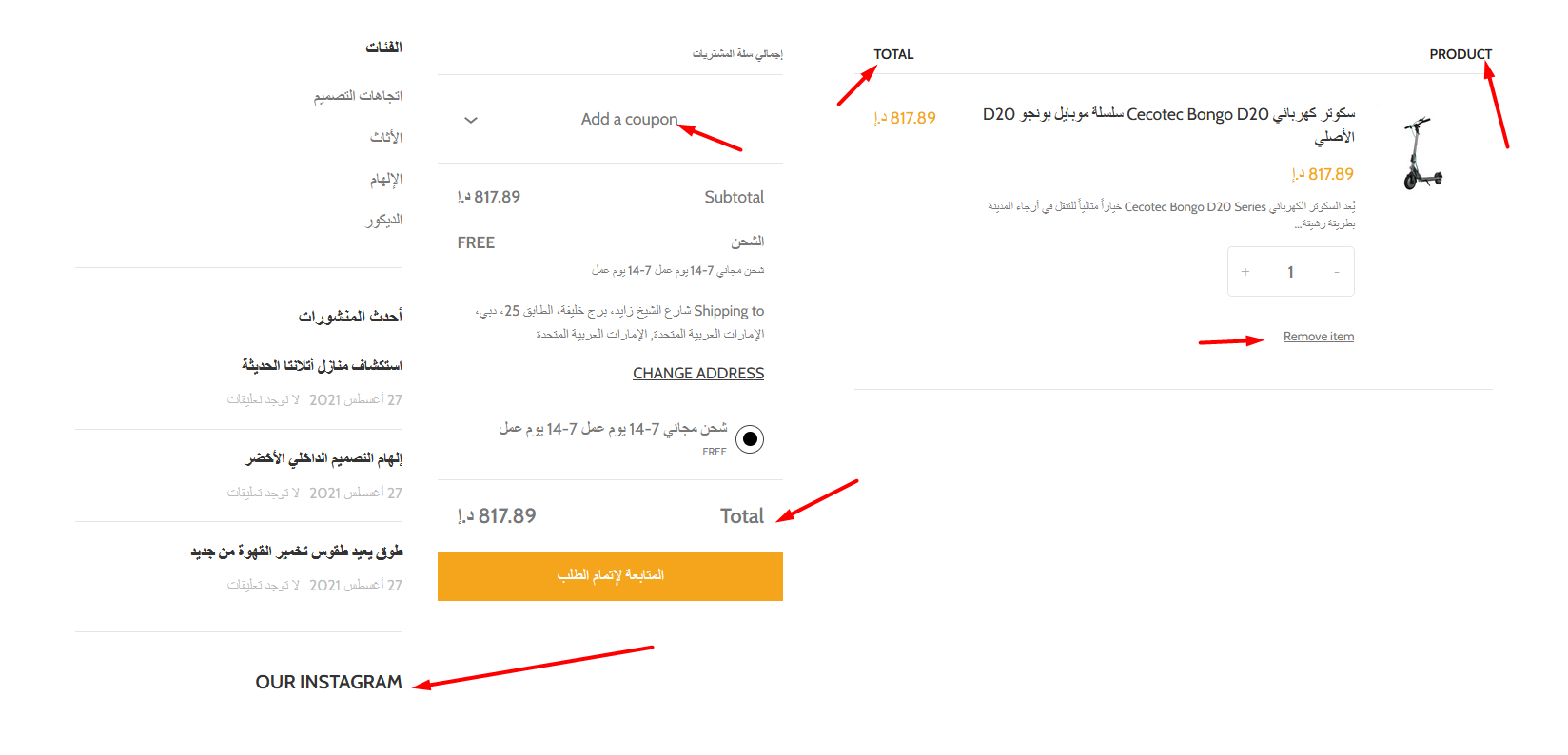
Some words on the checkout page do not translate. Some words are not found, and some are not translated even after searching and translating using String translation.
Questions:
Why are some words on the checkout page not translating?
How can I find and translate words that are not found in String translation?
What should I do if some words are not translating even after using String translation?
I tried downloading a copy of your website to check for conflicts between plugins or your theme, but I wasn't able due to network interruptions.
To further check that, I've set up a testing website, so we can analyze how the theme behaves in an isolated environment. To achieve that, I need you to simply install and activate the WoodMart theme in this website. You can access it here: hidden link
Please let me know when you're done, so I can test the functionalities. Thanks in advance for your cooperation 🙂
With the testing environment, we can see if the issue is specific to your website or if it's a compatibility issue between WPML and Woodmart.
In the testing environment, all the text is fully translated on the Checkout page, even the ones you marked with the arrow. That indicates that the problem is specific to your installation, possibly being caused by a conflict with a third-party plugin.
To check that directly, I'd like to get a copy of your website. Can you please provide me with one?
Thank you for sharing the copy. I checked it, and wasn't able to find any conflicts or misconfigurations that could be causing this issue. I escalated your ticket to our development team, which will look further into it.
Once I have feedback from them, I'll let you know. Thank you.
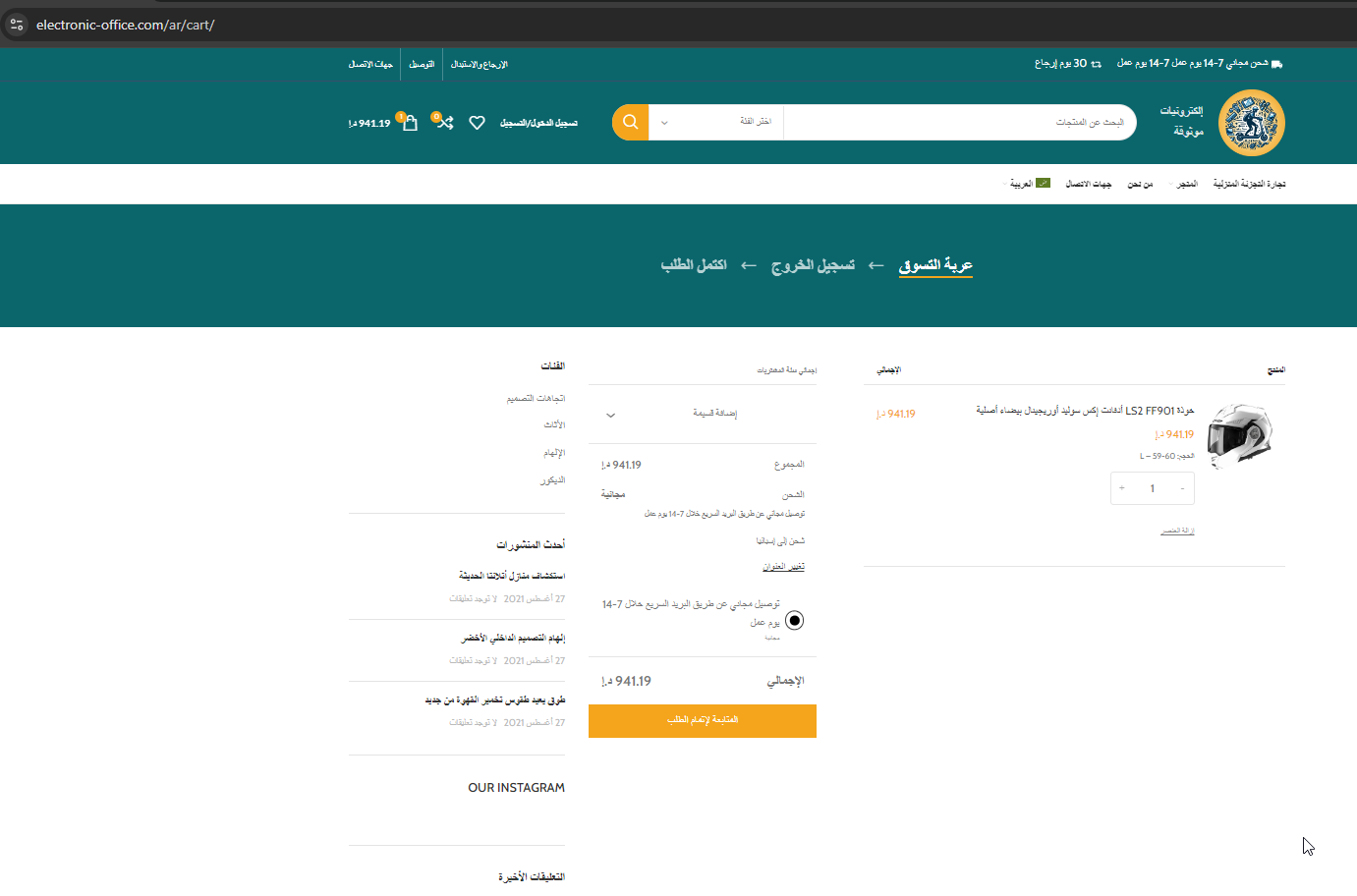
After analyzing your website and sending it to our devs, it appears that issue was resolved by itself. It's unusual, but happens occasionally.
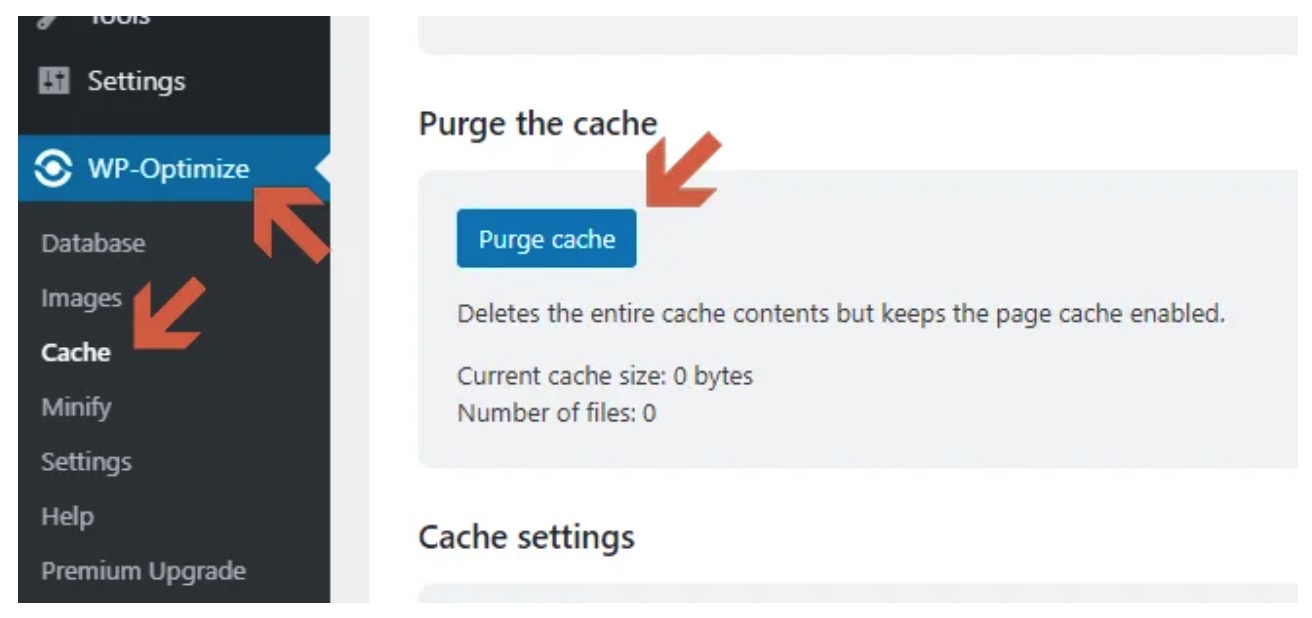
Can you please check on your end if everything is translated as expected? Perhaps it was a caching issue, that was preventing the page to show the proper translations. Please see the image attached.
It's likely that the "WP-Optimize - Clean, Compress, Cache" caused this behavior. It's a good practice to always clear the cache after updating content, in any language. I added an image, showing the location.