
Skip to content Skip to sidebar

This thread is resolved. Here is a description of the problem and solution.

Problem:
The client has upgraded from the WPML Blog version to the CMS version and is facing issues with accessing the full functionality of the CMS version. Despite the payment being processed and receiving an invoice, the client's account still shows only the Blog version, and attempts to reinstall the plugin resulted in a message that the same version is already installed.
Solution:
We confirmed that the client is already using the Multilingual CMS subscription, which includes all WPML add-ons. There is no need to reinstall the core WPML Multilingual CMS plugin as both subscriptions include it. We recommend following our official tutorial to set up WPML on the WordPress website and start translating content. You can find the tutorial here: https://wpml.org/documentation/getting-started-guide/

If this solution does not resolve your issue or seems outdated, please check related known issues at https://wpml.org/known-issues/, verify the version of the permanent fix, and confirm that you have installed the latest versions of themes and plugins. If the problem persists, we highly recommend opening a new support ticket for further assistance.

This is the technical support forum for WPML - the multilingual WordPress plugin.

Everyone can read, but only WPML clients can post here. WPML team is replying on the forum 6 days per week, 22 hours per day.

Tagged: 

This topic contains 1 reply, has 0 voices.

Last updated by Andrey 2 weeks, 2 days ago.

Assisted by: Andrey.

Author Posts
April 1, 2026 at 5:04 pm #17944018

agnieszkaJ-9

Hello.
I have just purchased the upgrade from Blog to CMS version. What do I need to do in order to start using full functionality of the CMS version?
The payment was done via credit card and I have already received the invoice, co I assume it was processed and the appropriate version should be available.
I downloaded the OTGS installer available in my account and tried to re-intall it in my WordPress, but it ended with a message that the same version is already installed.
The WPML tab in WordPress tells me to upgrade to CMS, which I have already done.
I tried to check for updates, but nothing happens.
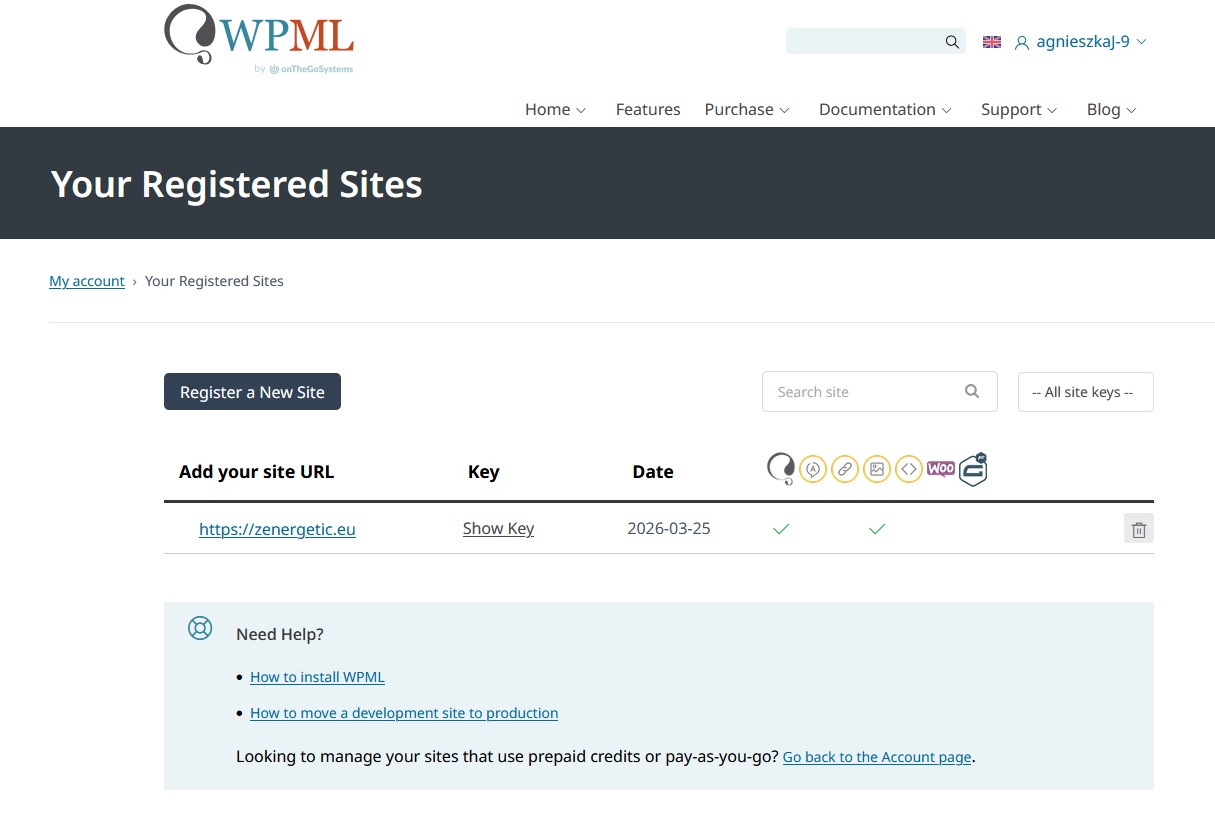
It seem that in my account only the Blog version is visible (please see screehshot attached).
What do I need to do in order to start using the CMS version that I have purchased?

Kind regards
Agnieszka Jórczyk

April 1, 2026 at 7:01 pm #17944301

Andrey
WPML Supporter since 06/2013

Languages: English (English ) Russian (Русский )

Timezone: Europe/Kyiv (GMT+03:00)

Thank you for contacting WPML support.

You are already using a Multilingual CMS subscription. With this plan, all WPML add-ons are available for download and installation.

Both subscriptions include the core WPML Multilingual CMS plugin, so there is no need to reinstall it.

Follow WPML’s official tutorial to learn how to set up WPML on your WordPress website and translate content:
https://wpml.org/documentation/getting-started-guide/





