
This is the technical support forum for WPML - the multilingual WordPress plugin.
Everyone can read, but only WPML clients can post here. WPML team is replying on the forum 6 days per week, 22 hours per day.
Tagged: Documentation request
This topic contains 1 reply, has 0 voices.
Last updated by Lucas Vidal de Andrade 1 week, 2 days ago.
Assisted by: Lucas Vidal de Andrade.
| Author | Posts |
|---|---|
| March 10, 2026 at 11:32 am #17885036 | |
 Philip |
Hi WPML Support Team, I am working on a multilingual project using ACF Options Pages created via the ACF UI, and I have been struggling with a persistent issue around translating them. I would appreciate your help. --- **What I am trying to achieve** I want ACF Options Pages to behave like regular posts in WPML — each language has its own version, they are linked as translations of each other, and saving one language does not affect the content of another. --- **What I have tried** **1. Copying Option Pages** **2. Duplicating and connecting Option Pages — same slug** - **At the Option Page creation level / ACF UI:** both pages are correctly shown as linked — "this is a translation of [Original Option Page Name]" — regardless of slug configuration. IMPORTANT POINT So with the same slug, I can navigate between language versions from within the Option Page admin screen. However, saving the main language version erases the content of the translated version — the shared slug causes both languages to write to the same underlying option key. When I mean erase, it makes it completely empty, not a copy. **3. Duplicating and connecting Option Pages — using different slugs** "Sorry, you are not allowed to access this page." **4. Field Group translation settings** --- - Same slug → navigable between translations on the Option Page itself, but saving overwrites the other language's content. I also tried having different field groups connected to each Option Page. I am aware that Options Pages are stored differently from posts, but I was hoping WPML has an established solution for this. I would like Options Pages to work the same way regular posts do. Could you advise on the correct configuration to achieve proper, non-destructive translation of ACF Options Pages? Thank you very much. Best regards, Marcos hidden link 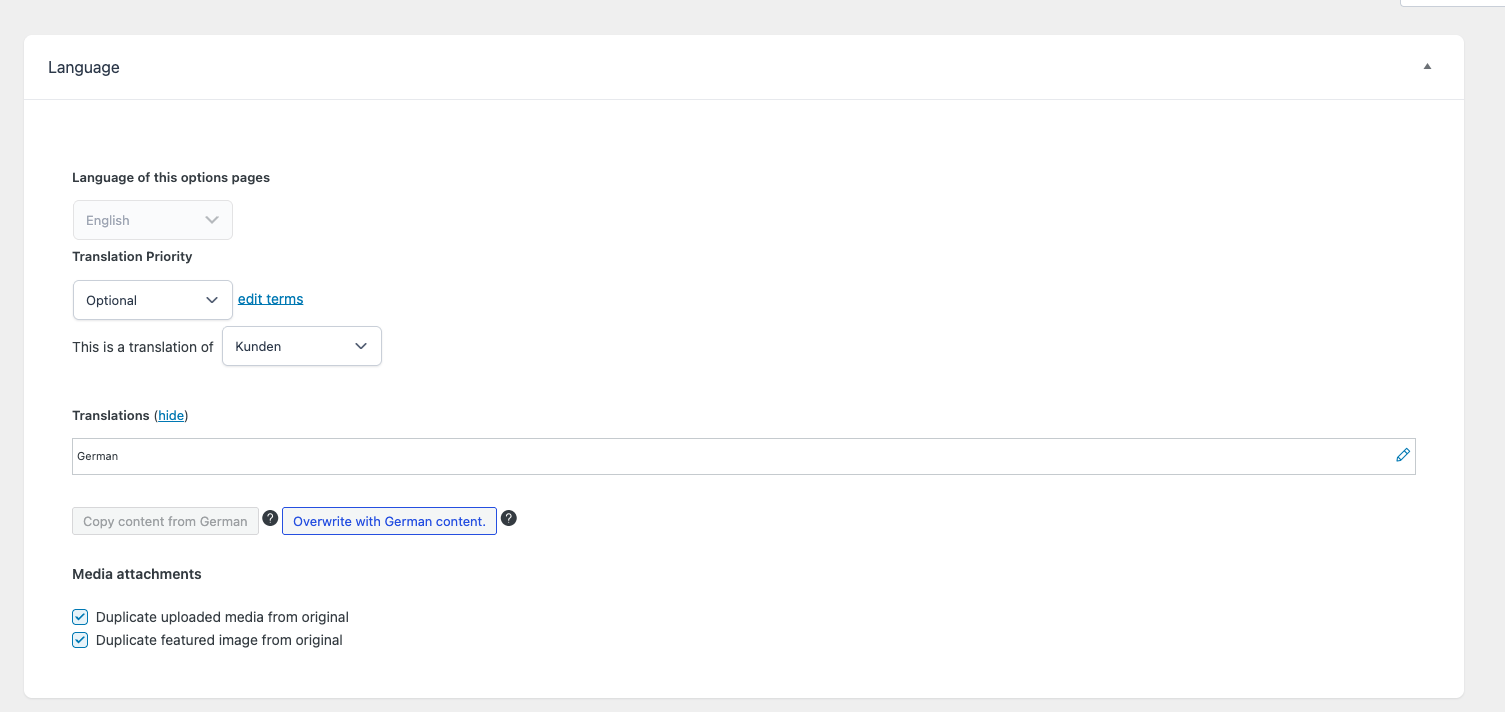   |
| March 11, 2026 at 9:46 am #17888032 | |
 Lucas Vidal de Andrade WPML Supporter since 11/2023 Languages: English (English ) Spanish (Español ) German (Deutsch ) Portuguese (Brazil) (Português ) Timezone: Europe/Vienna (GMT+01:00) |
Hello Marcos, I fully understood what you're asking, but this is not how WPML works presently. ACF Options pages behave differently when it comes to WPML, and cannot be edited directly via the WordPress admin editor. In a nutshell, the process is as follows: 1. You setup the options page in ACF; Please check here: That means that you cannot edit the options page in other languages via WordPress, but only using the Translation Editor. Let me know if you have other questions. |
