Rank Math: automated WPML translation of Directory listings changes keyword order and therefore keywords don't show up in title, SEO description and slug correctly, resulting in poor SEO. This feels related to WPML as there's no mechanism for preventing this, as the relevant segments that need manually changing are not clear or available for editing easily.
Languages: English (English )Spanish (Español )Italian (Italiano )
Timezone: Europe/Rome (GMT+01:00)
Hi there!
So, I checked your site, and I understand your situation way better now.
There's not really an "easy" way to solve this and it will definitely not happen automatically but I could suggest:
- You do a SEO research of the Spanish translations of your keywords: what works in English might not work in Spanish (meaning a translation might make all the green boxes to appear in rankmath but won't really help your SEO).
- You could use the glossary feature in WPML > Translation Dashboard > Translation Tools to make sure the phrase is correctly translated based on your research.
- I doubt that anything can guarantee that the content will follow the guidelines of rankmath, so that's why the "review" setting for the translations is for.
Apart from that, SEO is not something you can easily automate, and the keyphrase is key here, you may need to use even totally different keyphrases between languages and in that case you can just add the other keyphrases as the "translations" via the glossary entries.
Does that make sense or would you need help on this matter? if so, can you tell me which part you do not understand so I can find a better way to explain it?
Thank you for your response and explanation. I've done my own research and it would appear that just because Rank Math scores Spanish listings low doesn't mean it will cause issues with Google and other search engines because the English version is already attracting good SEO.
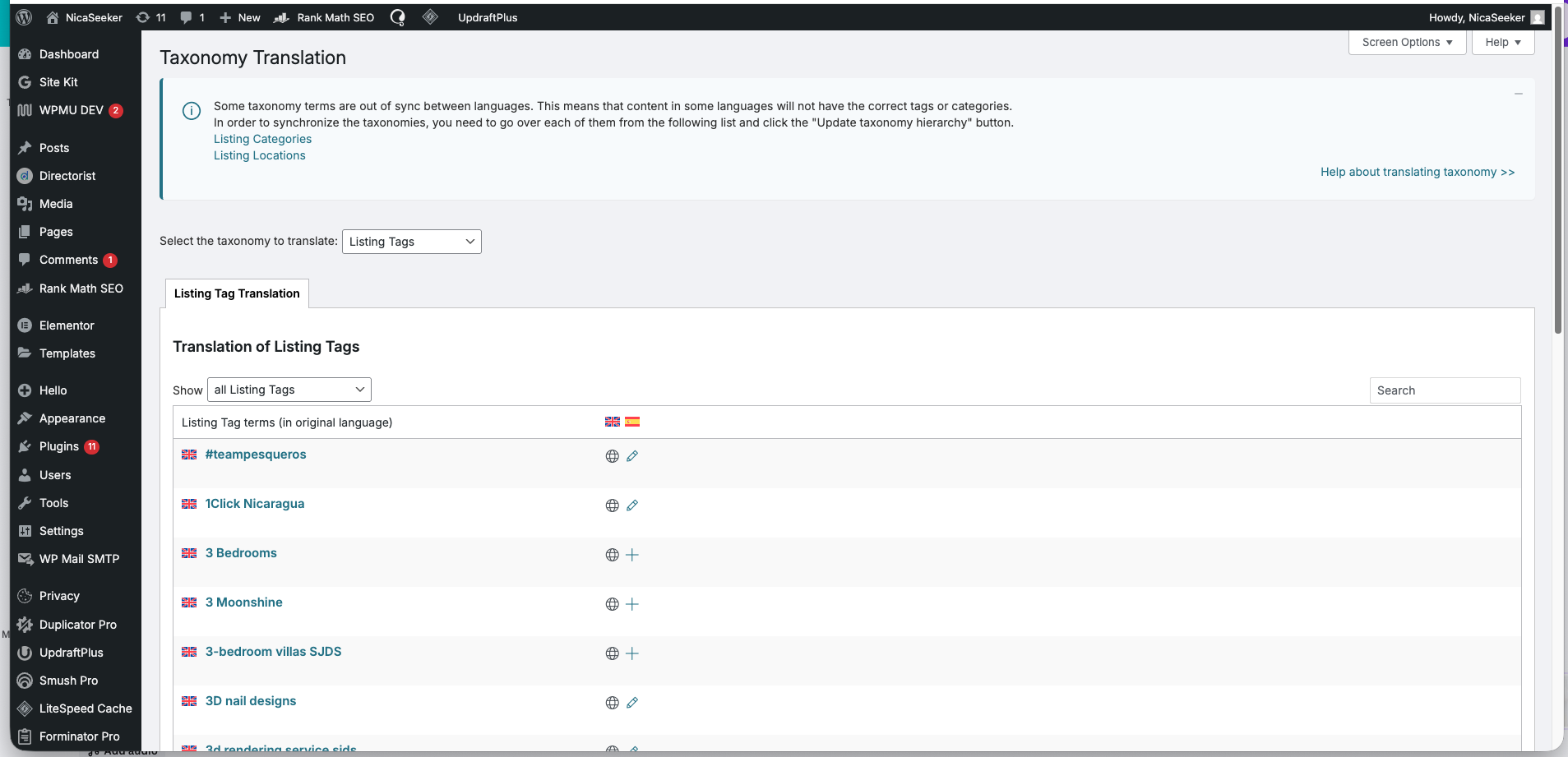
However, what I have noticed, is that Directorist listing tags have NOT been translated even though they are set to be so. This is problematic because the Search bar on the home page is set to recognise tags and display results accordingly. So for the Spanish version, this is necessary to have translated. However, there is nowhere that I can see where I can send the 5000 and odd listing tags for translation. To do this manually from the Taxonomy Translation screen is not a viable option. Is there another option here please?
Languages: English (English )Spanish (Español )Italian (Italiano )
Timezone: Europe/Rome (GMT+01:00)
Can you tell me if you see tags in the front-end as well? because it's odd that they are not translated. they should be translated when you translate the listings, just as with the categories.
the workaround is to basically add all the tags to a dummy page and translate it but you've already translated listings and if the tags weren't translated, then that might not work (and I want to know why, since that's not normal behavior).
Apologies but I don't quite understand what you mean by whether I see tags in the front-end as well. The listings don't display a tag cloud by default, so I wouldn't see the tags on the front end - but sorry if I'm misunderstanding you.
How would I add all the tags to a dummy page - I can't copy-paste all the tags in a quick and easy way I don't think?
I look forward to your thoughts and advice.
Many thanks
Sharon