Skip to content Skip to sidebar

This is the technical support forum for WPML - the multilingual WordPress plugin.

Everyone can read, but only WPML clients can post here. WPML team is replying on the forum 6 days per week, 22 hours per day.

Sun Mon Tue Wed Thu Fri Sat
- 9:00 – 13:00 9:00 – 13:00 9:00 – 13:00 9:00 – 13:00 9:00 – 13:00 -
- 14:00 – 18:00 14:00 – 18:00 14:00 – 18:00 14:00 – 18:00 14:00 – 18:00 -

Supporter timezone: Europe/Kyiv (GMT+02:00)

Tagged: 

This topic contains 4 replies, has 0 voices.

Last updated by Andrey 2 days, 19 hours ago.

Assisted by: Andrey.

Author Posts
February 19, 2026 at 3:26 pm #17836573

pierlucag

Helpm me pls to use advanced editor to translate. Appear that it s not possible to use, it s very strange

February 19, 2026 at 4:01 pm #17836697

Andrey
WPML Supporter since 06/2013

Languages: English (English ) Russian (Русский )

Timezone: Europe/Kyiv (GMT+02:00)

Thank you for contacting WPML support.

Could you please share a screenshot showing the issue on your site? This will help me better understand what is happening.

Additionally, please provide a screenshot of:

WPML → Support → Advanced Translation Editor → Error logs

This may contain useful information related to the problem.

I’ve also enabled debug information for this support ticket. Please follow the instructions in the link below to retrieve the debug information from your site and share it with us:

http://wpml.org/faq/provide-debug-information-faster-support/

February 20, 2026 at 10:39 am #17837907

pierlucag

Please check yourself with debug info.

This is how it went:

I had to edit the English homepage. By clicking on the pencil, it wouldn't open because it said it was being revised, but in WPML - Languages, it was locked. It was red, and when I tried to "Take and Translate," the wheel would spin. After reading various instructions online, I decided to unlock it by switching from advanced to classic to see if I could edit it, and it unlocked it. However, at that point, the page would always open in classic mode, breaking part of the layout. In fact, if you look at the page hidden link, you'll see that the text at the beginning has white space that shouldn't be there.

So I decided to delete the page and redo it with the advanced settings, but that didn't work either. Once deleted, when I reopened it, it was back in classic format, and I also had to redo the translations.

Tell me if this is the way to work..

Thanks for support

February 20, 2026 at 11:52 am #17838089

Andrey
WPML Supporter since 06/2013

Languages: English (English ) Russian (Русский )

Timezone: Europe/Kyiv (GMT+02:00)

Thank you for your feedback.

I need to request temporary access (wp-admin and FTP) to your site—where the problem has been replicated, if possible—in order to be of better help. When you log in to leave your next reply, you will find the needed fields below the comment area. The information you will enter is private, meaning only you and I can see and access it.

February 23, 2026 at 5:08 pm #17843987

Andrey
WPML Supporter since 06/2013

Languages: English (English ) Russian (Русский )

Timezone: Europe/Kyiv (GMT+02:00)

Thank you for providing the details.

I’ve checked your site and reviewed the page at:
hidden link

As you said, the page was originally translated using the Classic Translation Editor, which is why it continued to open there.

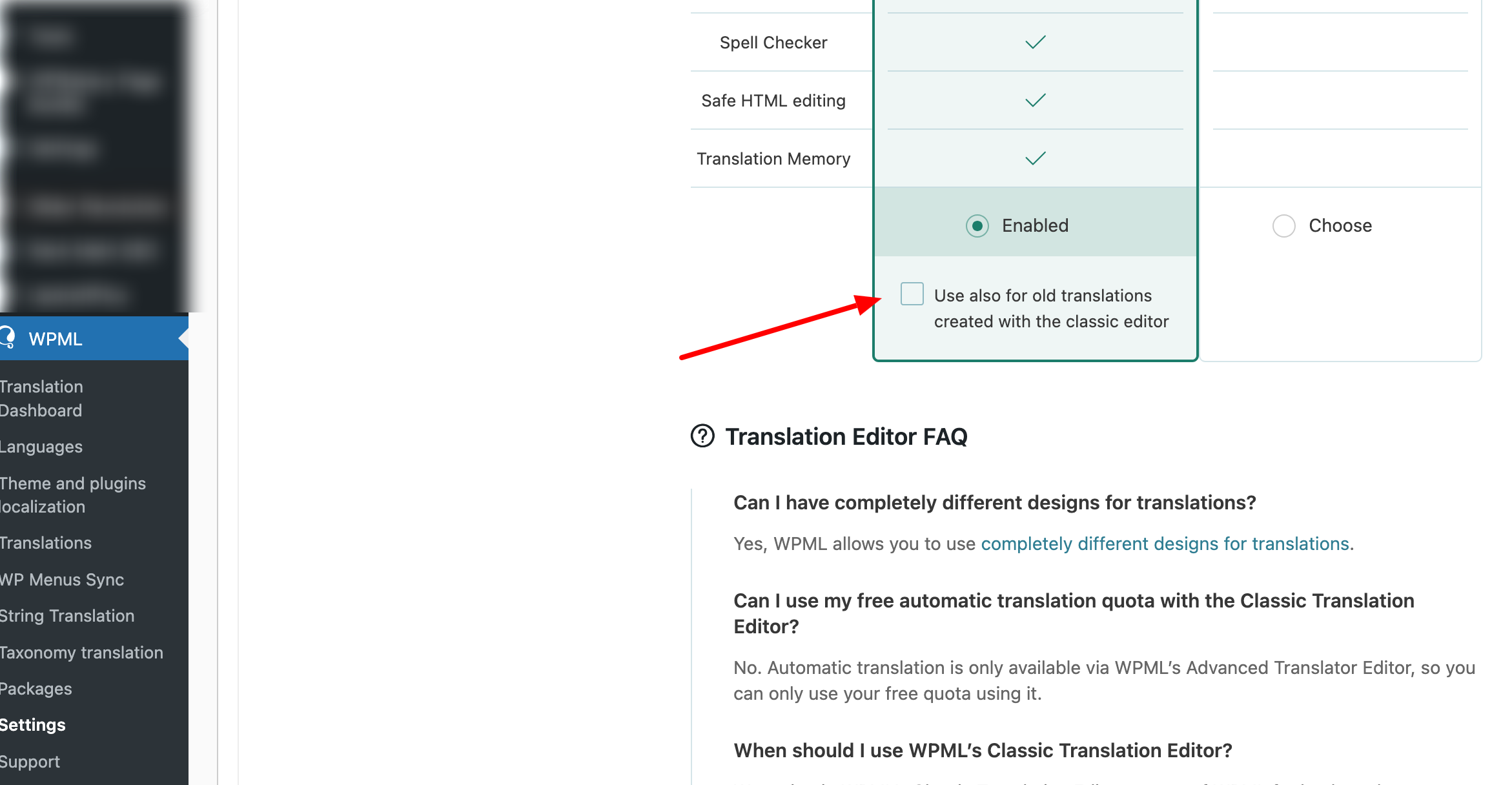
In WPML → Settings, I enabled the option:
“Use also for old translations created with the classic editor”

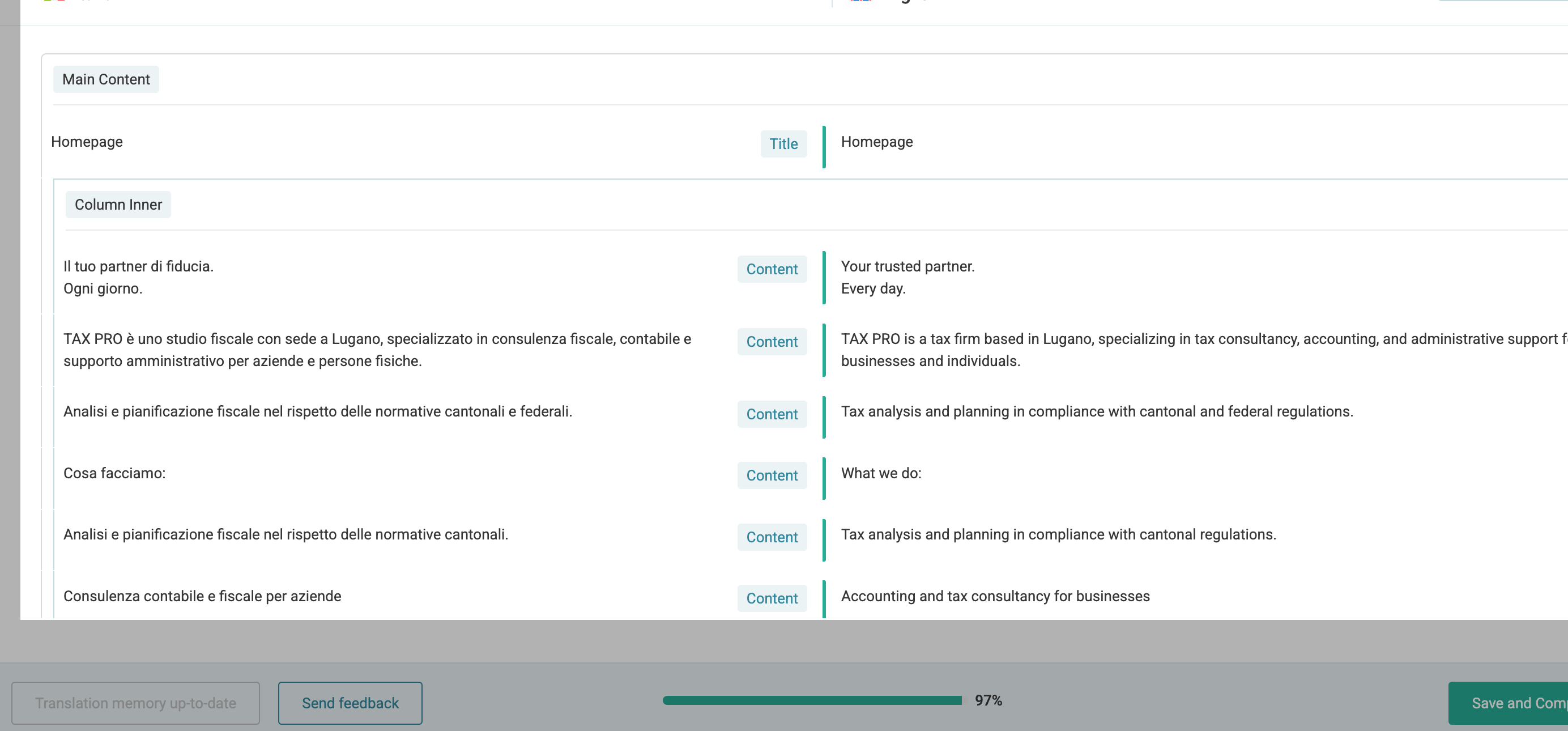
After that, the page translation opens correctly in the Advanced Translation Editor, and the translation loads properly there.

From my side, everything seems to be working as expected in the Advanced Translation Editor.

Could you please clarify what exactly is not working on your end?

I’ve attached screenshots for your reference.

Settings-‹-TAX-PRO-Fiduciaria-—-WordPress.png
Advanced-Translation-Editor-WPML(3).png