
This is the technical support forum for WPML - the multilingual WordPress plugin.
Everyone can read, but only WPML clients can post here. WPML team is replying on the forum 6 days per week, 22 hours per day.
| Sun | Mon | Tue | Wed | Thu | Fri | Sat |
|---|---|---|---|---|---|---|
| - | - | 9:00 – 18:00 | 9:00 – 18:00 | 9:00 – 18:00 | 9:00 – 18:00 | 9:00 – 18:00 |
| - | - | - | - | - | - | - |
Supporter timezone: America/Lima (GMT-05:00)
Tagged: Exception
This topic contains 18 replies, has 0 voices.
Last updated by Andreas W. 1 week, 1 day ago.
Assisted by: Andreas W..
| Author | Posts |
|---|---|
| March 19, 2026 at 9:41 am #17910207 | |
 francoisV-9 |
Hi, 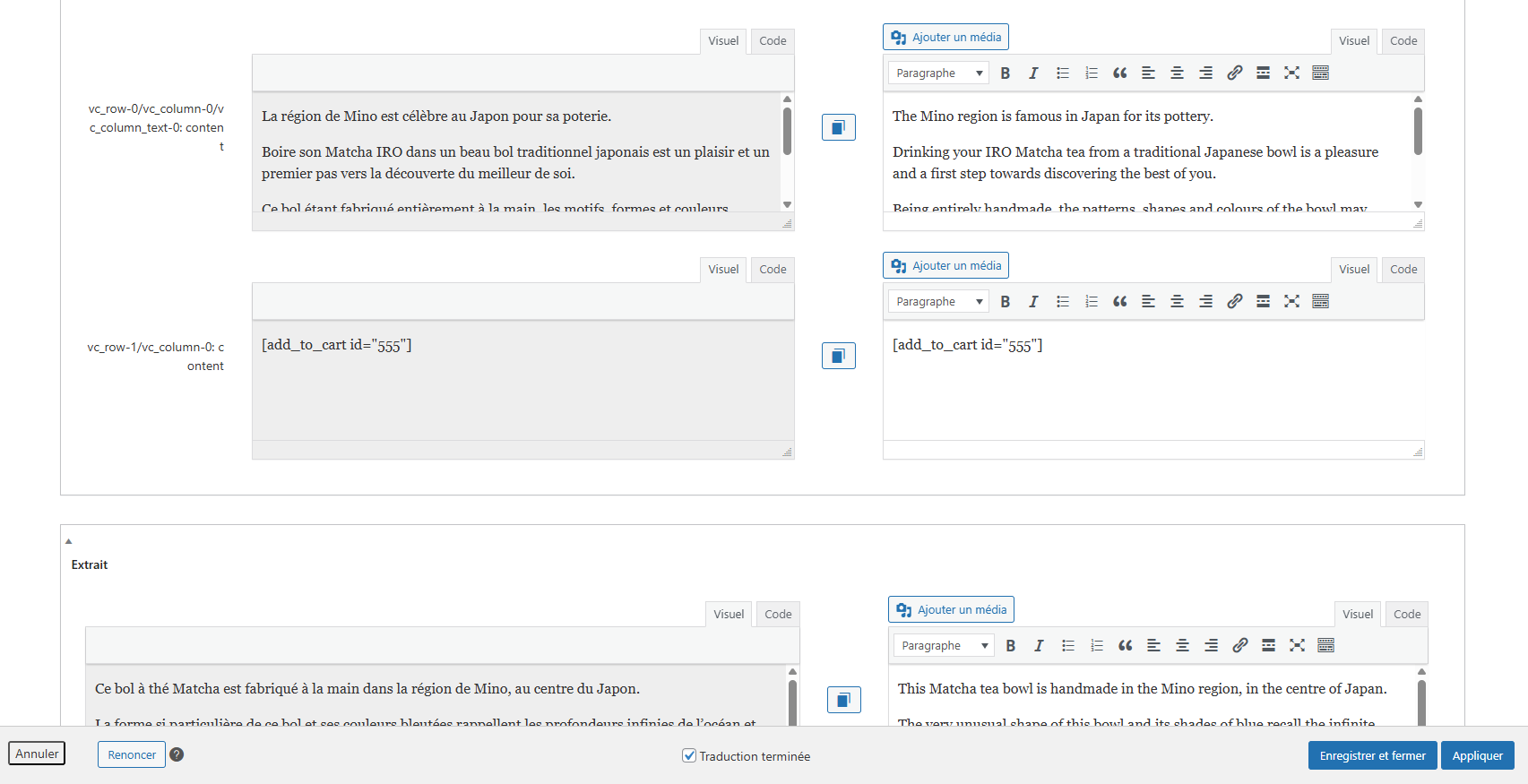 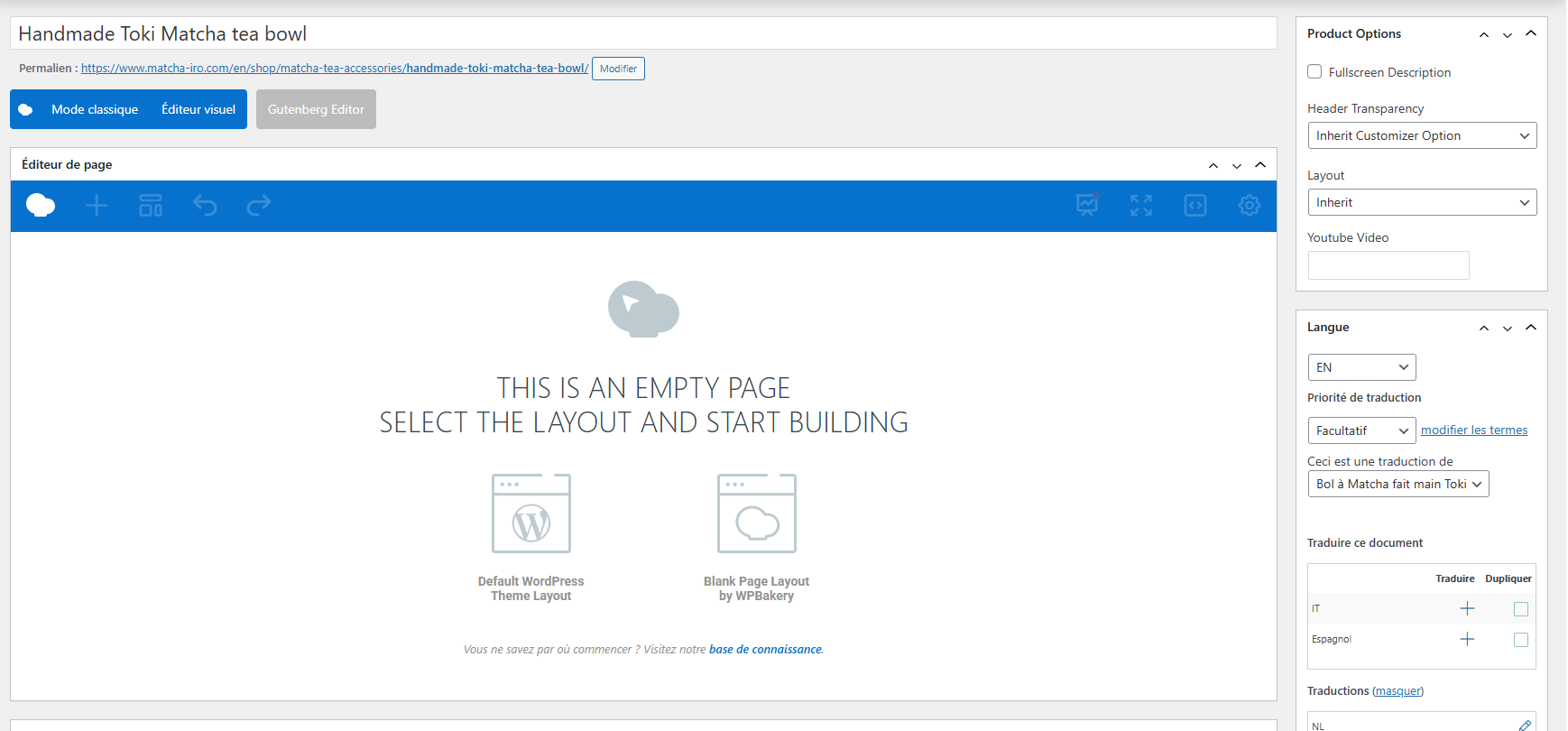 |
| March 20, 2026 at 2:03 pm #17914405 | |
 Marcel Supporter Languages: English (English ) Spanish (Español ) German (Deutsch ) Timezone: Europe/Vienna (GMT+02:00) |
Hi, Could you please try updating the original page so that it triggers a sync with the translated page? Does this makes a difference? Best regards, |
| March 20, 2026 at 6:01 pm #17915121 | |
|
francoisV-9 |
Hi, I already tried this but it doesn't work. Best regards, François |
| March 23, 2026 at 7:28 am #17917139 | |
|
Marcel Supporter Languages: English (English ) Spanish (Español ) German (Deutsch ) Timezone: Europe/Vienna (GMT+02:00) |
Hi François, I would eventually also need to request temporary access (WP-Admin and FTP) to your site Your next answer will be private which means only you and I have access to it. ❌ Please backup your database and website ❌ ✙ I would additionally need your permission to de-activate and re-activate Plugins and the Theme, and to change configurations on the site. This is also a reason the backup is really important. ✙ Please add the Links to the […] Edit Screen, the Page/Post where you insert the […] and the corresponding Front End Page/Screen Best Regards, |
| March 27, 2026 at 1:01 pm #17932292 | |
 Andreas W. WPML Supporter since 12/2018 Languages: English (English ) German (Deutsch ) Timezone: America/Lima (GMT-05:00) |
I am not sure why this issue occurs; while it works on the Dutch translation, it fails on the English one. If I check the English product, then there is, in fact, no content available on the WordPress Editor, even if it was translated inside the Advanced Translation Editor. I need some more time to investigate and would like to ask you for some patience. Sidenote: |
| March 28, 2026 at 3:26 am #17933438 | |
|
Andreas W. WPML Supporter since 12/2018 Languages: English (English ) German (Deutsch ) Timezone: America/Lima (GMT-05:00) |
On your site, I can not confirm the issue when creating a new test post or product. Here you see a new product using the same content, where the translation works: I am using here the same content. Maybe the fastest solution for this issue appears to be to recreate the product and replace the old one. |
| March 30, 2026 at 7:29 am #17935296 | |
|
francoisV-9 |
Hi, I cannot just delete the product and re-create it, it is a product sold on my website. Can I re-create the content just in English in WordPress? Thank you in advance. |
| March 30, 2026 at 7:31 am #17935297 | |
|
francoisV-9 |
Hi, You also said "Make sure to adjust the ID inside the add to cart shortcode. This shortcode uses the product ID, and each product has a unique ID in each language.". Thank you in advance. |
| March 31, 2026 at 9:06 pm #17941343 | |
|
Andreas W. WPML Supporter since 12/2018 Languages: English (English ) German (Deutsch ) Timezone: America/Lima (GMT-05:00) |
Regarding the content of the translated product: Adding the content manually solved the issue on the staging site. Please consider this workaround and let me know if the issue occurs again or if there are more affected products. --- Regarding the Add to Cart shortcode: See screenshot. I adjusted the product ID for the translated product, as each product has a unique ID. I suggest you give it a test if translating the ID is necessary or not. Verify if the correct product is added to the cart and the purchase works as expected. |
| April 1, 2026 at 6:35 am #17941809 | |
|
francoisV-9 |
Hi, 1) When you say "adding the content manually solved the issue on the staging site", do you mean that you went to the product page in French in WordPress, then you clicked on the English flag and then you added text blocks, images, etc directly on the English version of the product page? 2) Do you know what caused this issue when updating WPML? It is a very annoying issue and I hope that it will not happen again for other pages in the future. 3) Regarding the Add to Cart shortcode: I think that you forgot to add the screenshot because I don't see any screenshot in your message. Could you please send me the screenshot? Thank you very much in advance. |
| April 1, 2026 at 5:29 pm #17944065 | |
|
Andreas W. WPML Supporter since 12/2018 Languages: English (English ) German (Deutsch ) Timezone: America/Lima (GMT-05:00) |
1) This is an exception. There seems to be an issue with this product, as I mentioned earlier. I was not able to confirm a similar issue with a new product or other products, which is why I recommended recreating the product. Manually editing the translation seems to solve the issue. After the content exists again on the translated product, please try updating the original content and then update the translation using the translation editor. 2) I do honestly not believe that updating WPML would harm only one product. If a bug occurs, it would harm all products. 3) My apologies for forgetting the screenshot. Just open the translation editor for one of your products and you will see what I am talking about. There is an add_to_cart shortcode that uses a product ID. I suggest you test if the add to cart button works as expected, as long as you use the same ID in both languages. If you run into unexpected issues with adding products to the cart, you might need to consider using the correct IDs for each product in each language. |
| April 8, 2026 at 6:12 am #17955584 | |
|
francoisV-9 |
Hi, |
| April 8, 2026 at 6:03 pm #17957479 | |
|
Andreas W. WPML Supporter since 12/2018 Languages: English (English ) German (Deutsch ) Timezone: America/Lima (GMT-05:00) |
The ticket will remain open for 14 days. |
| April 14, 2026 at 5:24 pm #17969715 | |
|
francoisV-9 |
Hi, I made the test: I went to the original product page (where the English content disappeared), I clicked on the English flag and I re-created the page (text blocks, button and picture) in English. |
| April 14, 2026 at 5:57 pm #17969786 | |
|
Andreas W. WPML Supporter since 12/2018 Languages: English (English ) German (Deutsch ) Timezone: America/Lima (GMT-05:00) |
You can go to Products > All Products, then use the language filter options to switch to English and delete the page. Make sure to also remove it from the trash. If you translate the page again, you should still see the old translations inside the Advanced Translation Editor, as they are saved inside its translation memory. Further, take note that I can not confirm the issue when creating a new test post or product. This seems not to be a bug, but rather an issue about damaged content that needs to be replaced. |










