
This is the technical support forum for WPML - the multilingual WordPress plugin.
Everyone can read, but only WPML clients can post here. WPML team is replying on the forum 6 days per week, 22 hours per day.
| Sun | Mon | Tue | Wed | Thu | Fri | Sat |
|---|---|---|---|---|---|---|
| 10:00 – 14:00 | 10:00 – 14:00 | 10:00 – 14:00 | 10:00 – 14:00 | 10:00 – 14:00 | - | - |
| 16:00 – 20:00 | 16:00 – 20:00 | 16:00 – 20:00 | 16:00 – 20:00 | 16:00 – 20:00 | - | - |
Supporter timezone: Asia/Jerusalem (GMT+02:00)
Tagged: ATE
This topic contains 17 replies, has 1 voice.
Last updated by Itamar 5 hours, 44 minutes ago.
Assisted by: Itamar.
| Author | Posts |
|---|---|
| December 24, 2025 at 4:16 pm #17686888 | |
 stephanM-24 |
I translate a page with the wpml translator page. I save it.   |
| December 24, 2025 at 4:32 pm #17686972 | |
|
stephanM-24 |
WPML has so many bugs, it's honestly a bit of a nightmare. |
| December 24, 2025 at 5:01 pm #17687105 | |
|
stephanM-24 |
Why does WPML claim that I assigned a translation? I never assigned any translation to anyone. |
| December 24, 2025 at 7:57 pm #17687376 | |
 Itamar WPML Supporter since 02/2016 Languages: English (English ) Timezone: Asia/Jerusalem (GMT+02:00) |
Hi, I am sorry for any inconvenience you may have experienced. If you need further help with this, please share the access details to your site with me. Please,send me the link to a page with this problem. I'm enabling a private message for the following reply. |
| December 25, 2025 at 12:19 pm #17687714 | |
|
Itamar WPML Supporter since 02/2016 Languages: English (English ) Timezone: Asia/Jerusalem (GMT+02:00) |
Hi, and thanks for the access details. I can see one section on the German homepage in English. Please see the attached screenshot. If there are more sections with this problem, please let me know and share screenshots. The translation of your homepage into German is still in progress. I can tell it by the gear icon. Please see the attached screenshot. Please complete the translation. The pencil icon should show. And please see if the problem persists. You wrote: "I was told by someone else at WPML that using an emoji in the text would make WPML completely useless." Regards,  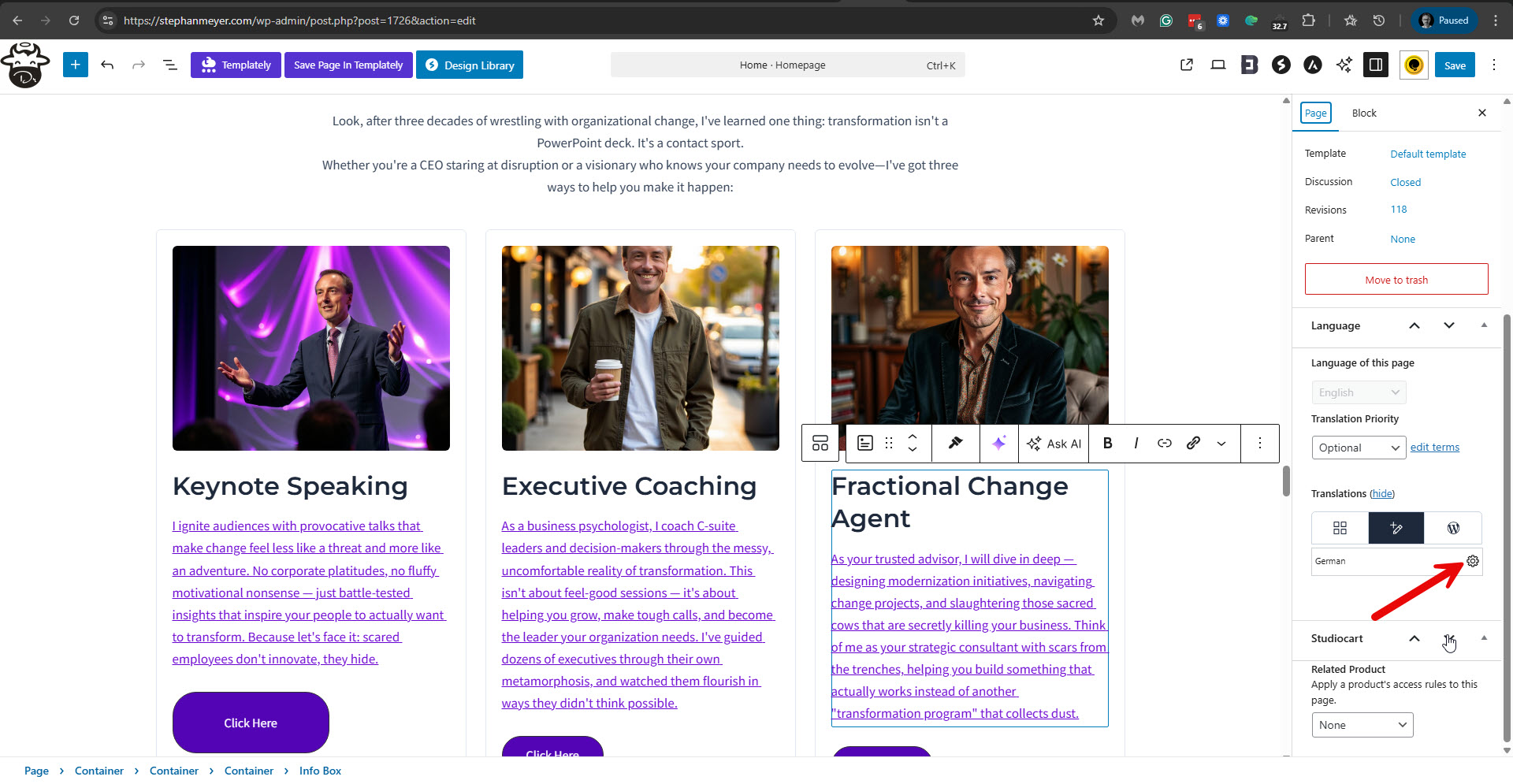 |
| December 26, 2025 at 9:53 am #17688378 | |
|
stephanM-24 |
It looks to me as if the gear icon is a bug, |
| December 28, 2025 at 4:27 pm #17690753 | |
|
Itamar WPML Supporter since 02/2016 Languages: English (English ) Timezone: Asia/Jerusalem (GMT+02:00) |
Hi, Please go to WPML -> Translation Dashboard -> Translation Jobs, and cancel the in-progress job for the Home page. Please see the attached screenshot. Now, when you edit the homepage in English, you should see the plus (+) icon and not the gear icon. Click the plus icon and translate the page again. Whatever you have already translated should be kept in the Advanced Translation Editor because of its memory feature. Complete the translation to 100% and recheck the German page. Before doing this, please deactivate all the caching on your site. Regards, 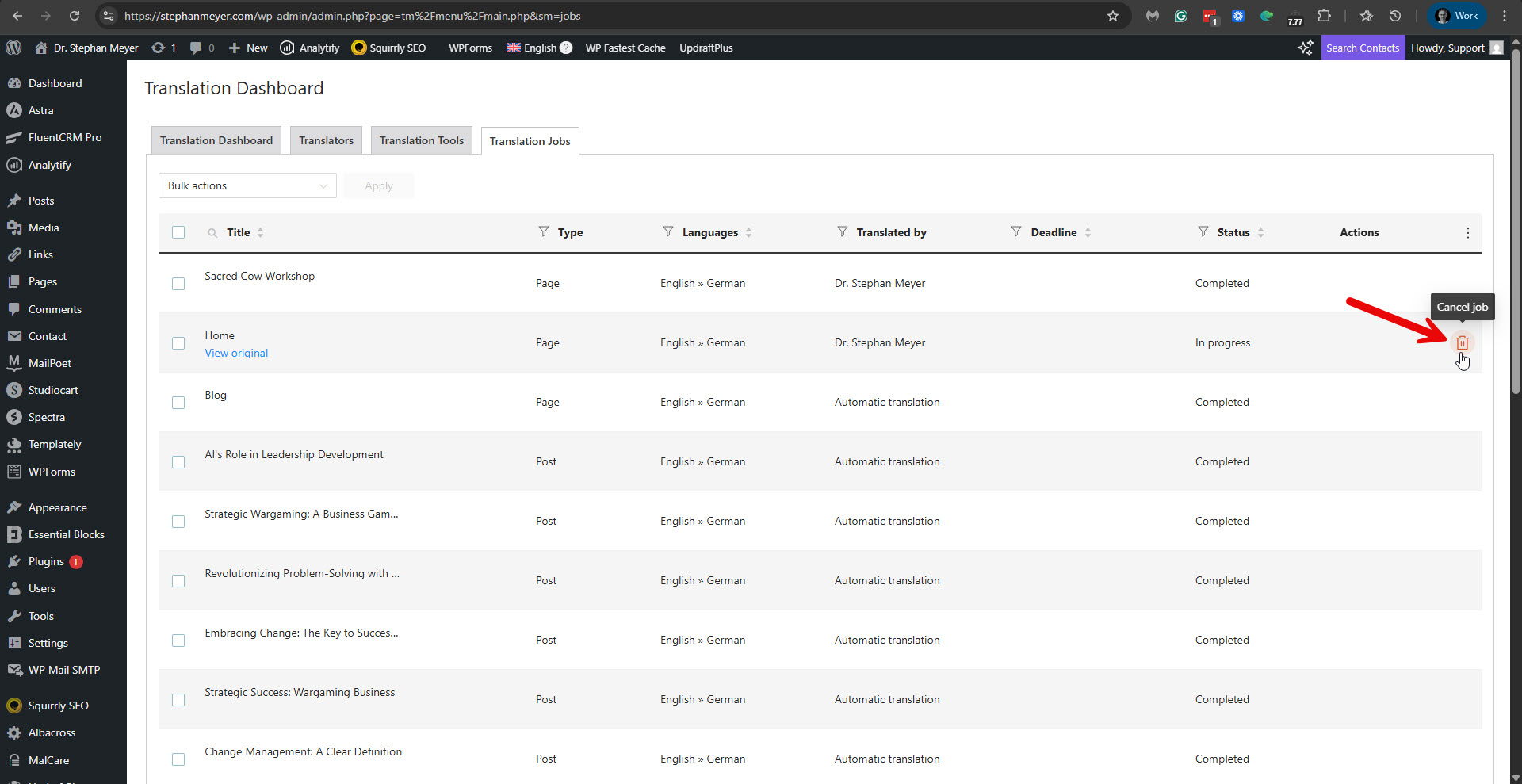 |
| December 28, 2025 at 6:17 pm #17690832 | |
|
stephanM-24 |
I did exactly as you described. ➜ When I exit the WPML translation editor, the gear wheel reappears. |
| December 28, 2025 at 6:18 pm #17690833 | |
|
stephanM-24 |
Here is the gear icon.  |
| December 29, 2025 at 10:32 am #17694478 | |
|
Itamar WPML Supporter since 02/2016 Languages: English (English ) Timezone: Asia/Jerusalem (GMT+02:00) |
Hi, and thanks for trying my suggestions. I can see the problem persists on your site. The problem occurs with the Info Box block from Spectra. Other Info Blocks work, but the one that isn't showing the translation has all the text as links. I wonder if this is related. In any case, I have found that this issue is somewhat related to another ticket you had with my colleague, Andreas.
    <gutenberg-block type="uagb/info-box" translate="1">
      <xpath>//*[contains(@class, "uagb-ifb-title")]</xpath>
      <xpath>//p[contains(@class, "uagb-ifb-desc")]</xpath>
      <xpath>//span[contains(@class, "uagb-inline-editing")]</xpath>
      <key name="tempHeadingDesc" />
      <key name="ctaText" />
    </gutenberg-block>
Unfurtunatly, as I mentioned, it didn't fix the problem. The translation is still in progress, and the section in question is not showing the German translation, although it is translated in the Advanced Translation Editor. If you need to fix this problem quickly without addressing the root, please proceed with the following. 1. While on the English editing screen of the homepage, use the admin Language Switcherto switch to the German editing screen. 2. Click 'Edit Anyway' on the pop-up you get from WPML telling you that this page is being translated with the Advanced Translation Editor. 3. Scroll down to the section with the problem and insert the German content there. Please see the attached screenshot. 4. Click the Save button. This should fix the problem, and the section should show in German. Regards, 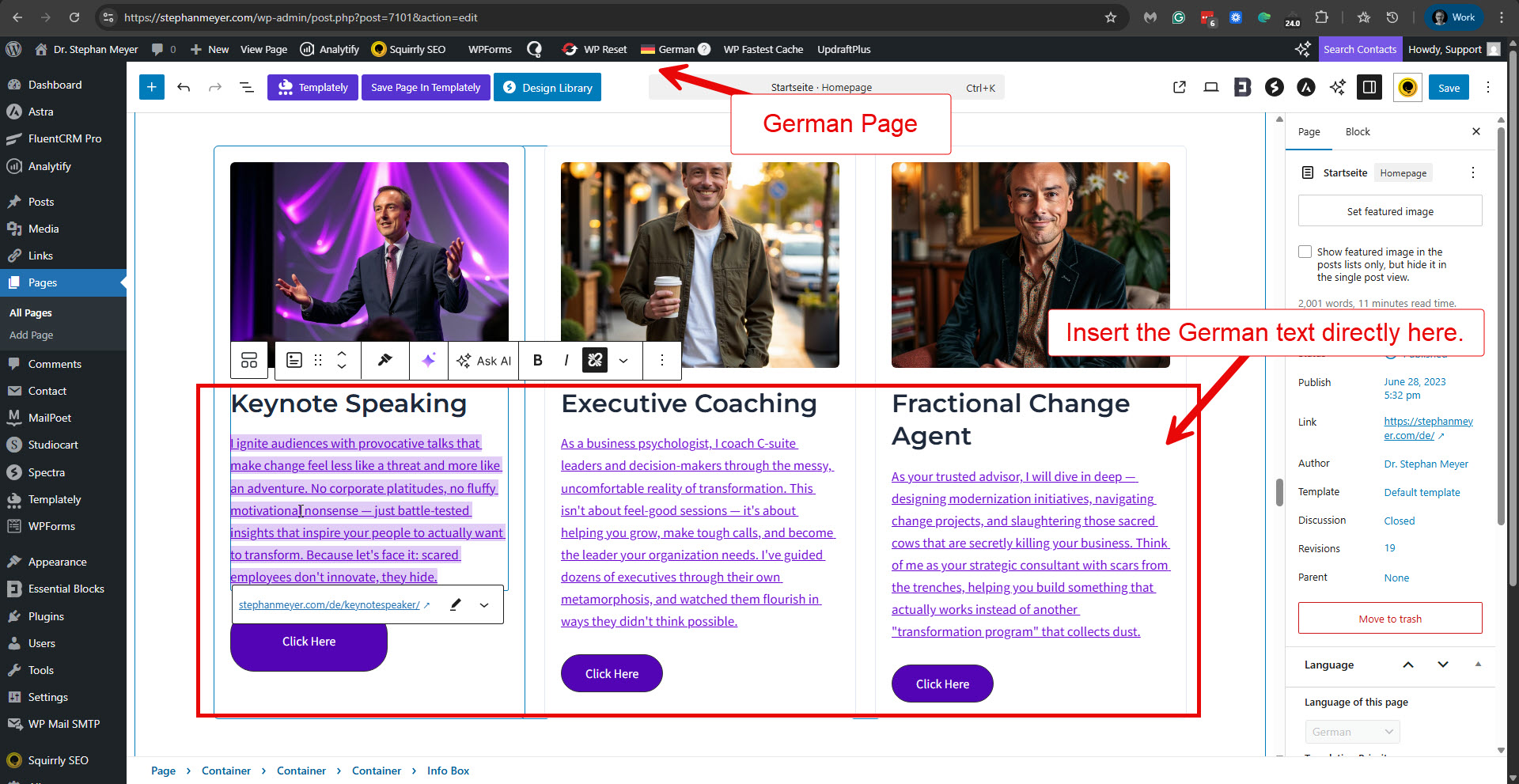 |
| December 30, 2025 at 8:56 pm #17697358 | |
|
Itamar WPML Supporter since 02/2016 Languages: English (English ) Timezone: Asia/Jerusalem (GMT+02:00) |
Thanks. I've taken a copy of your site and will investigate this problem further. I'll keep you updated. I appreciate your patience. |
| January 1, 2026 at 1:36 pm #17699161 | |
| stephanM-24 |
It looks as if WPML crashed my website. My German translation pages look completely strange now. Dear Stephan Meyer, Your database dbsXXXXXXX has been locked because the stored data exceeds the available storage space. To unlock the database as quickly as possible, please delete any data that is not required. The storage space you clear will be released in the database after a short delay. You will usually be able to use your database again the following day. The affected database is located in your IONOS Webhosting Premium XXXXXX contract. Important: Since your database has been blocked, read and write access is currently no longer possible. Associated applications can now no longer access this database either. We therefore recommend that you respond quickly. New threads created by Itamar and linked to this one are listed below: https://wpml.org/forums/topic/split-german-translation-pages-look-completely-strange/ |
| January 1, 2026 at 2:11 pm #17699183 | |
|
Itamar WPML Supporter since 02/2016 Languages: English (English ) Timezone: Asia/Jerusalem (GMT+02:00) |
Hi, I've split this ticket and created a new ticket for the problem you reported. Please see the new ticket here: https://wpml.org/forums/topic/split-german-translation-pages-look-completely-strange/ Regards, |
| January 4, 2026 at 11:57 am #17702158 | |
|
stephanM-24 |
Any progress on the translation of my website, so far? |
| January 4, 2026 at 6:37 pm #17702456 | |
|
Itamar WPML Supporter since 02/2016 Languages: English (English ) Timezone: Asia/Jerusalem (GMT+02:00) |
Hi, Stephan. I appreciate your patience. I've checked this issue with the copy of your site on my local server. I've discovered that the problem occurs when all of the text in the Info Box block is marked as a link. If I remove the link from the text, the text is translatable and displays in German. Since you have a 'Click Here' button with the same link in each of those Info Box blocks, I wonder if you could consider removing the link from the text, which would quickly fix the problem. What you need to do is the following. 1. Edit the homepage in English. 2. Scroll to the section of those Info Boxes blocks. 3. Click in the text area. 4. Click the link icon to unlink the text from the URL. Please see the attached screenshot (from the copy of your site on my local server). 5. Click the Save button. 6. Update the translations. If you must have this text as a link, please let us know, and we will try to find another solution. Best Regards,  |






