
This thread is resolved. Here is a description of the problem and solution.
Problem:
The client is experiencing a critical error when attempting to use the advanced editor for translating a page from English to French. The error message indicates a missing site key and issues with the WPML Translation Editor, potentially due to conflicts with hidden builder metadata or cached layout data from Visual Composer.
Solution:
We recommend creating a new page and manually copying the content from the problematic page to the new one. This approach often helps clear out any residual builder metadata that might be causing the issue. If this solution does not resolve the problem or if it seems outdated or irrelevant to your current setup, please check the related known issues, verify the version of the permanent fix, and confirm that you have installed the latest versions of themes and plugins. If issues persist, we highly recommend opening a new support ticket for further assistance.
This is the technical support forum for WPML - the multilingual WordPress plugin.
Everyone can read, but only WPML clients can post here. WPML team is replying on the forum 6 days per week, 22 hours per day.
This topic contains 9 replies, has 1 voice.
Last updated by maeva-lucileS 1 week, 5 days ago.
Assisted by: Bruno Kos.
| Author | Posts |
|---|---|
| November 21, 2025 at 5:12 am #17597350 | |
 maeva-lucileS Site owner |
Background of the issue: Symptoms: Questions: 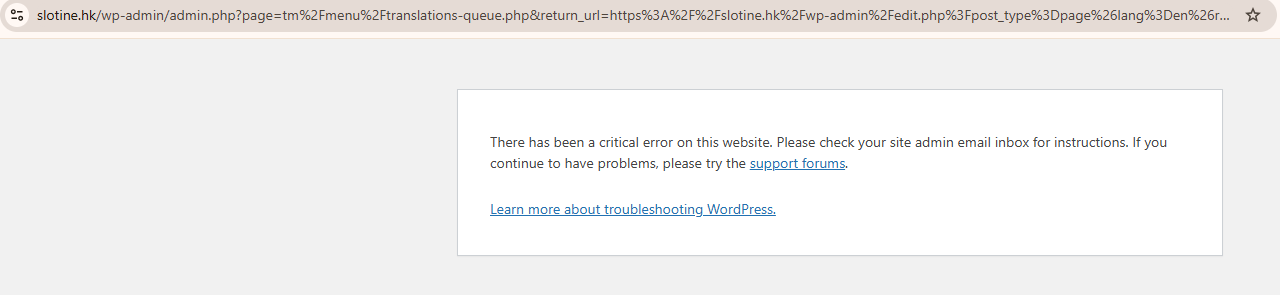 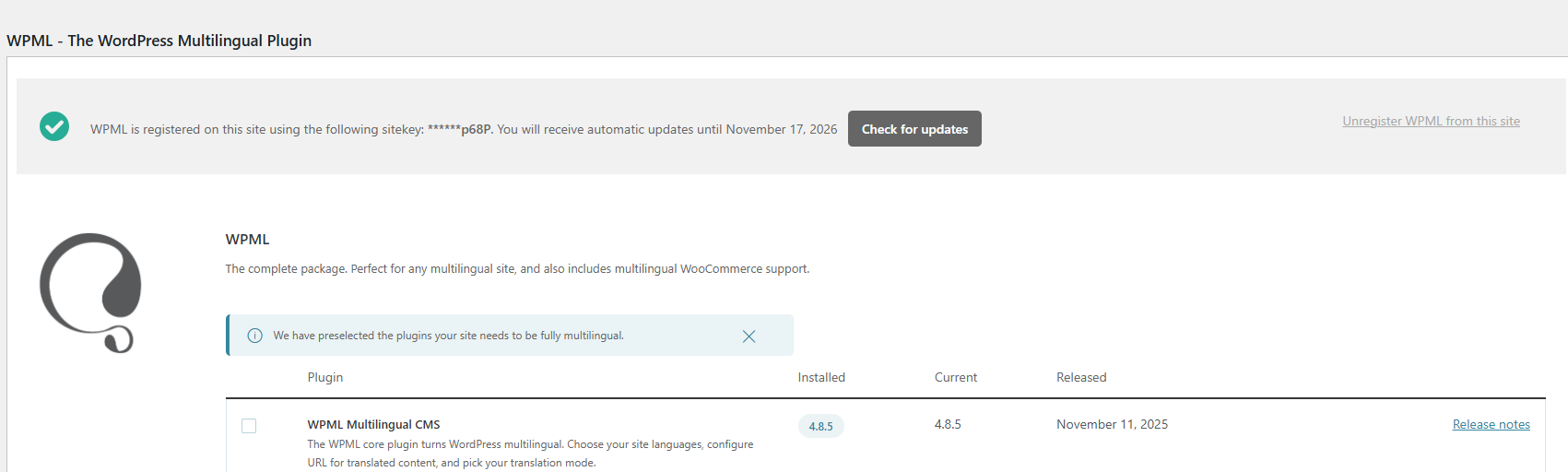 |
| November 21, 2025 at 5:21 am #17597383 | |
|
maeva-lucileS Site owner |
Please provide more detailed support. 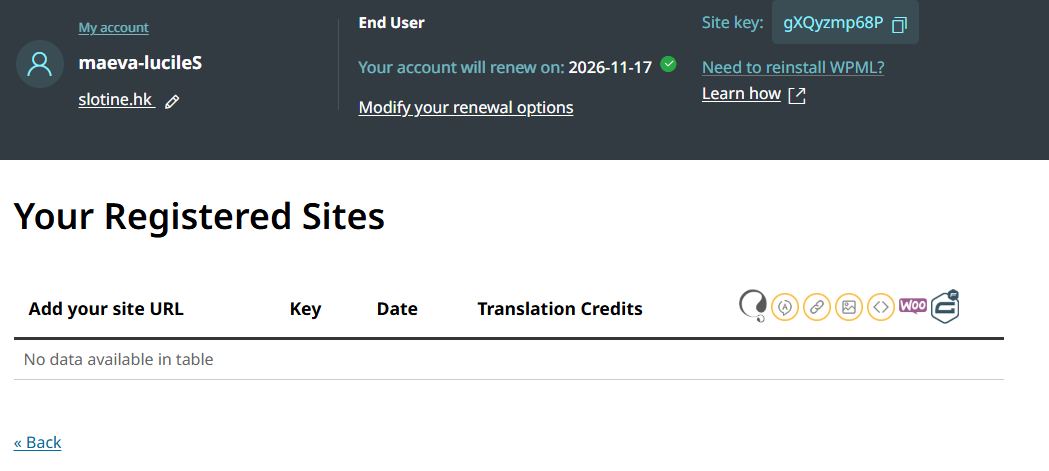 |
| November 21, 2025 at 7:10 am #17597541 | |
 Bruno Kos WPML Supporter since 12/2018 Languages: English (English ) German (Deutsch ) French (Français ) Timezone: Europe/Zagreb (GMT+01:00) |
Hi, Can you please check if this issue appears when: - only WPML plugins are activated, as it will tell us if there is an interaction issue with other plugin If still not working, can you do this? 1. Edit wp-config.php and insert the following lines (just before /* That's all, stop editing! Happy publishing. */ part) define( 'WP_DEBUG', true); define( 'WP_DEBUG_LOG', true); define( 'WP_DEBUG_DISPLAY', false); 2. Reproduce the issue 3. Locate the debug log in: /wp-content/debug.log 4. Paste the latest lines here. No need to paste the entire log file, just 10 lines or so will do. Please censor any sensitive information. |
| November 24, 2025 at 10:01 am #17603909 | |
|
maeva-lucileS Site owner |
I made a staging server for our site. When I clicked make this website's WPML a copy I received the error: Error with copying translation information to new URL Please take a screenshot of this message and report this issue to WPML support. I also marked this as a dev site and still am asked for a new site key. 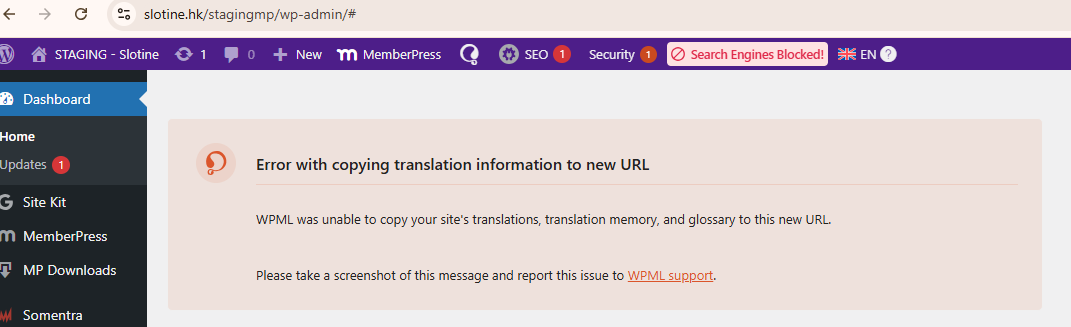 |
| November 24, 2025 at 12:17 pm #17604733 | |
|
Bruno Kos WPML Supporter since 12/2018 Languages: English (English ) German (Deutsch ) French (Français ) Timezone: Europe/Zagreb (GMT+01:00) |
The error you saw when copying the site is perhaps related to WPML’s license limitation for end-user accounts, which you have: To help pinpoint the root cause, could you please check whether the issue still occurs on the production site when: * only WPML plugins are active (temporarily deactivate other plugins) In addition, please: 1. Enable WordPress debug logging by adding the following to wp-config.php: define('WP_DEBUG', true);
define('WP_DEBUG_LOG', true);
define('WP_DEBUG_DISPLAY', false);
2. Reproduce the issue once. 3. Send me the last 10–20 lines from: If possible, please also share any relevant server error logs from around the same time. These steps will help us determine whether the problem is caused by WPML itself or by an interaction with another plugin or theme. |
| November 26, 2025 at 9:33 am #17610693 | |
|
Bruno Kos WPML Supporter since 12/2018 Languages: English (English ) German (Deutsch ) French (Français ) Timezone: Europe/Zagreb (GMT+01:00) |
I registered that staging site with my key and it seems to be working. Can you check? If so, can you provide me with WordPress access for the original site - hidden link - that is, so I can re-register using my own WPML account to see if that's what is causing this? 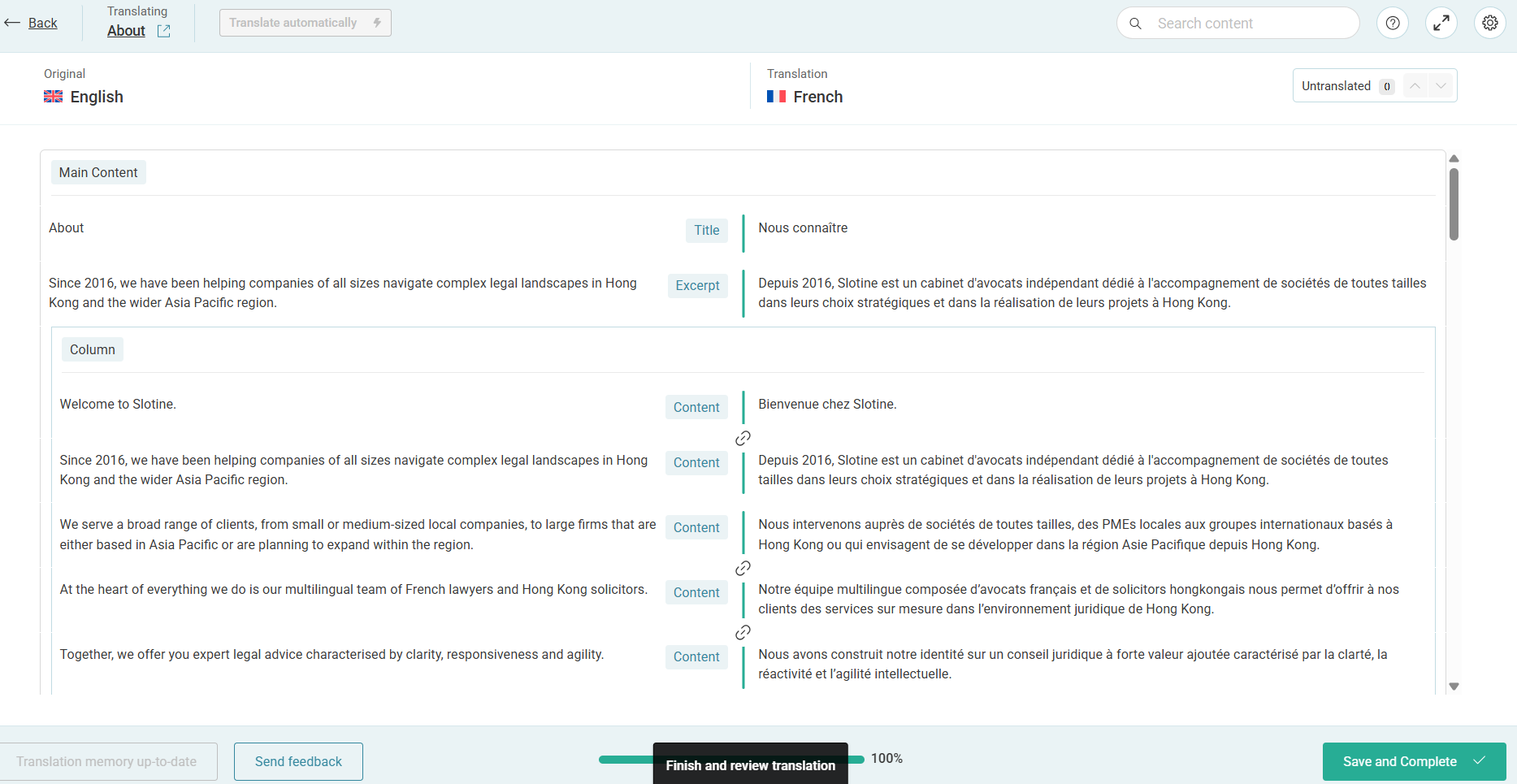 |
| November 27, 2025 at 4:18 am #17613773 | |
|
maeva-lucileS Site owner |
Hi - Yeah I see that you used your own key ******119d and it registered WPML. But the original error that I reported is still happening, even on this staging server with a default theme and no other plugins active. Before we work on the live site can you please diagnose the root issue? When attempting to open the advanced editor for the French translation of the English page, I receive the error 'There has been a critical error on this website.' Additionally, the logs show the error: '{"errorData":{"status":400,"title":"Api error missing resource","detail":"No sitekey found for this website"}}'. |
| November 27, 2025 at 4:40 am #17613778 | |
|
maeva-lucileS Site owner |
Here's the URL of the page that creates the fatal error in case that helps - it's specifically the Home page translation: hidden link |
| November 27, 2025 at 6:50 am #17613847 | |
|
maeva-lucileS Site owner |
Please note I had to do a new staging site but all info remains same: hidden link Here's the recent lines from the debug.log. Weird because the Impeka Theme is not active. [27-Nov-2025 04:30:31 UTC] PHP Notice: Function _load_textdomain_just_in_time was called incorrectly. Translation loading for the impeka domain was triggered too early. This is usually an indicator for some code in the plugin or theme running too early. Translations should be loaded at the init action or later. Please see Debugging in WordPress for more information. (This message was added in version 6.7.0.) in /srv/users/slotine/apps/slotine/public/wp-includes/functions.php on line 6121 impeka domain was triggered too early. This is usually an indicator for some code in the plugin or theme running too early. Translations should be loaded at the init action or later. Please see Debugging in WordPress for more information. (This message was added in version 6.7.0.) in /srv/users/slotine/apps/slotine/public/wp-includes/functions.php on line 6121 impeka domain was triggered too early. This is usually an indicator for some code in the plugin or theme running too early. Translations should be loaded at the init action or later. Please see Debugging in WordPress for more information. (This message was added in version 6.7.0.) in /srv/users/slotine/apps/slotine/public/wp-includes/functions.php on line 6121 impeka domain was triggered too early. This is usually an indicator for some code in the plugin or theme running too early. Translations should be loaded at the init action or later. Please see Debugging in WordPress for more information. (This message was added in version 6.7.0.) in /srv/users/slotine/apps/slotine/public/wp-includes/functions.php on line 6121 impeka domain was triggered too early. This is usually an indicator for some code in the plugin or theme running too early. Translations should be loaded at the init action or later. Please see Debugging in WordPress for more information. (This message was added in version 6.7.0.) in /srv/users/slotine/apps/slotine/public/wp-includes/functions.php on line 6121 impeka domain was triggered too early. This is usually an indicator for some code in the plugin or theme running too early. Translations should be loaded at the init action or later. Please see Debugging in WordPress for more information. (This message was added in version 6.7.0.) in /srv/users/slotine/apps/slotine/public/wp-includes/functions.php on line 6121 impeka domain was triggered too early. This is usually an indicator for some code in the plugin or theme running too early. Translations should be loaded at the init action or later. Please see Debugging in WordPress for more information. (This message was added in version 6.7.0.) in /srv/users/slotine/apps/slotine/public/wp-includes/functions.php on line 6121 |
| November 27, 2025 at 2:18 pm #17615349 | |
|
Bruno Kos WPML Supporter since 12/2018 Languages: English (English ) German (Deutsch ) French (Français ) Timezone: Europe/Zagreb (GMT+01:00) |
I installed File Manager to that staging site and got this when trying to translate the home page, however other pages have worked for me: Fatal error: Uncaught TypeError: DOMElement::setAttribute(): Argument #2 ($value) must be of type string, array given in /srv/users/slotine/apps/slotine/public/stagingwpml/wp-content/plugins/sitepress-multilingual-cms/classes/xliff/wpml-tm-xliff.php:146 Stack trace: #0 /srv/users/slotine/apps/slotine/public/stagingwpml/wp-content/plugins/sitepress-multilingual-cms/classes/xliff/wpml-tm-xliff.php(146): DOMElement->setAttribute('resname', Array) #1 /srv/users/slotine/apps/slotine/public/stagingwpml/wp-content/plugins/sitepress-multilingual-cms/classes/xliff/class-wpml-tm-xliff-writer.php(216): WPML_TM_XLIFF->setTranslationUnits(Array) #2 /srv/users/slotine/apps/slotine/public/stagingwpml/wp-content/plugins/sitepress-multilingual-cms/classes/xliff/class-wpml-tm-xliff-writer.php(130): WPML_TM_Xliff_Writer->generate_xliff('128-5cf3f669a3c...', 'en', 'fr', Array, '<em><u>hidden link</u></em>...', 'post_page', '180', '360') #3 /srv/users/slotine/apps/slotine/public/stagingwpml/wp-content/plugins/sitepress-multilingual-cms/inc/functions-load-tm.php(569): WPML_TM_Xliff_Writer->generate_job_xliff('128', true) #4 /srv/users/slotine/apps/slotine/public/stagingwpml/wp-content/plugins/sitepress-multilingual-cms/inc/functions-load-tm.php(542): wpml_tm_get_job_xliff('128', true) #5 /srv/users/slotine/apps/slotine/public/stagingwpml/wp-content/plugins/sitepress-multilingual-cms/classes/menu/translation-queue/CloneJobs.php(74): wpml_tm_create_ATE_job_creation_model('128') #6 /srv/users/slotine/apps/slotine/public/stagingwpml/wp-content/plugins/sitepress-multilingual-cms/classes/editor/Editor.php(312): WPML\TM\Menu\TranslationQueue\CloneJobs->cloneWPMLJob('128') #7 /srv/users/slotine/apps/slotine/public/stagingwpml/wp-content/plugins/sitepress-multilingual-cms/classes/editor/Editor.php(169): WPML\TM\Editor\Editor->createATECounterpartForExistingWPMLJob(Array, Object(WPML_Post_Translation_Job)) #8 /srv/users/slotine/apps/slotine/public/stagingwpml/wp-content/plugins/sitepress-multilingual-cms/vendor/wpml/fp/core/Either.php(207): WPML\TM\Editor\Editor->{closure:{closure:WPML\TM\Editor\Editor::tryToDisplayATE():118}:148}(Object(WPML_Post_Translation_Job)) #9 /srv/users/slotine/apps/slotine/public/stagingwpml/wp-content/plugins/sitepress-multilingual-cms/vendor/wpml/fp/core/Either.php(257): WPML\FP\Right->map(Object(Closure)) #10 /srv/users/slotine/apps/slotine/public/stagingwpml/wp-content/plugins/sitepress-multilingual-cms/classes/editor/Editor.php(175): WPML\FP\Right->chain(Object(Closure)) #11 [internal function]: WPML\TM\Editor\Editor->{closure:WPML\TM\Editor\Editor::tryToDisplayATE():118}(Array, Object(WPML_Post_Translation_Job)) #12 /srv/users/slotine/apps/slotine/public/stagingwpml/wp-content/plugins/sitepress-multilingual-cms/vendor/wpml/fp/core/functions.php(154): call_user_func_array(Object(Closure), Array) #13 /srv/users/slotine/apps/slotine/public/stagingwpml/wp-content/plugins/sitepress-multilingual-cms/vendor/wpml/fp/core/Logic.php(63): {closure:{closure:WPML\FP\curryN():136}:137}(Object(WPML_Post_Translation_Job)) #14 [internal function]: WPML\FP\Logic::{closure:WPML\FP\Logic::init():62}(Object(Closure), Object(Closure), Object(Closure), Object(WPML_Post_Translation_Job)) #15 /srv/users/slotine/apps/slotine/public/stagingwpml/wp-content/plugins/sitepress-multilingual-cms/vendor/wpml/fp/core/functions.php(154): call_user_func_array(Object(Closure), Array) #16 /srv/users/slotine/apps/slotine/public/stagingwpml/wp-content/plugins/sitepress-multilingual-cms/vendor/wpml/fp/core/Either.php(207): {closure:{closure:WPML\FP\curryN():136}:137}(Object(WPML_Post_Translation_Job)) #17 /srv/users/slotine/apps/slotine/public/stagingwpml/wp-content/plugins/sitepress-multilingual-cms/classes/editor/Editor.php(107): WPML\FP\Right->map(Object(Closure)) #18 /srv/users/slotine/apps/slotine/public/stagingwpml/wp-content/plugins/sitepress-multilingual-cms/classes/menu/translation-queue/class-wpml-translations-queue.php(52): WPML\TM\Editor\Editor->open(Array) #19 /srv/users/slotine/apps/slotine/public/stagingwpml/wp-includes/class-wp-hook.php(324): WPML_Translations_Queue->load(Object(WP_Screen)) #20 /srv/users/slotine/apps/slotine/public/stagingwpml/wp-includes/class-wp-hook.php(348): WP_Hook->apply_filters(NULL, Array) #21 /srv/users/slotine/apps/slotine/public/stagingwpml/wp-includes/plugin.php(517): WP_Hook->do_action(Array) #22 /srv/users/slotine/apps/slotine/public/stagingwpml/wp-admin/includes/class-wp-screen.php(424): do_action('current_screen', Object(WP_Screen)) #23 /srv/users/slotine/apps/slotine/public/stagingwpml/wp-admin/includes/screen.php(243): WP_Screen->set_current_screen() #24 /srv/users/slotine/apps/slotine/public/stagingwpml/wp-admin/admin.php(213): set_current_screen() #25 {main} thrown in /srv/users/slotine/apps/slotine/public/stagingwpml/wp-content/plugins/sitepress-multilingual-cms/classes/xliff/wpml-tm-xliff.php on line 146
If I check this home page it only contains shortcodes. I’ve removed all shortcodes and visible content from this page and tested it again, but the error still occurs. This indicates that the issue is likely coming from data stored in the database that remains attached to the page, rather than from the visible page content itself. Since this page was originally built using Visual Composer, it’s possible that hidden builder metadata or cached layout data is causing conflicts with the WPML Translation Editor. As a next step, I recommend creating a brand new page, and then importing or manually copying the content into that new page, and testing translation from there. This often clears out leftover builder metadata. Other pages are translating correctly (those I checked), which suggests that the problem is isolated to this specific page’s stored data. |
| November 28, 2025 at 8:39 am #17617446 | |
|
maeva-lucileS Site owner |
Thanks - this fixed it. I made a new Home page and manually copied the content over and was then able to add French Translation. |




