This thread is resolved. Here is a description of the problem and solution.
Problem: If you're experiencing issues with WooCommerce endpoints showing a 404 error on your multilingual site, particularly when switching languages, and it temporarily resolves by flushing permalinks but reoccurs, this might be relevant to you. Solution: We recommend updating your WPML Multilingual & Multicurrency for WooCommerce to version 5.5.4 once it is released, as it includes a fix for this issue. Ensure you always have the latest version installed. If this solution becomes outdated or does not resolve your specific case, please check related known issues at https://wpml.org/known-issues/, verify the version of the permanent fix, and confirm that you have installed the latest versions of themes and plugins. If the problem persists, we highly recommend opening a new support ticket at WPML support forum for further assistance.
This is the technical support forum for WPML - the multilingual WordPress plugin.
Everyone can read, but only WPML clients can post here. WPML team is replying on the forum 6 days per week, 22 hours per day.
I'm having a lot of issues with Woocommerce endpoints, as they show 404.
Website default language is Serbian, and there are English and Czech as secondary languages.
It only works if I switch to English and flush permalinks, but the problem returns after a while and I need to flush permalinks again.
This is a huge issue as the customers are complaining, not being able to access their downloadable products on /downloads endpoint.
Initial /my-account endpoint shows fine, but when customers want to access my-account/orders or my-account/downloads in other languages it shows 404 page.
Again, I've checked the endpoints you mentioned in all languages, several times, and didn't get any issues. Could you please record your screen next time it happens, and share the screen recording with me?
That might give me the first clues I need to check the issue.
Also, please share the complete URLs that are presenting the issues.
You were not replying, so I re-saved the permalinks as that solves the issue.
Simply, translated endpoints stop to work, especially
hidden link hidden link
Note that hidden link
always works, but everything past that is not.
I'll notify you if I experience the issue again, but I kindly ask you and your team to try to reproduce the issue on some local installation.
Steps to reproduce:
1. Put the website default in Serbian
2. Add English and Czech as secondary languages
3. Translate endpoints such as 'my-account', 'orders' and 'downloads' to all languages and see if you'll run into issues
4. Try to resave permalinks in different languages (only switch language, no need to change any setting)
5. Try to resave Woocommerce settings in different languages
Steps 4 and 5 seems to affect the behavior and cause 404.
The feature itself, of translating endpoints between supported languages is not a general issue from WPML, even after re-saving permalinks - this has been tested thoroughly and is a supported feature for many years.
I've downloaded a copy of your website, repeated the shared steps 4 and 5 and visited the both endpoints you shared, many times, switched languages many times, and did not have the issue. It's very likely that there's some issue on your specific server. With the screen recording I asked for, will help me to better understand the issue.
I apologize I do not have any quick solution to this, but those inconsistent issues that happen in production are trickier to solve. Perhaps, you can create a staging website and reproduce the issue there. This would be helpful as well.
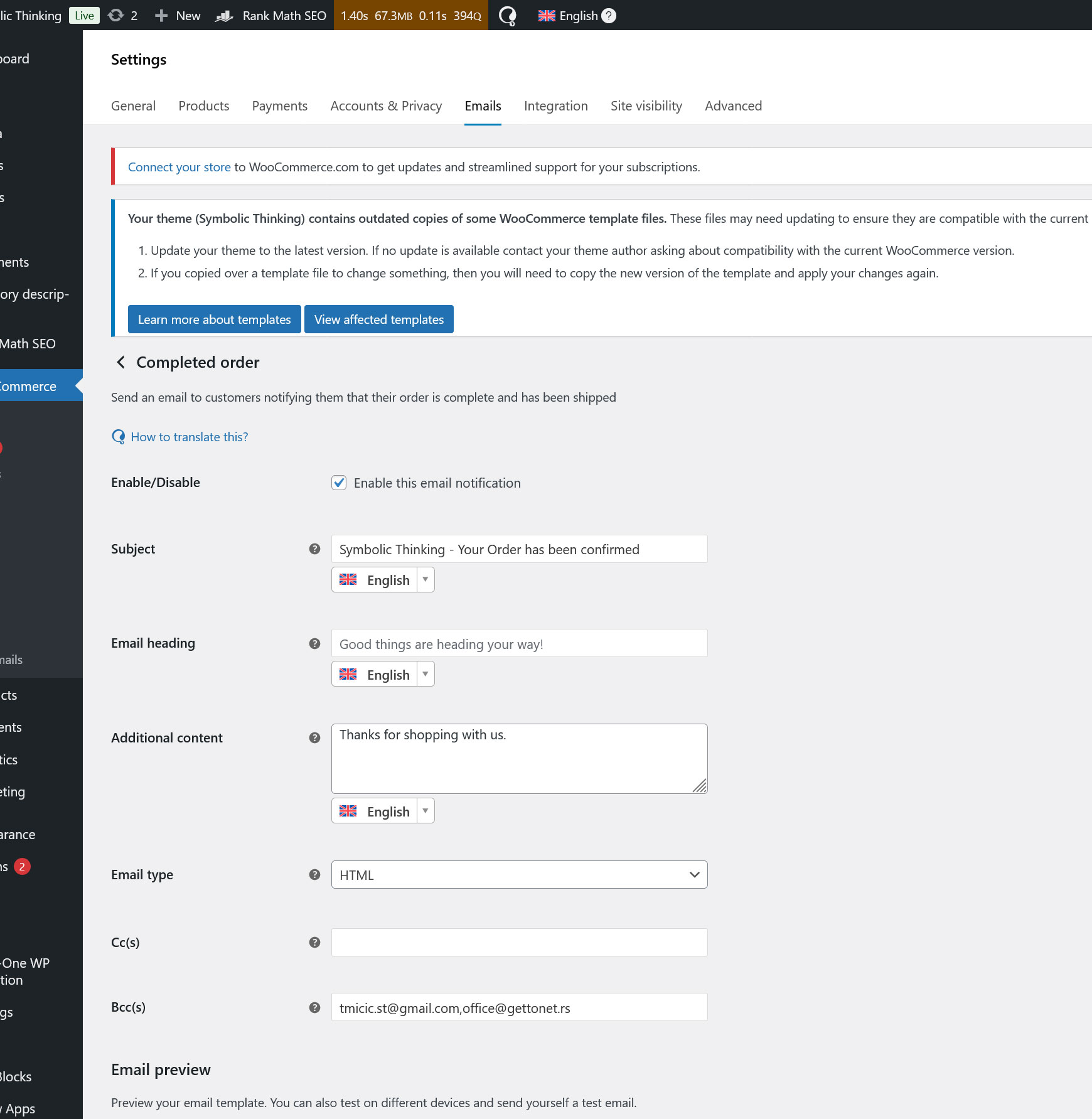
Basically, go to Woocommerce settings anywhere where strings are present and save (in the screenshot it's a Completed email notification setting screen) - this will result in endpoints show 404 until permalinks are flushed in English language.
Thank you for sharing. I was able to reproduce the issue on a local copy, this time around. I've escalated this ticket to our development team, which will look for a permanent solution to this issue. This usually takes a few days, I'll keep you up to date.
Thank you for your patience. We have a fix for this issue scheduled for the next release of WPML Multilingual & Multicurrency for WooCommerce 5.5.4, which happens in the upcoming weeks.
Please make sure to update your WPML Multilingual & Multicurrency for WooCommerce to the latest version when it's released. Please let me know if you have any questions along the way.