Background of the issue:
I am trying to update WPML on my site hidden link, but I am encountering an issue.
Symptoms:
This is showing and can not update "WPML needs to connect to its server to check for new releases and security updates. Something in the network or security settings is preventing this. Please allow outgoing communication to wpml.org to remove this notice."
Thank you for contacting WPML Support. This issue usually happens when the site URL and registered site URL are not the same e.g. with www or without www. Could you please delete the existing site key and create a new one by following the below steps:
1. Please login to your WPML.org account >> Go to the Sites page: https://wpml.org/account/sites/
2. Delete the existing site key (if it exists).
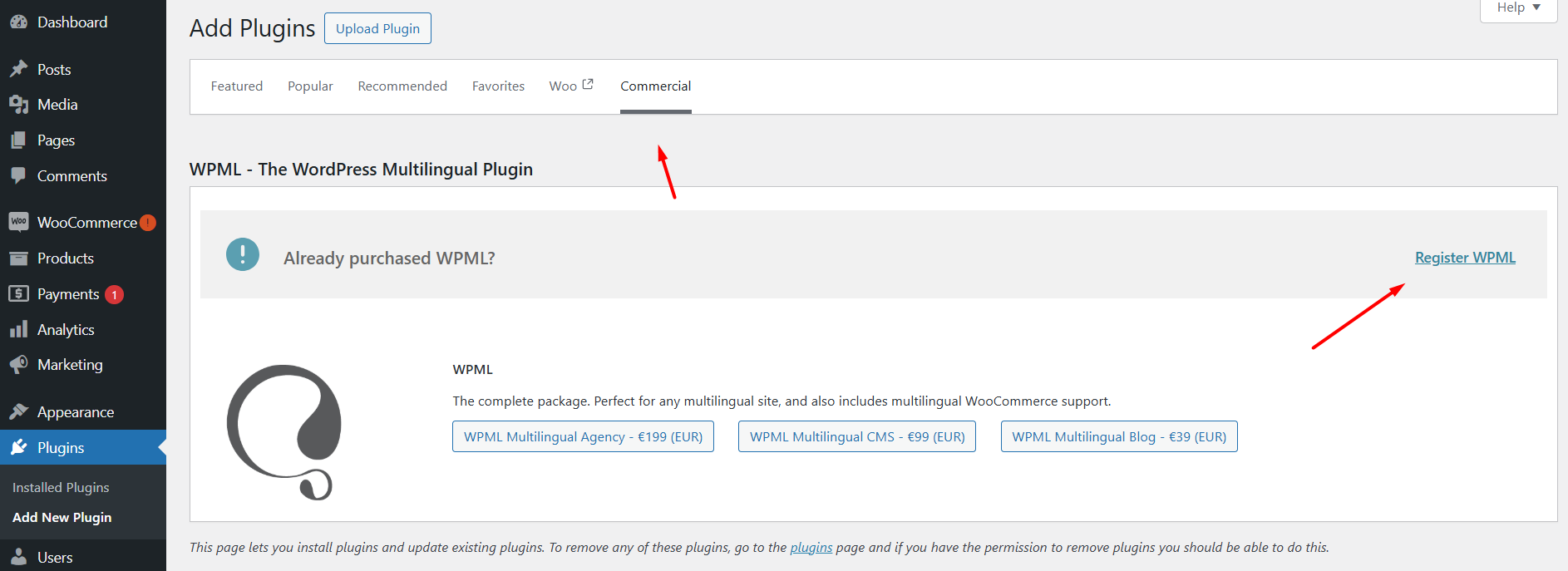
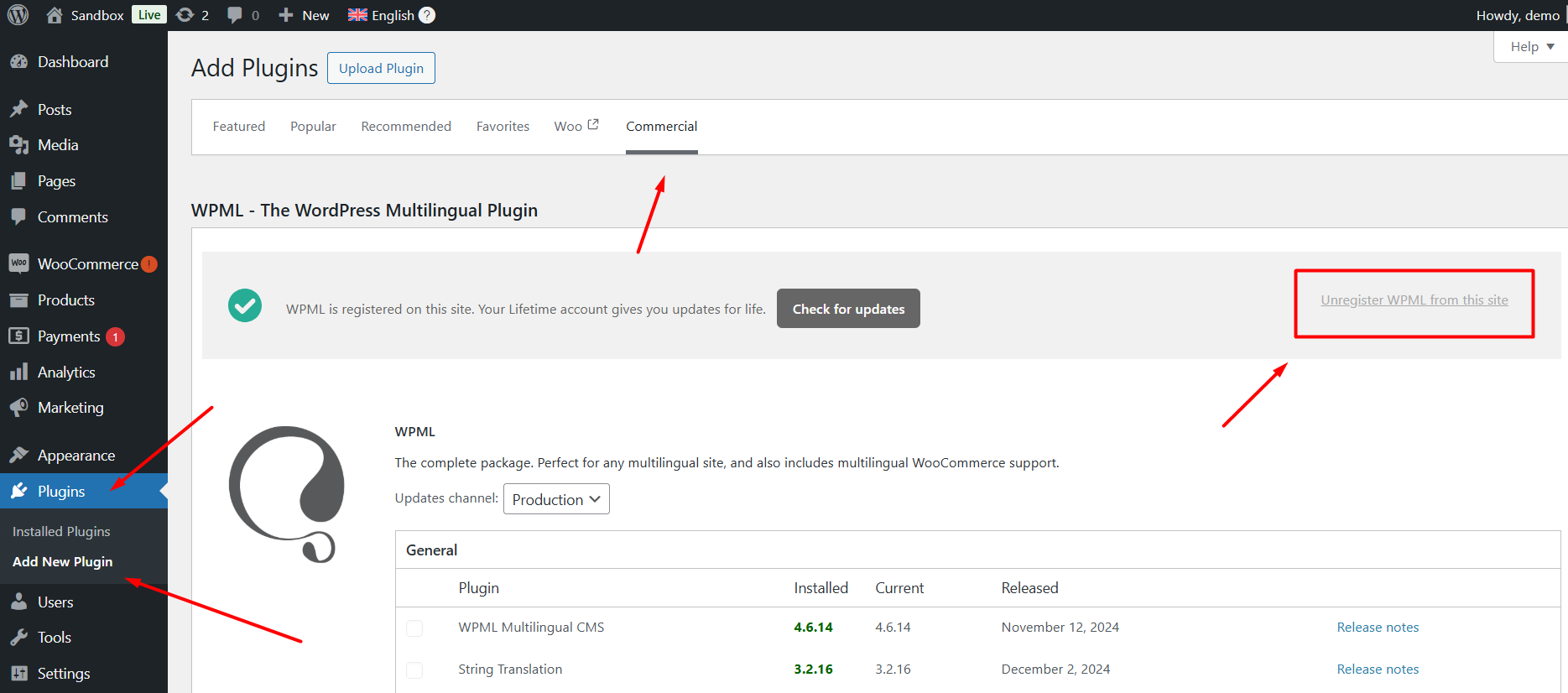
3. Please login to your site and go to the Dashboard >> Plugins >> Add new plugin > Commercial tab and click the Unregister WPML from this site link if that link exists.
4. Then please click the Register WPML link.
5. Click the Get a key for this site link.
6. It will generate the Key for your site.
7. Copy the key, and paste it back into the input box, and press the Register button.
8. Then, please take a backup of your site and update WPML plugins to the latest version.
If the “WPML plugin cannot connect to wpml.org” notifications still persists, please try the below procedure:
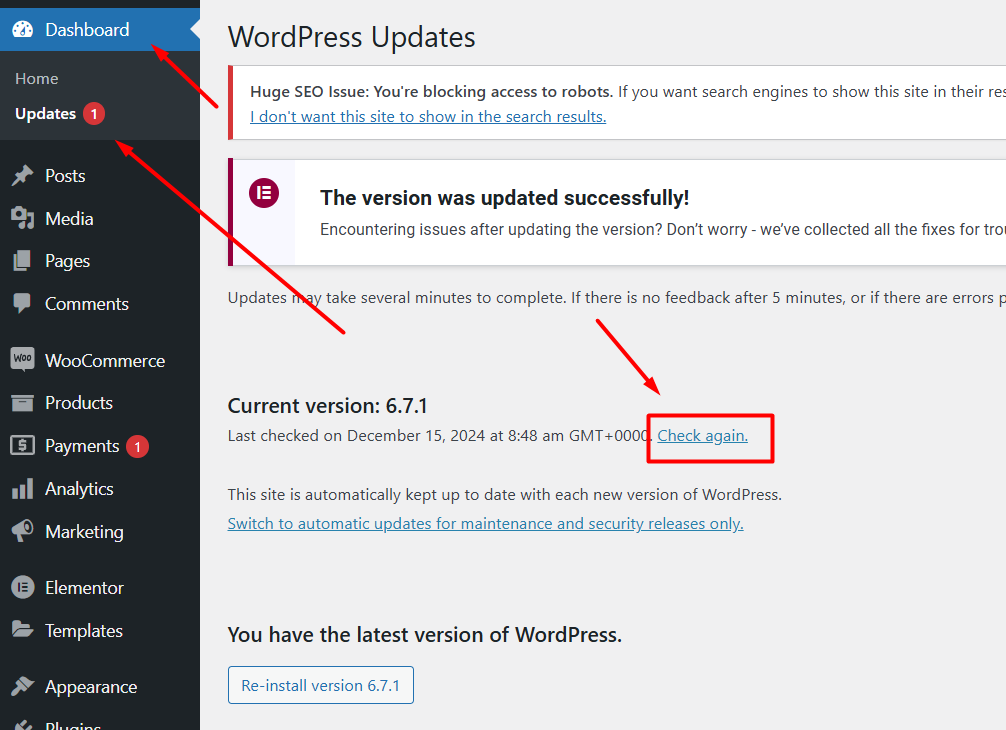
1. Go to WP Dashboard Menu >> Updates.
2. Press the "Check again" link as you can see in the attached screenshot and see if this resolves the issue.