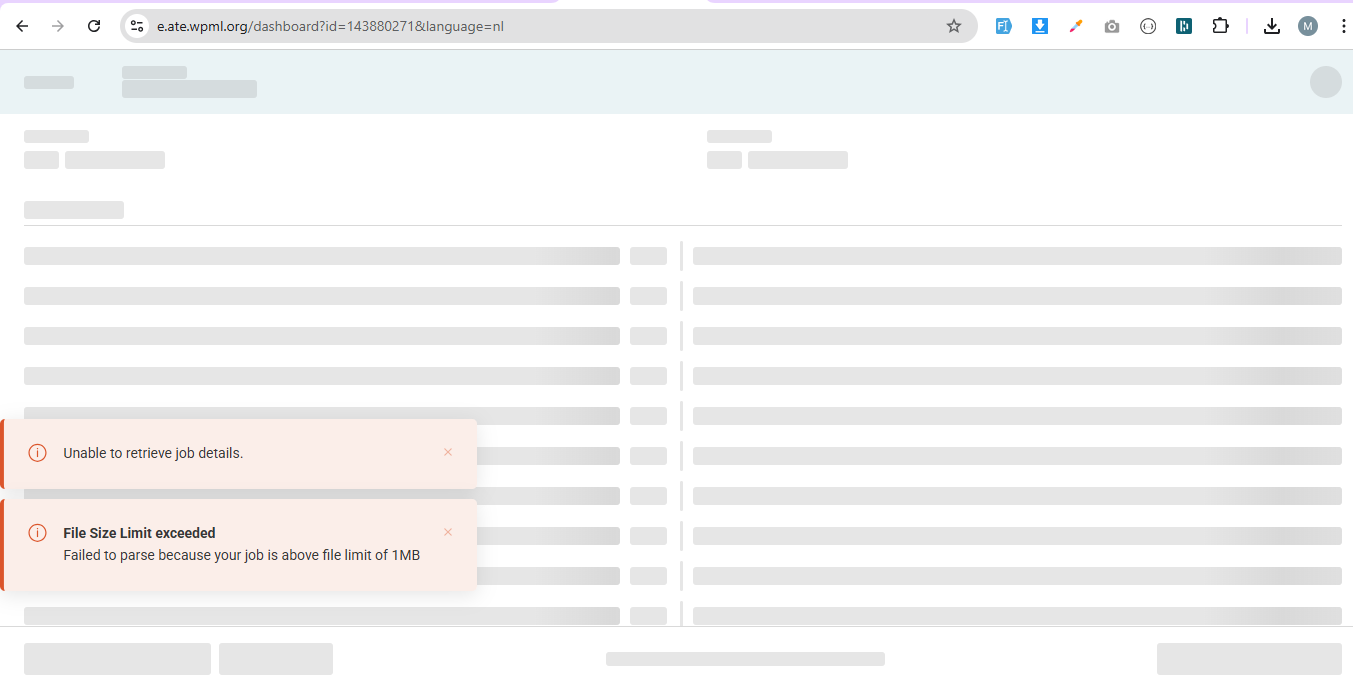
Background of the issue:
I am trying to translate a page using WPML. The page in question is: hidden link. I have already tried updating WPML and clearing caches.
Symptoms:
I encountered an error message: "File size exceeds 1MB" when attempting to translate the page. Other pages work fine.
Questions:
How can I fix the 'File size exceeds 1MB' error when translating a page?
Before this thread is assigned to my colleagues, I would like to offer some initial guidance or possible solutions.
This issue often arises when the page you are trying to translate contains content that causes the XLIFF file (sent to the translator) to exceed 1MB. As a result, the translator cannot process the file, leading to this error.
Could you please open the default page in the editor and check for any invalid metadata, as noted in the following response?
If possible, try removing sections from the page and resending the translation. This method will help you identify which specific content is causing the XLIFF file to become larger and resulting in the issue in the Advanced Translation Editor.
Please give it a try and let us know how it goes. We are here to help if you need further assistance with this matter.
We've just released WPML version 4.7.5. Please check if updating to this version fixes the problem.
If not, please share the access details to your site with me. I'm enabling a private message for the following reply. Privacy and Security Policy
We have strict policies regarding privacy and access to your information. Please see: https://wpml.org/purchase/support-policy/privacy-and-security-when-providing-debug-information-for-support/ **IMPORTANT**
- - Please backup the site files and database before providing us access. --
-- If you have a staging site where the problem can be reproduced, it is better to share access to the staging site.--
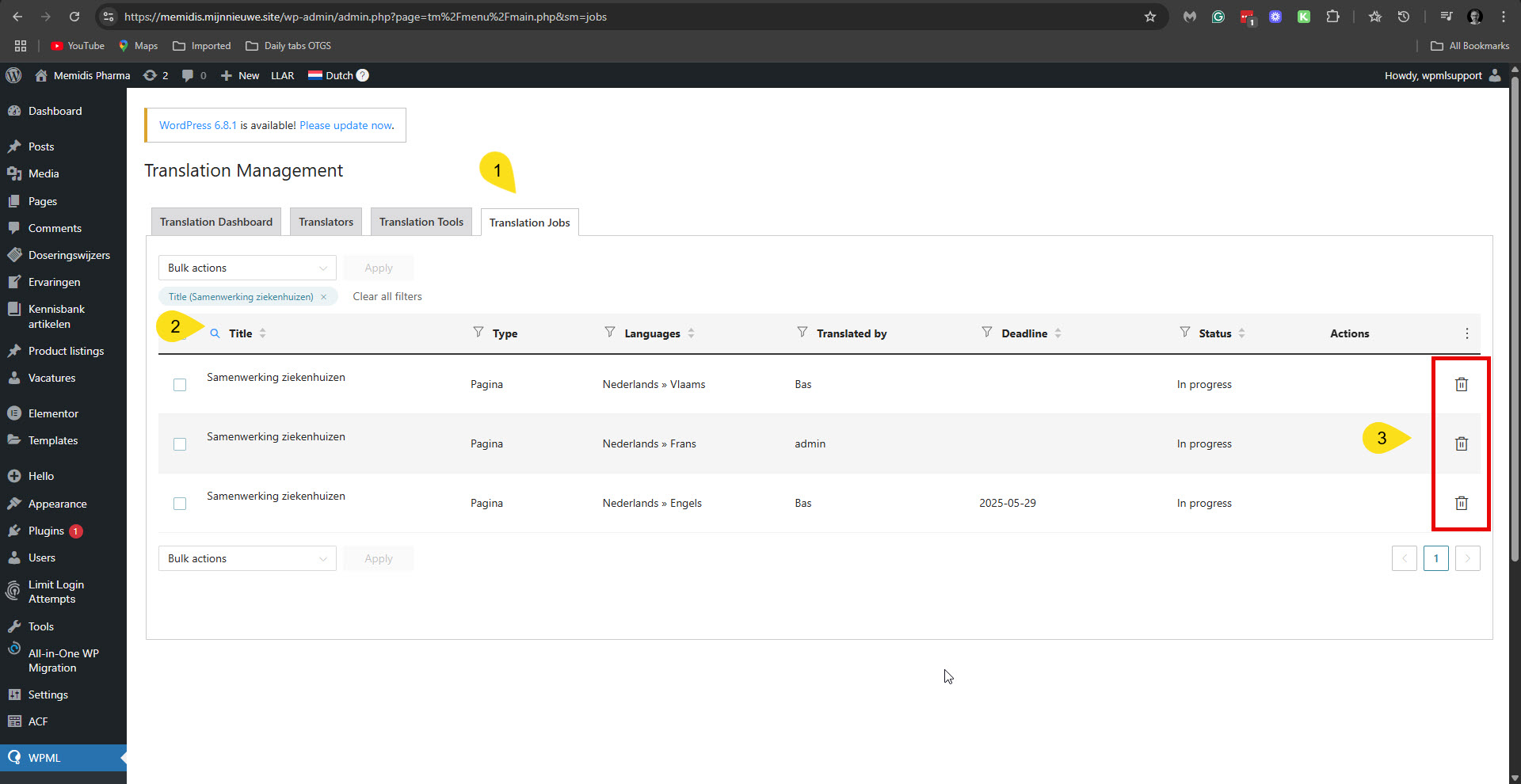
Could you please try to cancel the jobs for the translations of 'Samenwerking ziekenhuizen' into Vlaams, Frans, and English, and resend them for translation?
You do it in WPML -> Translation Management -> Jobs. Please see the attached screenshot.
I discussed this issue with our second-tier supporters. If the problem persists after you resend the job for translation, we will need a copy of your site to debug this issue further. So in this case, please allow me to take a copy of your site. For this, I must install a plugin like Duplicator or All In One Migration. Please let me know if you agree.
In addition to my above two replies, here is what our second-tier supporter added about this issue. He said that we may be able to investigate this issue only by inspecting the XLIFF file (the file being sent to our Advanced Translation Editor), and there is no need to take a copy of your site. The XLIFF files can be downloaded by the translator assigned to them in WPML -> Translations. However, since samenwerking-ziekenhuizen is not assigned to my user, I can't download it.
Can you please cancel those jobs (number 1401 and 1402) and assing them to my user (wpmlsupport)? I'll then take care of the rest.
Regards,
Itamar.
The topic ‘[Closed] Page Translation gives an error’ is closed to new replies.