
This is the technical support forum for WPML - the multilingual WordPress plugin.
Everyone can read, but only WPML clients can post here. WPML team is replying on the forum 6 days per week, 22 hours per day.
| Sun | Mon | Tue | Wed | Thu | Fri | Sat |
|---|---|---|---|---|---|---|
| 9:00 – 18:00 | 9:00 – 18:00 | 9:00 – 18:00 | 9:00 – 18:00 | 9:00 – 18:00 | - | - |
| - | - | - | - | - | - | - |
Supporter timezone: Asia/Yerevan (GMT+04:00)
This topic contains 15 replies, has 1 voice.
Last updated by norihideA 7 hours, 25 minutes ago.
Assisted by: Christopher Amirian.
| Author | Posts |
|---|---|
| December 13, 2025 at 11:45 am #17661223 | |
 norihideA |
Dear Support, 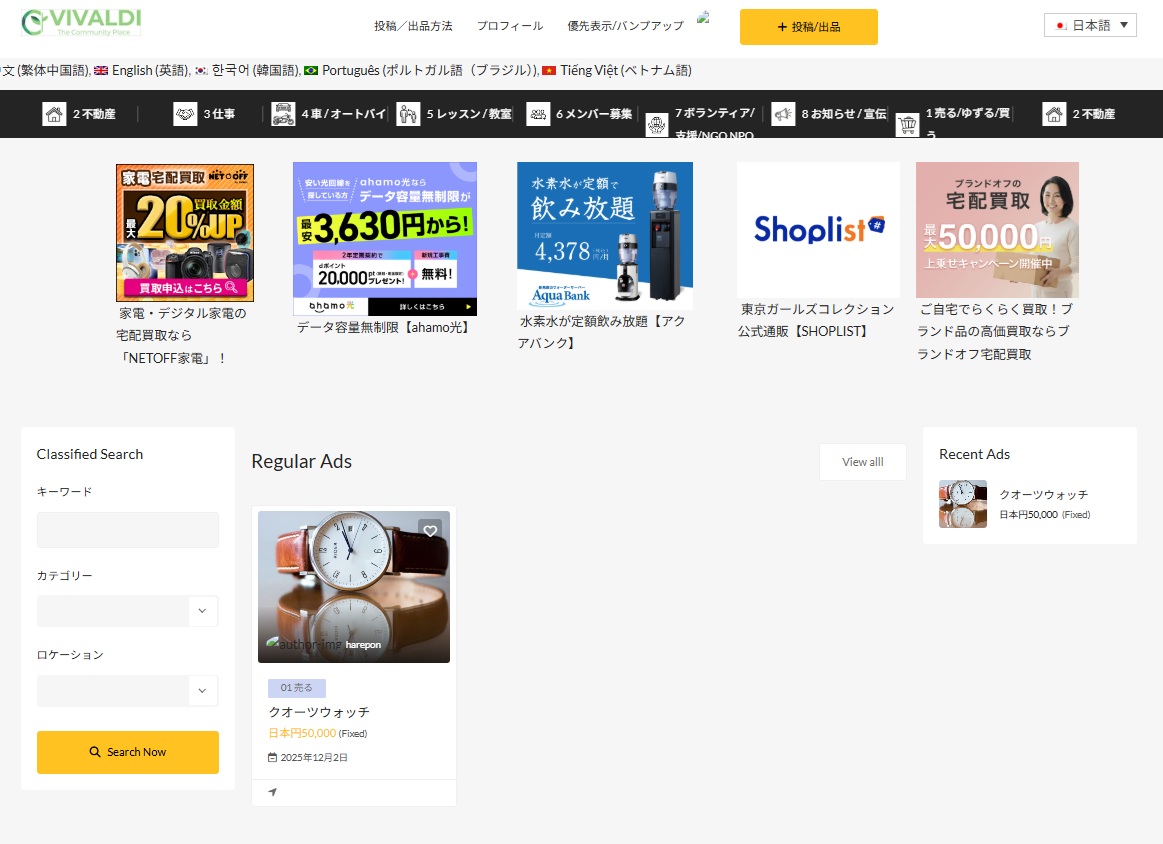 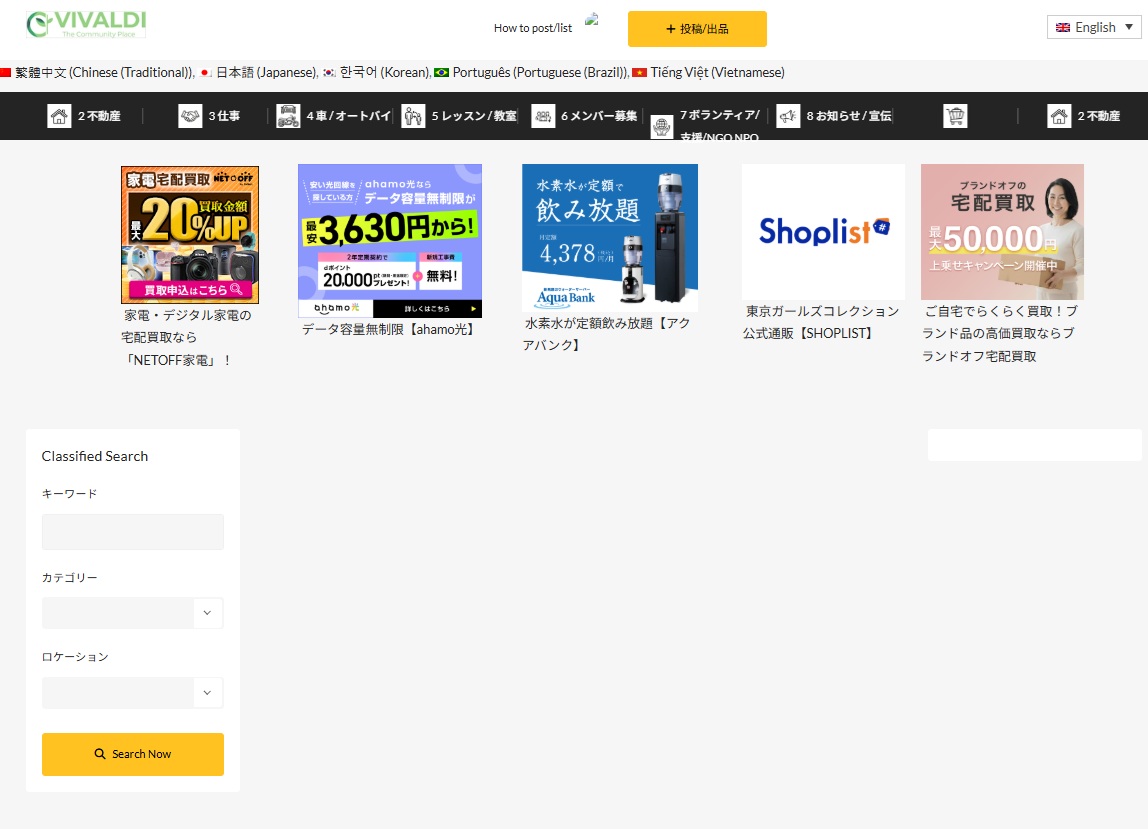 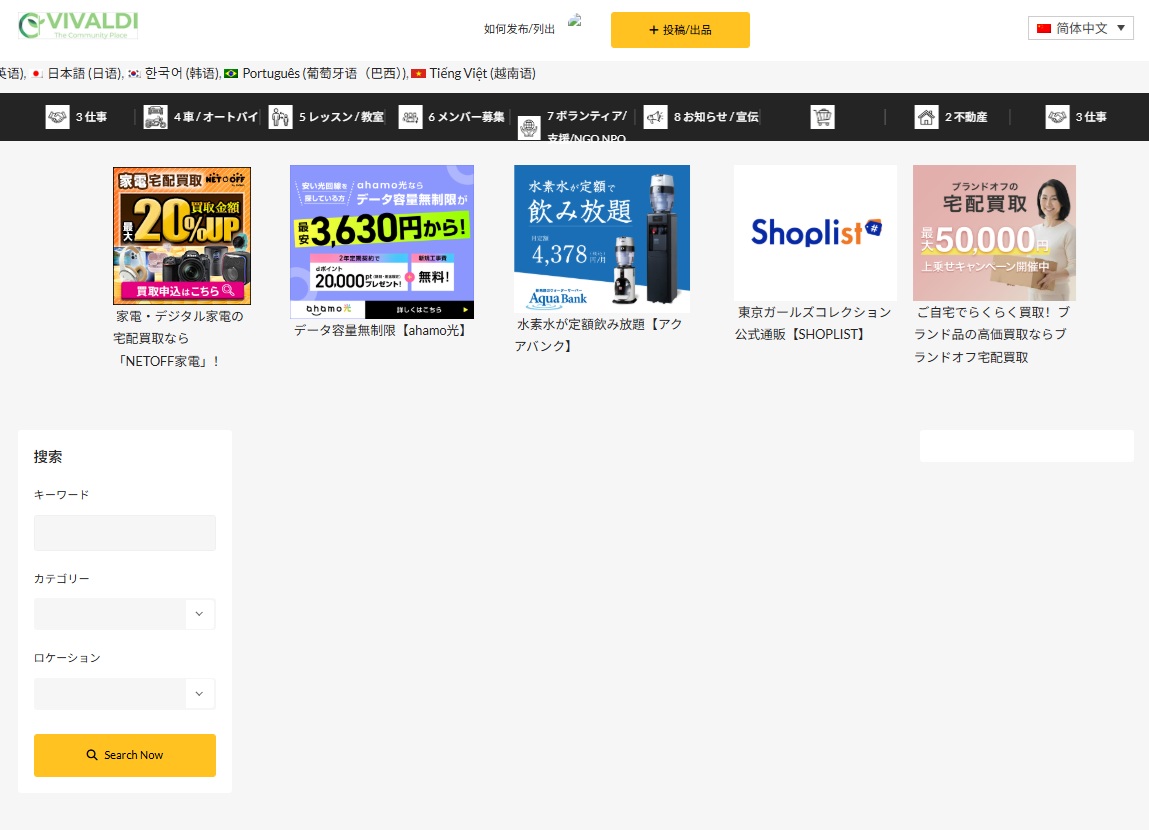 |
| December 13, 2025 at 11:54 am #17661272 | |
|
norihideA |
Dear Human support team, |
| December 14, 2025 at 1:51 pm #17662122 | |
 Christopher Amirian WPML Supporter since 07/2020 Languages: English (English ) Timezone: Asia/Yerevan (GMT+04:00) |
Hi, Welcome to WPML support. May I have the link to the page that you showed in the screenshot? I also should mentione dthat your website doe snot meet the requirement for WPML. The minimum requirement is 128M but I suggest that you increase it to 512M: https://wpml.org/home/minimum-requirements/ You can add this by adding the code below to "wp-config.php" file of your WordPress installation root folder:
/** Memory Limit */
define('WP_MEMORY_LIMIT', '512M');
define( 'WP_MAX_MEMORY_LIMIT', '512M' );
Please add the code above the line below:
We can do the change for you, but for that we will need the login information that you can share by setting the next reply as private. You also need to have a backup, which you can ask your hosting service provider to take one so we will be on the safe side. One last thing is that the page in the screenshot seems to be fetching some posts. It might be a normal post or a custom post type. That post itself also needs to be translated. If not it will not show in the other language. Thanks |
| December 14, 2025 at 1:51 pm #17662123 | |
|
Christopher Amirian WPML Supporter since 07/2020 Languages: English (English ) Timezone: Asia/Yerevan (GMT+04:00) |
Hi, Welcome to WPML support. May I have the link to the page that you showed in the screenshot? I also should mentione dthat your website doe snot meet the requirement for WPML. The minimum requirement is 128M but I suggest that you increase it to 512M: https://wpml.org/home/minimum-requirements/ You can add this by adding the code below to "wp-config.php" file of your WordPress installation root folder:
/** Memory Limit */
define('WP_MEMORY_LIMIT', '512M');
define( 'WP_MAX_MEMORY_LIMIT', '512M' );
Please add the code above the line below:
We can do the change for you, but for that we will need the login information that you can share by setting the next reply as private. You also need to have a backup, which you can ask your hosting service provider to take one so we will be on the safe side. One last thing is that the page in the screenshot seems to be fetching some posts. It might be a normal post or a custom post type. That post itself also needs to be translated. If not it will not show in the other language. Thanks |
| December 15, 2025 at 1:48 pm #17664417 | |
|
Christopher Amirian WPML Supporter since 07/2020 Languages: English (English ) Timezone: Asia/Yerevan (GMT+04:00) |
Hi, I tried to login to the website but the link you provided shows this:
Would you please double check with your hosting service provider? Also, you did not give me the link tot he page that the issue can be seen. Thanks. 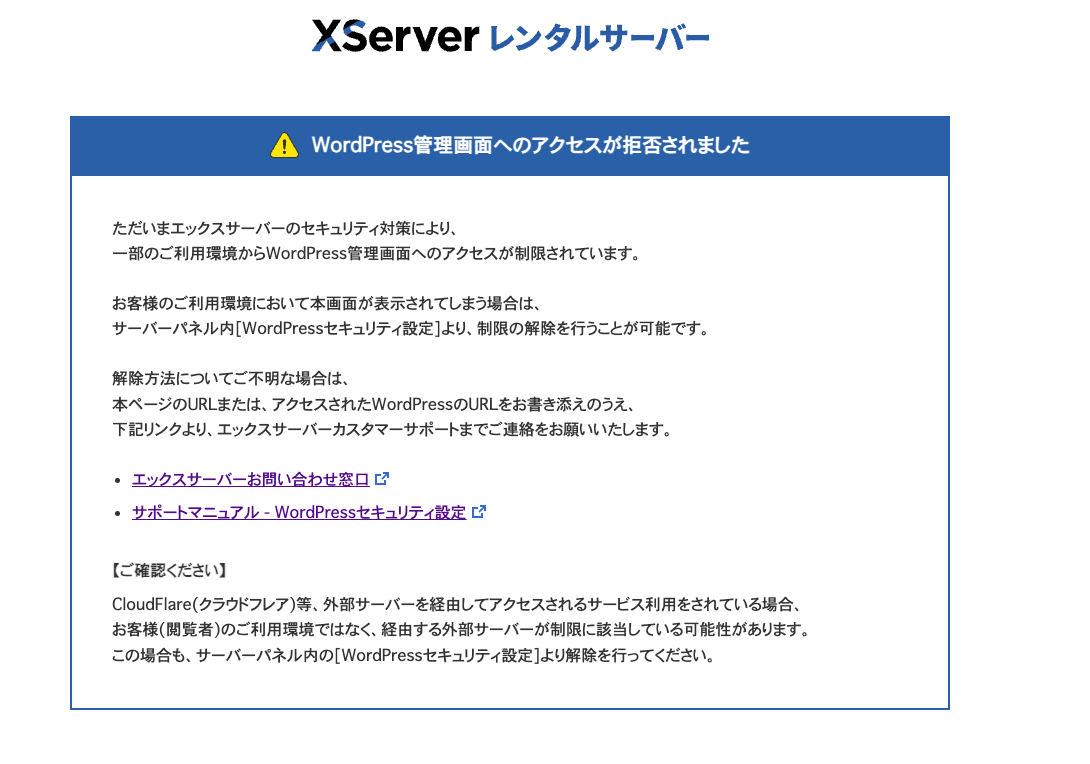 |
| December 15, 2025 at 1:57 pm #17664440 | |
|
norihideA |
Dear Chiristopher, |
| December 15, 2025 at 3:00 pm #17664812 | |
|
Christopher Amirian WPML Supporter since 07/2020 Languages: English (English ) Timezone: Asia/Yerevan (GMT+04:00) |
Thank you Norihide, I managed to log in to the website, but I can not see the page you talk about. What I see on the homepage is attached. I want to know where to go to see this page: hidden link.. 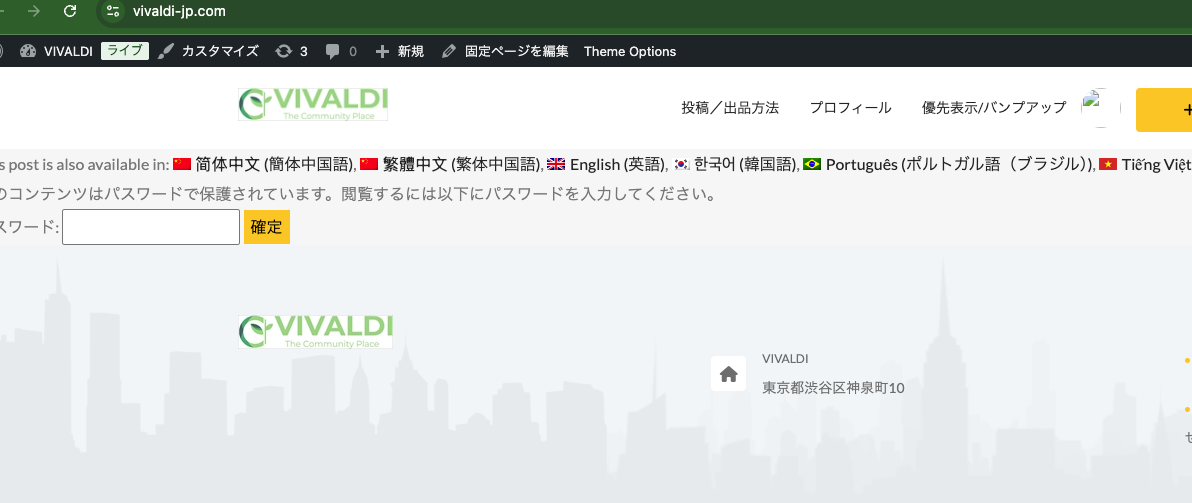 |
| December 15, 2025 at 9:38 pm #17665795 | |
|
norihideA |
Dear Christopher, |
| December 16, 2025 at 5:44 am #17666080 | |
|
norihideA |
Dear Christopher, |
| December 16, 2025 at 2:15 pm #17668031 | |
|
Christopher Amirian WPML Supporter since 07/2020 Languages: English (English ) Timezone: Asia/Yerevan (GMT+04:00) |
Hi, Thank you. Would you please check this video? hidden link I wanted to know why you do not use the Advanced Translation Editor and if there was your choice to use the classic translation editor? I explained the details on how the Classified Ad plugin adds the inner content. Thanks. |
| December 16, 2025 at 8:23 pm #17669202 | |
|
norihideA |
Dear Christopher, I know there is Automatic Translation. I'm currently translating static pages on my site manually to avoid consuming credits, and plan to use Automatic Translation once that's done. With best regards, |
| December 17, 2025 at 8:01 pm #17672618 | |
|
norihideA |
Dear Chiristopher, Maiya (December 13, 2025 11:46 am): Hello there! I understand you're having trouble with your posts not displaying in secondary languages like English, Chinese, Vietnamese, and Portuguese, while they show correctly in Japanese. It's definitely frustrating when content doesn't appear as expected, especially with a theme like Adforest and Elementor involved. I've reviewed your system information and noticed a critical issue that could be contributing to this problem: your **WP Memory Limit is currently reported as 0MB**. WPML, along with your theme and Elementor, requires a minimum of 128MB, and we recommend 256MB for optimal performance. This low memory limit can prevent content from being saved or displayed correctly. Let's tackle this step-by-step: 1. **Increase Your WordPress Memory Limit** 2. **Check Post Type Translation Settings** 3. **Ensure Posts are Translated and Published** Since you are using Elementor, please remember that any content created with Elementor also needs to be translated through the **Advanced Translation Editor** for the translated pages/posts to display correctly. Please let me know how these steps go, and we can take it from there! norihideA (December 13, 2025 11:51 am): Dear Maiya, Maiya (December 13, 2025 11:51 am): Thank you for letting me know, and I completely understand that these steps may feel overwhelming if you're not familiar with site editing. I'll connect you with our WPML support specialist who can provide more direct assistance and help resolve your issue. Please click the "Switch to Human Support" button below to continue. |
| December 18, 2025 at 7:57 am #17673368 | |
|
Christopher Amirian WPML Supporter since 07/2020 Languages: English (English ) Timezone: Asia/Yerevan (GMT+04:00) |
Hi Norihide, Ok the Advanced Translation Editor then needs to be enabled if you plan to use automatic translations later. I am going to enable it. If you enter and see the advanced translation editor shows the translation done automatically, you can simply undo it from the top section and tell the advanced translation editor that do not to automatically translate until you decide to do so. The credits will not be used if you do that. I will do it for a page so the settings will be done and you do not need to do anything. Also for the PHP Memory Limit I will need access to the files of the website via FTP. You need to contact the hosting service provider and get the information and then set the next reply as private and share the info. Having said that, I still need to know why the homepage is not showing the translated Classified Ad item. So while you will provide the FTP information by setting the next reply as private, I will check the homepage. Thanks. |
| December 18, 2025 at 8:54 am #17673642 | |
|
Christopher Amirian WPML Supporter since 07/2020 Languages: English (English ) Timezone: Asia/Yerevan (GMT+04:00) |
Hello again. I found out that for the section you used for the Regular Ad, it is a custom widget of Elementor created by your Theme and that is not compatible with WPML. I suggest that for the homepage you use the manual translation methosd which will not use classic editor nor, the advanced translation editor. It will expose Elementor at your hand. Please do as follows: That way you will have access to Elementor in English to do the changes manually there. Thanks. |
| December 18, 2025 at 3:22 pm #17675370 | |
|
Christopher Amirian WPML Supporter since 07/2020 Languages: English (English ) Timezone: Asia/Yerevan (GMT+04:00) |
Hi, Thank you for the information. I created a video explaining the details: hidden link The video summary: - Categories and posts must be translated first to appear in the English version. The minimum requirement is 128M but I suggest that you increase it to 512M: https://wpml.org/home/minimum-requirements/ You can add this by adding the code below to "wp-config.php" file of your WordPress installation root folder:
/** Memory Limit */
define('WP_MEMORY_LIMIT', '512M');
define( 'WP_MAX_MEMORY_LIMIT', '512M' );
Please add the code above the line below:
Thanks. |










