Skip to content Skip to sidebar

This thread is resolved. Here is a description of the problem and solution.

Problem:
The client was experiencing issues with translating Forminator fields and custom plugins using WPML. They also encountered problems with translating patterns due to a disabled option.
Solution:
We recommended setting the Forminator post type as translatable in WPML > Settings and disabling the WPML Translation Editor for this post type. The client should create separate forms manually for each language. When editing pages where the forms are displayed, they should insert the correct form shortcode for each language. We advised against using automatic translation on these pages as it might overwrite manually added changes. For patterns, the client discovered that the option to edit them was disabled and enabled it themselves.

Please note that this solution might be outdated or not applicable to your case. If you encounter further issues, we highly recommend checking related known issues at https://wpml.org/known-issues/, verifying the version of the permanent fix, and confirming that you have installed the latest versions of themes and plugins. If the problem persists, please open a new support ticket at WPML support forum.

This is the technical support forum for WPML - the multilingual WordPress plugin.

Everyone can read, but only WPML clients can post here. WPML team is replying on the forum 6 days per week, 22 hours per day.

Tagged: 

This topic contains 2 replies, has 0 voices.

Last updated by nicks-37 15 hours, 19 minutes ago.

Assisted by: Dražen.

Author Posts
March 25, 2026 at 11:10 am #17925950

nicks-37

Hi Drazen,

Thanks alot. This indeed fixed the issue of the ACF posts. Appearently we just falled ACF in the Dashboard page instead of FAQ or Opdrachten to be translated. I think that caused the issue.

We were able to fix the Option page to by translating in manually.

The first 2 questions are completely fixed now.

Now we just need to see if we can fix issue 3 and 4. The running on old version (Seems like it only effects Patterns like Header/Footer) and the Forminator field.

We saw forminator wasn't supported but are wondering if in some way we will still be able to translate it.

We're also running some custom plugins on the website. Would we be able to translate those too? We don't mind trying to implement WPML support in it if needed.

March 25, 2026 at 11:41 am #17926114

Dražen
Supporter

Languages: English (English )

Timezone: Europe/Zagreb (GMT+01:00)

Hello,

I’ve checked this, and it seems that Forminator fields are not fully compatible with WPML translation.

- https://wpml.org/plugin/forminator/

The best approach in this case would be:

- Set the Forminator post type as translatable from WPML > Settings
- Disable the WPML Translation Editor for this post type
- Create separate forms manually for each language

- https://wpml.org/documentation/translating-your-contents/using-different-translation-editors-for-different-pages/

Then, when editing the pages where the forms are displayed, you can insert the correct form shortcode for each language.

Please note that if you use automatic translation on those pages, it may overwrite any manually added changes, so you may need to adjust those parts again after translation.

Regards,
Dražen

March 27, 2026 at 9:33 am #17931314

nicks-37

Hi Drazen,

Thanks for the reply.

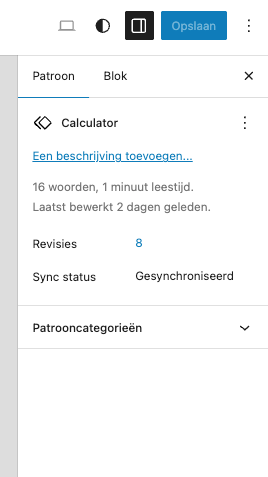
We've created seperate forms for each language, but don't see the option to Translate (as shown in the shared blog post). We've created a pattern for the form since it comes back multiple times across the website. Maybe that's the issue?

SCR-20260327-jqrt.png
March 27, 2026 at 9:36 am #17931334

nicks-37

Update;

We've been able to find the way to edit patterns. Appearently the option was disabled. This ticket can be closed.