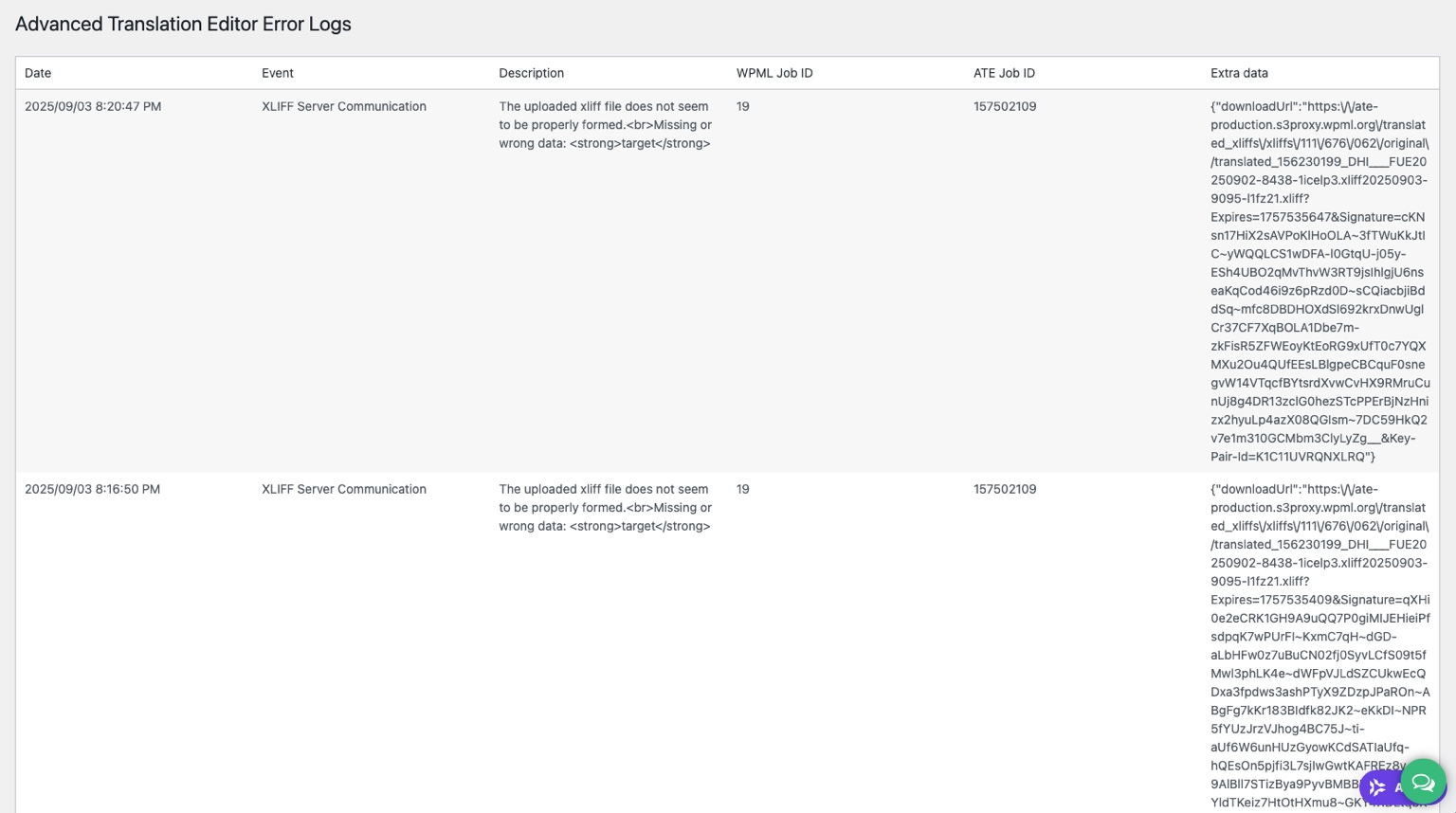
Background of the issue:
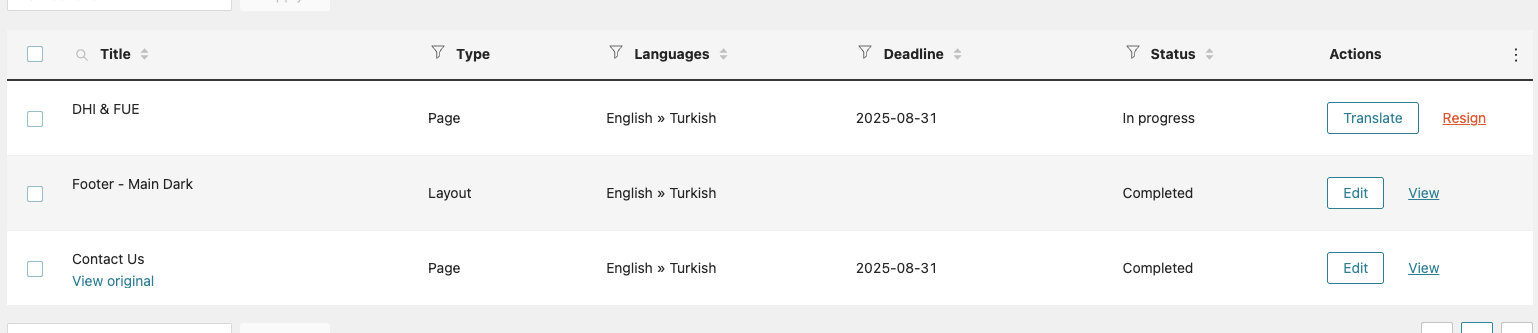
I am trying to resolve two issues with WPML on my WordPress site. First, I want to fix a translation loop where pages remain 'In Progress' despite completing translations. Second, I need to properly translate and embed Contact Form 7 forms on Elementor pages without breaking the WPML translation system. The issues can be seen on this page: hidden link. I expected the translated page to be marked as 'Completed' and to use the Turkish shortcode [contact-form-7 id="6756ccc" title="Contact Us Page_Turkish"].
Symptoms:
Issue One: Translated pages remain stuck in 'In Progress' even after completing translations. Issue Two: The Turkish version of the Contact Us page is stuck using the English form, and I can't change it without breaking WPML translation integrity.
Questions:
How can I fix the 'In Progress' loop bug for translated pages using WPML’s current method?
How can I properly translate Contact Form 7 forms and embed them correctly on Elementor pages without breaking the WPML translation system?
How can I re-link pages that became detached without losing translations, so I can continue using WPML’s ATE properly?
I feel that your ai summary has removed some key context so I'll paste the original explanation below:
Hi WPML Support,
I’m experiencing three issues that appear to be related to how WPML (v4.6+) handles translation jobs without the old Translation Management tab. I’ll explain each below as clearly as possible.
⸻
🧭 Issue 1: Translation stuck in “In Progress” loop (no Translation Management tab)
• I understand Translation Management is deprecated in WPML 4.6+.
• When I go to WPML > Translations, certain pages (e.g. DHI & FUE) are stuck showing as “In Progress.”
• I’ve already:
• Clicked Resign
• Clicked “Take and Translate” to reopen the job
• Translated every section to 100%
• Clicked “Save and Complete” in the Advanced Translation Editor
• Despite this, the job remains listed as “In Progress.” The translated page does not show the pencil icon and is not linked correctly in the backend.
✅ I’ve also purged all caches and used WPML > Settings > Troubleshooting to:
• Remove ghost entries
• Synchronise post relationships
• Fix post type assignments
➡️ Expected: Translations marked “Completed” with pencil icon
➡️ Actual: Loop continues with “In Progress” status even after full translation completion.
⸻
🧭 Issue 2: Contact Form 7 not translatable via WPML + Elementor
• I have a Contact Us page built in Elementor with Contact Form 7 shortcode.
• I duplicated the English form and created a Turkish version manually.
• I translated the Contact Us page using the Advanced Translation Editor.
• However, on the Turkish version, I cannot see or edit the Contact Form 7 shortcode (Elementor doesn’t show it in the translated page).
• If I try to edit the Turkish version with Elementor, I get a warning that the translation is being managed by WPML — but there’s no way to access or manage the shortcode without breaking the link.
➡️ Expected: Ability to add the Turkish CF7 form shortcode via WPML or manage it in Elementor without unlinking
➡️ Actual: I’m locked out of changing the form and can’t assign the correct Turkish version.
⸻
🧭 Issue 3: Pages no longer linked correctly (manual / detached translations)
• I’ve noticed that several translated pages no longer show the correct WPML linked translation icon (pencil).
• These pages now appear as if they are manual duplicates or unlinked translations, even though I originally used WPML’s translation interface.
• I did not disconnect them — in most cases, I only opened or viewed the translation and returned without editing.
• This makes managing content across multiple languages very difficult. I rely on properly linked pages to maintain consistency and allow future edits using the Advanced Translation Editor.
➡️ Expected: All translated pages remain linked via WPML with pencil/edit icons and shared post relationships
➡️ Actual: Several pages are now detached and must be managed manually, defeating the purpose of WPML
⸻
✅ What I Need Help With:
1. Fix the “In Progress” loop issue so pages can be marked as “Completed” and stay linked.
2. Enable proper Contact Form 7 integration with WPML so I can assign language-specific forms to translated pages.
3. Help me re-link pages that became detached, without losing translations, so that I can continue using WPML’s ATE properly going forward.
Thanks for your reply. I will require temporary access (WP-Admin and FTP) to a test site where the problem has been replicated, if possible. This will enable me to provide better assistance and determine if any configurations need to be modified.
Please note that it is important to have a backup for security purposes and to prevent any potential data loss. You can use the UpdraftPlus plugin (https://wordpress.org/plugins/updraftplus/) to fulfill your backup requirements.
Your upcoming reply will be treated with confidentiality and will only be visible to you and me.
✙ To resolve the issue, I may need your consent to deactivate and reactivate plugins and the theme, as well as make configuration changes on the site if necessary. This emphasizes the significance of having a backup.
Thanks for your reply. I can see the issue when I try to translate this page hidden link . Could you please enable debugging as explained here https://wpml.org/documentation/support/debugging-wpml/ , then, share the debug log with me so that I can check?
Would you allow me to install a file manager plugin so I can access the server files and enable debugging mode for you? If you agree, please back up the entire site first and then let me know.
Additionally, it would be best to clone the site to a staging environment. That way, we can troubleshoot without causing any interruptions on the live site.