Background of the issue:
I am trying to translate a YouTube block on my WordPress site using WPML. The issue can be seen on this page: hidden link.
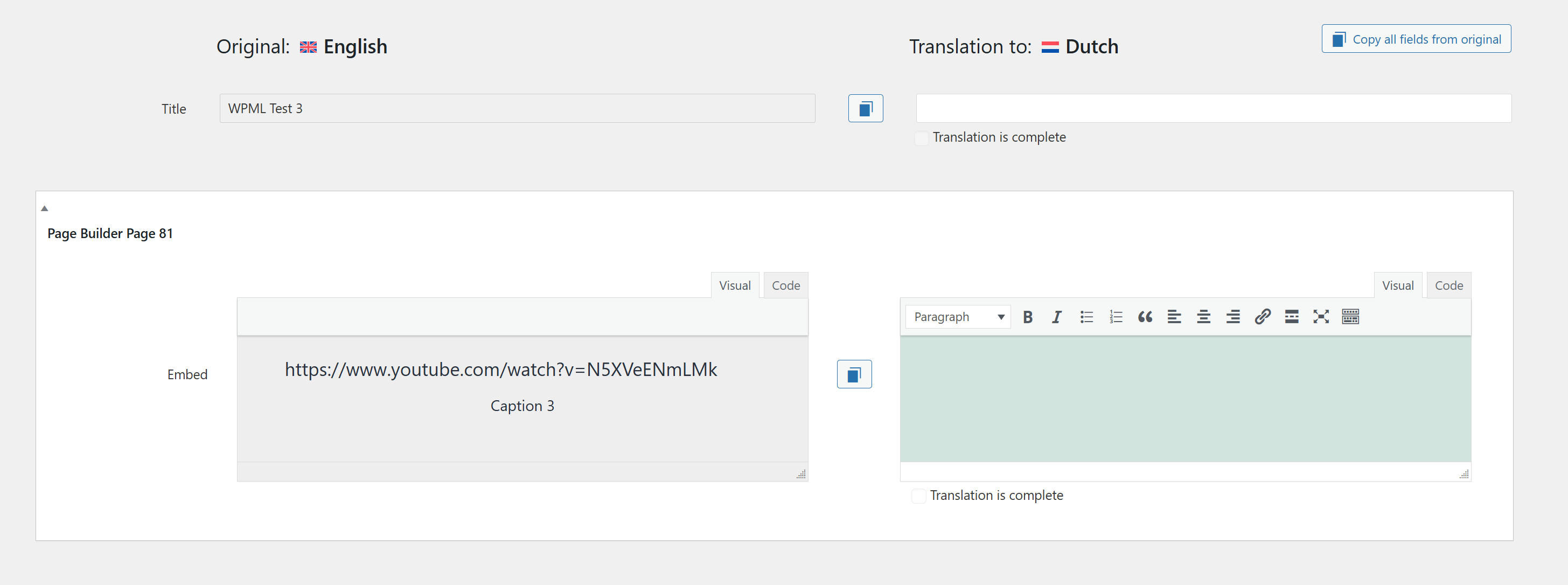
I expect to be able to translate the block with 2 segments: the URL and the caption.
Symptoms:
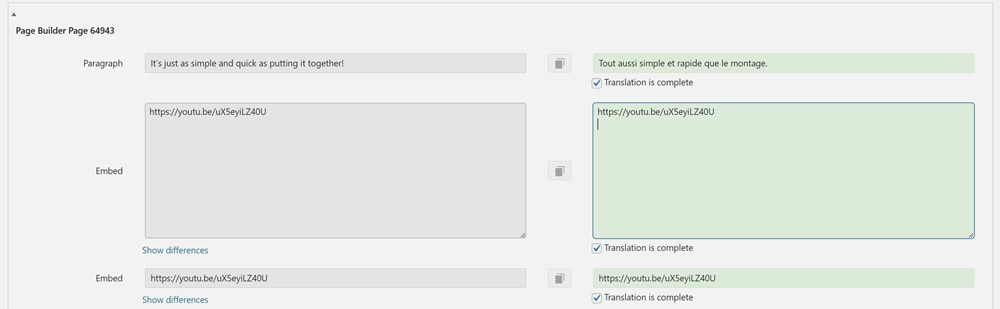
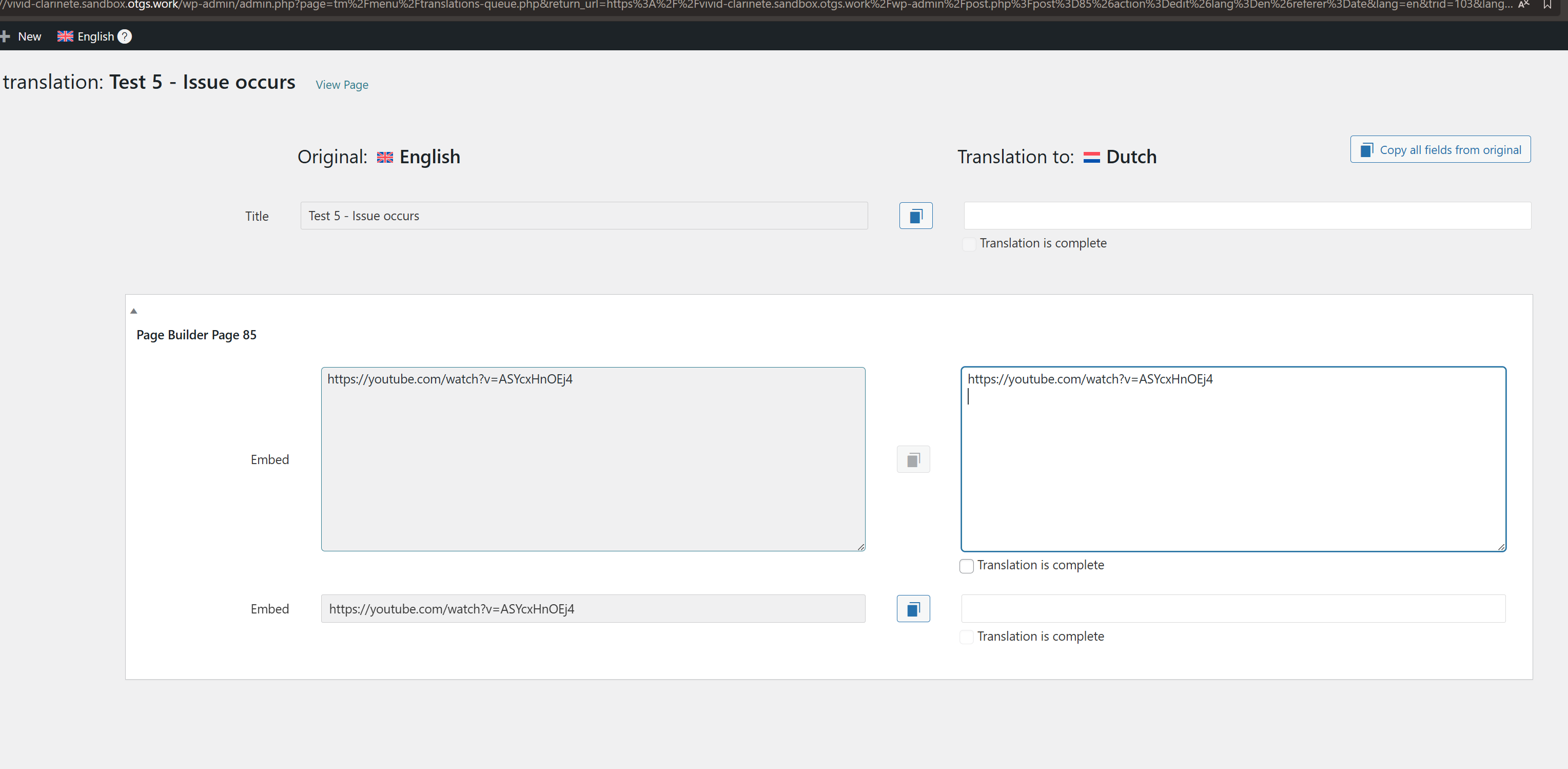
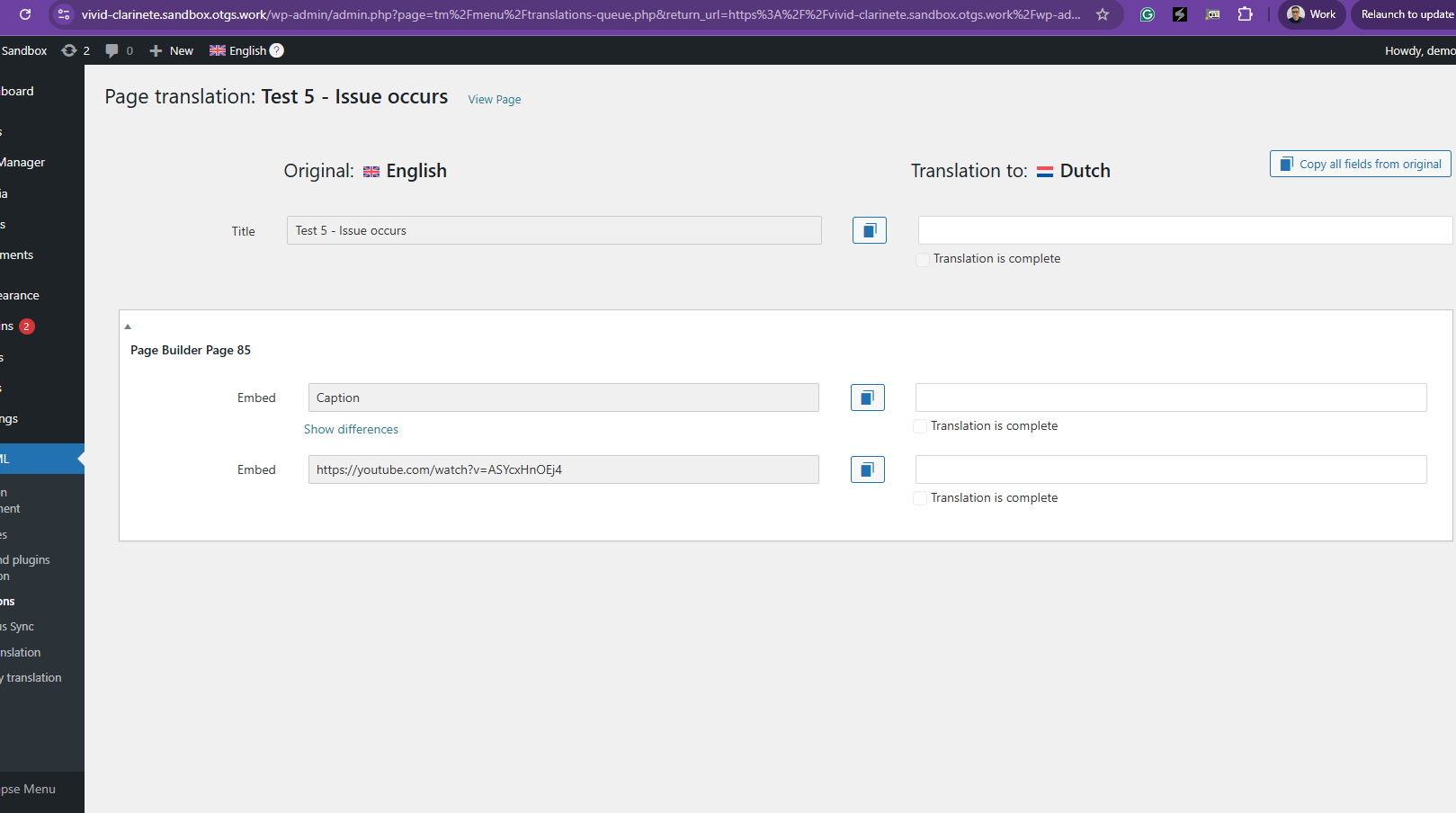
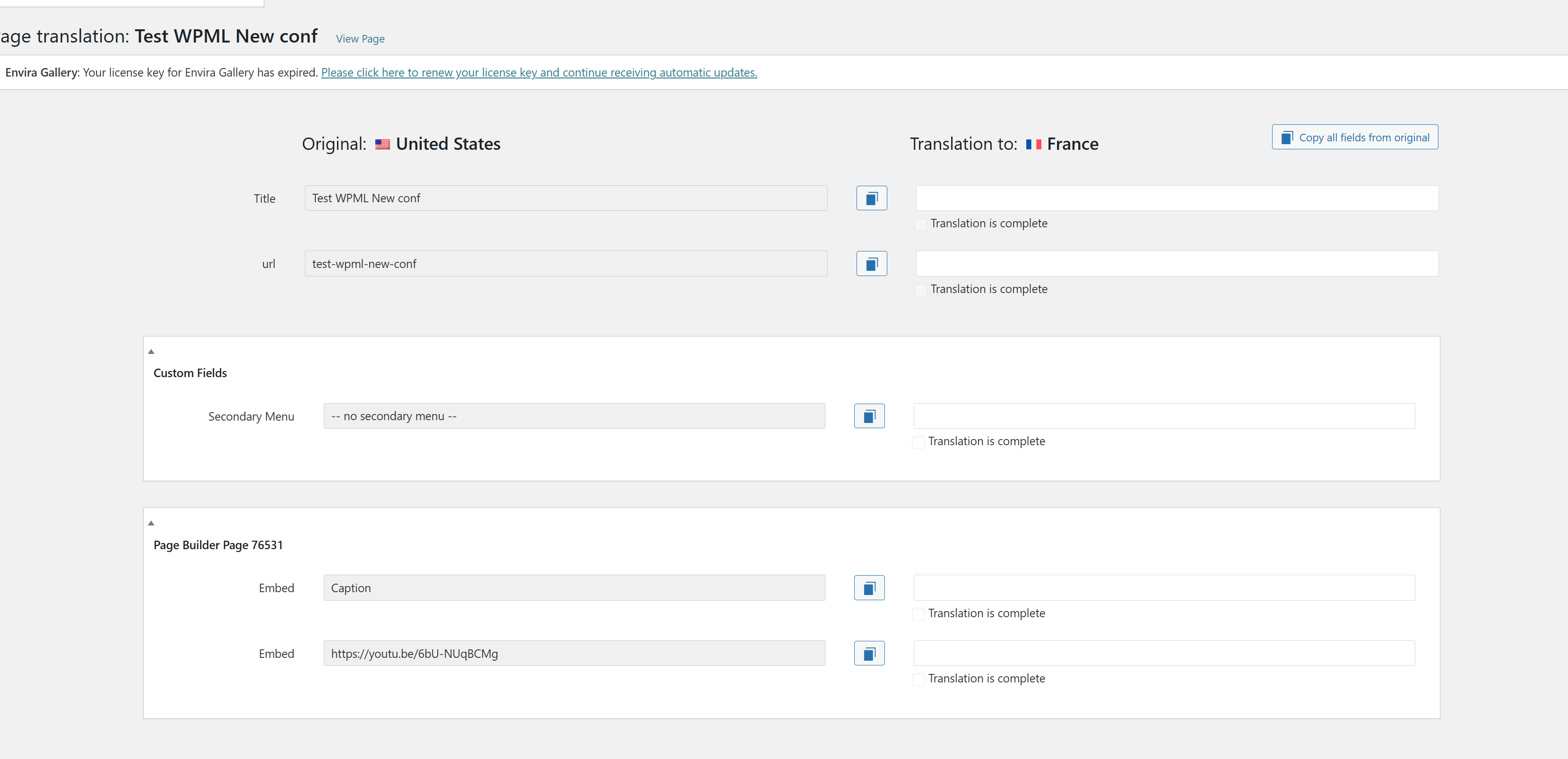
I get 2 "embed" in the CTE, while the caption is missing.
The first embed gets a line break that the original doesn't have, which breaks its translation. At least until I remove that line break.
Still, the caption will remain untranslated, unless I edit the page individually. Which would force me to break the translation process, so not a satisfying solution either.
Finally, I can't find the caption from the String Translation section.
Questions:
Why does the YouTube block's URL appear twice in translations?
Why the second has a line break?
Why the caption is missing ?
Is there a way to translate the caption without editing the page individually?
I thought it worked at first, but actually never did.
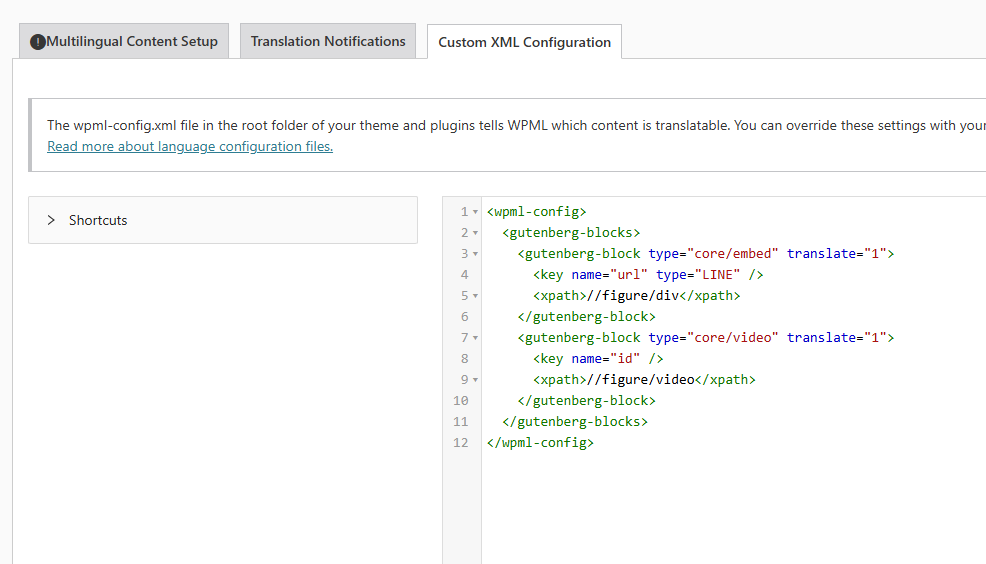
We've tried both setting up this config from the interface, and from the code. It never worked.
It's still in place, but I had to stop translating pages with videos through CTE since even with this setting applied, I couldn't get my translated content properly rendered when including a video block. Finally, the topic was closed, so couldn't let you guys know, plus I had busy with more urgent WPML related issues.
By the way, the setup you mention is in place, and obviously still doesn't work.
I tested it with only WPML + string translation active + Storefront theme.
exact same issue.
Please Check this screencast, which shows there's block invalid content.
Thanks for your reply. My apologies for my confusion.
I will need to closely examine your website. Therefore, I will require temporary access (WP-Admin and FTP) to a test site where the problem has been replicated, if possible. This will enable me to provide better assistance and determine if any configurations need to be modified.
Please note that it is important to have a backup for security purposes and to prevent any potential data loss. You can use the UpdraftPlus plugin (https://wordpress.org/plugins/updraftplus/) to fulfill your backup requirements.
Your upcoming reply will be treated with confidentiality and will only be visible to you and me.
✙ To resolve the issue, I may need your consent to deactivate and reactivate plugins and the theme, as well as make configuration changes on the site if necessary. This emphasizes the significance of having a backup.
Hi Kor,
I set my current environment to minimal: WPML + String translation + Media translation only + Storefront standard theme. Then I encountered the issue, twice, with brand new, minimal content.
Have you guys tried to replicate it on a clean install?
Thanks for your reply. I've prepared a sandbox site here hidden link , and could you please replicate the issue over there so that I can check and escalate this for you?
I tried to replicate the issue on your test environment, and failed.
So I did further testing on my local env. And it drilled down to the case where :
- removing the setting
- clearing WPML's cache (from Support troubleshooting > Support > Clear the cache in WPML)
- Create a new content and translate it
Would sove the issue
In our case, this was difficult to check, because we implemented it both from the code AND the admin > WPML > Setting > XML.
And since both declarations would work, noticing a change would rely on
- removin the conf from the code
- from the admin
- clearing WPML's cache
- testing on a brand new content
If one of this step was missing, you can't notice a change.
Which is bad, since this means I'll need to recreate ALL video blocks :((
Anyways. I think I can now confirm the issue is caused by this WPML config since, adding this configuration + clearing WPML's cache on your test env makes the issue occur.
I checked the previous ticket, and noticed a tiny difference with syntax of YOUR code config and ours: the <key> tags closing syntax. It's separate in yours, not in ours.
Thanks for your reply. I’ve checked the test page where the issue can be replicated: hidden link
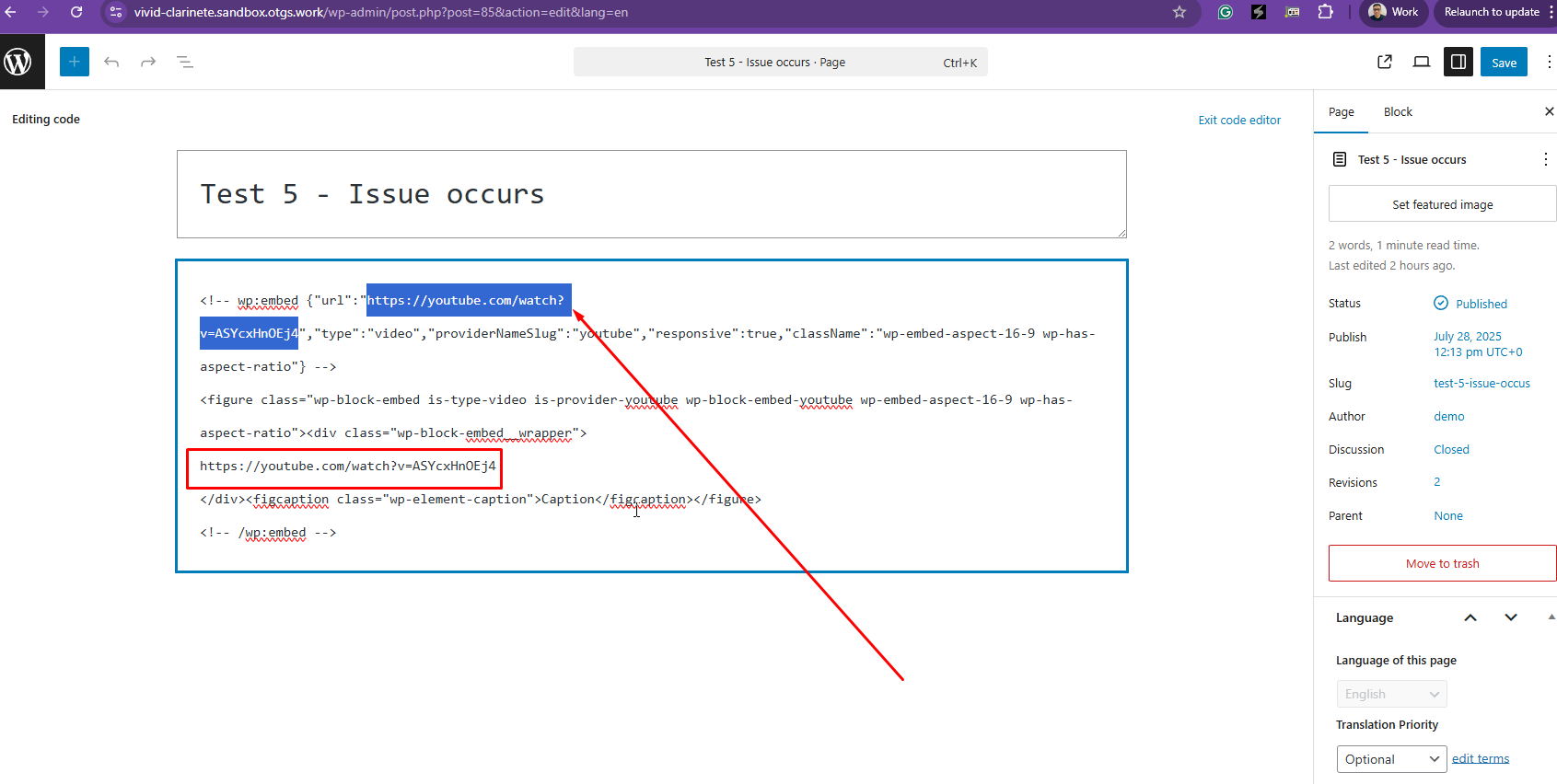
After reviewing the source code, I can see that two embedded YouTube codes are being rendered, as shown in the attached screenshot. This appears to be coming directly from Gutenberg, and unfortunately, I don’t believe there’s anything we can do from the WPML side to change that.
I'm sorry, it looks like you didn't understand my feedback.
What I found out, is that the custom setup, as advised in the post mentionned int #2, seems to be what causes the issue.
Indeed, If I:
- Get rid of this custome setting from my child theme code
- Get rid of this custome setting from WPML > Settings > XML ,
- Clear WPML's cache
- Create a new post, with video block
>>> I **don't** encounter the issue anymore.
So there's nothing to "fix", it seems I just need to get rid of this custom setting.
Still, I don't understand why this setup was needed at some point, and why now it does break the content.
This is a different issue. I was OK with how the caption displays in the editor.
Do you mean the presence of a captions changes the behavior?
Do you mean there's no issue if there's no caption?
Thanks for your reply. I mean, the custom XML configuration code that you applied earlier is incorrect. So, I've corrected it for you, and could you test this?
However, you wanted to translate the URL in the embed code, which is considered a custom request. So, you'll have to use the custom XML configuration to tell WPML that you need to translate these contents.
The topic ‘[Closed] Youtube block’s url appears twice in translations, while caption is missing’ is closed to new replies.